# Back in stock with tiered response
_7iv6J7wz.jpg)
Not sure where to use this template? Check out [Get started with workflow templates library](https://docs.foxecom.com/xflow-app/workflows/get-started-with-workflow-templates-library)
## About this template
When a product is back in stock, send **different notifications** based on **customer status**. VIP customers get a discount code, regular customers get a standard notification.
## Step-by-step guide to set up this template
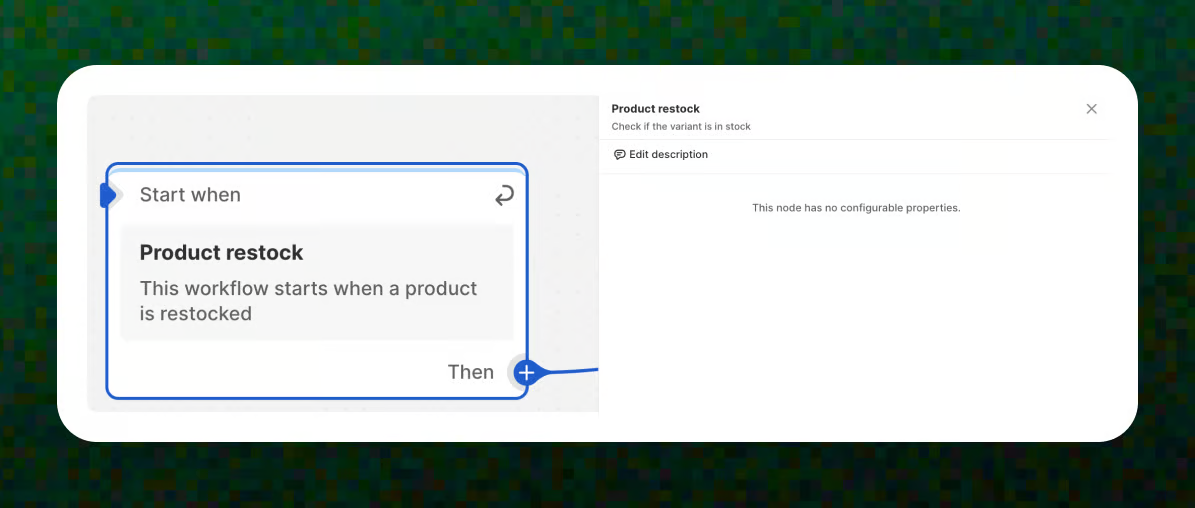
### Trigger – Product restock
The workflow starts when a product is restocked and becomes available again.
📝 Learn more about triggers: [Understanding workflow triggers](https://docs.foxecom.com/xflow-app/workflows/understanding-workflow-triggers)
### Condition – Customer criterias: Total spent
Set the condition to **Total spent → Greater than → a number** to check whether the customer qualifies as a high-spending (VIP) customer.
📝 Learn more about conditions: [Workflow condition: Customer criteria](https://docs.foxecom.com/xflow-app/workflows/understanding-workflow-conditions/workflow-condition-customer-criteria)
_xhBw6XU2.jpg)
### Action – Create discount code
In **True** path, create a unique VIP discount code for customers who meet the high-spending criteria.
📝 Learn more about actions: [Understanding workflow actions](https://docs.foxecom.com/xflow-app/workflows/understanding-workflow-actions)
_4gt6KB15.jpg)
### Action – Send email
After creating the discount code, send a **VIP back-in-stock email** to the customer that includes the discount code.
1. Enter the **email subject**.
2. Select the **VIP email template** that you have prepared in advance.
If you don’t have an **email template** yet, check out [Create an email template](https://docs.foxecom.com/xflow-app/email-templates/create-an-email-template)
Read more about the **variables** you can use in email: [Available variables in email templates](https://docs.foxecom.com/xflow-app/email-templates/understanding-personalization-variables-in-email-templates/available-variables-in-email-templates)
_JuXwLQdU.jpg)
### Action – Send email
In **False** path, send a **standard back-in-stock email** to customers who don’t meet the VIP spending criteria.
_bPptPGXn.jpg)
Nice work! Your VIP customers will now get a little extra love when products are restocked.
**🌟 Pro Tip:**
* Choose a **clear spending threshold** to define who qualifies as a VIP.
* Use **unique discount codes** to avoid sharing and better track performance.
* Highlight exclusivity in your VIP email (e.g. *“VIP-only offer”*) to increase urgency.
* Keep the standard email simple to avoid over-discounting non-VIP customers.
## Common use cases
The **Back in stock with tiered response** workflow template is commonly used when:
* You want to **reward high-spending customers** with exclusive perks.
* You want to **increase conversion** when popular products are back in stock.
* You want to **segment customers automatically** based on their lifetime value.
* You want to offer discounts **only to VIPs**, while keeping margins healthy.