# How SMS segments work for SMS alerts
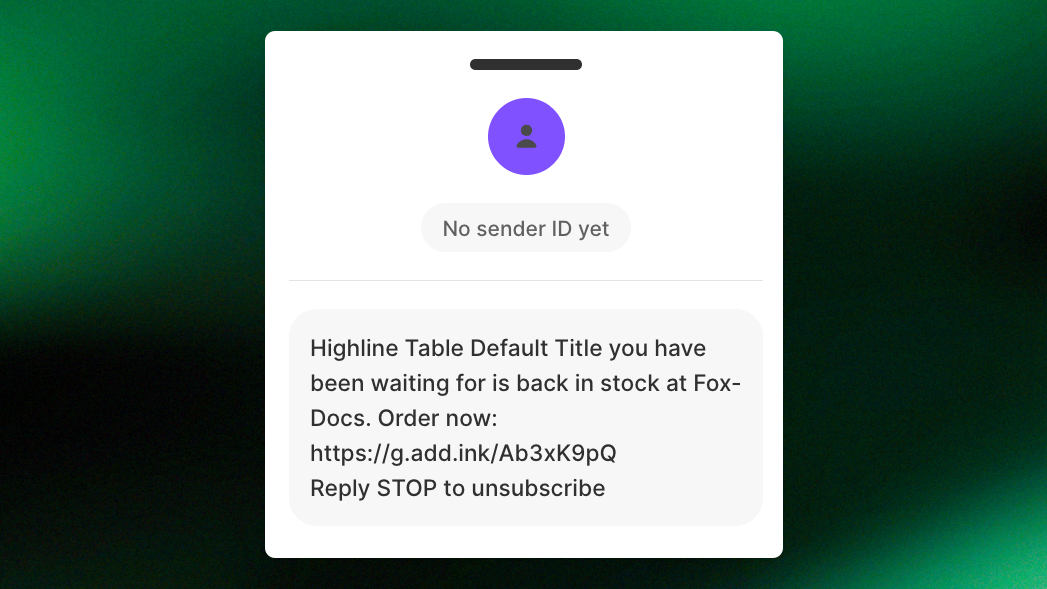
SMS in XFlow is charged **per segment**, not per message. A longer one is split into several segments and each one costs the full rate, increasing the cost of each SMS alert.
Knowing how segments work helps you keep your SMS costs predictable.
***
## What is an SMS segment?
An SMS segment is one unit of a text message. If your message exceeds the character limit, it’s split into multiple segments.
Your customer still receives it as one message because their phone automatically combines the parts, but **each segment is charged separately**.
## How many characters fit in a segment
The number of characters per segment depends on the characters used in your message.
| Message type | When it's used | One segment | Each segment, when split |
| ---------------- | ------------------------------------------------------------------- | -------------- | :----------------------- |
| Standard (GSM-7) | Only basic Latin letters, numbers and common symbols | 160 characters | 153 characters |
| Unicode | The message has an emoji, or any character outside the standard set | 70 characters | 67 characters |
**Why does the limit get smaller when a message is split?**
When an SMS is split into multiple segments, each part needs a little extra space to help the recipient's phone put the message back together.
| **Message length** | **Standard** | **Unicode** |
| ------------------ | ------------ | ----------- |
| 70 characters | 1 segment | 1 segment |
| 150 characters | 1 segment | 3 segments |
| 161 characters | 2 segments | 3 segments |
| 300 characters | 2 segments | 5 segments |
A **150-character SMS** with only standard English characters costs **1 segment**. But if you add an emoji like 🎉, the entire message switches to Unicode and takes **3 segments**.
## One character can turn your message into Unicode
Even **one character outside the standard SMS character set (GSM-7)** can turn your entire message into Unicode. This reduces the limit from **160 to 70 characters per segment**, which means your message may cost more to send.
Here are some characters to watch out for:
* **Emojis:** Characters like 🎉, ❤️, or 📦 automatically make your SMS Unicode.
* **Curly quotes and apostrophes:** Symbols like “ ” and ’, often copied from Word or Google Docs. Use straight quotes (" and ') instead.
* **Long dashes, bullets and ellipses** (— – • …)
* **Some accented letters**, such as ã, õ, á, ó (Portuguese) or ê, â, ô, î (French). Letters like à, è, é, ò, ù, ä, ö, ü, å, ø, æ and ß are fine
* **Product titles and variant names**. If a product name contains one of these characters, that customer's SMS becomes Unicode
Some standard characters count as **2 characters** in SMS, even though they don't switch your message to Unicode. These include ^, \{, }, \[, ], , |, \~, and €.
**Example:** \[Store Name] uses 14 GSM-7 character positions, not 12.
## How many characters does an emoji use?
Most emojis take more than one character, even though they appear as a single symbol on screen.
An emoji does two things to your message:
1. It switches the **whole message** to Unicode, so the limit drops from 160 to 70 characters.
2. Most emoji count as **2 characters** or more, not 1.
| **Emoji type** | **Example** | **Counts as** |
| ------------------------------------------ | -------------- | ------------- |
| Simple symbols | ♥ | 1 character |
| Standard emoji | 🎉 👟 🔥 😀 👍 | 2 characters |
| Symbols with color style | ❤️ | 2 characters |
| Emoji with skin tone | 👍🏽 | 4 characters |
| Flags | 🇺🇸 🇬🇧 | 4 characters |
| Combined emoji (family, people with roles) | 👨👩👧 | 8 characters |
A 69-character Unicode message fits in one segment. Add 🎉, which counts as 2 characters, and the message becomes 71 characters. It now requires 2 segments, and you pay twice for every SMS.
If you want to keep your SMS costs down, avoid emojis and unsupported special characters where possible. Replacing emojis with GSM-7 characters can help your message fit into fewer segments.
## What counts toward your SMS length?
* **Message text:** All characters, including spaces and line breaks.
* **Variables:** The actual text inserted when the message is sent. For example, a 60-character product title adds 60 characters.
* **Links:** The full URL counts toward the message length unless it's shortened.
* **Opt-out text:** Any unsubscribe instructions automatically added by XFlow also count toward the total.
Because product names and other variables can vary, the same SMS template may require one segment for one product and multiple segments for another.
Use **Preview** in XFlow to check your message with actual product data before sending.
## How do SMS segments affect your cost?
Your SMS cost depends on the number of segments sent and the rate for the recipient's country. If your SMS uses different numbers of segments for different products or recipients, the total cost may vary.
Your estimated SMS cost is calculated as:
**Number of recipients × Segments per SMS × Rate per segment**
For example, suppose you're sending a back-in-stock alert to **500 subscribers in the United Kingdom**, where the example rate is **$0.10 per segment**:
| Your message | Segments per SMS | Total cost |
| -------------------------------------------- | ---------------- | ---------- |
| Standard, 150 characters | 1 | $50 |
| Standard, 200 characters | 2 | $100 |
| Same 150 characters with one emoji (Unicode) | 3 | $150 |
Adding just one emoji to a 150-character message can **triple your SMS cost**, from $50 to $150, even though the message is almost the same length.
## Tips to keep alerts in one segment
Before sending an SMS alert, follow these tips:
* Turn on **Shorten links** to save characters on every message.
* Use **Limit variable length** to cap long product titles, for example at 40 characters.
* Skip emoji, and replace curly quotes and long dashes with plain ones.
* Keep your wording short. Your customer only needs the product, that it's back, and the link.
* Keep translations short. Some languages use accented letters that switch the message to Unicode.
* Check **Preview** before you save.
## Related articles
Setup SMS sender IDs
SMS rates & Add funds to SMS balance
Use the Send SMS action in a workflow