# Overview
Settings is where you check what your plan includes, choose where Snapty emails you, and see or delete the data Snapty keeps for your store. To open it, click **Settings** in the left nav of the Snapty app.
## What you can do in Settings
## Your current plan
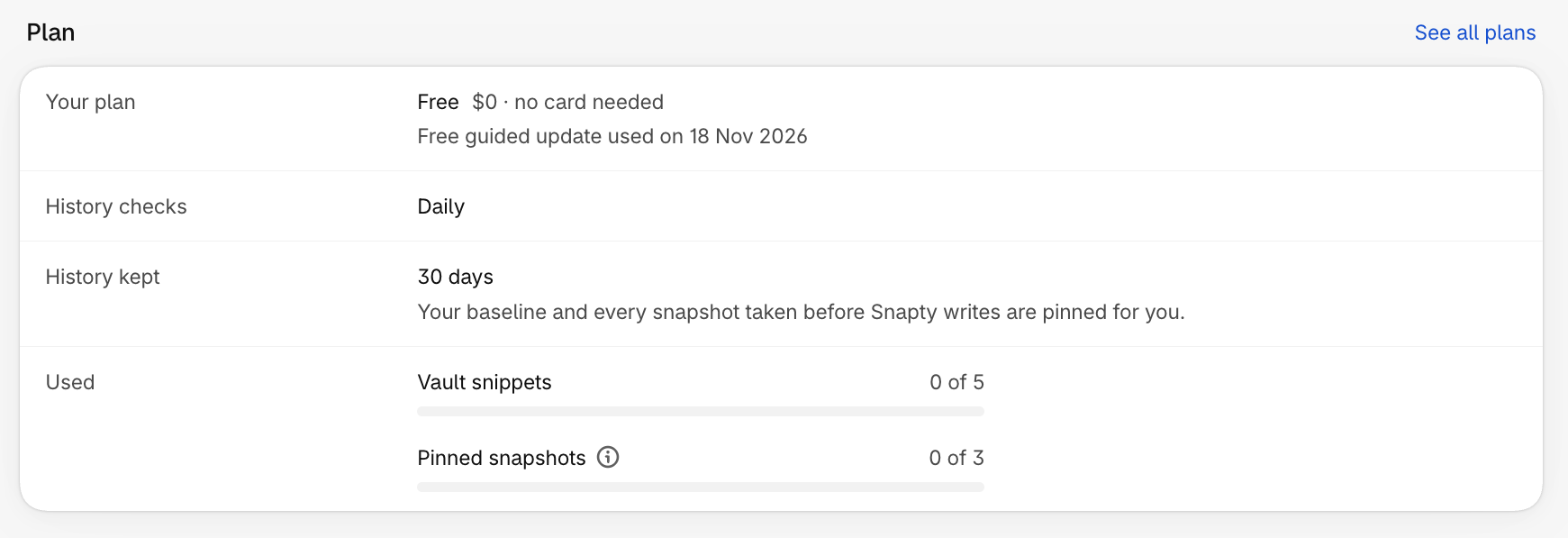
Every store starts on **Free**: $0 forever, no card needed. The **Plan** card at the top of **Settings** shows what you have:
| Row | What it tells you |
| ------------------ | --------------------------------------------------------------------------------------------------------- |
| **Your plan** | Your current plan and its price |
| **History checks** | How often Snapty checks your live theme for changes. A snapshot is taken only when something changed |
| **History kept** | How long snapshots are kept. Your baseline and every snapshot taken before Snapty writes are kept forever |
| **Used** | How many of your **Vault snippets and Pinned snapshots** you've used |
Free is permanent — paid plans add more, and never take anything away.
Click [**See all plans**](https://admin.shopify.com/apps/snapty/settings/plans) at the top right of the **Plan** card to open the **Plans** screen.
## FAQs
Yes, and permanently. The limits above are the free plan; paid plans add to them.
Because Snapty records the live theme only, today. It is not a plan limit.
No. Routine changes arrive as a weekly summary on the free plan. The critical alerts, which mean something is wrong, arrive immediately.
You can turn off the weekly summary. The critical alerts are always sent — they exist so that a broken storefront or a stopped update does not go unnoticed.
Everything is deleted within 30 days. Nothing is left in your theme.
No. It deletes what Snapty holds — recordings and snippets. Your theme is untouched. Snippets stop being delivered, because there is nothing left to deliver.
## Related articles
Manage email notifications
Manage your data
View theme history
Code Vault overview