# Product badges
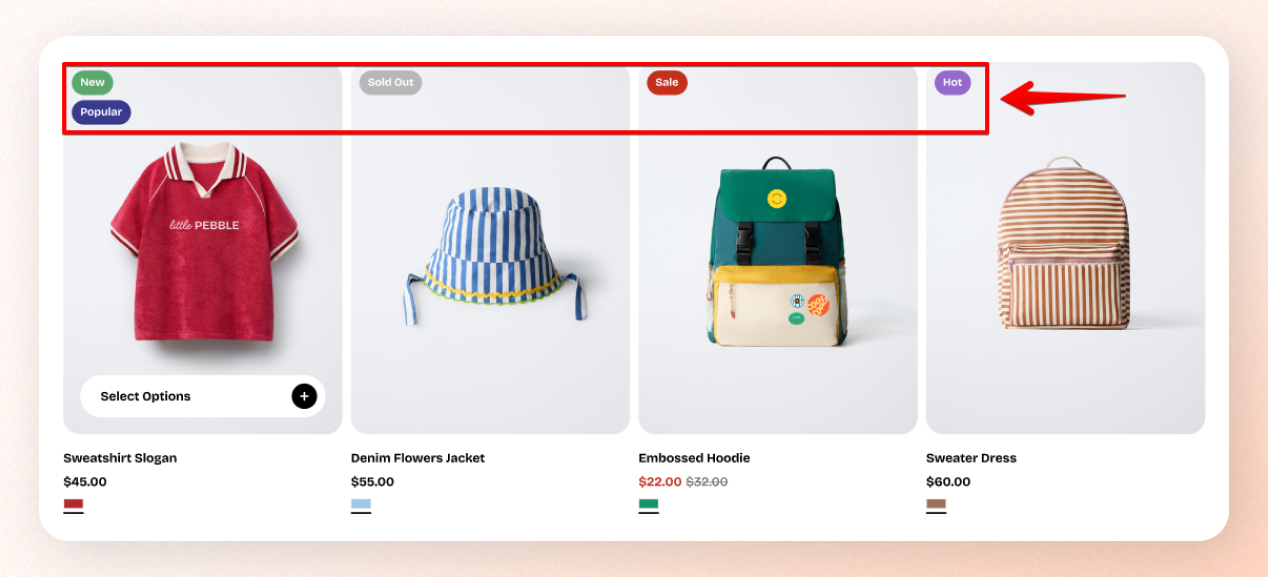
The **Product badges** settings allow you to highlight specific products with visual labels, such as "New", "Hot", or "Popular". These badges help attract customer attention and make it easier to identify trending or newly added items in your store.
## How to add custom Product badges
Steps:
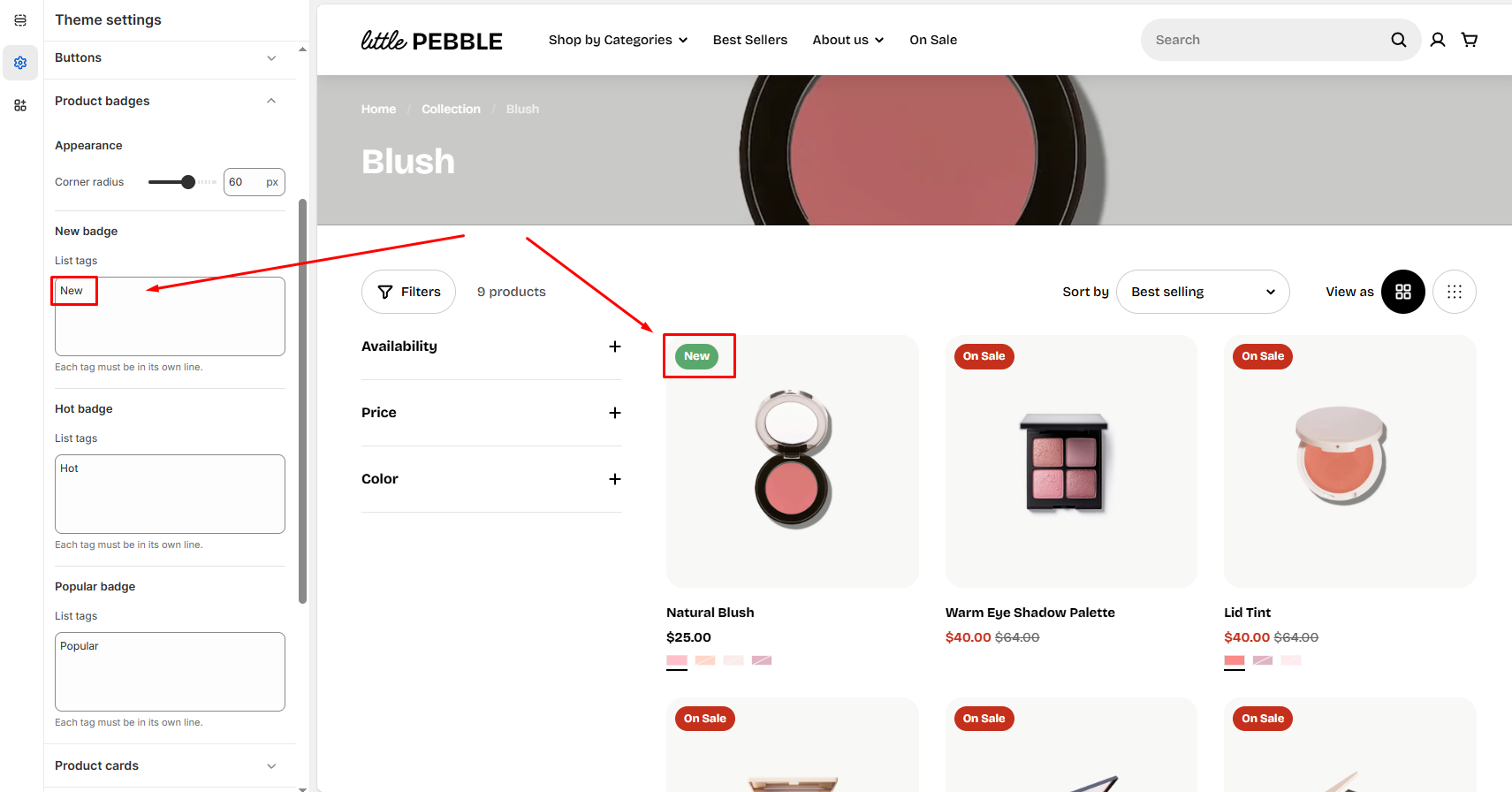
1. In the theme editor (**Customize**), click **Theme settings**.
2. Locate **Product badges**.
3. Enter the tags you want to show as badges.
4. Click **Save**.
## Product badges settings options
### Appearance
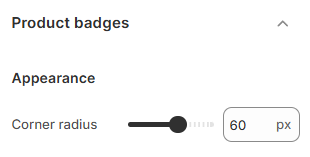
**Corner radius**: Use the slider or enter a pixel value to adjust how rounded the corners of your product badges appear (0 - 100px).
* A lower value keeps badge corners sharp and square.
* A higher value creates softer, rounded badges for a modern, friendly look.
### Badge types
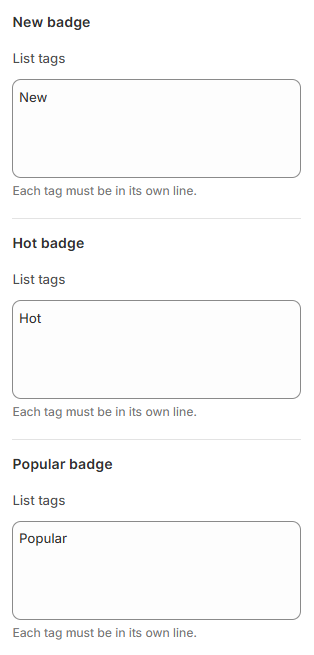
You can set up multiple badge categories by adding specific tags under each section:
* **New badge:** For new arrivals (e.g., `New`, `Just Arrived`)
* **Hot badge:** For trending or high-demand products (e.g., `Hot`, `Best Seller`)
* **Popular badge:** For customer favorites (e.g., `Popular`, `Top Pick`)
Each tag must be listed on a new line to work correctly. Example:
```
Hot
Trending
Best Seller
```
To change the badges' colors, go to **Theme settings** > **Colors.**
Make sure you have added the corresponding tags in the **Shopify admin > Products** section.
[*Learn more about tags*](https://help.shopify.com/en/manual/shopify-admin/productivity-tools/using-tags)*.*