# Layout
## How to edit Layout
Steps:
1. In the theme editor (**Customize**), click **Theme settings**.
2. Locate **Layout**.
3. Make necessary changes.
4. Click **Save.**
### Page width
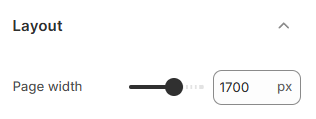
Use the slider or manually enter a pixel value to define your store’s overall page width. The range is 1200 - 2000px.
This setting helps you maintain a consistent layout across all pages, ensuring that your store looks clean and balanced on different screen sizes.
* A wider width works best for large screens and modern layouts.
* A narrower width creates a more compact and focused appearance.
### Right-to-Left support
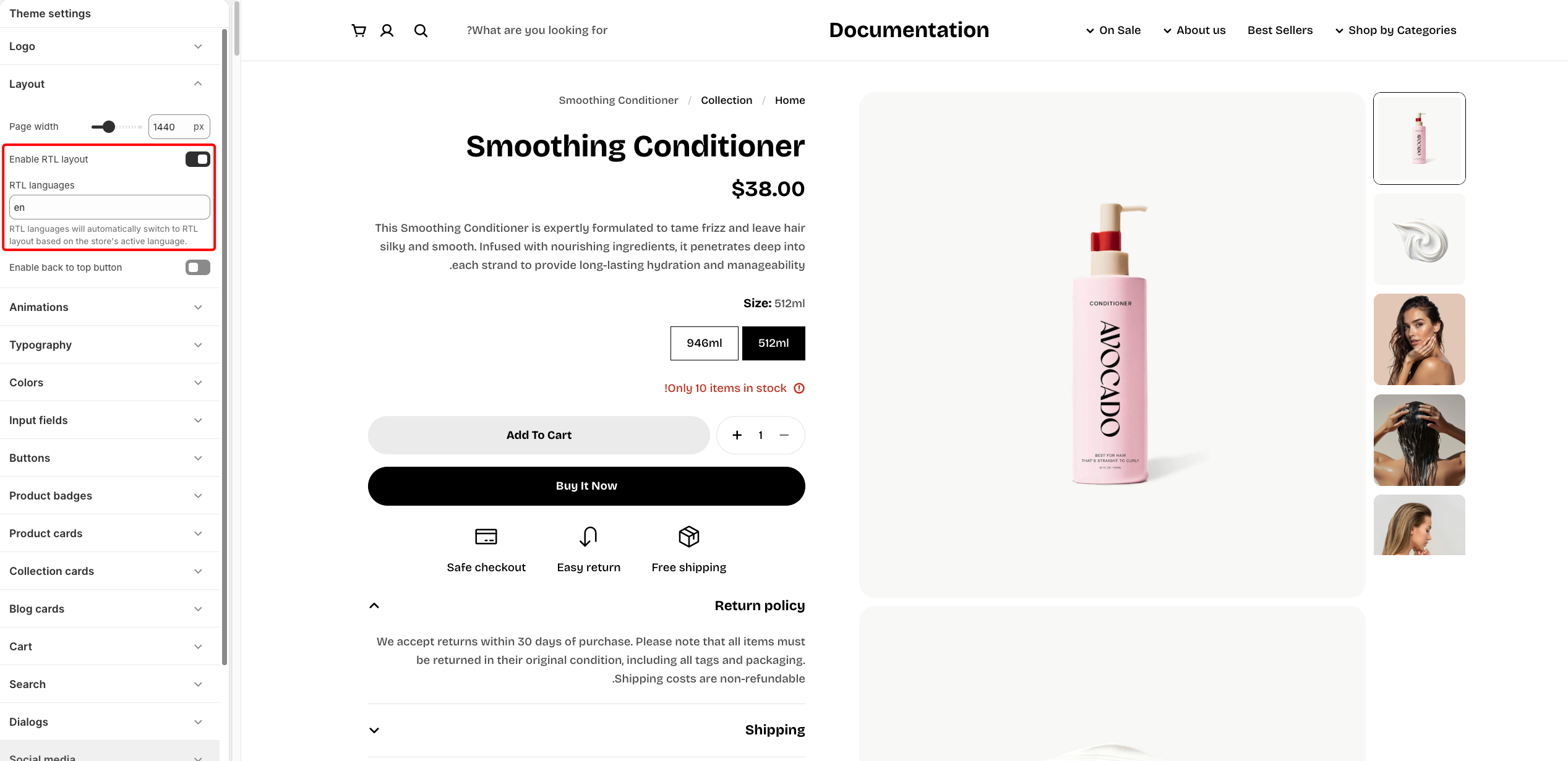
An RTL (Right-to-Left) layout is a website design in which the content flows from right to left, commonly used for languages written in this direction.
**Steps:**
1. In the theme editor (**Customize**), click **Theme settings.**
2. Select **Layout.**
3. Click ✅ **Enable RTL layout.**
4. Enter the **Languages support RTL.** Enter [ISO language codes](https://www.loc.gov/standards/iso639-2/php/code_list.php) separated by commas (e.g., `he,ar`).
Leave the field blank to apply RTL support to **all** languages.
5. Click **Save**.
* **Enable RTL:** Toggle ON to apply RTL layout for supported languages.
* **Languages support RTL:** Enter [ISO language codes](https://www.loc.gov/standards/iso639-2/php/code_list.php) separated by commas. Leave the field blank to apply RTL support to **all** languages.
> 💡 Example: Use `he,ar` to apply RTL only for Hebrew and Arabic.
* Enable RTL layout when using right-to-left languages such as Arabic or Hebrew.
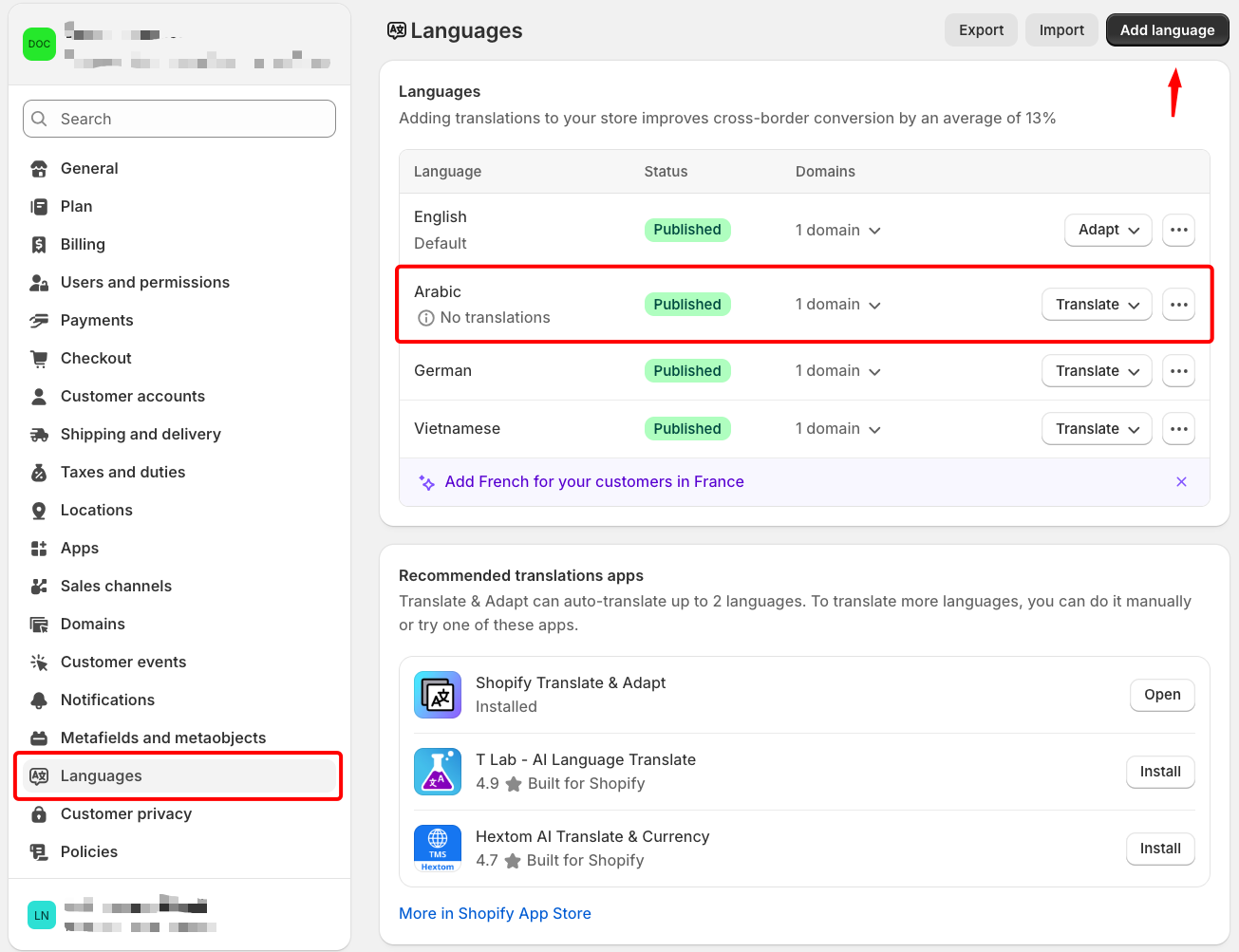
* Make sure your RTL languages are already added and published in **Shopify Settings > Languages** before enabling this feature. [*Learn more*](https://help.shopify.com/en/manual/international/localization-and-translation)
### Enable Back to Top Button
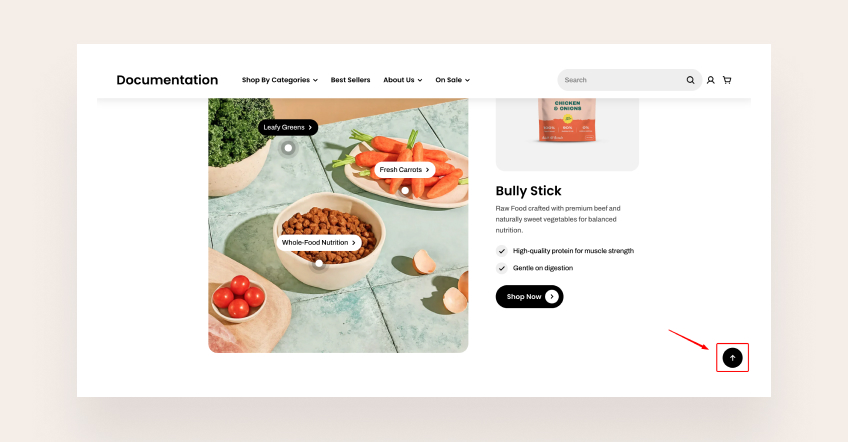
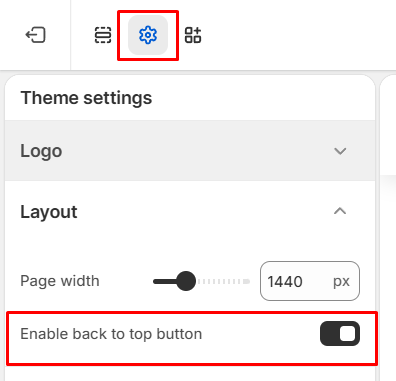
With just one click, customers can quickly navigate back to the top of the page, making it easier for them to continue browsing or locate essential information.
This option is especially helpful for stores with infinite scrolling, long-form product pages, or extended home layouts.
**Steps:**
1. In the theme editor (**Customize**), click **Theme settings.**
2. Select **Layout.**
3. Select ✅ **Enable back to top button**.
4. Click **Save.**