# Custom CSS
Although we create Pebble theme with a variety of customizable features and settings, sometimes you would want to customize elements to match your brand styles and requirements.
Most of the time, the best and easiest way to make this styling customization is with custom CSS.
## How to add Custom CSS code
Steps:
1. In the theme editor (**Customize**), click **Theme settings**.
2. Locate **Custom CSS**.
3. Make necessary changes.
4. Click **Save.**
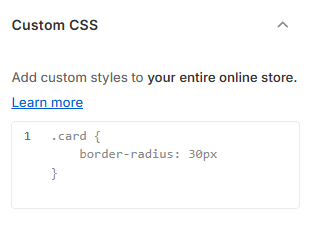
This requires you to have a certain knowledge of web design languages (CSS, HTML, and Liquid). If you are not familiar with them, avoid using custom code to prevent unwanted technical issues.
Check out [W3Schools](https://www.w3schools.com/Css/) for a quick CSS tutorial.