# Blog cards
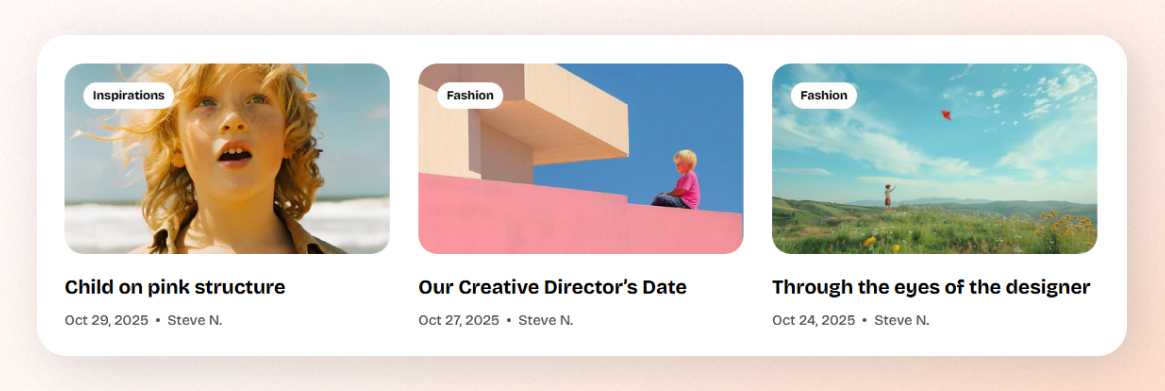
The **Blog cards** settings allow you to control how your blog post previews appear across your store, giving you flexibility over image proportions and design style.
## How to customize Blog cards
Steps:
1. In the theme editor (**Customize**), click **Theme settings**.
2. Locate **Blog cards**.
3. Make necessary changes.
4. Click **Save.**
## Blog cards settings options
### Media
#### Aspect ratio
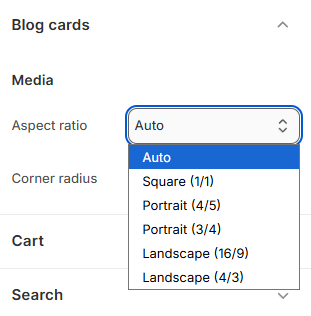
Choose how images are displayed within your blog cards.
Available options include:
* **Auto:** Automatically adjusts to the image’s original dimensions.
* **Square (1:1):** Keeps all blog images in a perfect square shape.
* **Portrait (4:5 / 3:4):** Ideal for vertically oriented images.
* **Landscape (16:9 / 4:3):** Best for wide, horizontal images.
#### Corner radius
Use the slider or input a pixel value to adjust the roundness of image corners (0 - 32px).
A higher value results in smoother, more rounded edges, great for a modern, friendly look.

Learn [how to write a blog post here.](https://help.shopify.com/en/manual/online-store/blogs/writing-blogs)