# Animations
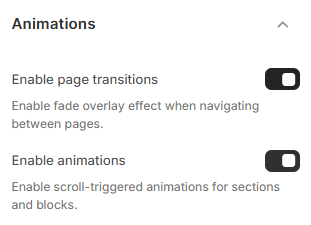
Bring your store to life with smooth transitions and subtle motion effects. The **Animations** settings in Pebble let you enable page transitions and scroll-triggered animations to create a more dynamic browsing experience.
## Page transitions

The **Enable page transition** option adds a fade overlay effect when navigating between pages.
This enhances the user experience and creates a smoother, more polished look when customers move around your store.
## Scroll-triggered animations
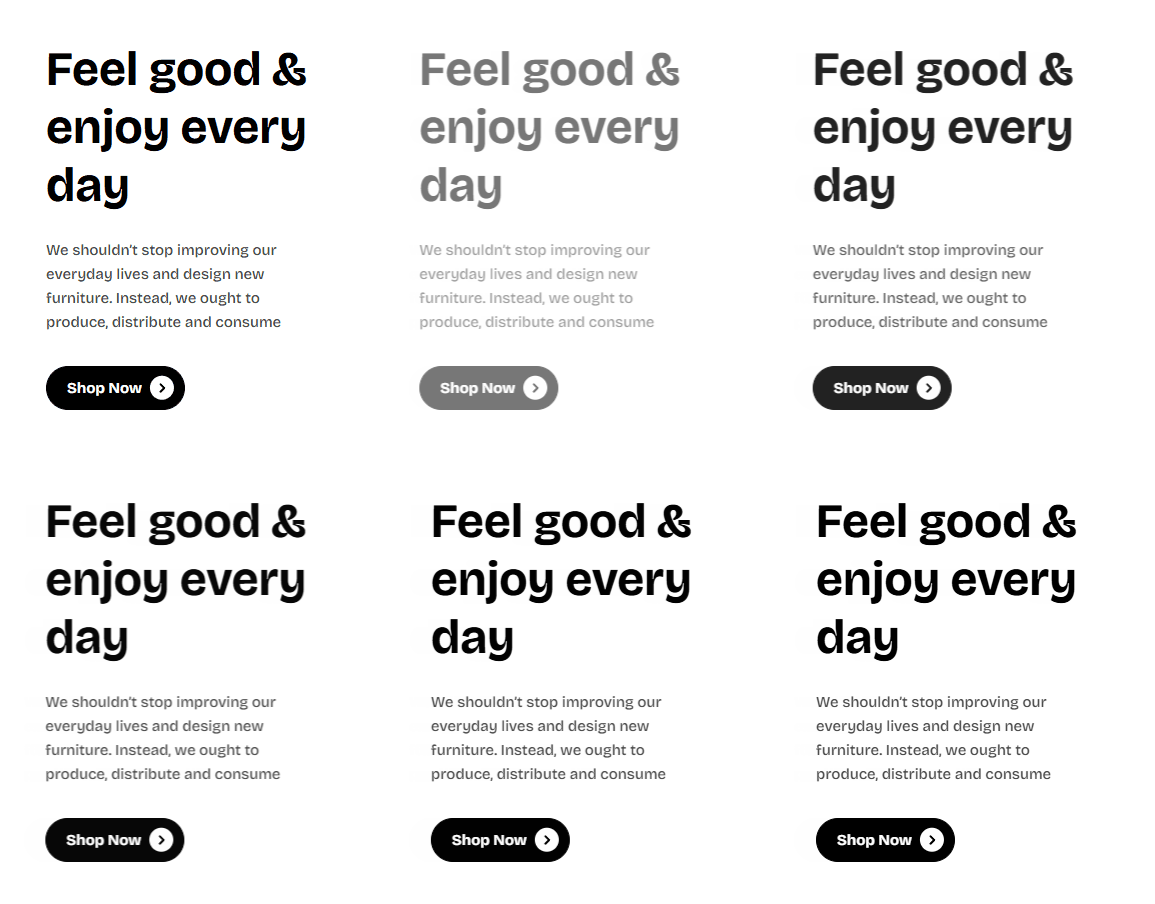
The **Enable animations** option triggers subtle animations for sections and blocks as they appear on screen while scrolling, adding visual engagement and modern flair.
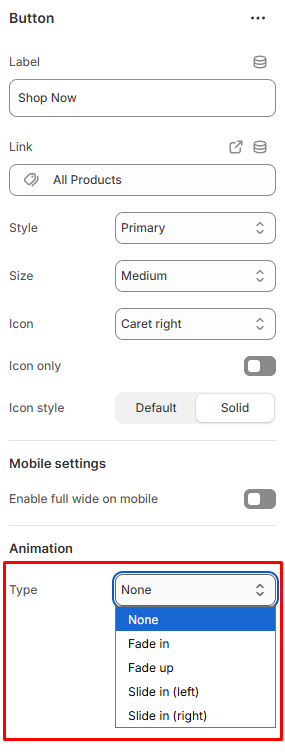
**Note:** To use scroll-triggered animations, make sure the element’s **Animation > Type** setting is set to anything **other than None.**
## How to enable animations
Steps:
1. In the theme editor (**Customize**), click **Theme settings**.
2. Locate **Animations**.
3. Toggle **Enable page transitions** to activate the fade overlay effect between pages.
4. Toggle **Enable animations** to add scroll-triggered animations for sections and blocks.
5. Click **Save**.