# Store locators

<figure><img src="https://1172126658-files.gitbook.io/~/files/v0/b/gitbook-x-prod.appspot.com/o/spaces%2FgoStNEbk9Q25TX38NhdE%2Fuploads%2F7kZTH1FqOrXXPE2aYlc3%2FFox-BG%20Light%20-%202025-11-26T112924.045.jpg?alt=media&#x26;token=41de13d2-b79d-4de8-b09a-2215bb7fd240" alt=""><figcaption></figcaption></figure>

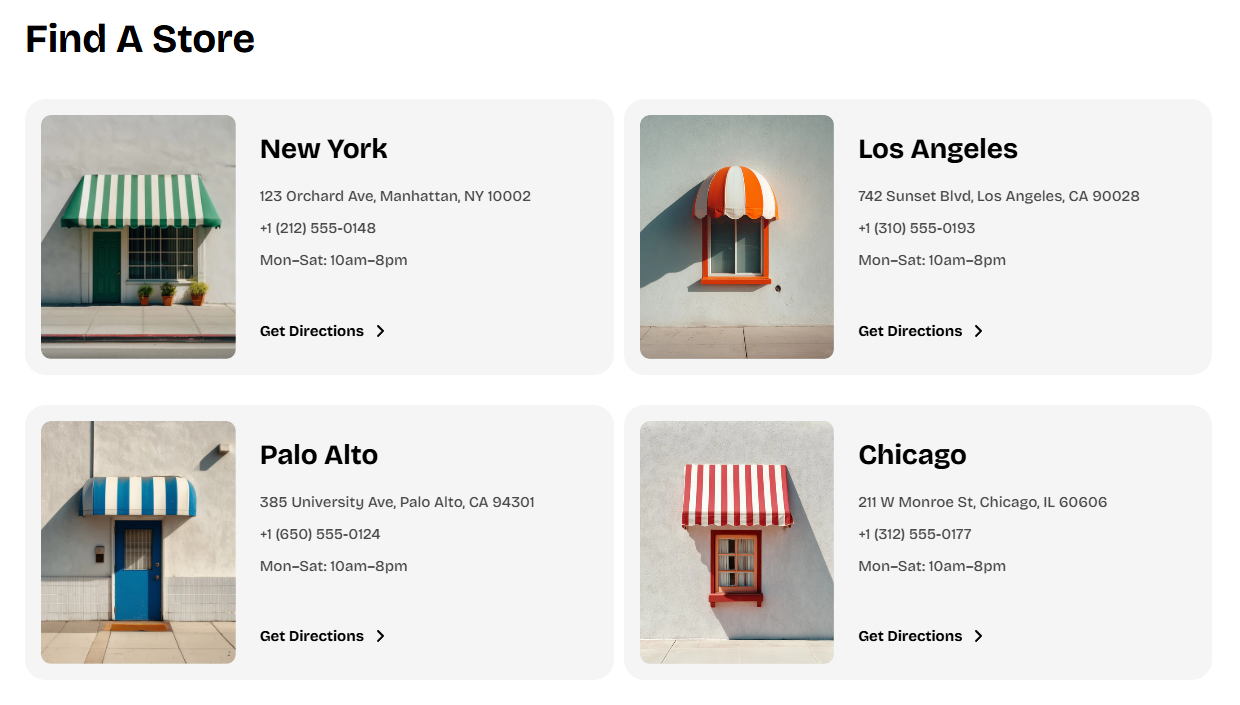
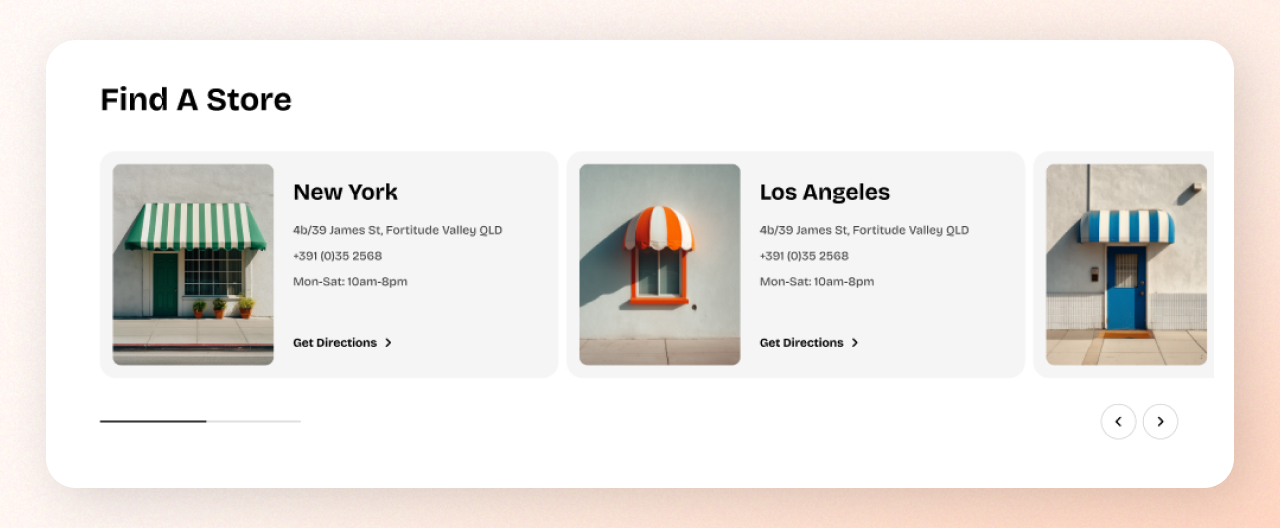
The **Store locators** section lets you display multiple store cards—each showing an image, name, address, contact details, or any custom information you add.

This section is perfect for brands that operate both online and offline and want to help customers find a physical retail experience.

## How to add a Store locators section to your Shopify store

{% hint style="success" %}

1. In the theme editor **(Customize)**, click **Add section.**
2. Select **Store locators** section.
3. Make necessary changes.
4. **Save.**
   {% endhint %}

## How to edit the section Store locators

### Section settings

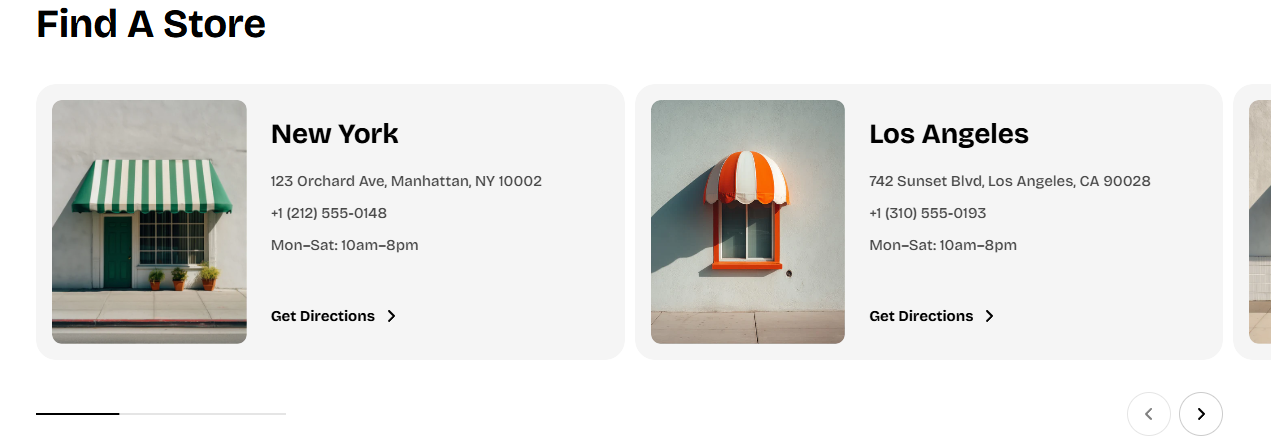
<table><thead><tr><th width="275">Setting</th><th>Description</th></tr></thead><tbody><tr><td><strong>Type</strong></td><td>Display stores in <strong>Grid</strong> or <strong>Carousel</strong> mode.</td></tr><tr><td><strong>Columns</strong></td><td>Number of columns on large screens (2–4).</td></tr><tr><td><strong>Horizontal gap</strong></td><td>Spacing between columns.</td></tr><tr><td><strong>Row gap</strong></td><td>Spacing between rows (Grid only).</td></tr></tbody></table>

{% tabs %}
{% tab title="Grid" %}

<figure><img src="https://1172126658-files.gitbook.io/~/files/v0/b/gitbook-x-prod.appspot.com/o/spaces%2FgoStNEbk9Q25TX38NhdE%2Fuploads%2FgqDRAPnN5s4rQMFdaD9M%2Fimage.png?alt=media&#x26;token=af908a26-701f-4911-87f7-dca065b004ac" alt=""><figcaption></figcaption></figure>
{% endtab %}

{% tab title="Carousel" %}

<figure><img src="https://1172126658-files.gitbook.io/~/files/v0/b/gitbook-x-prod.appspot.com/o/spaces%2FgoStNEbk9Q25TX38NhdE%2Fuploads%2F5VRqkeTECfpiROqSgU2R%2Fimage.png?alt=media&#x26;token=90e40fce-9873-4a84-a1a1-e8148cd4e953" alt=""><figcaption></figcaption></figure>
{% endtab %}
{% endtabs %}

### Block settings

{% hint style="info" %}
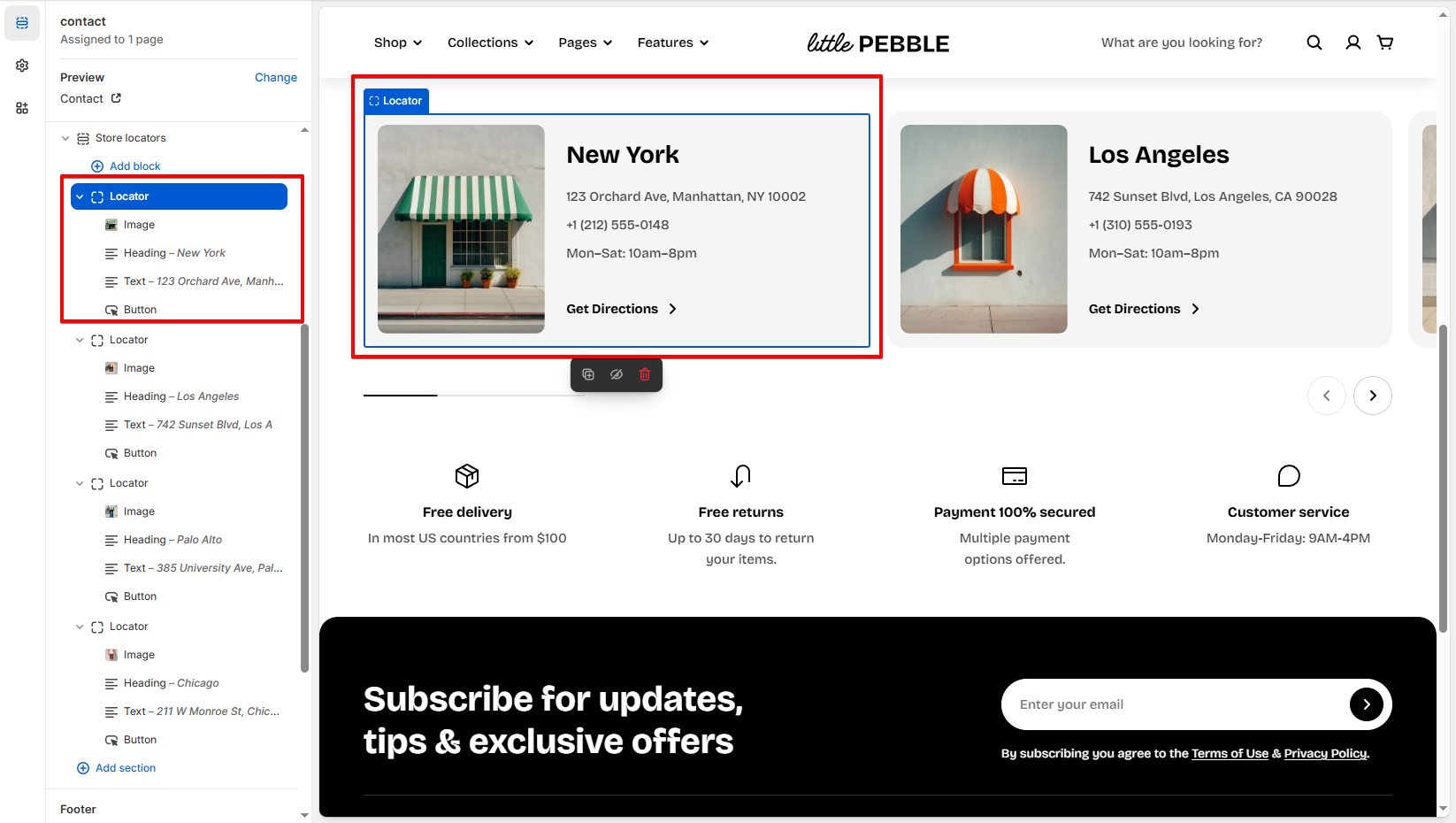
Each store is created using a **Store locator** block.

Each Store locator block supports sub-blocks inside (image, heading, text, etc.), making every card flexible.
{% endhint %}

*Learn more:*

{% content-ref url="store-locators" %}
[store-locators](https://docs.foxecom.com/pebble-theme/theme-sections/store-locators)
{% endcontent-ref %}

<figure><img src="https://1172126658-files.gitbook.io/~/files/v0/b/gitbook-x-prod.appspot.com/o/spaces%2FgoStNEbk9Q25TX38NhdE%2Fuploads%2FGNvVQ249Q6qFUNJAJF0N%2Fimage.png?alt=media&#x26;token=28d53c4f-14ff-437a-b012-532f5edbffae" alt=""><figcaption></figcaption></figure>