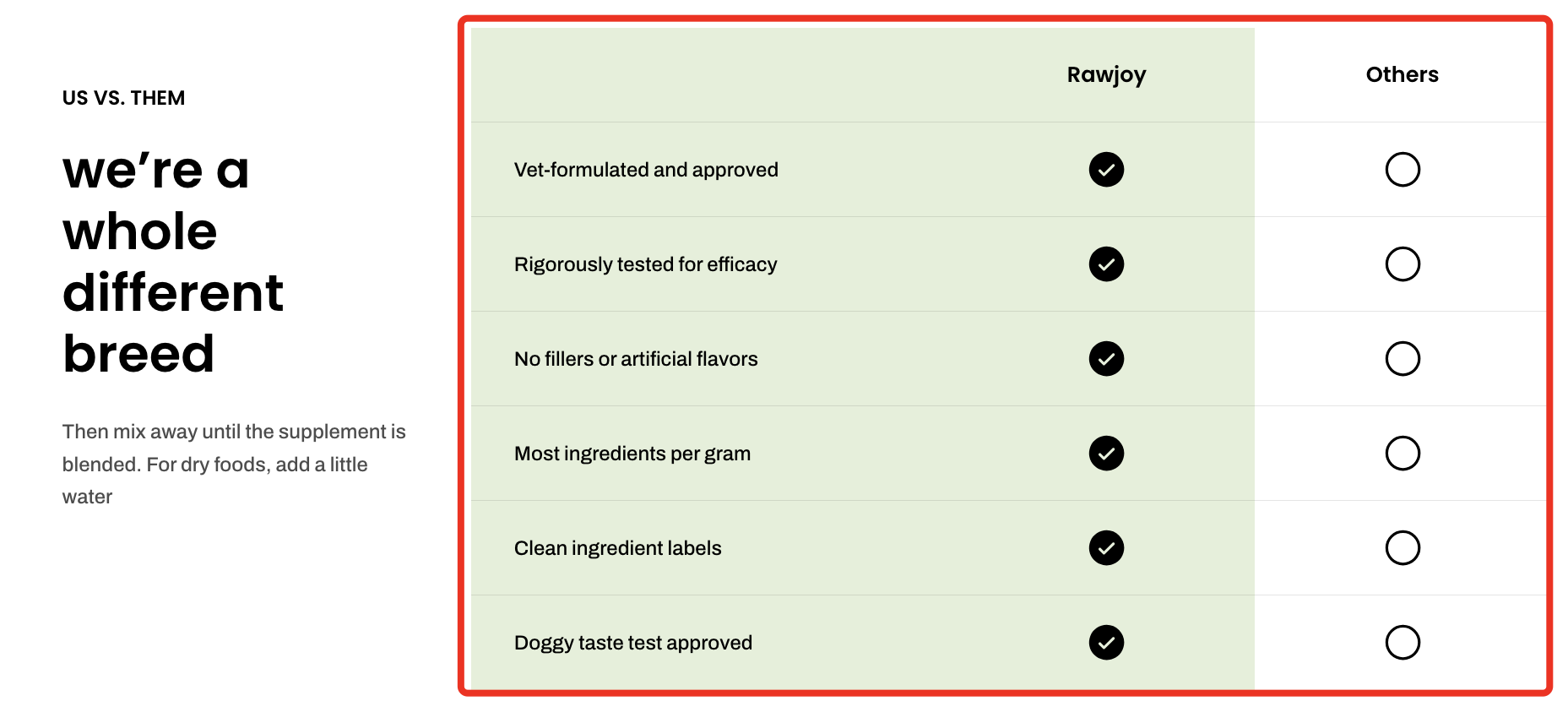
# Comparison table

<figure><img src="/files/cLwon763lGKegZMHe0jI" alt=""><figcaption></figcaption></figure>

Display product features side by side in a customizable table to help customers compare and choose quickly.

## How to add a Comparison table section to your Shopify store

{% hint style="success" %}

1. In the theme editor **(Customize)**, click **Add section.**
2. Select **Comparison table** section.
3. Make necessary changes.
4. **Save.**
   {% endhint %}

## How to customize a Comparison table section <a href="#how-to-customize-a-banner-with-tabs-section" id="how-to-customize-a-banner-with-tabs-section"></a>

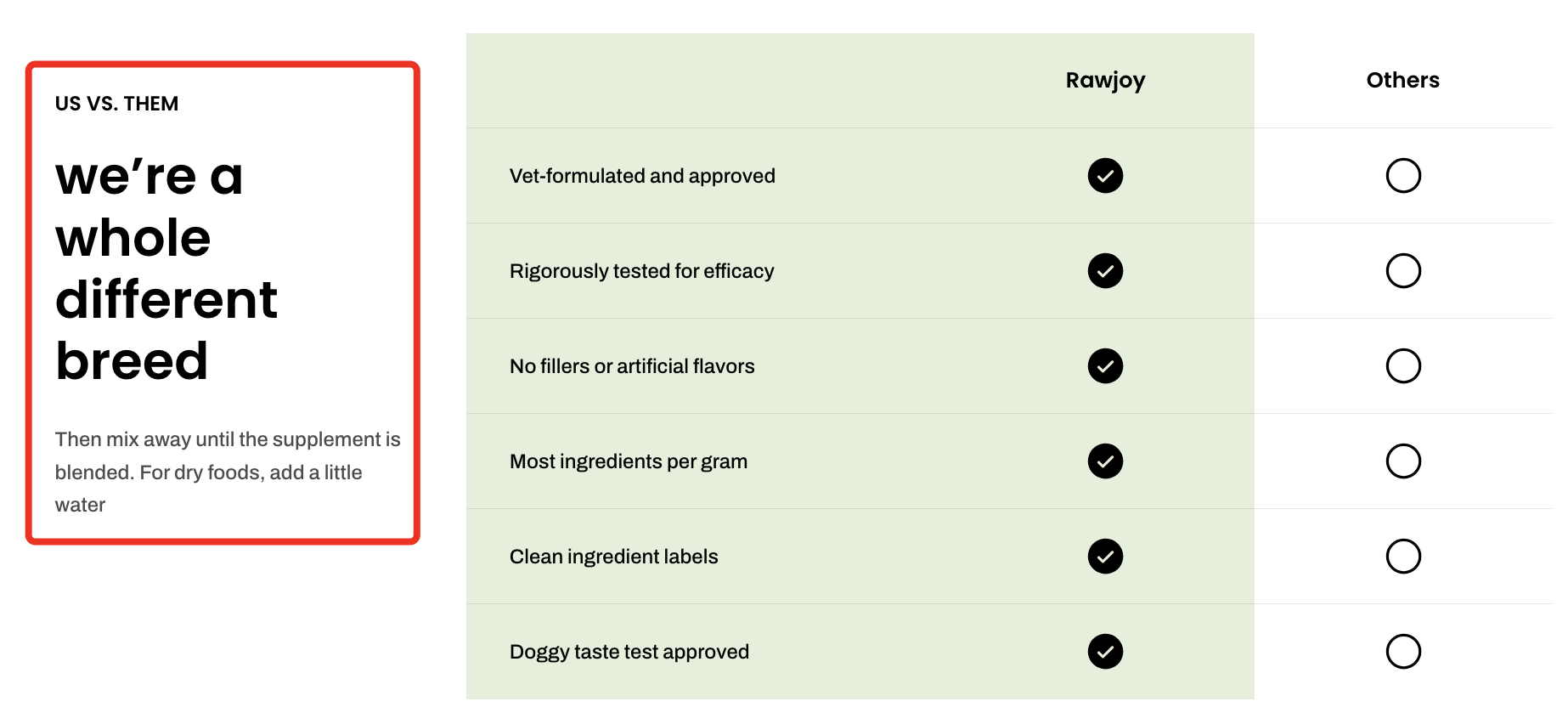
This section includes two main blocks: **Header** and **Comparison content**.
{% tabs %}
{% tab title="Header" %}

<figure><img src="/files/o8hZS8dwN3fNJiC0eGGI" alt=""><figcaption></figcaption></figure>

Use the **Header** block to introduce the section with a heading, subheading, or supporting text.

#### 📦 Nested dynamic blocks

* **Heading** – Add a main title
* **Subheading** – Provide supporting text above or below the heading
* **Text** – Include additional descriptions or details

{% hint style="info" %}
📝 Learn more: [Basic](/pebble-theme/theme-blocks/basic.md)
{% endhint %}
{% endtab %}

{% tab title="Comparison content" %}

<figure><img src="/files/s8cdLiRFv08NkWjs88ql" alt=""><figcaption></figcaption></figure>

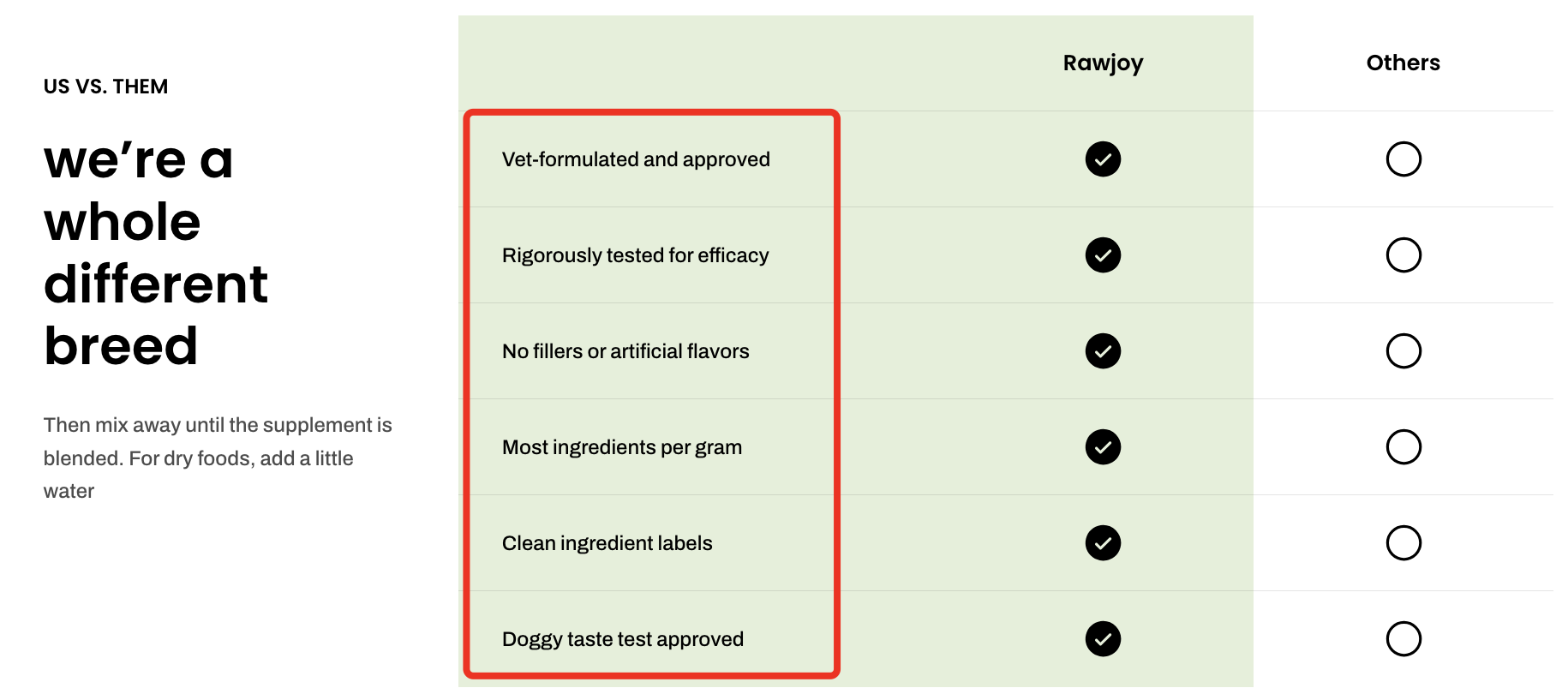
The **Comparison content** block defines the rows (features) of your table.

| Setting          | Description                                                       | Example                                                             |
| ---------------- | ----------------------------------------------------------------- | ------------------------------------------------------------------- |
| **Heading 1–10** | Add feature labels. Each heading represents one row in the table. | <img src="/files/oPehi6jyKhiM33EQ0Cxl" alt="" data-size="original"> |
Each **Comparison column** represents a product or brand being compared.

#### 💡Pro tip

* **Highlight your advantage:** Use visual emphasis (colors or highlights) to make your product stand out clearly.
* **Limit columns:** Compare 2–3 products to keep the table clean and easy to scan.
  {% endtab %}
  {% endtabs %}


---

# Agent Instructions: Querying This Documentation

If you need additional information that is not directly available in this page, you can query the documentation dynamically by asking a question.

Perform an HTTP GET request on the current page URL with the `ask` query parameter:

```
GET https://docs.foxecom.com/pebble-theme/theme-sections/comparison-table.md?ask=<question>
```

The question should be specific, self-contained, and written in natural language.
The response will contain a direct answer to the question and relevant excerpts and sources from the documentation.

Use this mechanism when the answer is not explicitly present in the current page, you need clarification or additional context, or you want to retrieve related documentation sections.