# Video card
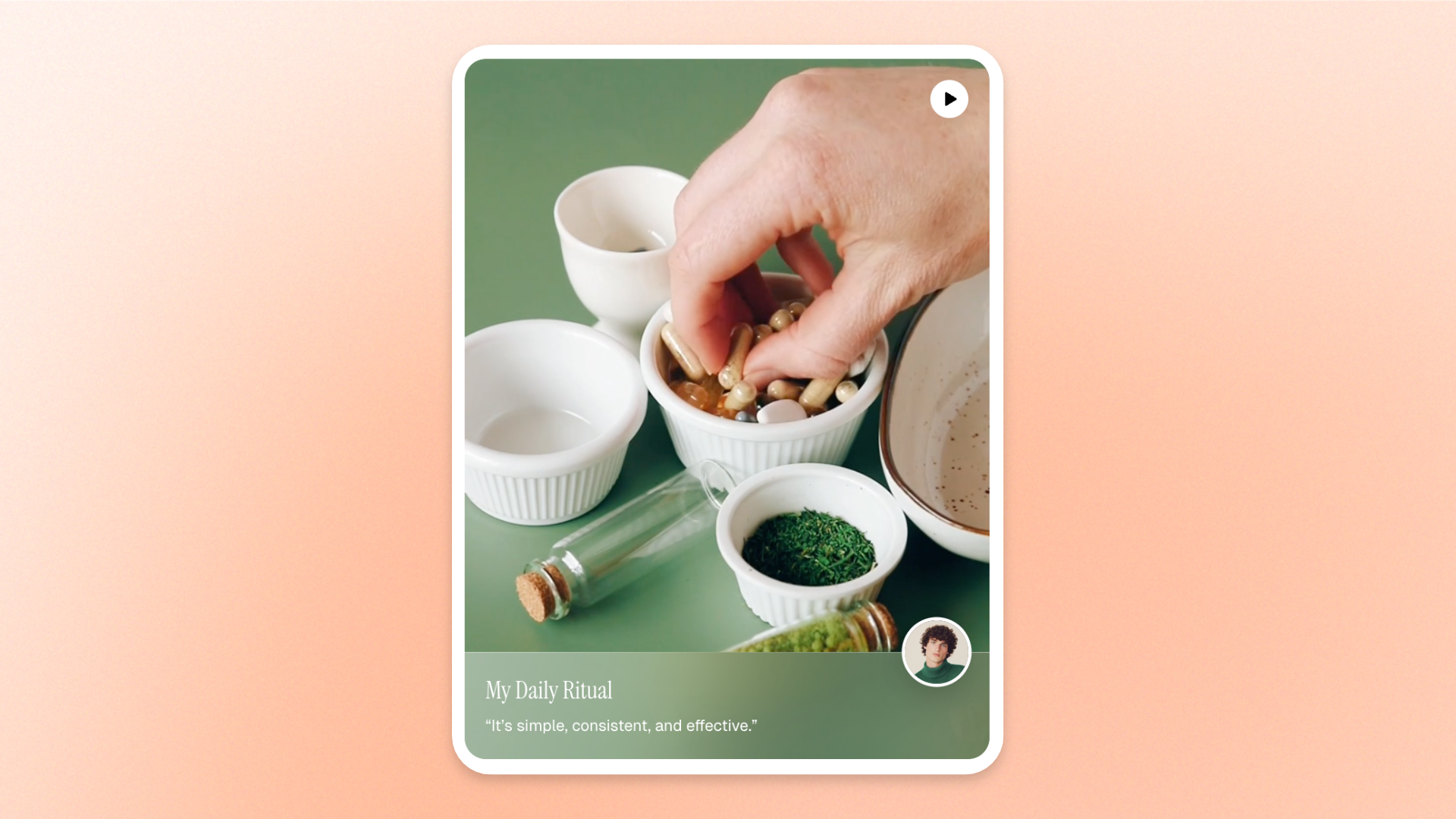
The **Video card** block displays a video alongside supporting information, such as an avatar, title, and description. Use it to showcase **customer testimonials, product reviews, creator recommendations, or brand stories** in an engaging, video-based layout.
Customize the video, cover image, size, and appearance, then add profile details to give shoppers more context about the person or story featured.
## Settings
### Video
Controls the video and its preview image.
| Setting | Description | Options |
| --------------- | -------------------------------------------------------- | ------------------------------------------------------------------ |
| **Video** | Sets the video displayed in the card. | Select a video from the Shopify file library or upload a new one. |
| **Cover image** | Sets the preview image displayed before the video plays. | Select an image from the Shopify file library or upload a new one. |
### Size
Controls the card's proportions and width across devices.
| Setting | Description | Options |
| ----------------------- | ----------------------------------------------------------------------------- | ---------------------------------------------------------------------------------------------------------------------------------------------------------------------- |
| **Aspect ratio** | Controls the shape and proportions of the video card. | **Auto**: Uses the video's original aspect ratio.
**Square (1/1), Portrait (4/5), Portrait (3/4), Landscape (16/9), Landscape (4/3), or Landscape (21/9).** |
| **Width** | Controls the card width on desktop. | **Fit**: Sizes the video to fit its content.
**Fill**: Expands the video to fill the available width.
**Custom**: Uses a specified width. |
| **Custom width** | Sets the card width on desktop as a percentage of the available space. | **0–100%**
*Available when **Width** is set to **Custom**.* |
| **Width mobile** | Controls the card width on mobile devices. | **Fit, Fill,** or **Custom.** |
| **Custom width mobile** | Sets the card width on mobile devices as a percentage of the available space. | **0–100%**
*Available when **Width mobile** is set to **Custom**.* |
### Appearance
Controls the color scheme and corner rounding of the video card.
| Setting | Description | Options |
| ----------------- | --------------------------------------------- | ---------------------------- |
| **Color scheme** | Sets the color scheme of the card. | Select a theme color scheme. |
| **Corner radius** | Controls how rounded the card corners appear. | **0–32px.** |
## Video card – items
The **Video card** block includes one built-in static **Information** block. It displays the supporting information associated with the video, such as a profile image, name, and description.
This block is part of the required structure and cannot be removed or reordered. Additional nested blocks cannot be added.
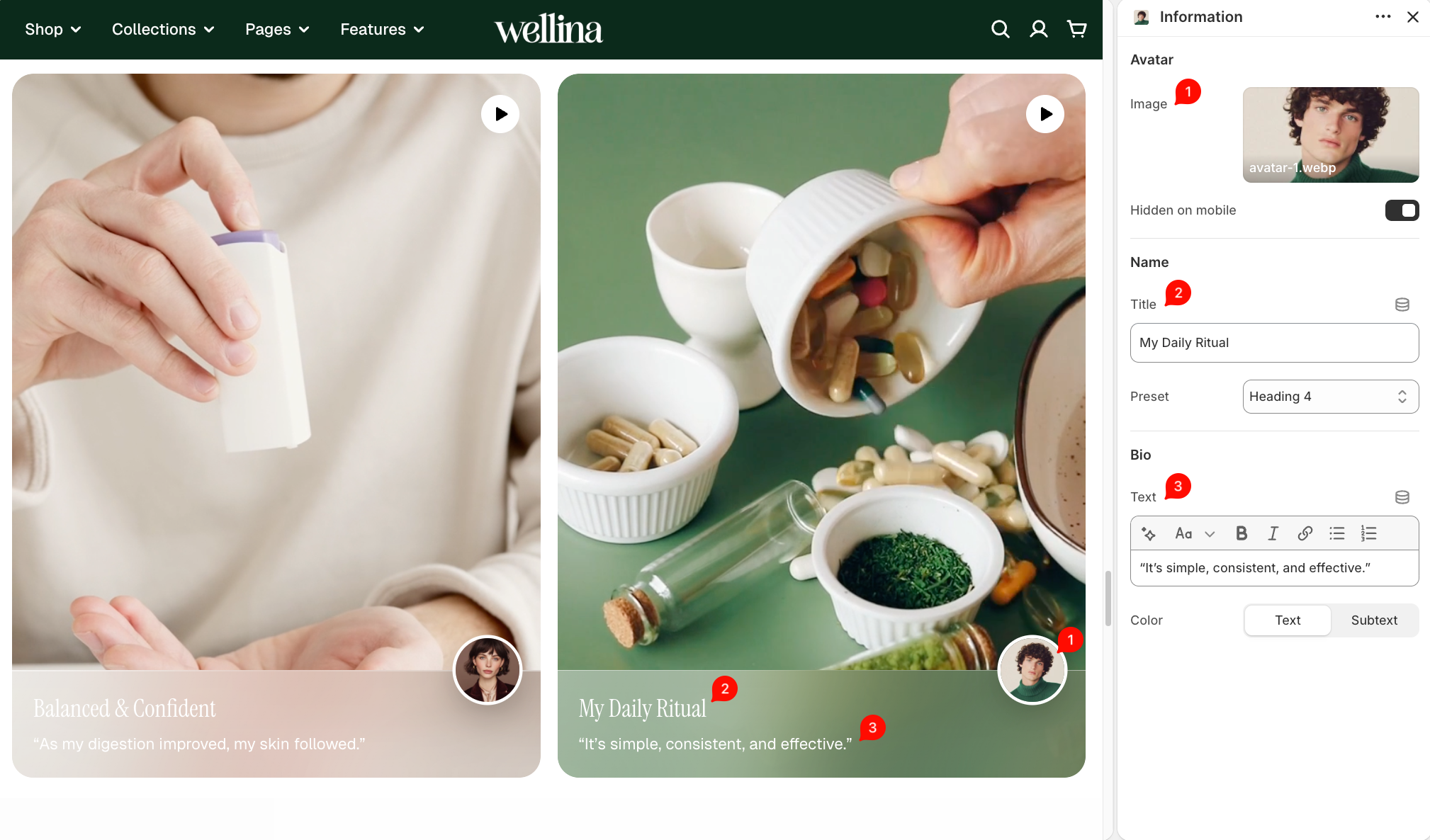
### Avatar
Controls the profile image displayed in the information area.
| Setting | Description | Options |
| -------------------- | -------------------------------------------------------------- | ------------------------------------------------------------------ |
| **Image** | Sets the avatar image displayed in the information area. | Select an image from the Shopify file library or upload a new one. |
| **Hidden on mobile** | Controls whether the avatar image is hidden on mobile devices. | **On** or **Off**. |
### Name
Controls the title and typography of the profile information.
| Setting | Description | Options |
| ---------- | ------------------------------------------------------ | ------------------ |
| **Title** | Sets the main title displayed in the information area. | Enter custom text. |
| **Preset** | Controls the title's typography style. | **Heading 1–6.** |
### Bio
Controls the supporting description and its text color.
| Setting | Description | Options |
| --------- | --------------------------------------------------- | ------------------------------------------------- |
| **Text** | Sets the supporting text displayed below the title. | Enter and format text using the rich text editor. |
| **Color** | Controls the description text color. | **Text** or **Subtext**. |
## Tips and best practices
* Use clear, high-quality videos that focus on a customer experience, product review, or story to keep shoppers engaged.
* Choose an **Aspect ratio** that matches your video format. Portrait ratios work well for vertically filmed testimonials, while square or landscape ratios suit wider layouts.
* Keep the **Title** and **Bio** short and relevant so shoppers can quickly understand who is featured and why their story matters.
* Check the mobile preview to ensure the video and supporting information remain clear and easy to view on smaller screens.