# Storytelling
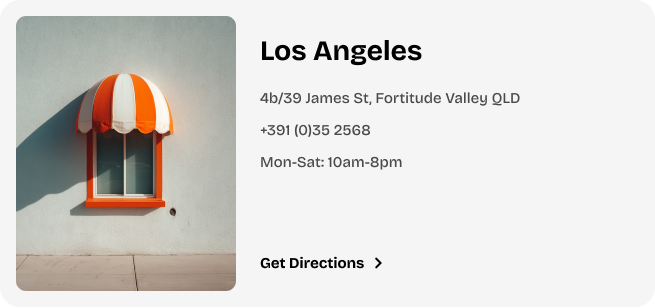
The **Locator block** allows you to feature location-related content. It includes customizable text and image elements, making it ideal for showcasing your store or business contact information.
#### ⚙️ **Block settings**
| Setting | Description |
| --- | --- |
| **Color scheme** | Choose whether to inherit the color scheme from the section or use a custom color scheme.
*Learn more:* [Colors](https://docs.foxecom.com/pebble-theme/theme-settings/colors) |
| **Border** | Choose the border style for the block: **None** or **Solid**. |
#### 📝 **In the Locator block’s content**
The **Locator Block** includes 4 [static blocks](https://docs.foxecom.com/pebble-theme/theme-blocks/overview#static-blocks) for easy content management:
1. **Image**: Display a relevant image along with its size.
2. **Heading**: Typically used for the store name or location title.
3. **Text**: Showcase important text such as contact details (email, phone number, etc.).
4. **Button**: Add a button for actions.
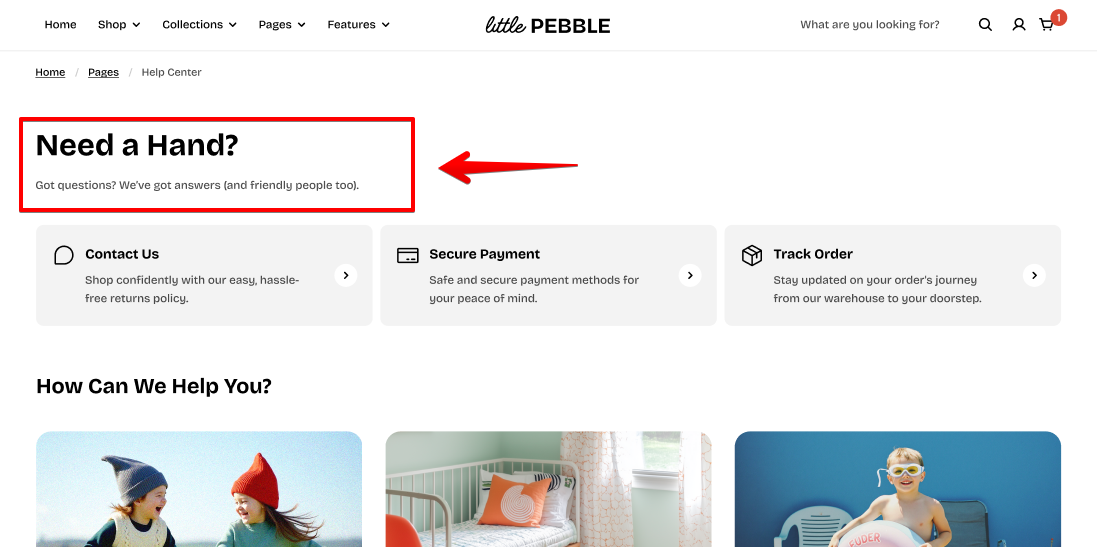
The **Section header Block** is perfect for quickly adding a header to any section of your site.
#### ⚙️ **Block settings**
| Setting | Description |
| --- | --- |
| **Direction** | Control how the nested blocks within the **Section header** display:
• Vertical

• Horizontal
 |
| **Alignment** | Choose the alignment for the text within the block. |
|
| **Alignment** | Choose the alignment for the text within the block. |
#### 📝 **In the Section header block’s content**
You can add more **nested blocks** to further customize the content.
Find more available theme blocks here: [Explore theme block categories](https://docs.foxecom.com/pebble-theme/theme-blocks/overview#explore-theme-block-categories)