# Overview
For general guidance on modifying sections, refer to Shopify help: [Sections and blocks](https://help.shopify.com/manual/online-store/themes/theme-structure/sections-and-blocks)
## What are theme blocks?
Theme blocks are reusable blocks that are defined at the theme level and can be nested. A section that accepts theme blocks might accept all available theme blocks, a specific subset of blocks, or blocks unique to that section.
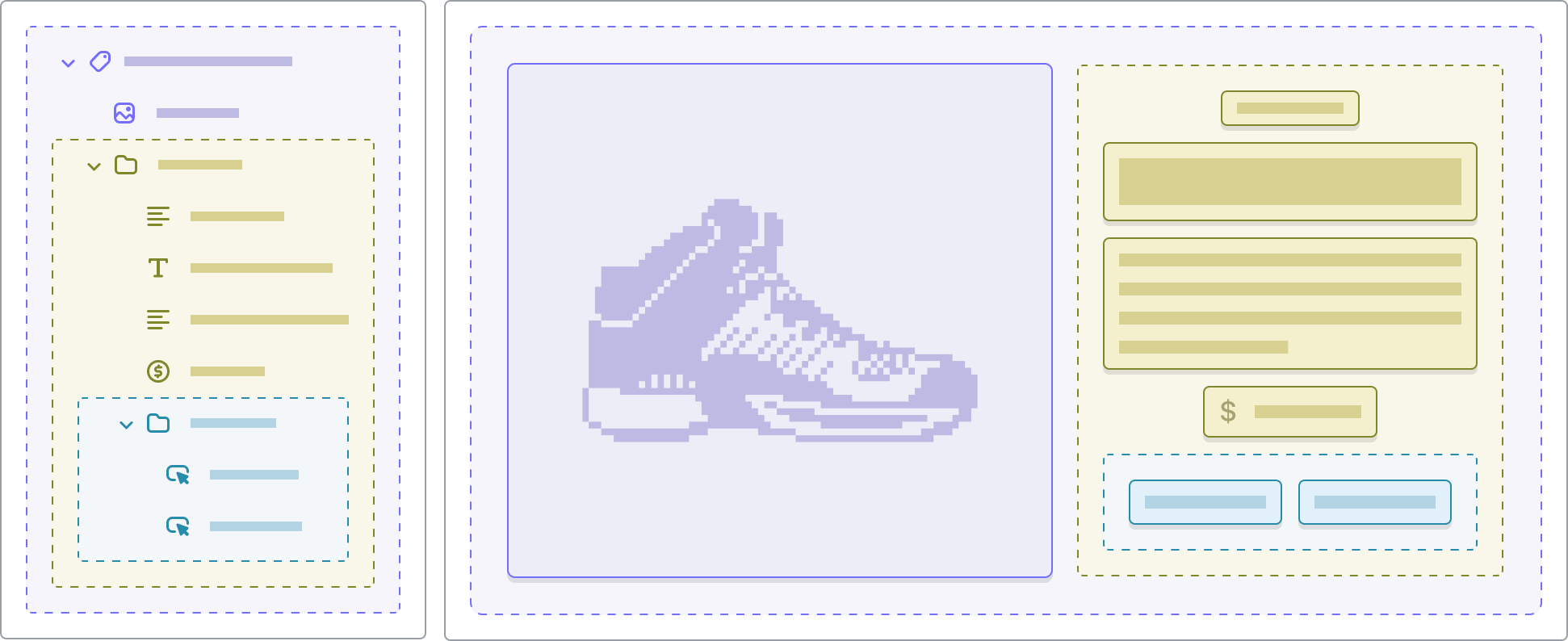
* Each section can have up to **50** blocks. The exact number of blocks and the number of each type of block that you can add to each section depends on the section and block sources.
* Blocks that support nesting can have up to **eight levels** of nested blocks.
Section blocks are designed for a specific section. A section can have limits for the types of section blocks, and limit the number of a certain type of block that you can add.
| | Section blocks | Theme blocks |
| --- | --- | --- |
| Scope of use | Defined inside a section; usable only within that section. | Defined at the theme level; reusable across different sections. |
| File location | Defined within a section's Liquid file and schema (inside `sections/xyz.liquid` with `"blocks": …` in the schema). | Defined as its own file (in `/blocks/`) alongside other block types. |
| Nesting | Usually single-level: section > block. Section blocks cannot be nested. | Support nesting: theme blocks can have nested theme blocks/child blocks up to several levels. |
| Use case | Simple, self-contained sections where block types are tightly bound to the section. | Complex layouts, shared components, nested structures, advanced customization, multi-section usage of same block type. |
## Types of theme blocks
Theme blocks can behave differently depending on how they're defined in the theme. Below are the three main types you'll encounter when customizing your store.
Private blocks are theme blocks that **only appear within specific sections**. They're built exclusively for those sections and can't be reused elsewhere.
*Example:* The **Image slide** block is only available in the **Slideshow** section.
Static blocks are **required by the theme's design** to preserve functionality or structure. They **can't be removed or reordered**, and can only be hidden.
*Example:* The **Product media** block and **Product details** block in the **Product information** section.
Dynamic blocks are flexible blocks that merchants can **freely add, remove, or reorder** within a section. They allow more creative control and layout customization.
## Explore theme block categories
### Basic
### Layout
### Banners
### Collection
### Custom
### Forms
### Product
### Storytelling