# Newsletter
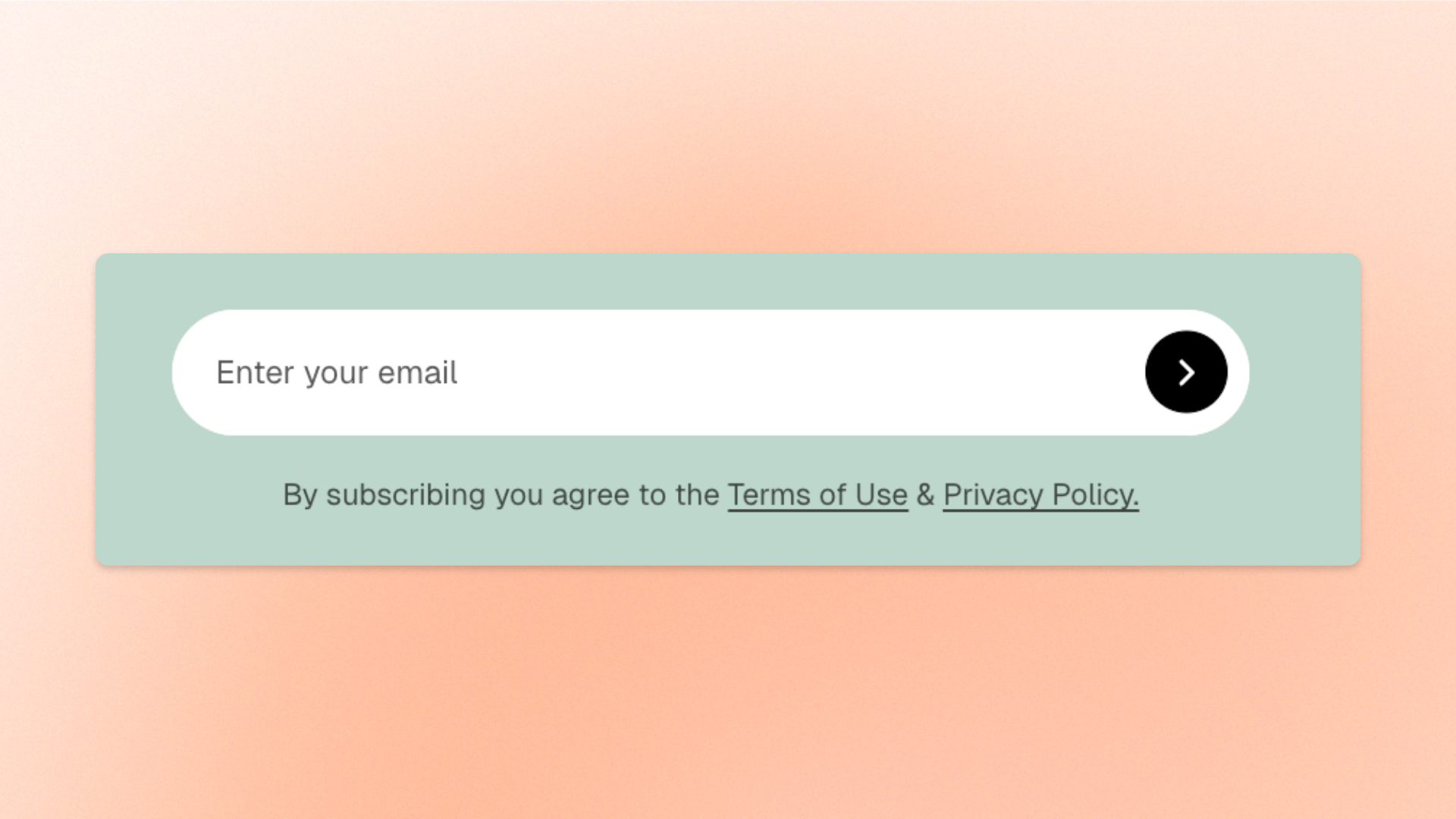
The **Newsletter** block adds an email subscription form to your store, allowing shoppers to sign up for **newsletters, product updates, promotions, and exclusive offers**.
Customize the form's alignment, width, and supporting text to fit your page layout. You can also display terms and privacy policy links below the email field.
## Settings
### Layout
Controls how the content is aligned within the Newsletter block.
| Setting | Description | Options |
| ------------------ | ------------------------------------------------------------------ | ----------------------- |
| **Text alignment** | Controls the horizontal alignment of the content within the block. | **Left** or **Center**. |
### Terms & Policy
Controls the supporting text displayed below the subscription form.
| Setting | Description | Options |
| --------- | ----------------------------------------------------------------- | ----------------------------------------------------------------------------------------- |
| **Text** | Sets the terms or policy message displayed below the email field. | Enter and format text using the rich text editor, including links to your store policies. |
| **Color** | Controls the color of the supporting text. | **Text** or **Subtext**. |
### Size
Controls the width of the Newsletter block on desktop and mobile devices.
| Setting | Description | Options |
| ----------------------- | ------------------------------------------------------------------------------ | --------------------------------------------------------------------------------------------------------------------------------------------------------------- |
| **Width** | Controls the block width on desktop. | **Fit**: Sizes the block to fit its content.
**Fill**: Expands the block to fill the available width.
**Custom**: Uses a specified width. |
| **Custom width** | Sets the block width on desktop as a percentage of the available space. | **0–100%.**
*Available when **Width** is set to **Custom**.* |
| **Width mobile** | Controls the block width on mobile devices. | **Fit, Fill,** or **Custom.** |
| **Custom width mobile** | Sets the block width on mobile devices as a percentage of the available space. | **0–100%.**
*Available when **Width mobile** is set to **Custom**.* |
## Manage newsletter submissions
Newsletter sign-ups are stored in the **Customers** section of your Shopify admin, where you can view customer information and email marketing subscription status.
The **Newsletter** block collects email subscriptions. Sending newsletters or promotional emails requires an email marketing tool, such as Shopify Email or another compatible email marketing app.
## Customize form text and messages
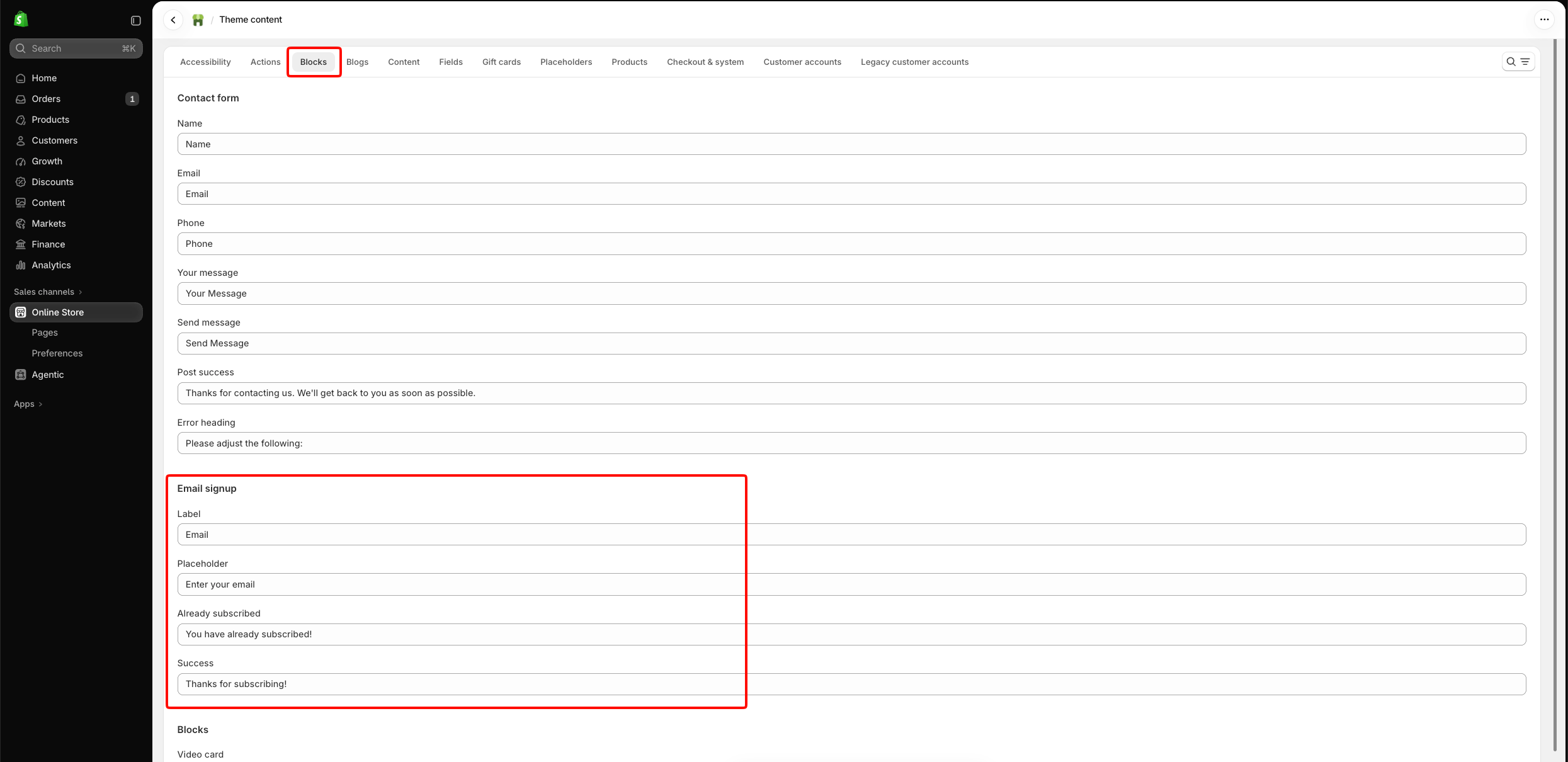
The email field's label, placeholder, and subscription messages are managed through Shopify's theme content settings, rather than the Newsletter block settings.
To edit them:
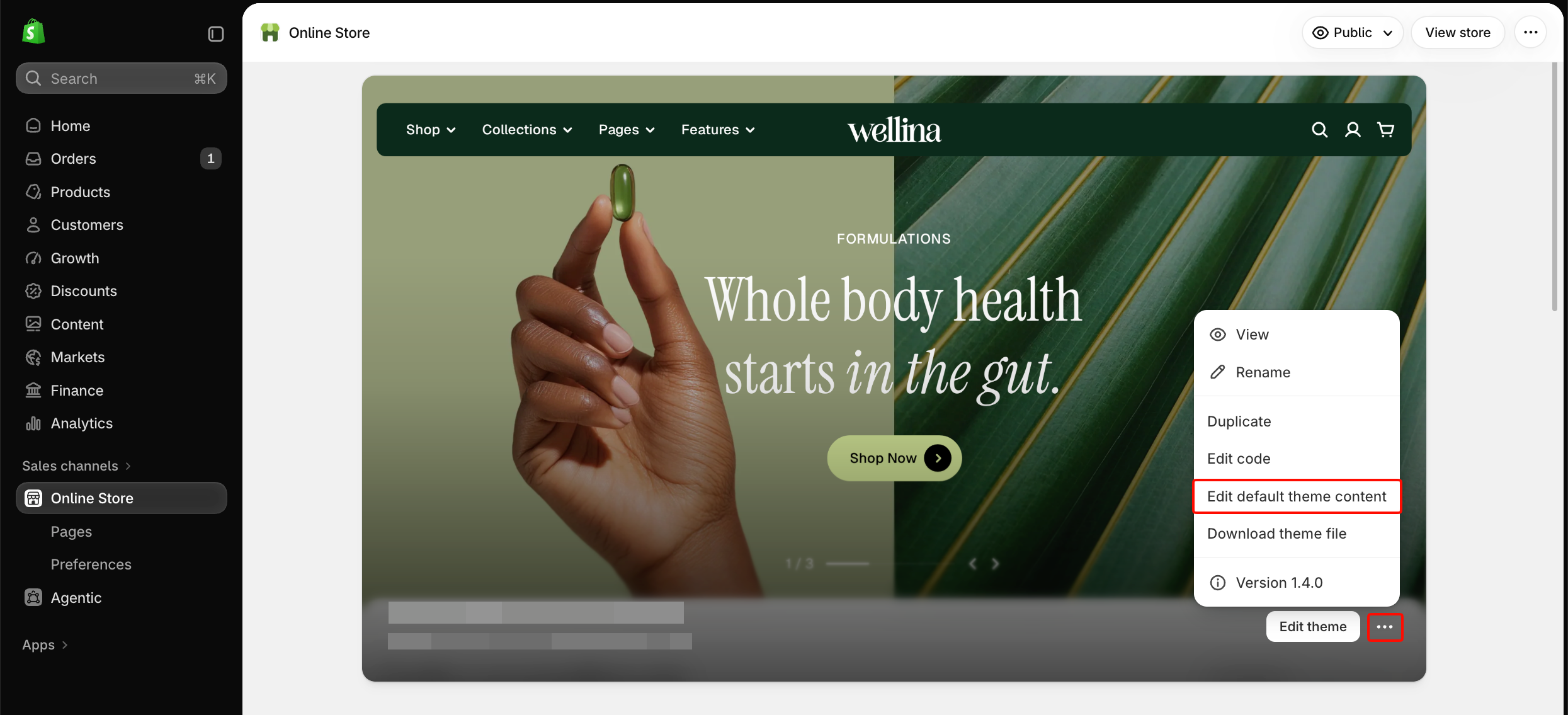
1. Open **Shopify admin** **>** **Online Store** **>** **Themes**.
2. Click the **three-dot menu (···)** next to your theme and select **Edit default theme content**.
3. Navigate to **Blocks > Email signup**.
4. Update the text as needed, then save your changes.
Changes to these theme content fields may affect other email signup forms that use the same text across your store.
## Tips and best practices
* Place the newsletter form where shoppers are likely to notice it, such as the footer or near relevant promotional content.
* Give shoppers a clear reason to subscribe, such as new product updates, useful tips, or exclusive offers.
* Keep the **Terms & Policy** message short and include working links to the relevant store policies.
* Check the mobile preview to ensure the email field and submit button are easy to use on smaller screens.