# Forms

The **Newsletter** block allows you to easily add a subscription form to your store, enabling users to sign up for updates, promotions, or newsletters.
Newsletter submissions are stored on the **Customers** page of your Shopify admin.
#### ⚙️ **Block settings**
| Setting | Description |
| --- | --- |
| **Text alignment** | Choose the alignment of the text within the block. |
| **Newsletter term** | Add a rich text term or agreement that appears under the subscription form. |
| **Width** | Set the width of the newsletter block. |
| **Custom width** | Set a custom width (in %) if you selected the **Custom** option for **Width**. |
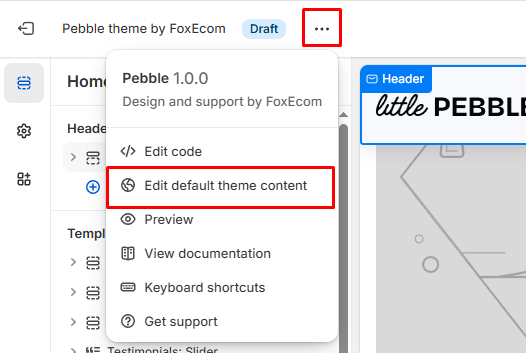
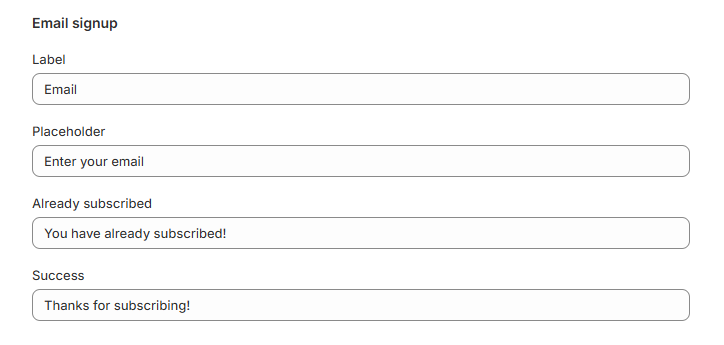
You can change the form placeholder text and success messages in the **Edit default theme content > Blocks > Email signup**.
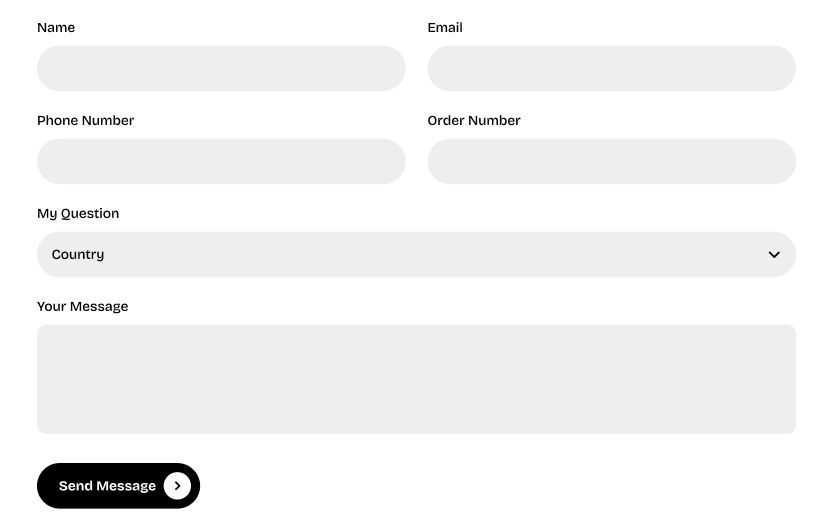
The **Contact form** block enables you to add a functional contact form to your site, allowing users to submit inquiries directly.
Contact form submissions from are sent to your **store's sender email address**. You can find or change this sender email in your Shopify admin by going to **Settings** > **Notifications**.
If you want to collect and manage contact form submissions more extensively, consider using the [Shopify Forms app](https://apps.shopify.com/shopify-forms), which allows you to view submissions in your admin and set up email notifications for each submission.
#### ⚙️ **Block settings**
| Setting | Description |
| --- | --- |
| **Width** | Choose the width of the form. |
| **Horizontal gap (Column gap)** | Adjust the gap between form fields horizontally. |
| **Vertical gap (Row gap)** | Adjust the gap between form fields vertically. |
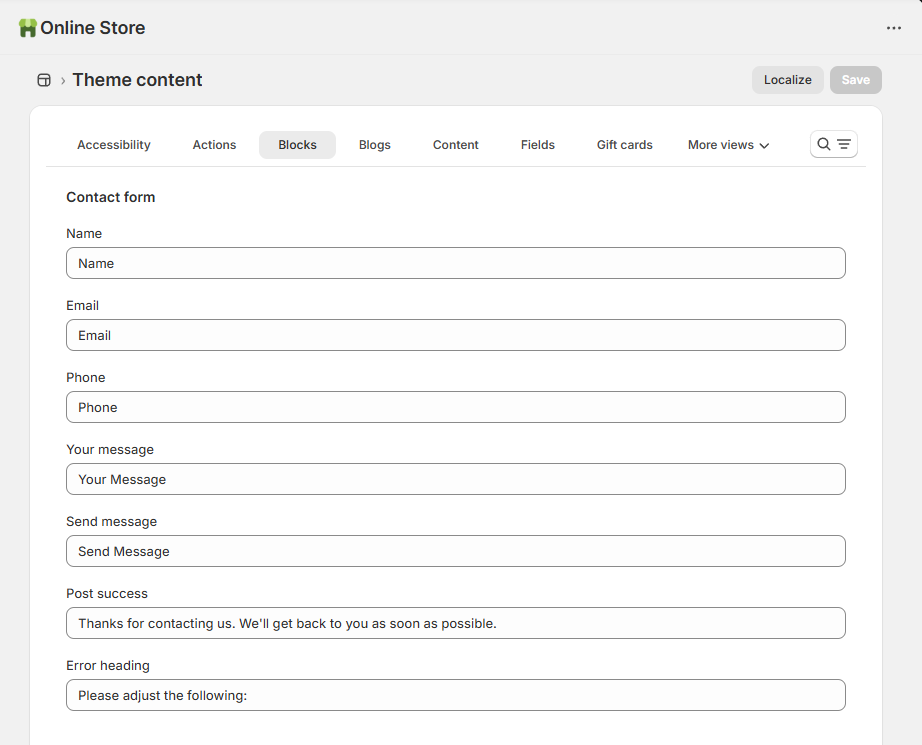
Change the required fields' label and success/error message in the **Edit default theme content > Blocks > Contact form**.
#### Custom field block
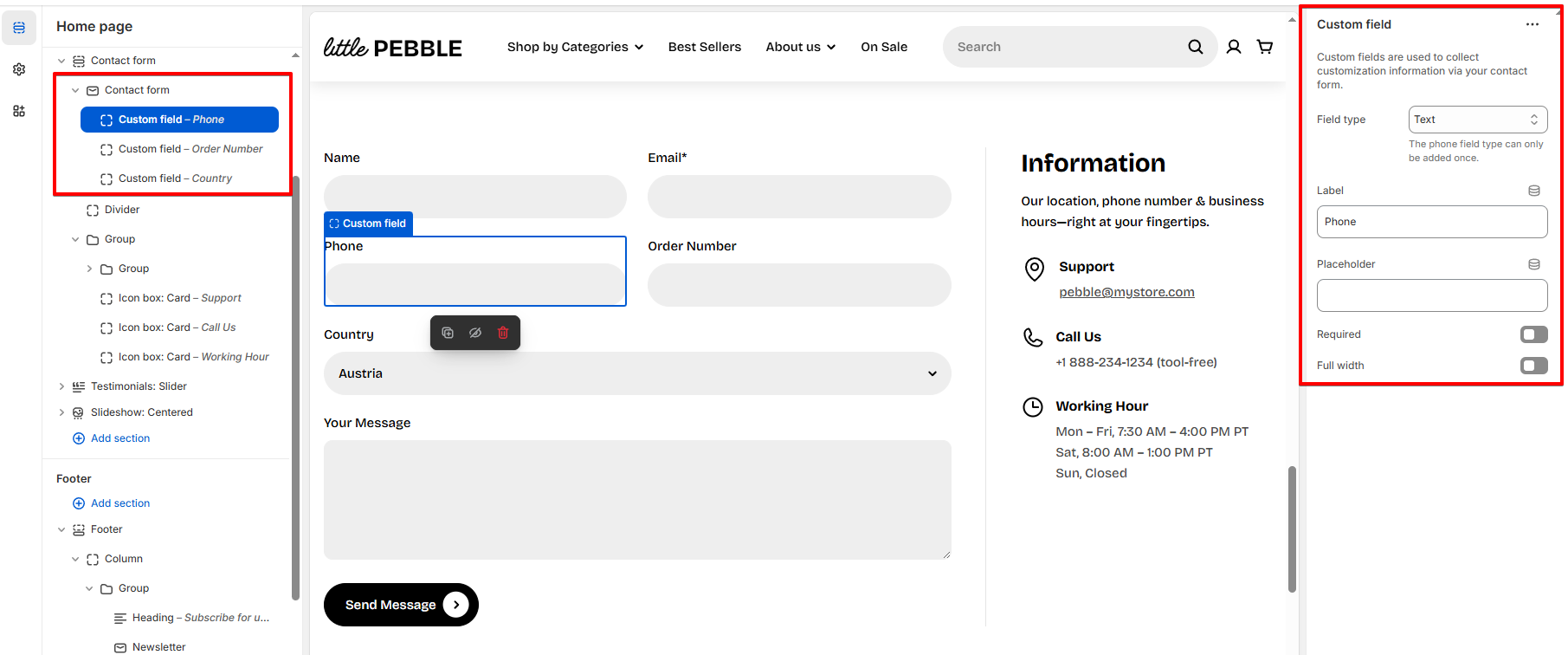
The **Custom field** block is a private block that allows you to add custom fields to the Contact form.
Under the **Contact form**, click to add a nested **Custom field** block to it.