# Custom columns
_nbHBXnlc.jpg)
Configure how many columns are displayed across different screen sizes. This setting allows you to control the layout responsiveness for mobile, tablet, laptop, desktop, and large screens.
## What is a breakpoint?
A **breakpoint** is a specific screen width where the website layout changes to adapt to different devices.
For example:
* **md (≥768px)** means the layout settings will apply when the screen width is **768px or larger**.
* If the screen is smaller than 768px, a smaller breakpoint (such as mb) will apply instead.
In short, breakpoints help control how your layout adjusts across different screen sizes.
| Breakpoint | Maximum width (.container) |
| ------------- | -------------------------- |
| mb (≥576px) | 540px |
| md (≥768px) | 720px |
| lg (≥992px) | 960px |
| xl (≥1200px) | 1140px |
| xxl (≥1400px) | 1320px |
**Container width** refers to the maximum width of the main content area inside the page.
For example, when the screen is **992px wide or larger (lg)**, the content area will have a maximum width of **960px**.
## How to set up custom columns
In **advanced setting**, enter the number of columns for each screen size (breakpoint). Separate each value with a comma.
* Format: `breakpoint:number`
* Example: `mb:1,md:2,lg:3,xl:4,xxl:5`
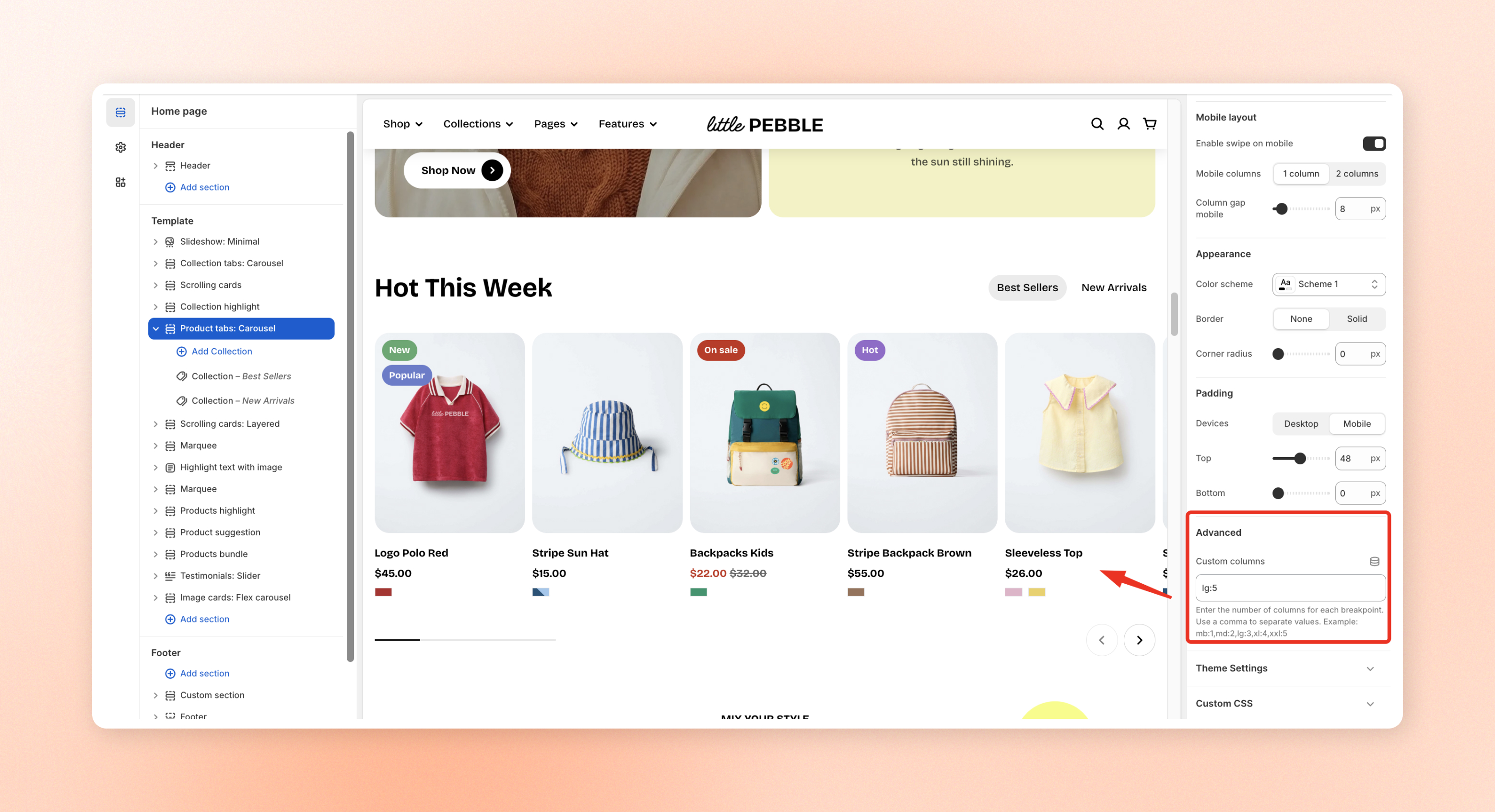
For example, `mb:1,md:2,lg:3,xl:4,xxl:5` means the layout will display:
* Mobile (mb): 1 column
* Tablet (md): 2 columns
* Laptop (lg): 3 columns
* Desktop (xl): 4 columns
* Large screens (xxl): 5 columns
Leave this field empty to use the theme’s default column settings.
## Supported sections for custom columns
Custom columns is available in the following sections/blocks:
* [Product tabs](https://docs.foxecom.com/pebble-theme/theme-sections/product-tabs)
* [Collection tabs](https://docs.foxecom.com/pebble-theme/theme-sections/collection-tabs)
* [Featured collection](https://docs.foxecom.com/pebble-theme/theme-sections/featured-collection)
* [Collection list](https://docs.foxecom.com/pebble-theme/theme-sections/collection-list)
* [Layout](https://docs.foxecom.com/pebble-theme/theme-blocks/layout#grid)