# Search drawer
Help customers find products fast from any page. The **Search drawer** slides in when customers click the search icon in the header, and shows suggestions, popular keywords, and featured products as they type.
## How to find the Search drawer
1. Open the theme editor by clicking **Edit theme**.
2. Scroll down to the **Overlay group** in the sidebar.
3. Click **Search drawer**.
The **Search drawer** has no settings of its own. You control what appears in it in **Theme settings** > **Search**.
## How to customize what the Search drawer shows
1. Open the theme editor by clicking **Edit theme**.
2. Click **Theme settings**.
3. Click **Search**.
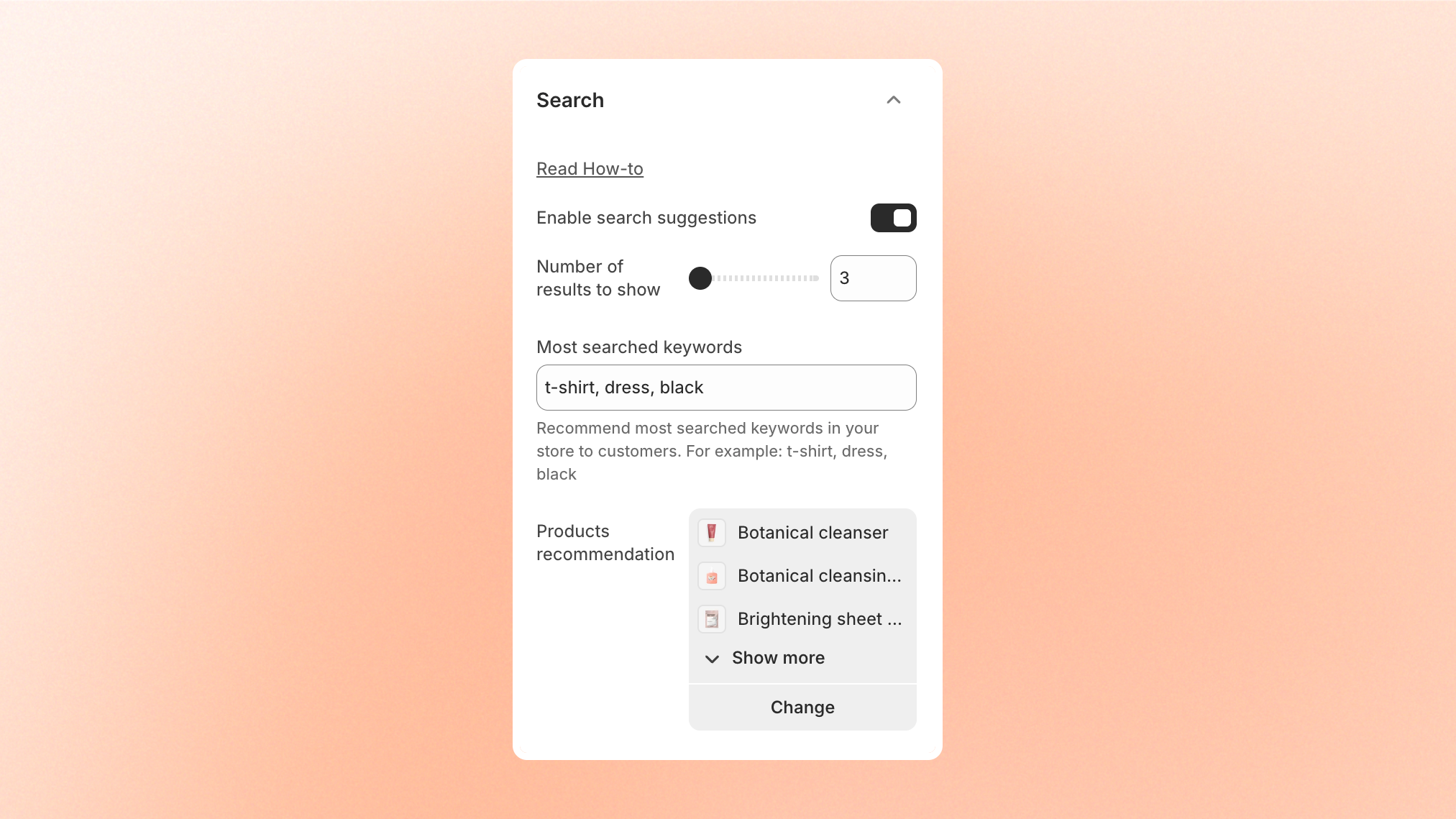
4. Turn on **Enable search suggestions** to show results as customers type.
5. Enter popular terms in **Most searched keywords**, such as `t-shirt` or `dress`.
6. Click **Select** next to **Products recommendation** and choose up to 8 products to feature.
7. Click **Save**.
## What you can show in the Search drawer
| Setting | What customers see in the drawer | Options |
| ----------------------------- | ------------------------------------------------------------------ | ----------------------------------------------- |
| **Enable search suggestions** | Suggested products, collections, and search terms while they type. | **On** or **Off**. |
| **Number of results to show** | How many suggestions appear. | **3–10**. |
| **Most searched keywords** | Popular search terms they can click before typing. | Enter your terms, such as `t-shirt` or `black`. |
| **Products recommendation** | Featured products before they start searching. | Select up to **8 products**. |
Learn more about each setting in [Search](https://docs.foxecom.com/pebble-theme/theme-settings/search).
To change which results appear in suggestions, use Shopify's [Search & Discovery app](https://help.shopify.com/en/manual/online-store/search-and-discovery).
## Tips and best practices
* Add the keywords customers search for most, so they can find popular products with one click.
* Feature new arrivals or best sellers in **Products recommendation**, and update them when your collection changes.