# Quick add drawer
## What is a Quick add drawer?
The **Product Quick add drawer** option offers several unbeatable benefits:
* Improved shopping experience: It's easier for your customers to select and add any items to cart without loading the whole product age and clicking back-and-forth between the product page and the item pages for details.
* Reduced server load: The product page is not reloaded when the shopper selects this feature.
* Display of discounted pricing and other details: You can utilize the Quick add drawer feature to show discounts before the cart page.
You can manage which elements are shown on the **Quick add drawer** - such as the buy buttons, variant picker, price, badges and tags, etc.
## How to enable the Quick add drawer
Steps:
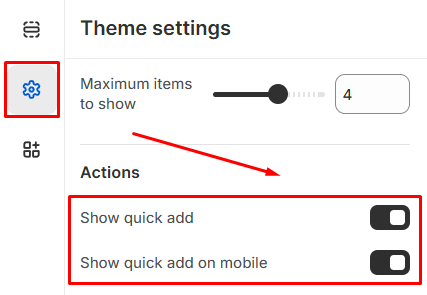
1. From the theme editor (Customize), navigate to **Theme settings** > **Product cards**.
2. Enable the **Show quick add** option or **Show quick add on mobile** option.
3. **Save** the changes.
Product cards
* If the product has only one variant, the item will be added to the cart directly.
* If the product has more variants, the **Quick add drawer** will display.
## How to customize the Quick add drawer
Steps:
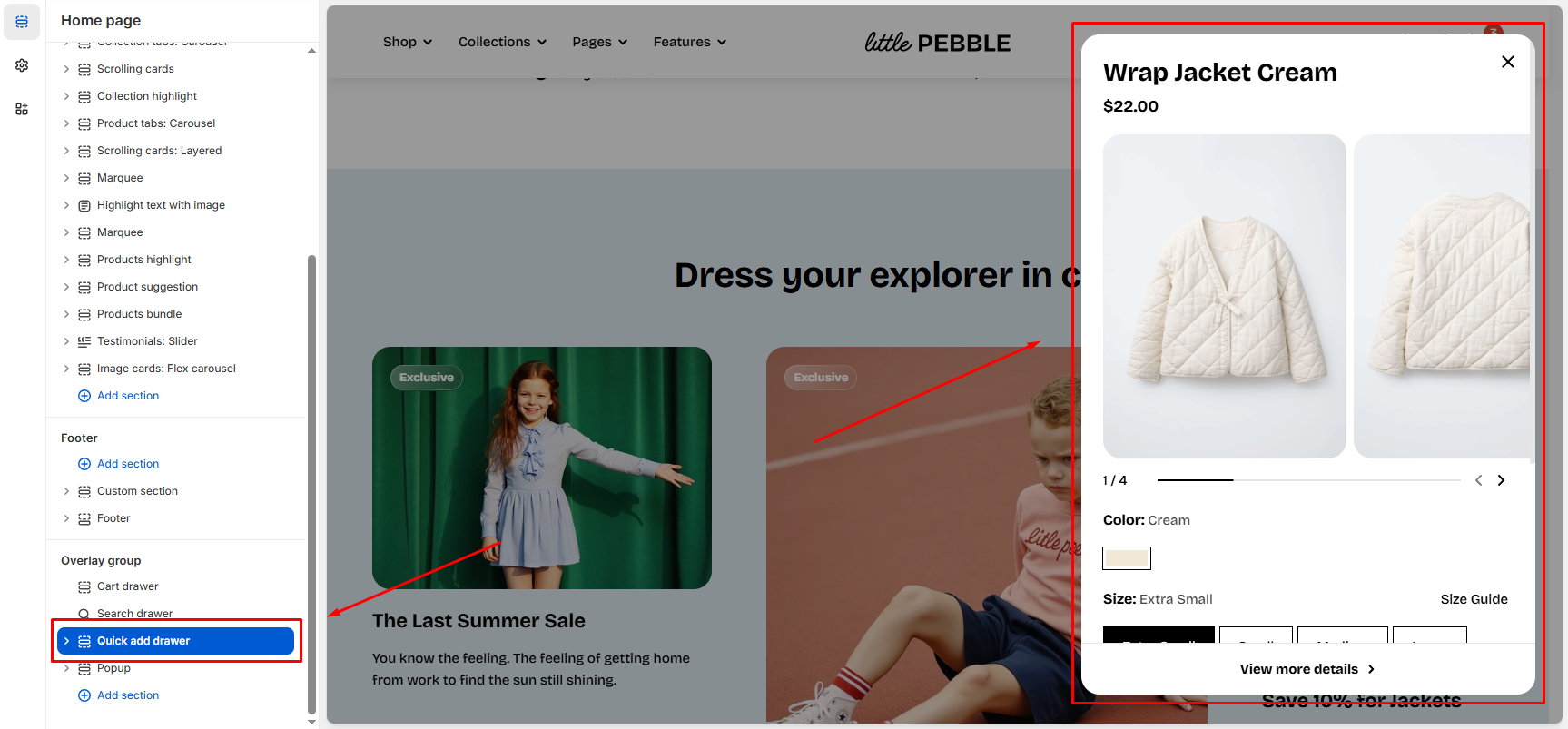
1. In the theme editor (**Customize**), scroll down to the **Overlay group** area.
2. Select the **Quick add drawer** section.
3. Make necessary changes.
4. Click **Save**.
### Section settings
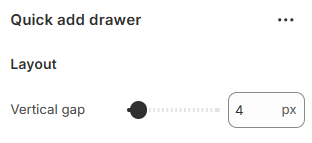
**Vertical gap** controls the amount of space between the individual blocks inside the Quick add drawer.
* Range: 0px - 100px.
### Block settings
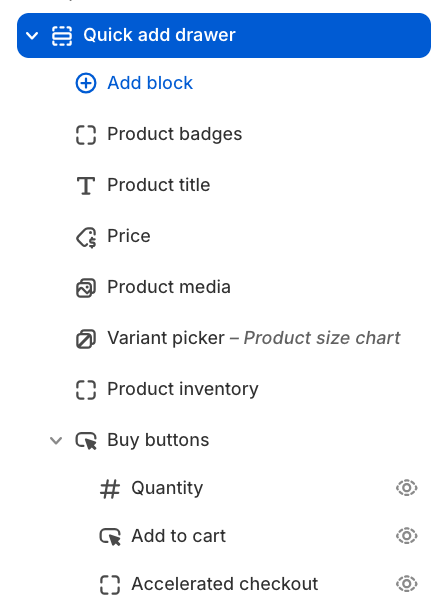
For the quick add drawer, we recommend using **Product blocks** to display your product information inside the quick view drawer.
Product
#### Nested dynamic blocks
You can add multiple dynamic blocks within this section. *Learn more about each block type here:*
Theme blocks