# Install Pebble theme
### Try Pebble from Shopify Theme Store for free
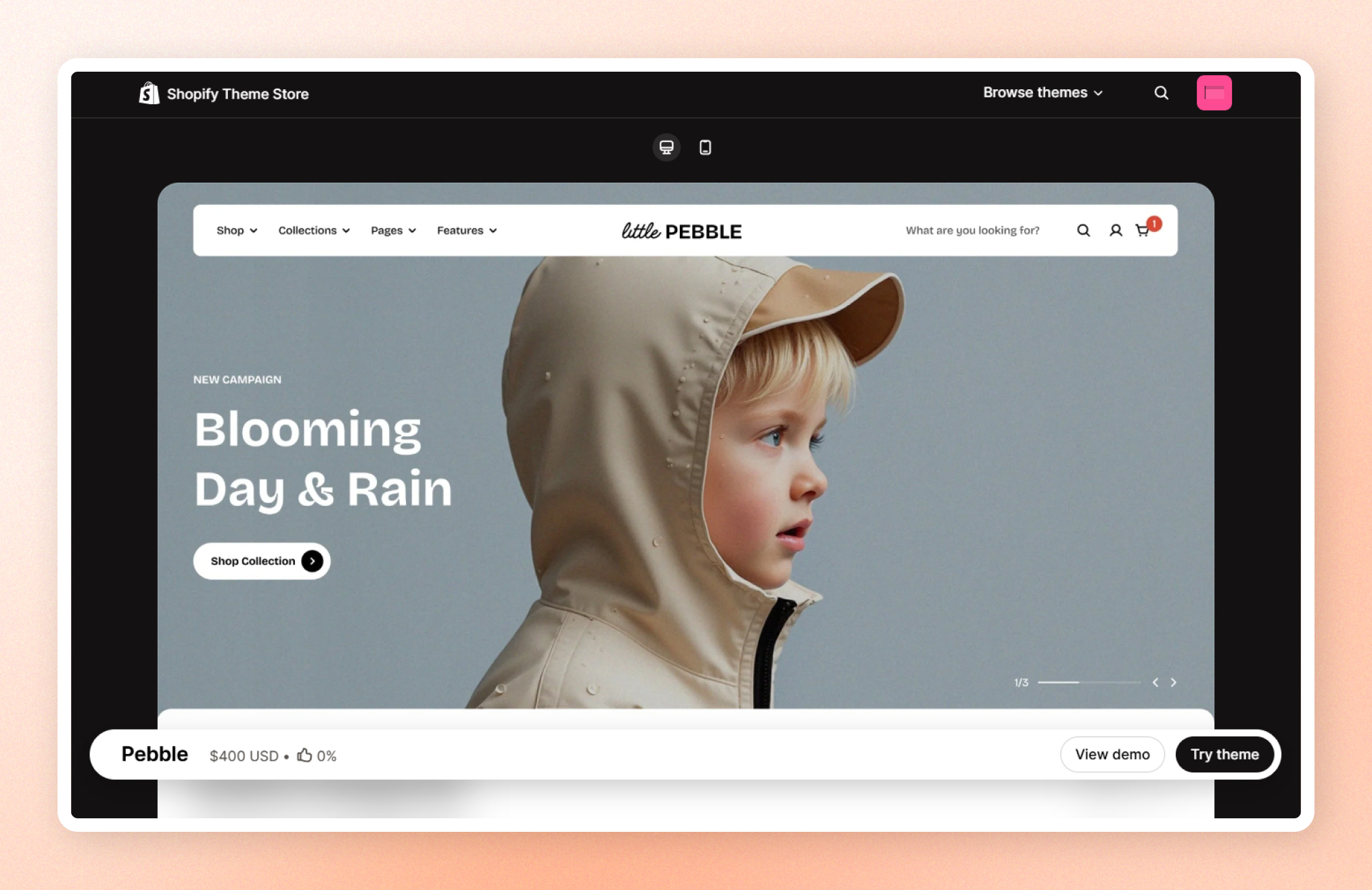
If you want to explore the theme before committing to a purchase, Shopify allows you to install it as a trial theme. This gives you the chance to see how it looks and functions with your products and branding. Here’s how:
**Steps:**
1. Visit the [Shopify Theme Store](https://themes.shopify.com/) and choose **Pebble** theme**.**
2. Click **Try theme** to add the trial theme to your online store.
The theme will be applied to your store, but it won’t go live until you publish it.
If you're happy with how the theme looks on your store, you can buy it and keep all the customizations that you've made.
### Buy Pebble from Shopify Theme Store 🛒
You can only [publish themes](https://help.shopify.com/en/manual/online-store/themes/managing-themes/publishing-themes) to your online store after you purchase. When you purchase a theme from the Shopify Theme Store, that theme is licensed exclusively to the store where the purchase was made.
**Steps:**
1. In your Shopify admin, click **Online Store** > **Themes**.
2. In the **Theme library** section, click **Buy** on Pebble theme to begin the transaction.
The theme purchase is final and non-refundable.
### Upload a theme file from your computer
**Important note**: We strongly recommend **purchasing and installing themes directly from the Shopify Theme Store** for the best experience. This method ensures you receive automatic updates, official support, and proper licensing.
If you have a theme in a ZIP file on your computer, you can upload it to the Themes page in the admin.
Before you upload, make sure that your theme files are compressed into a single ZIP file.
**Steps:**
1. From your Shopify admin, go to **Online Store** > **Themes**.
2. In the **Theme library** section, click **Import theme** > **Upload zip file**
3. In the **Upload theme** modal, click **Add file** to select the ZIP file that you want to upload.
4. Select **Upload file**. Your chosen theme will be added to the Themes page of your admin.
