# New customer accounts component

<figure><img src="/files/MTogOYnfDUzriA1J8mbC" alt=""><figcaption></figcaption></figure>

{% hint style="info" %}
Starting from **Pebble v1.2.0**, the theme supports Shopify's new feature **Customer Account Components**.

Since legacy customer accounts are no longer supported, all merchants must switch to the new customer accounts. [Learn more](https://help.shopify.com/en/manual/customers/customer-accounts/customize-customer-accounts/account-component)

See our [changelog](https://help.foxecom.com/changelog/pebble?utm_source=foxecom\&utm_medium=changelog_pebble\&utm_campaign=anchor_text\&utm_term=changelog)
{% endhint %}

## Requirements

<figure><img src="/files/ZYcbC4WK2TWz5zYrejcC" alt=""><figcaption></figcaption></figure>

{% hint style="info" %}

* Available from **Pebble version 1.2.0 or later** (See how to [Update Pebble theme](/pebble-theme/getting-started/update-pebble-theme.md)).
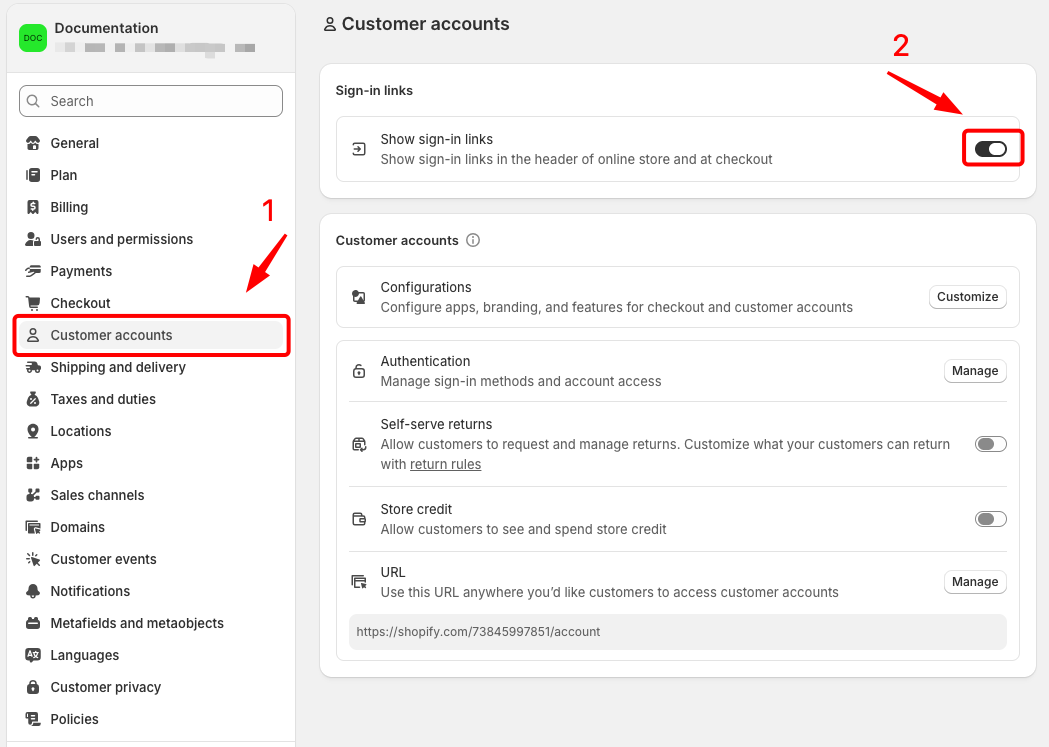
* Go to Shopify → **Settings** → **Customer accounts** → Enable the **Sign-in links** option. [Learn more](https://help.shopify.com/en/manual/customers/customer-accounts/customize-customer-accounts/account-component)
  {% endhint %}

## Supported sign-in methods <a href="#supported-sign-in-methods" id="supported-sign-in-methods"></a>

{% tabs %}
{% tab title="Passwordless email sign-in" %}

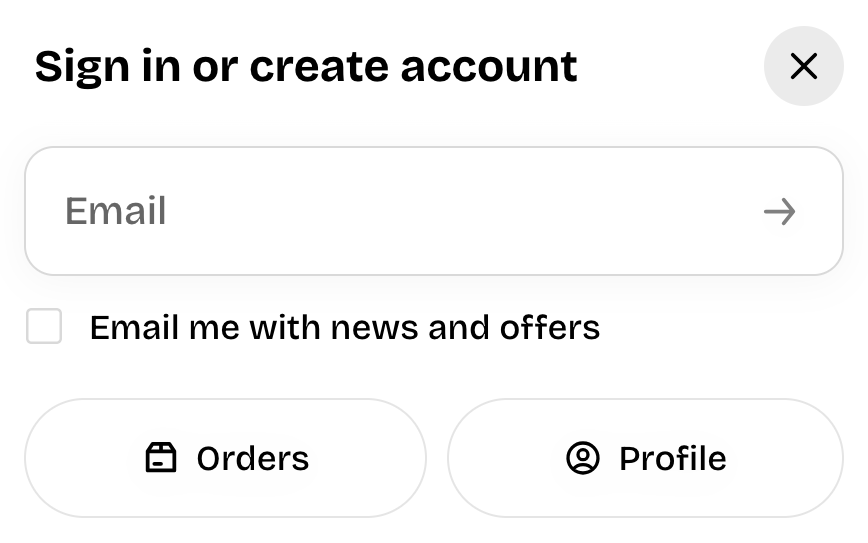
<figure><img src="/files/5ERdPUwMbH1vX5fouPI6" alt=""><figcaption></figcaption></figure>

Customers enter their email and receive a verification code. This sign-in option is always available on customer accounts.
{% endtab %}

{% tab title="Shop sign-in" %}

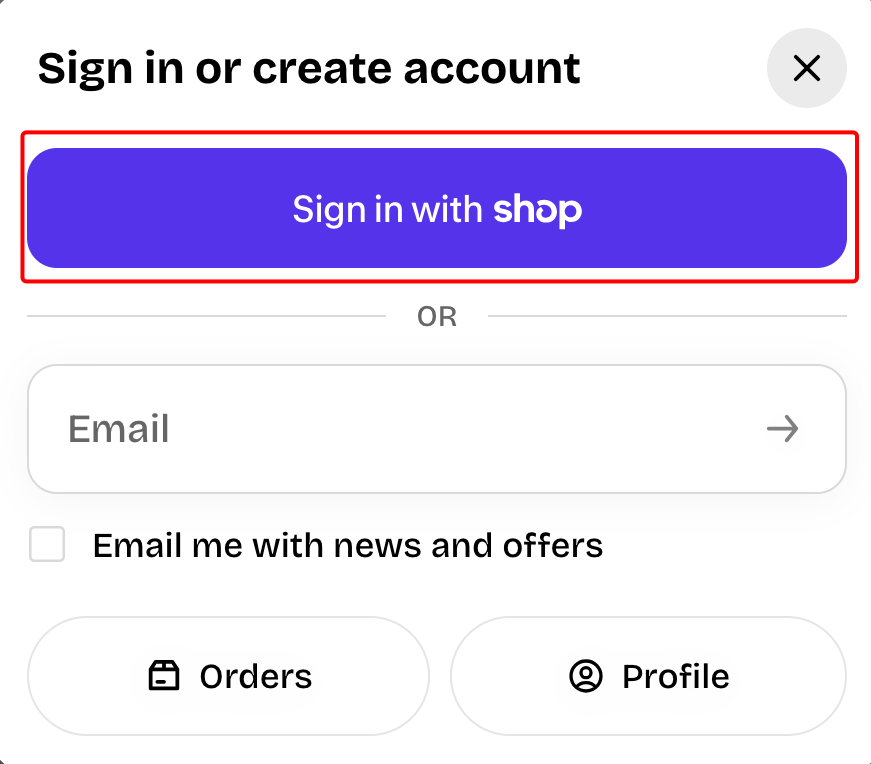
<figure><img src="/files/i94uqnIzQQjmEDGUQXOe" alt=""><figcaption></figcaption></figure>

This option displays when you have [Shop Pay](https://help.shopify.com/en/manual/payments/shop-pay) activated on your store.&#x20;

{% hint style="success" %}
📝 Learn more: [Shop sign-in](https://help.shopify.com/en/manual/customers/customer-accounts/sign-in-options/social-sign-in#shop)
{% endhint %}
{% endtab %}

{% tab title="Social sign-in" %}

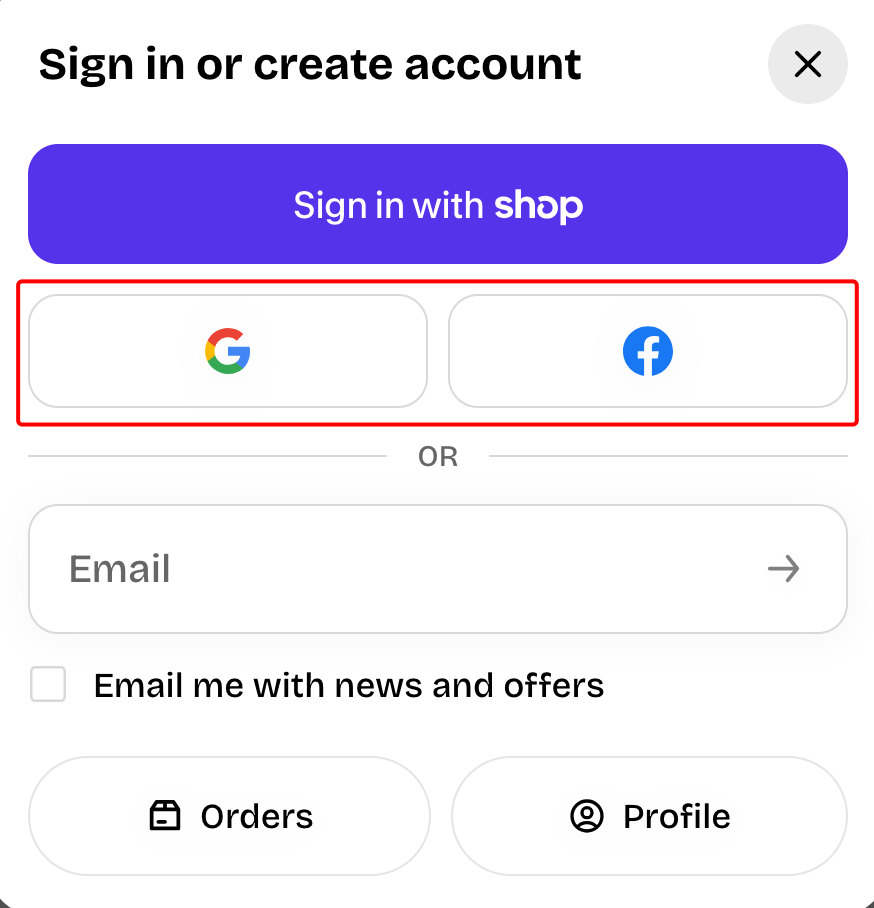
<figure><img src="/files/wis4IvUEHyPag0OUdfqG" alt=""><figcaption></figcaption></figure>

If you've set up social sign-in for customer accounts, then Google and Facebook sign-in are available.

{% hint style="success" %}
📝 Learn more: [Social sign-in](https://help.shopify.com/en/manual/customers/customer-accounts/sign-in-options/social-sign-in)
{% endhint %}

{% hint style="warning" %}
You'll need a [Google Cloud](https://console.cloud.google.com/) or [Meta for Developers](https://developers.facebook.com/) account to complete this step.
{% endhint %}
{% endtab %}
{% endtabs %}

## How it works <a href="#how-it-works" id="how-it-works"></a>

{% hint style="success" %}

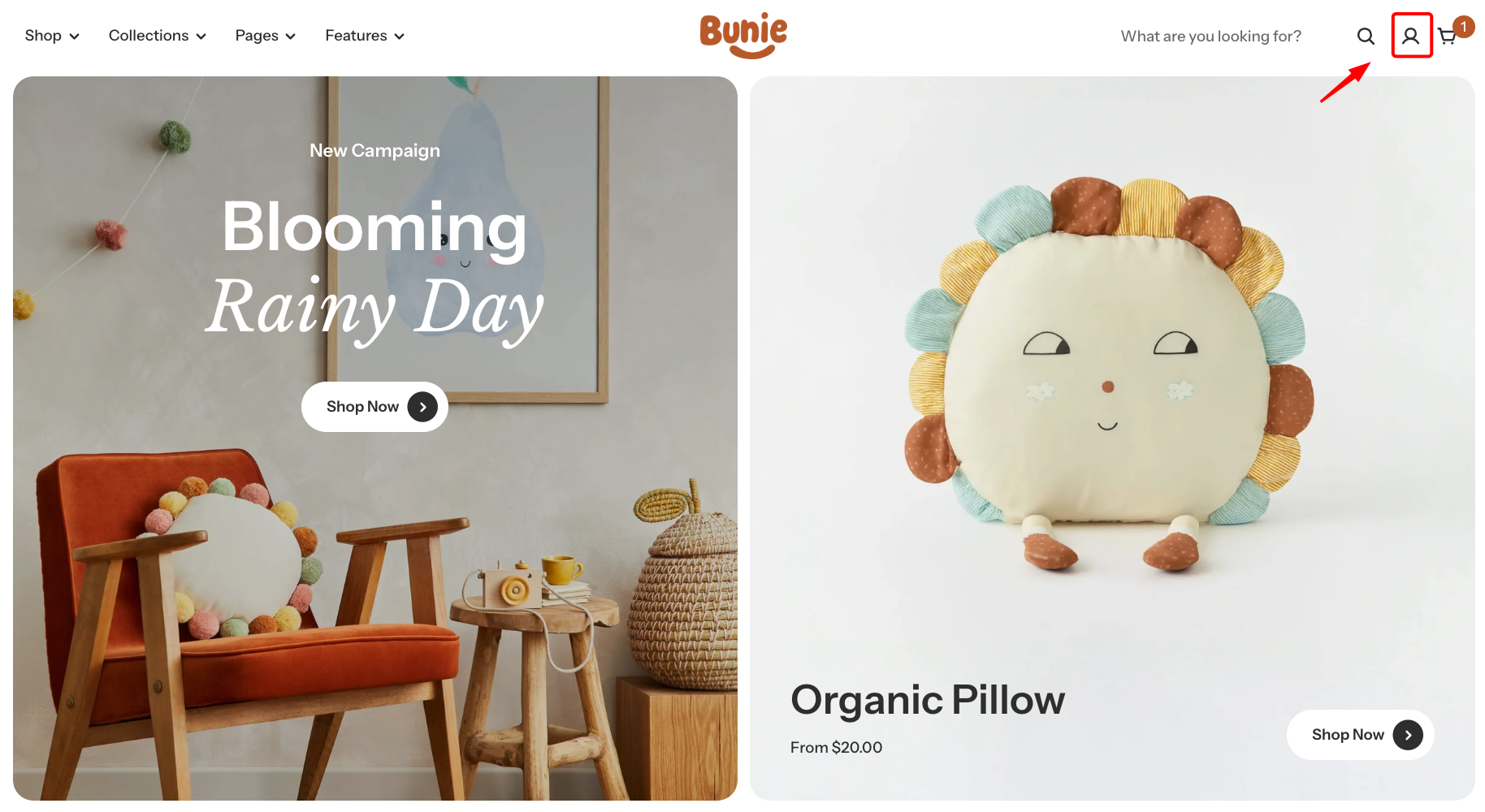
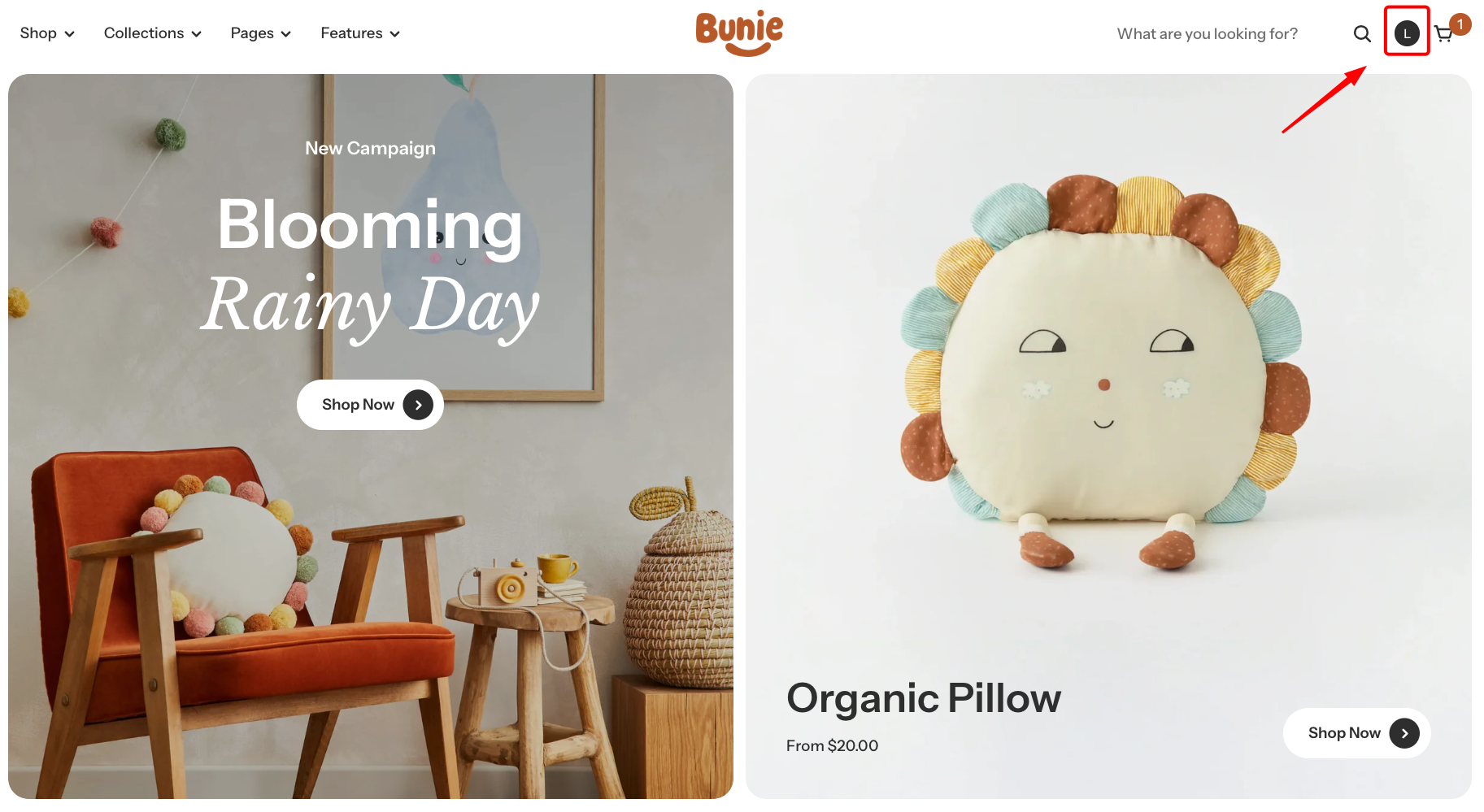
* The account icon appears in the store header on all pages.
* Signed out → shows a default account icon
* Signed in → shows the customer's initial or Shop profile photo.
  {% endhint %}
<div><figure><img src="/files/2ubKP3zWc1yiS3Yvy8dE" alt=""><figcaption></figcaption></figure> <figure><img src="/files/tZbB1aif3apr0iZLHjxt" alt=""><figcaption></figcaption></figure></div>


---

# Agent Instructions: Querying This Documentation

If you need additional information that is not directly available in this page, you can query the documentation dynamically by asking a question.

Perform an HTTP GET request on the current page URL with the `ask` query parameter:

```
GET https://docs.foxecom.com/pebble-theme/faqs/new-customer-accounts-component.md?ask=<question>
```

The question should be specific, self-contained, and written in natural language.
The response will contain a direct answer to the question and relevant excerpts and sources from the documentation.

Use this mechanism when the answer is not explicitly present in the current page, you need clarification or additional context, or you want to retrieve related documentation sections.