# Change the default sorting of a collection
## 🛠 Before you begin...
Make sure you’ve already set up your **collection(s)** in your Shopify admin.
Not sure how? 👉 [**Watch our step-by-step tutorial**](https://youtu.be/M0DoTpdYPWU) 🎥
## 🔄 Change the Default sorting for any collection
This sets the **default sorting** — customers can still change the sort order on the store page if you enable the corresponding setting.
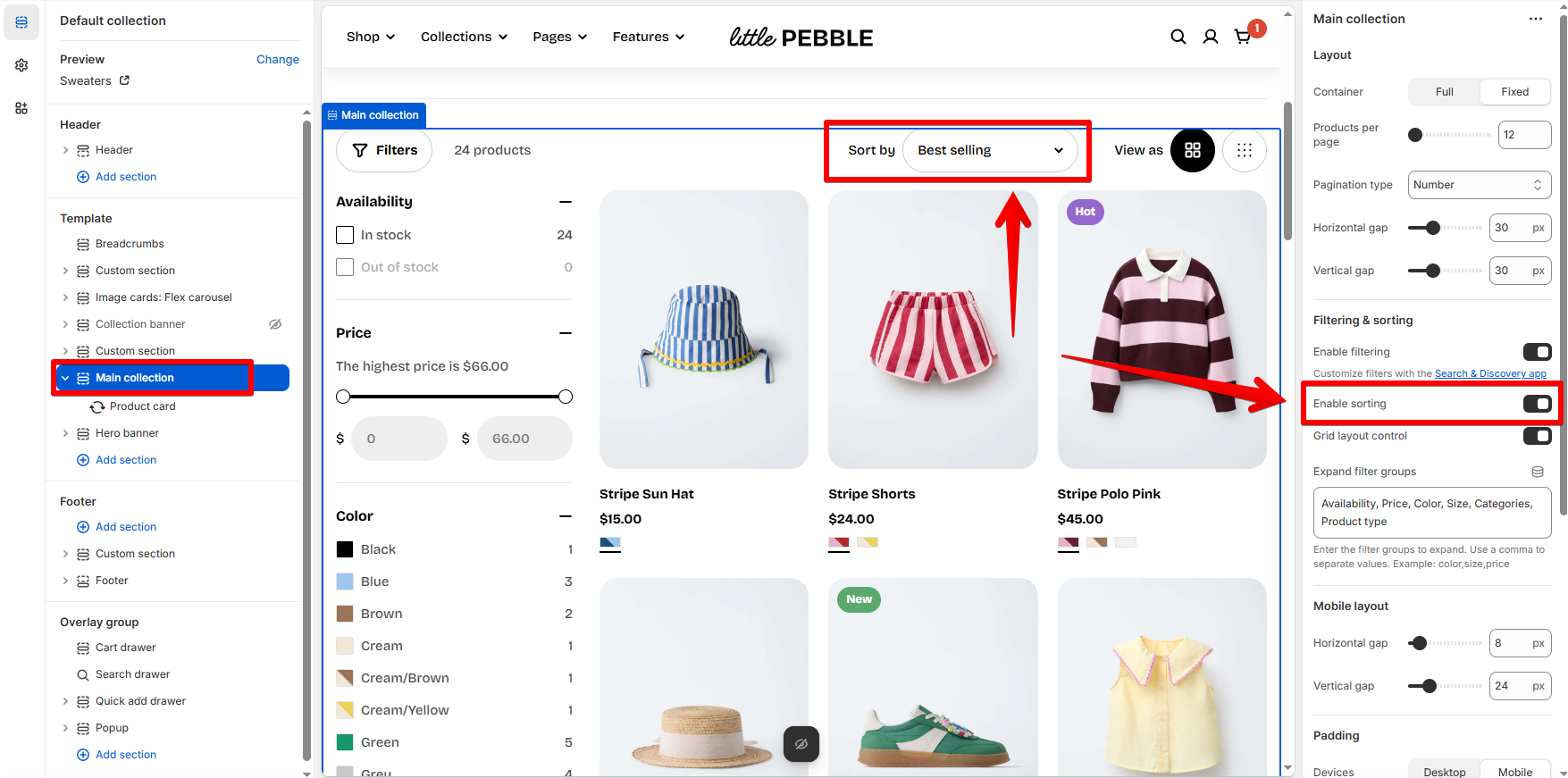
Steps:
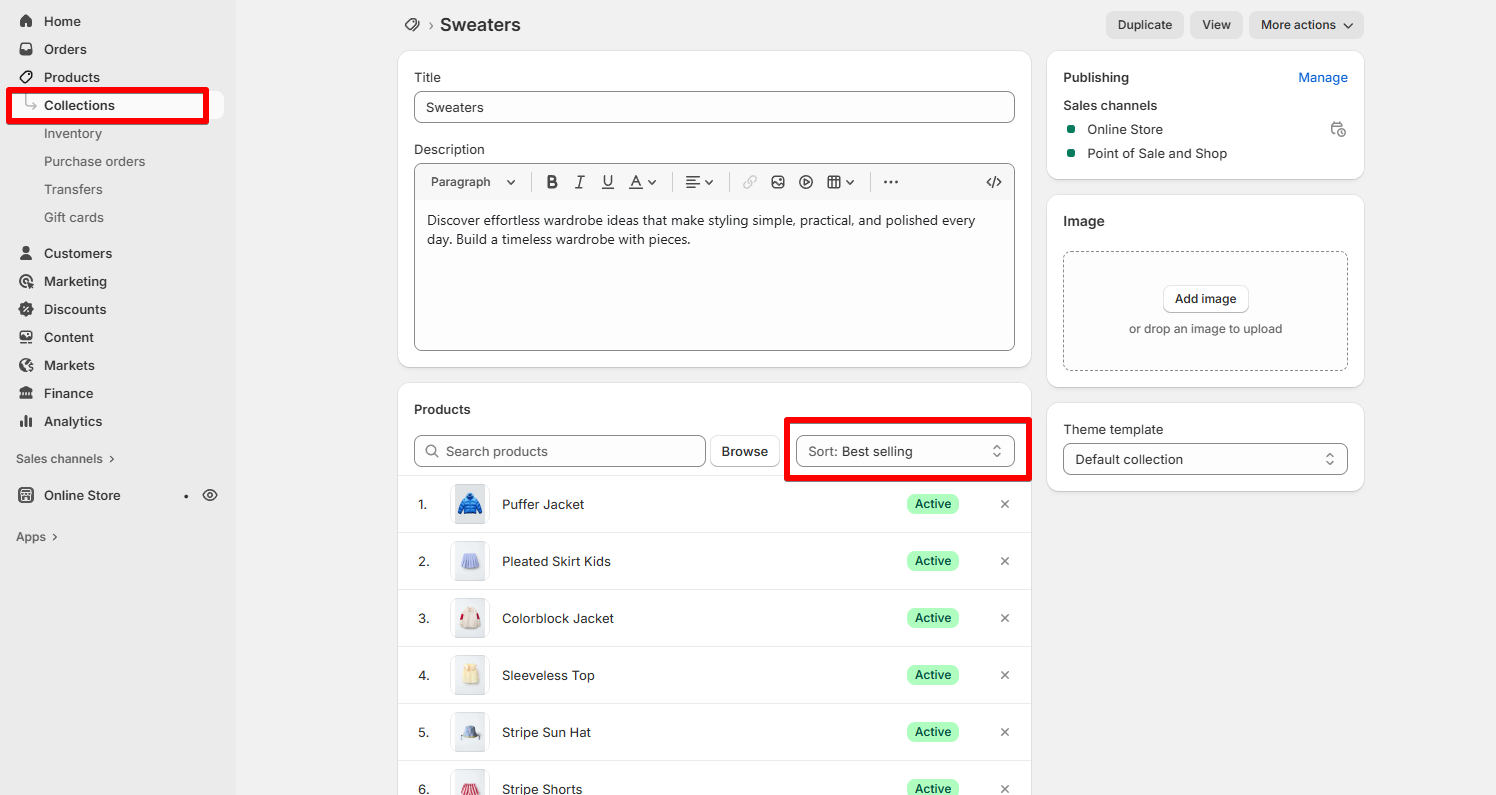
1. Go to **Shopify Admin > Products > Collections**.
2. Click on the collection you want to edit.
3. Scroll to the **Products** section.
4. Find the **Sort** dropdown and choose your preferred option:
* Best selling
* Product title A-Z
* Price low to high
* Newest
* ...and more!
5. Click **Save** ✅
## 🔄 Change Sorting for the **“All products” collection** (`/collections/all`)
Shopify automatically creates a **default "All Products" page** at the path `/collections/all`
**✏️ How to override `/all` and control sorting** (if you have not had an All products collection in Shopify admin yet)**:**
Steps:
1. Go to **Shopify Admin > Products > Collections**.
2. Click **Create collection**.
3. Name it something like **All Products, All, etc**.
4. Under **Collection type**, choose **Automated**.
* Use a rule like: `Product price is greater than $0` to include all products.
5. Scroll to **Search engine listing preview** and click **Edit website SEO**.
6. Change the **URL handle** to `/all`.
7. Scroll back and set the **Sort** order you prefer (e.g. newest, price low to high).
8. Hit **Save** 🧡
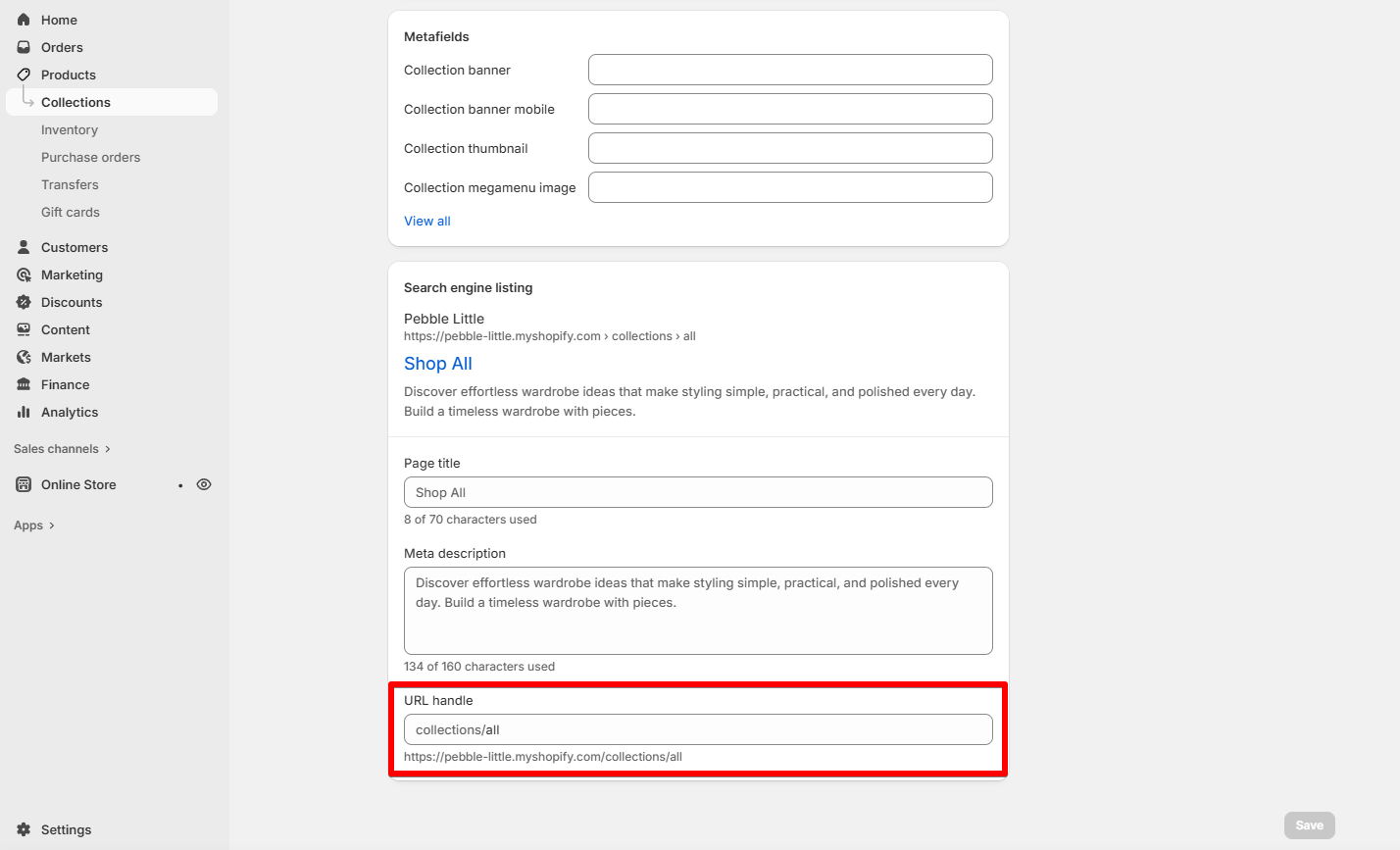
Shopify only allows **one collection** to use `/all` — make sure no other collection is using that handle.