# Product recommendations
Related products are products that are similar to a selected product. You can display potential substitutes to help customers discover other similar products they might like.
_Sd9aTnOi.jpg)
## How to add the recommended products to your product page
Steps
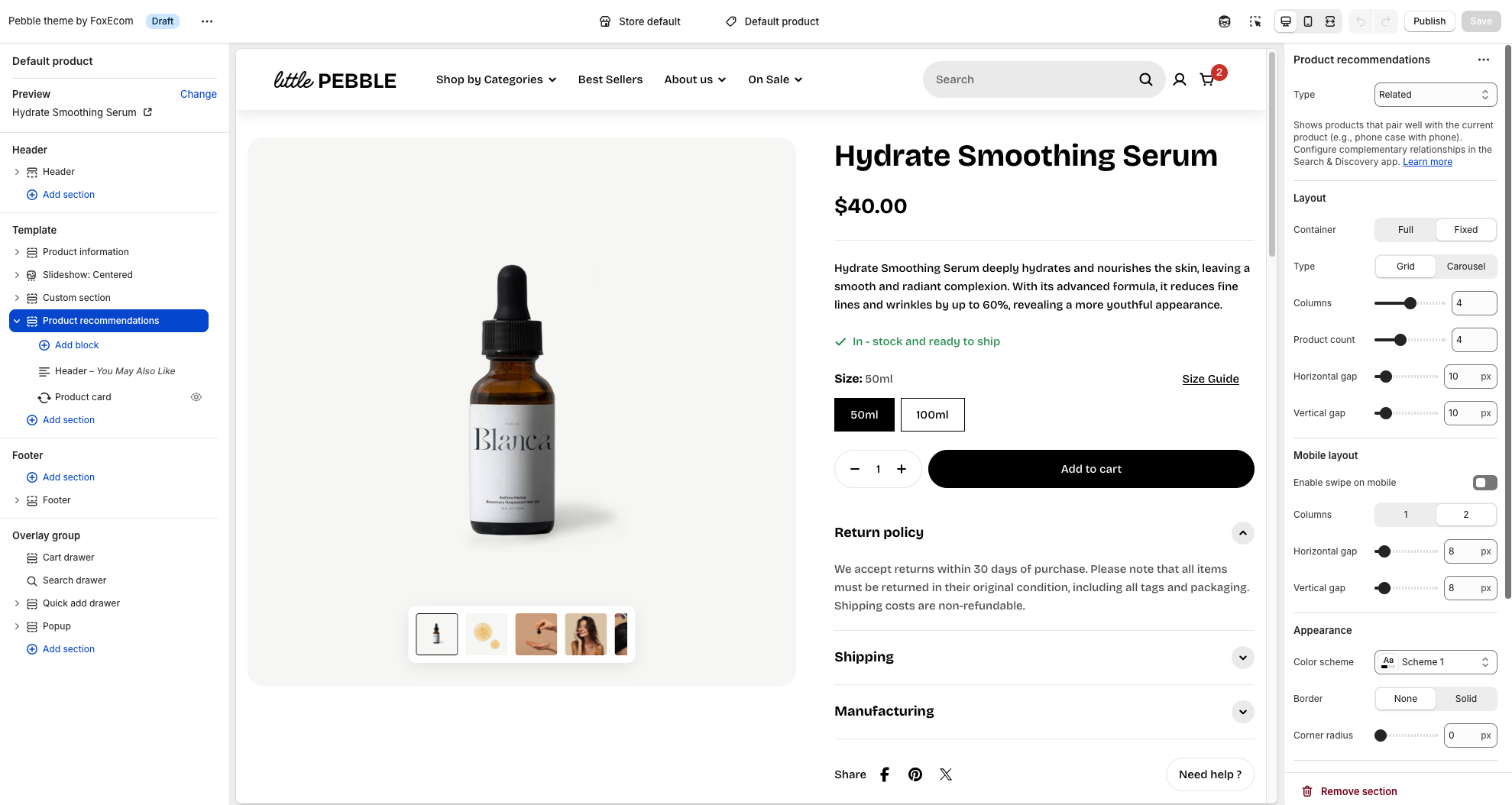
1. In the theme editor (**Customize**), open the template selector
2. Select **Products**, then **Default product.**
3. On the left-side bar, add **Product recommendations.**
4. Make necessary changes **> Save.**
You can choose type for the recommended products, included:
* Related
* Complementary
You can adjust the elements based on your needs to display the recommendation section such as columns, product count, horizontal/vertical gap, mobile layout etc. in the section settings.
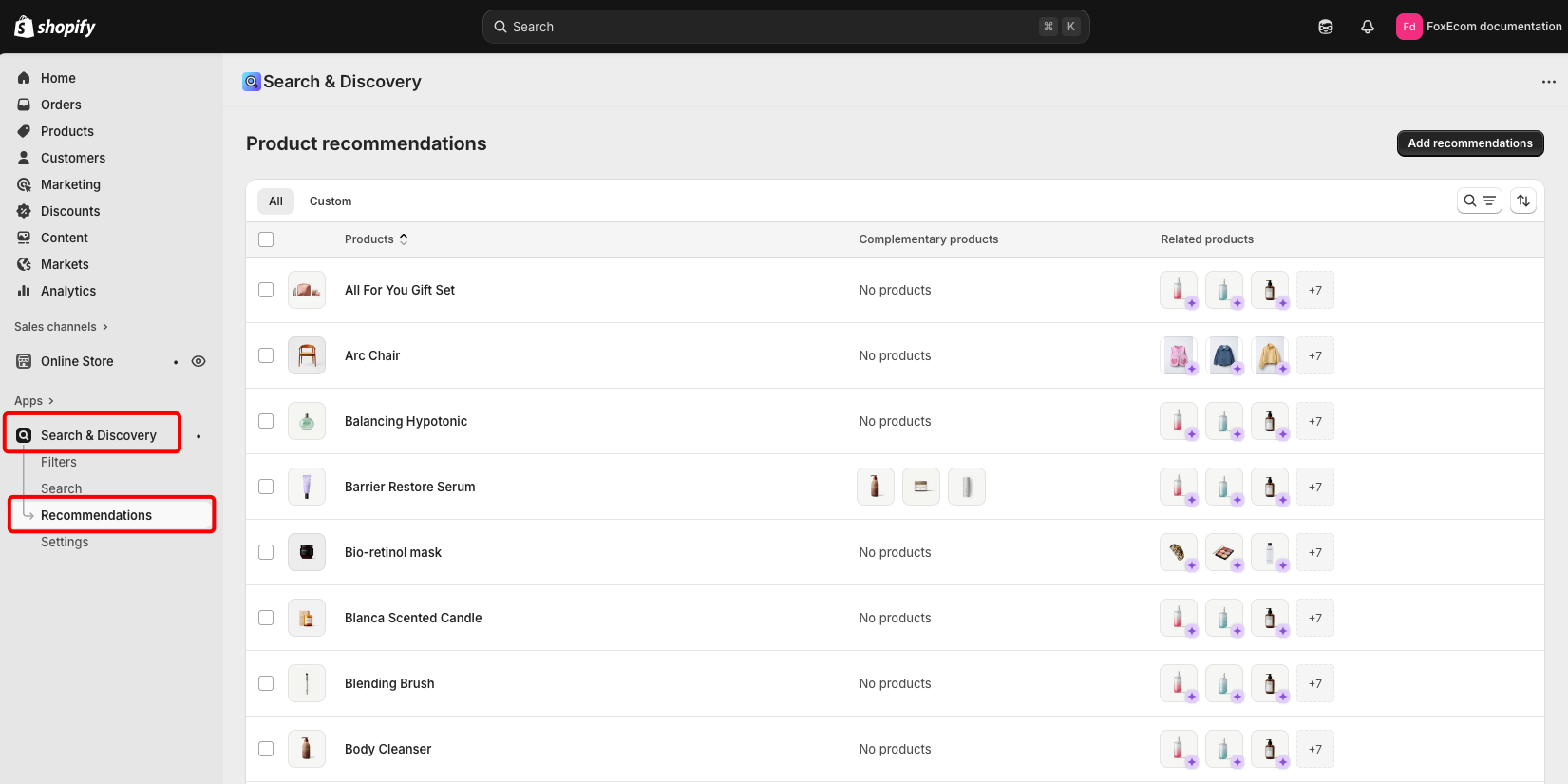
Related product recommendations are automatically generated for each product in your store. When you're customizing recommendations for a product in the Search & Discovery app, you can see a preview of the generated recommendations.
Shopify has built-in strategies to adjust these product recommendations based on products that are commonly purchased together, have a similar product description, or products in related collections. Each strategy has its own requirements in order to be used:
* Purchase history: The product needs previous sales to assess buying behavior.
* Product description: Only available to merchants with an English storefront.
* Related collections: Used when recommendations based on purchase history and product descriptions aren't available.
It's not possible to edit the generated product recommendations, but you can [add your own recommendations](https://help.shopify.com/en/manual/online-store/search-and-discovery/product-recommendations#create-product-recommendations) manually.
The generated recommendations for a product change frequently. It is common to have different recommendations when you revisit a product page as Shopify suggests new products that might be more relevant to shoppers. The product recommendations previewed in the Search & Discovery app will often be different than storefront for this reason.
## Create product recommendations
Customize product recommendations that display on your product page.
**Steps:**
1. In the Shopify Search & Discovery app, click **Product recommendations**, and then click **Add recommendations**.
2. Select a product that you want to customize product recommendations for.
3. Select up to 10 **Complementary products**.
4. Select up to 10 **Related products** to recommend. Set the product to display only the custom recommendations or to display both custom recommendations and automatically generated recommendations.
5. Click **Save**.
If you want to understand more about how to set up product recommendations, learn more: [Adding a related products section.](https://help.shopify.com/en/manual/online-store/themes/customizing-themes/common-customizations/add-product-recommendations)