# Collection page
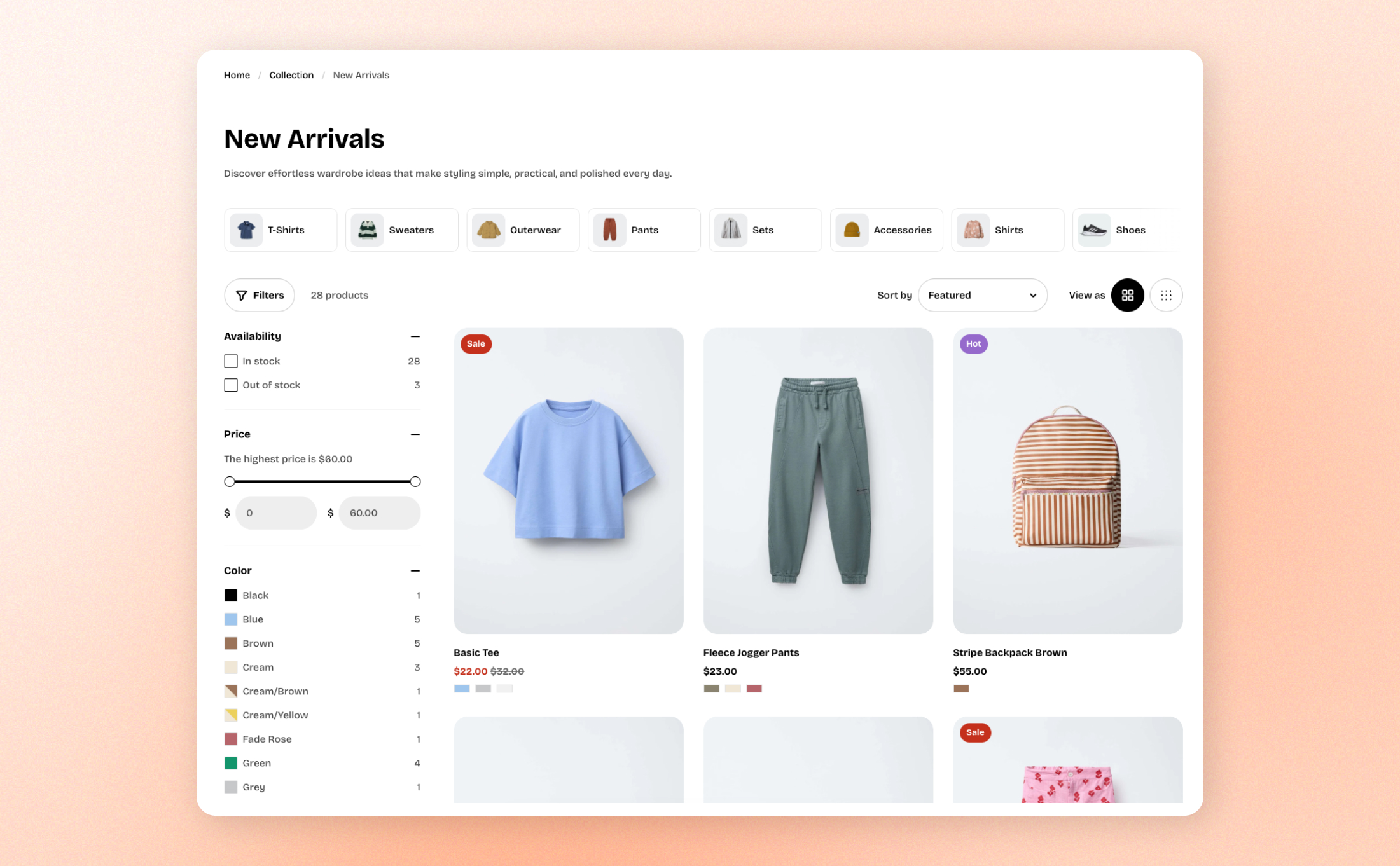
Learn how to create and customize a collection page in the theme editor to control how your collections and products are displayed.
## How to customize your Collection template
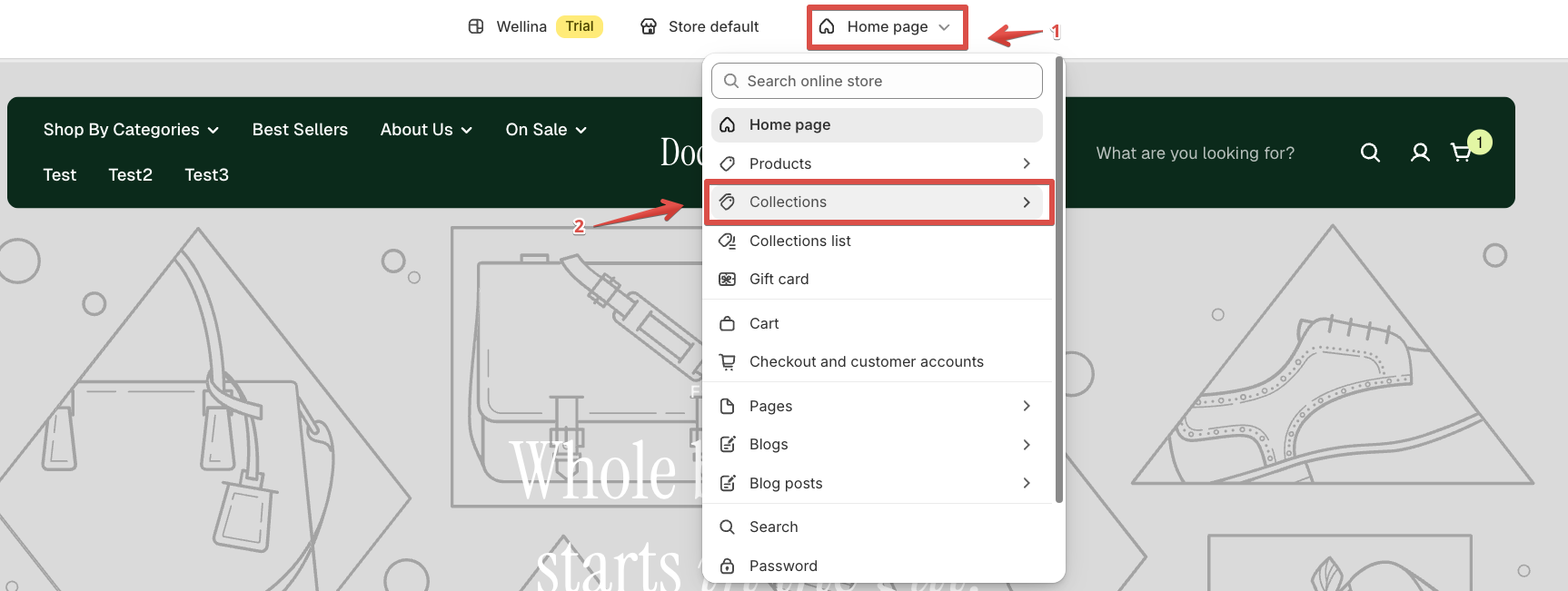
In the theme editor (**Customize**), open the template selector and select **Collections**.
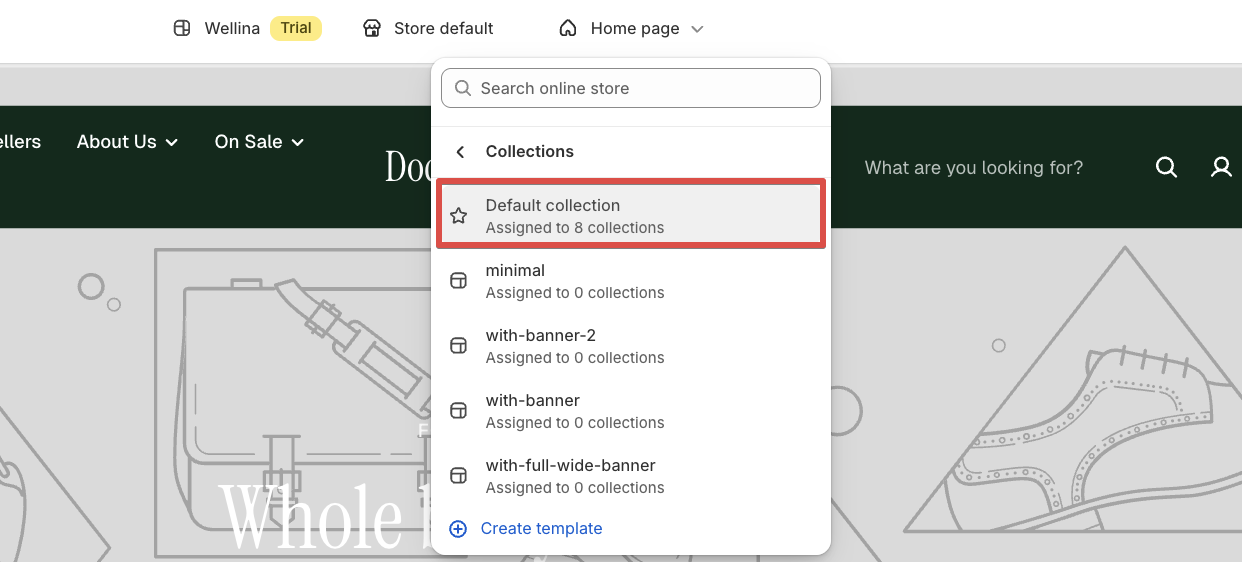
Select **Default collection**.
This is the default template assigned to all collections that use it. Any changes you make to the template will be reflected across all collections using the same template.
If you want different content for specific collections, you can either use [**metafields**](https://help.shopify.com/en/manual/custom-data/metafields) for dynamic content or create a [**new collection template**](https://docs.foxecom.com/pebble-theme/collections-and-products/collection-page/collection-template) and assign it to the relevant collection.
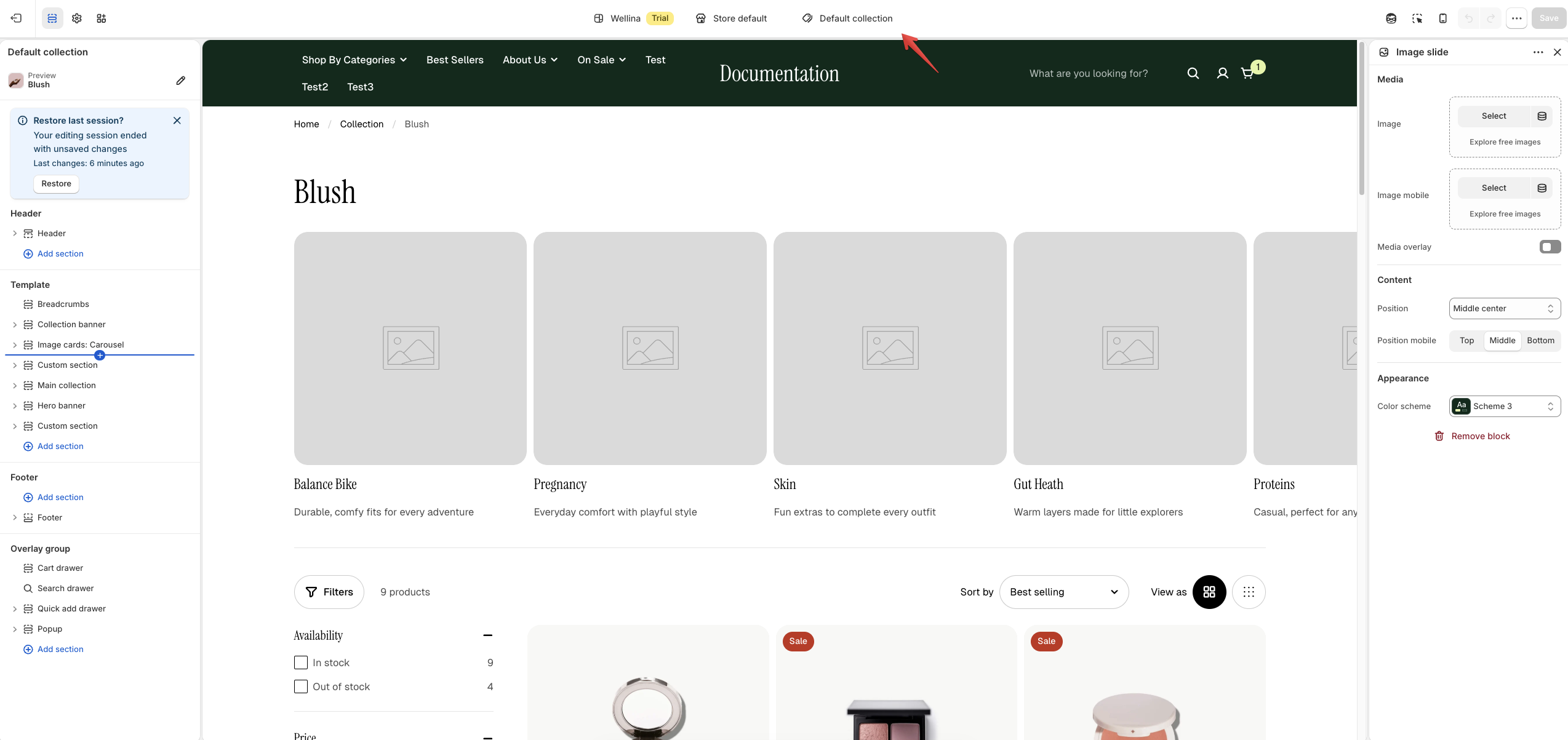
From here, you can add, remove, reorder, and configure sections to customize the layout and content of your collection page.
## Best practices
* **Use the Default collection template for shared layouts.**
If multiple collections should have the same layout and sections, keep them assigned to the **Default collection** template.
* **Use metafields for dynamic content.**
If the layout stays the same but the content needs to vary by collection, use **collection metafields** instead of creating multiple templates.
* **Create separate templates for different layouts.**
If a collection needs a significantly different layout, sections, or design, create a new collection template and assign it only to that collection.
## FAQs
Those collections are likely using the same collection template. Changes to sections, layout, or settings in a template apply to every collection assigned to that template.
Use **metafields** to provide unique content for each collection while keeping the same template and layout.
*Learn more how to use* [*Shopify metafields*](https://help.shopify.com/en/manual/custom-data/metafields)
Create a new collection template in the theme editor, customize it, then assign that template to the specific collection in Shopify Admin.
Usually, no. If only the content is different, metafields are a better option. Create additional templates when collections actually require different layouts or section structures.
It will affect all collections currently assigned to the **Default collection** template. Collections using other templates won't be affected.