# Search
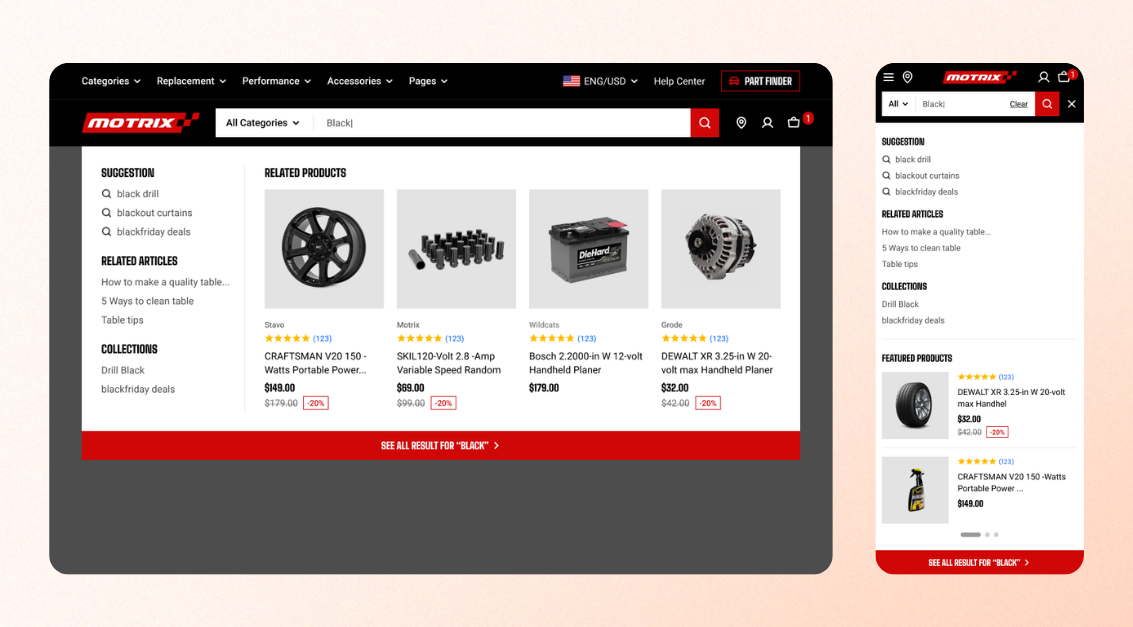
**Search** helps customers with intent find what they came for — especially in a store with a large catalogue. These settings control what happens when someone opens the search bar: whether they can narrow by category before searching, and what the theme suggests as they type.
## Search settings
### Enable search suggestions
Show matching results as customers type in the search field, without requiring them to press Enter.
| Setting | Description | Options |
| ----------------------------- | --------------------------------------------------------------------- | -------- |
| **Enable search suggestions** | Show search suggestions while customers **type** in the search field. | On / Off |
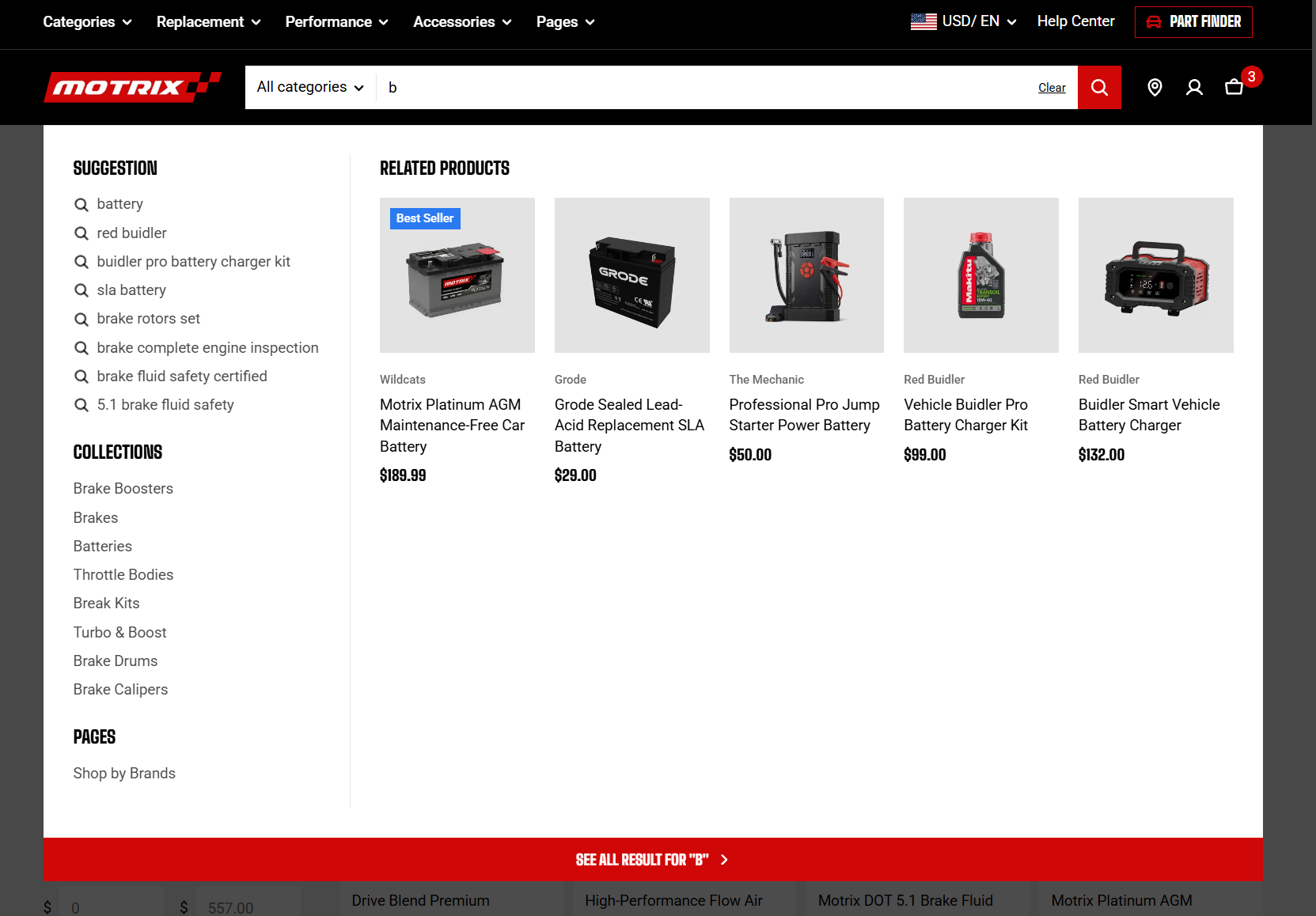

You can customize the search results with the [Search & Discovery app](https://help.shopify.com/en/manual/online-store/search-and-discovery) from Shopify.
**Predictive search isn't available in all languages**. See the complete [list of supported languages](https://shopify.dev/docs/api/ajax/reference/predictive-search#supported-languages).
### Enable search types
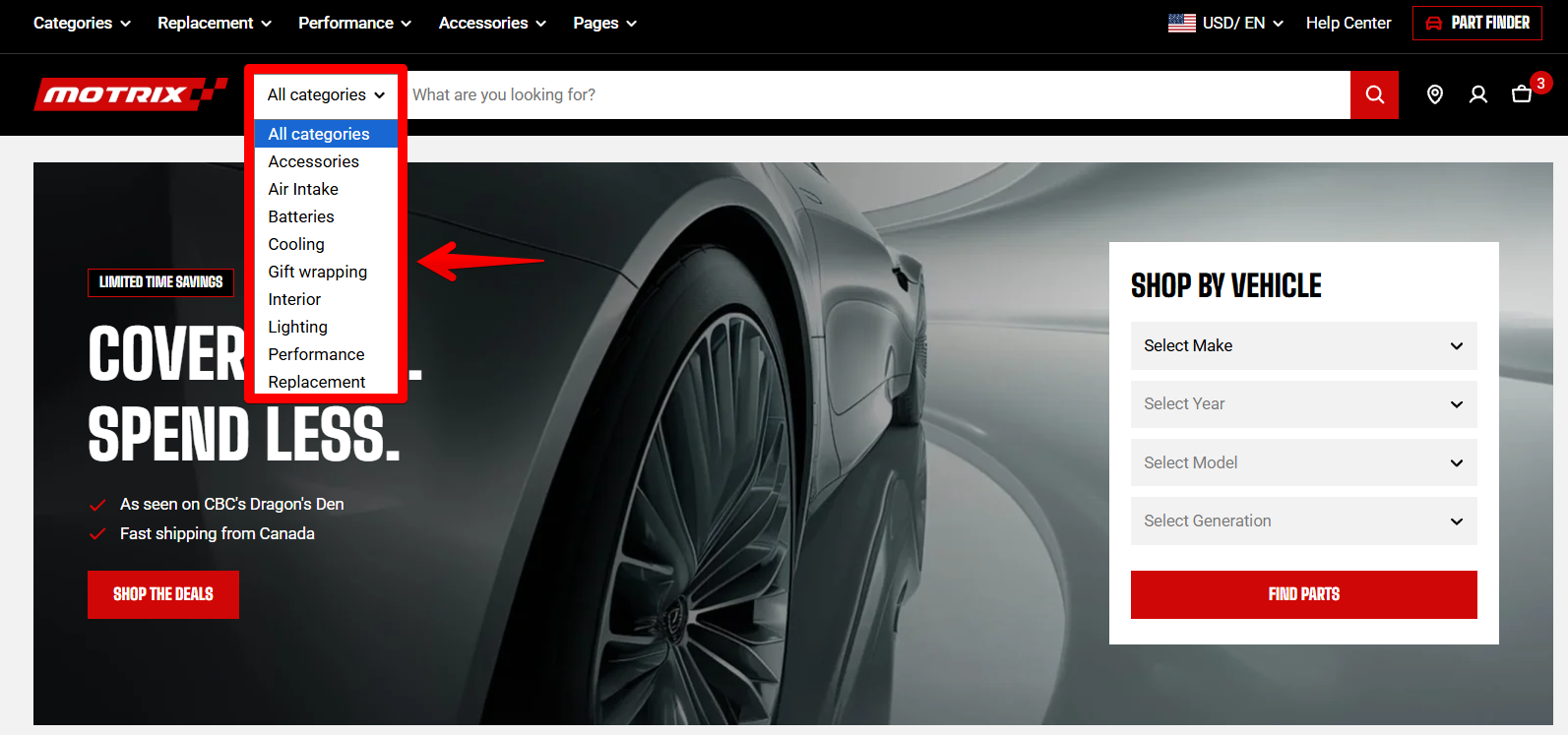
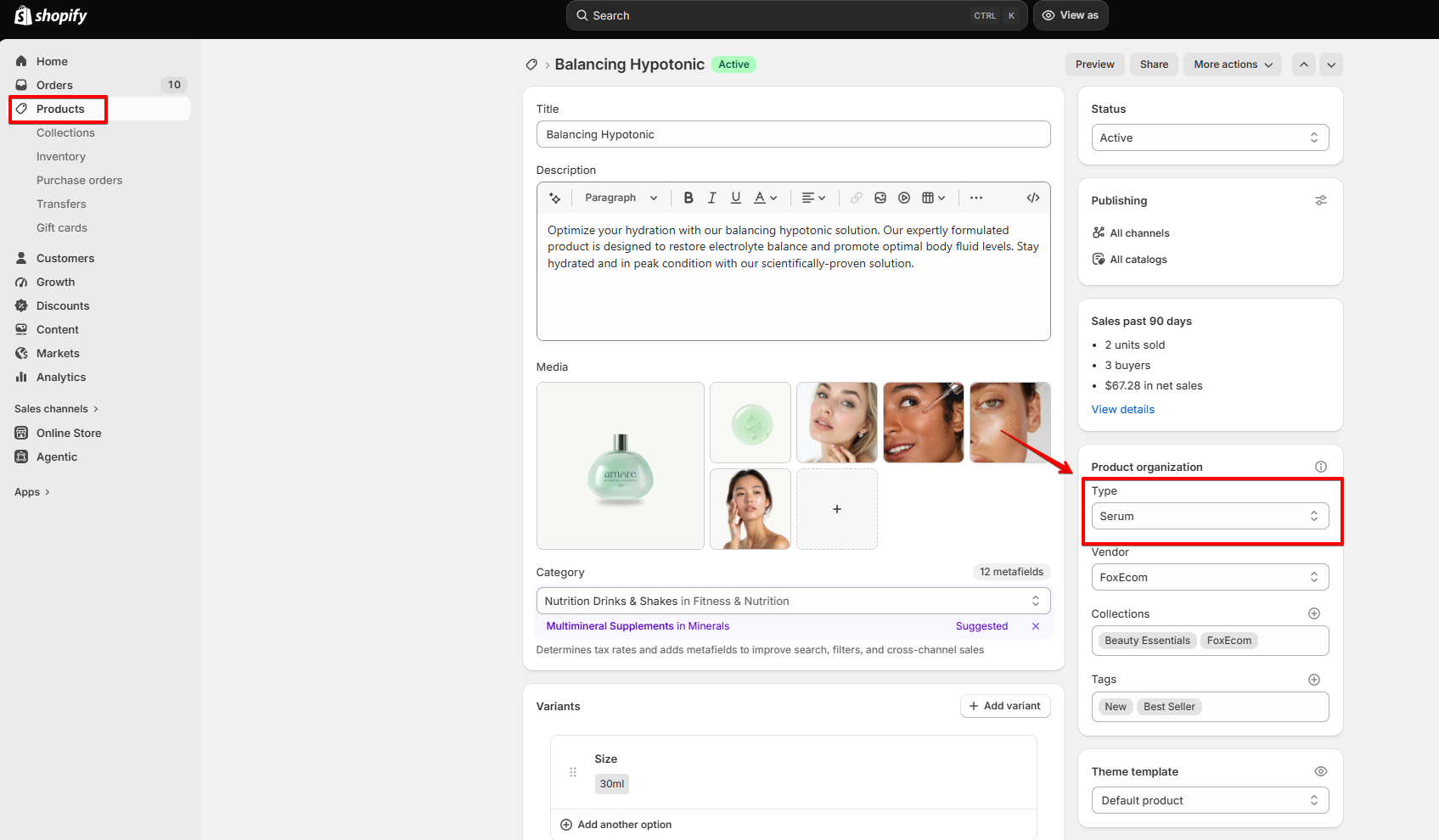
Let customers search by the available **product types** in your store.
| Setting | Description | Options |
| ----------------------- | ----------------------------------------------------------------------------- | -------- |
| **Enable search types** | Allow customers to search from the **available product types** in your store. | On / Off |
Search type dropdown
Product Type in Shopify
### Number of results to show
Control how many search suggestions appear while customers are typing.
| Setting | Description | Options |
| ----------------------------- | -------------------------------------------------------------------- | ------- |
| **Number of results to show** | Set the number of search suggestions displayed while customers type. | 3 - 10 |
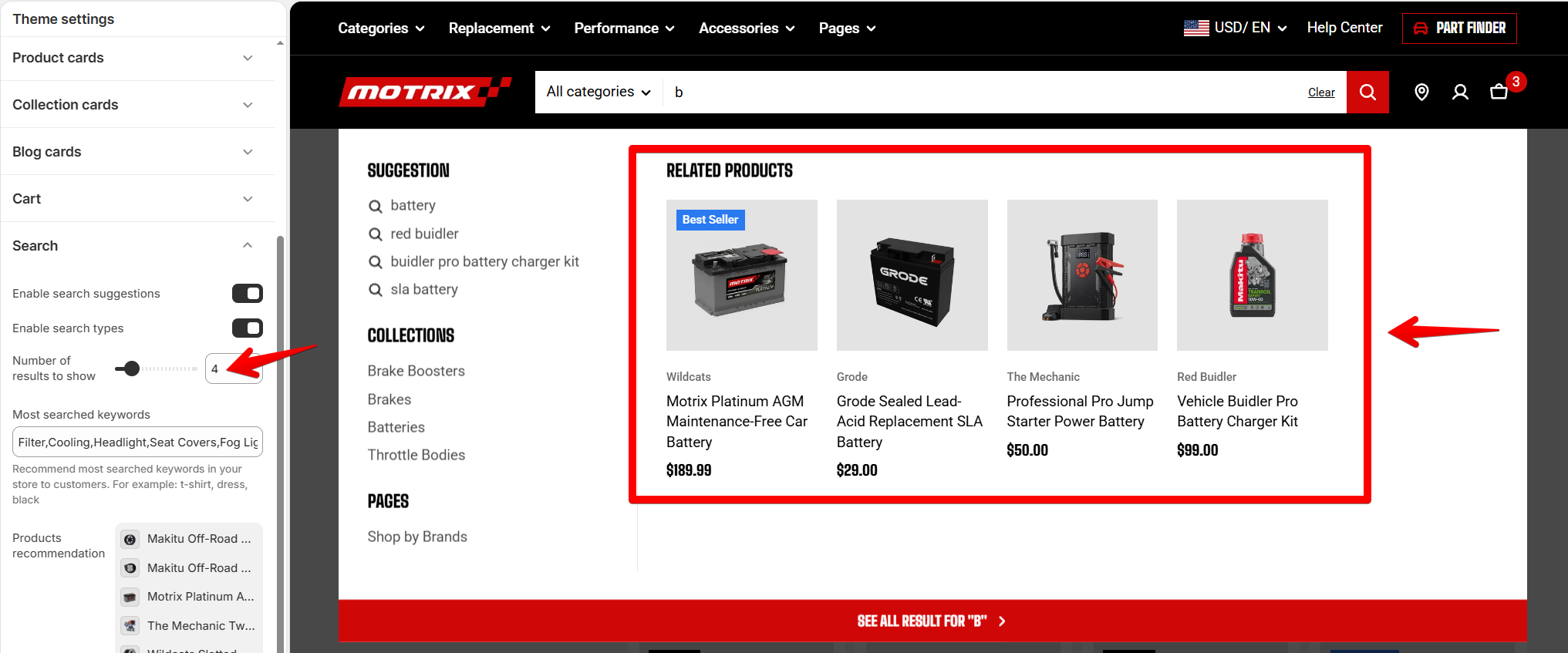
Use a higher value to give customers more options to choose from, or a smaller value to keep suggestions more focused.
### Most searched keywords
Add popular search terms that customers can select as shortcuts before entering a search query.
| Setting | Description | Option |
| -------------------------- | ------------------------------------------------------------------------------------------------------------- | -------------------------------------------------------------------------------------- |
| **Most searched keywords** | Add popular search terms to display as shortcuts in the search panel. Separate multiple keywords with commas. | Enter keywords separated by commas
**For example:** `t-shirt, dress, black` |
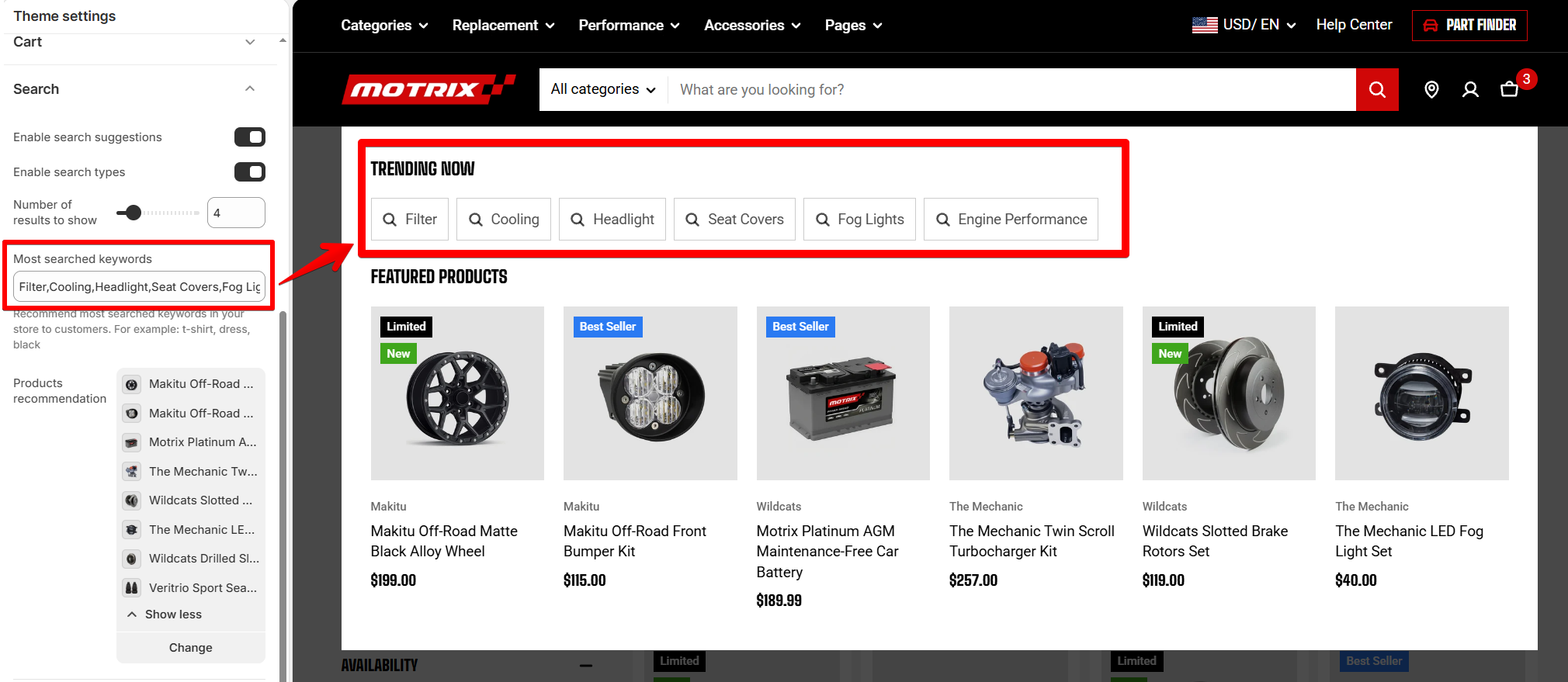
**Tip:** Fill in Most searched keywords with terms customers actually use, not your internal category names. Your store search report in Shopify admin shows what they are typing.
### Products recommendation
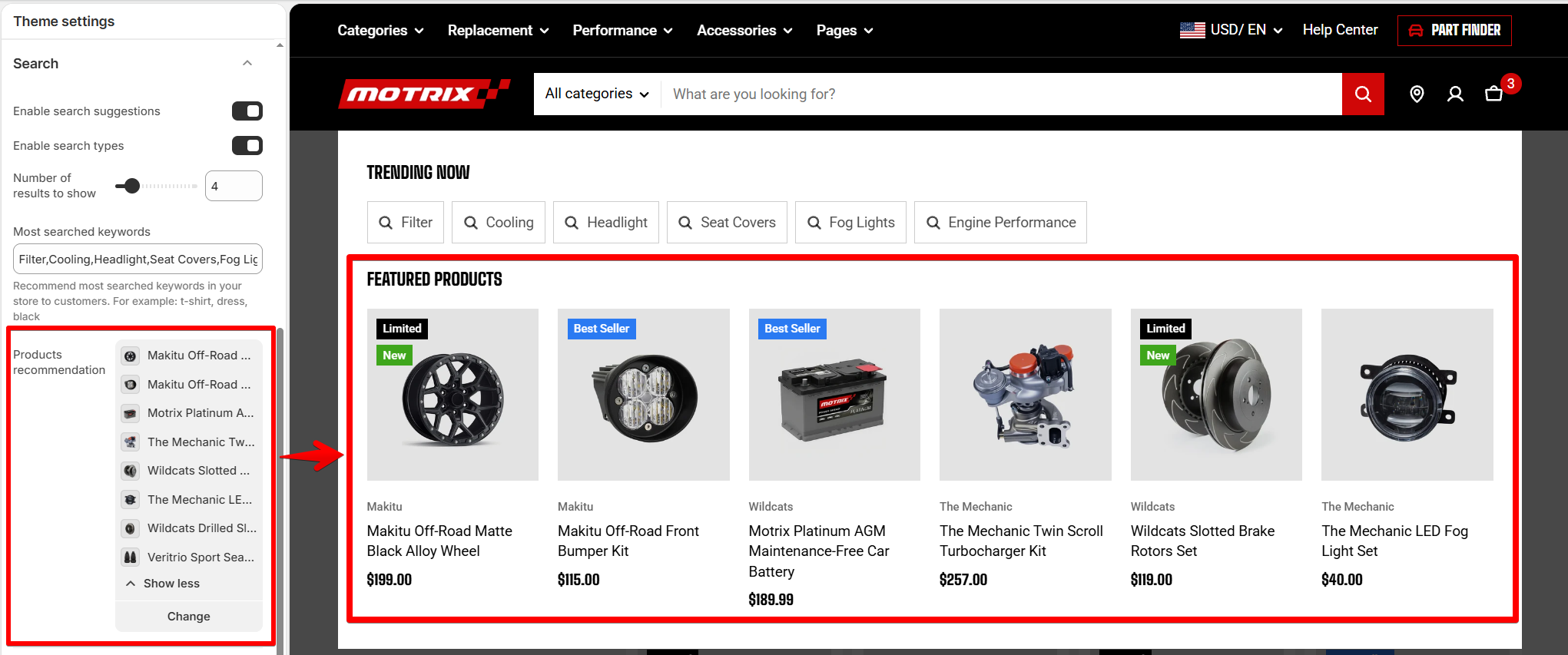
Display selected products in the empty search panel before customers enter a search query.
| Setting | Description | Options |
| --------------------------- | ----------------------------------------------------------------------------------------------------------------- | -------------- |
| **Products recommendation** | Select products to recommend in the empty search panel, such as new arrivals, best sellers, or seasonal products. | Select product |
## Product cards in search results
Customize the information and actions displayed on product cards in search results.
Depending on the setting, you can **show, hide, or limit** each product card element to a specific **device type**.
| Setting | Description | Options |
| -------------------- | ----------------------------------------------------------------------------------------- | -------------------------------------------------------- |
| **Product vendor** | Show the brand or vendor name on product cards in search results. | Hide / Show / Show on desktop only / Show on mobile only |
| **Product type** | Show the product type on product cards in search results. | Hide / Show / Show on desktop only / Show on mobile only |
| **Quick add button** | Show a button that lets customers add a product directly to the cart from search results. | Hide / Show / Show on desktop only / Show on mobile only |
Search results have limited space on **mobile devices**. Consider showing **only the most useful product information** to keep the layout clean and easy to scan.
## Mobile settings
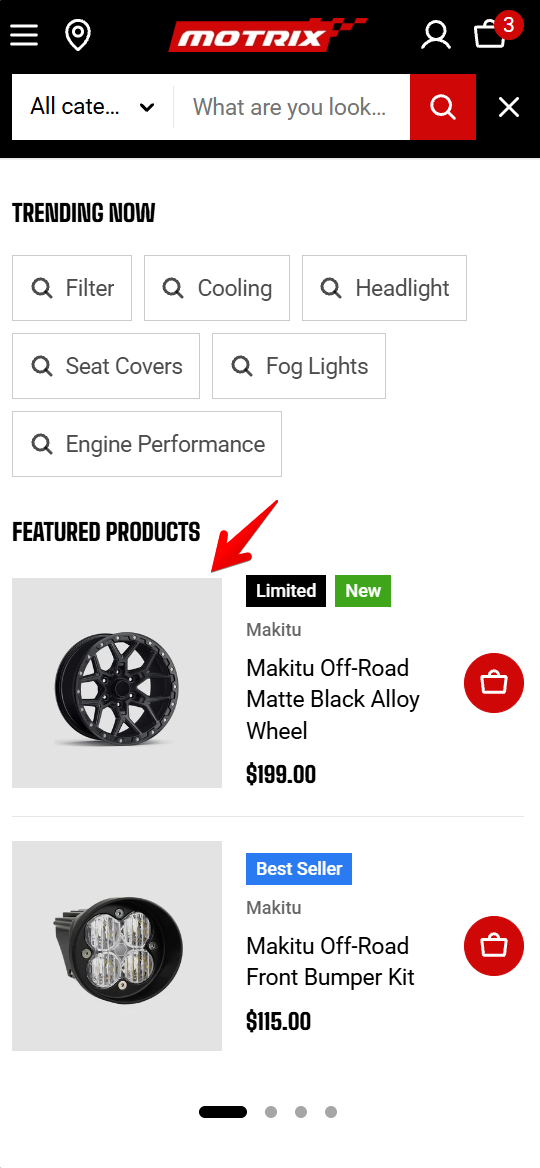
Control how product thumbnails appear on mobile search results.
| Setting | Description | Options |
| --------------- | ---------------------------------------------------------------------------------- | ------------ |
| **Media width** | Set the width of product thumbnails displayed in search results on mobile devices. | 60px - 180px |
Use a smaller **media width** if you want to display more product information in each search result on smaller screens.
Media in search on mobile view