# Cart
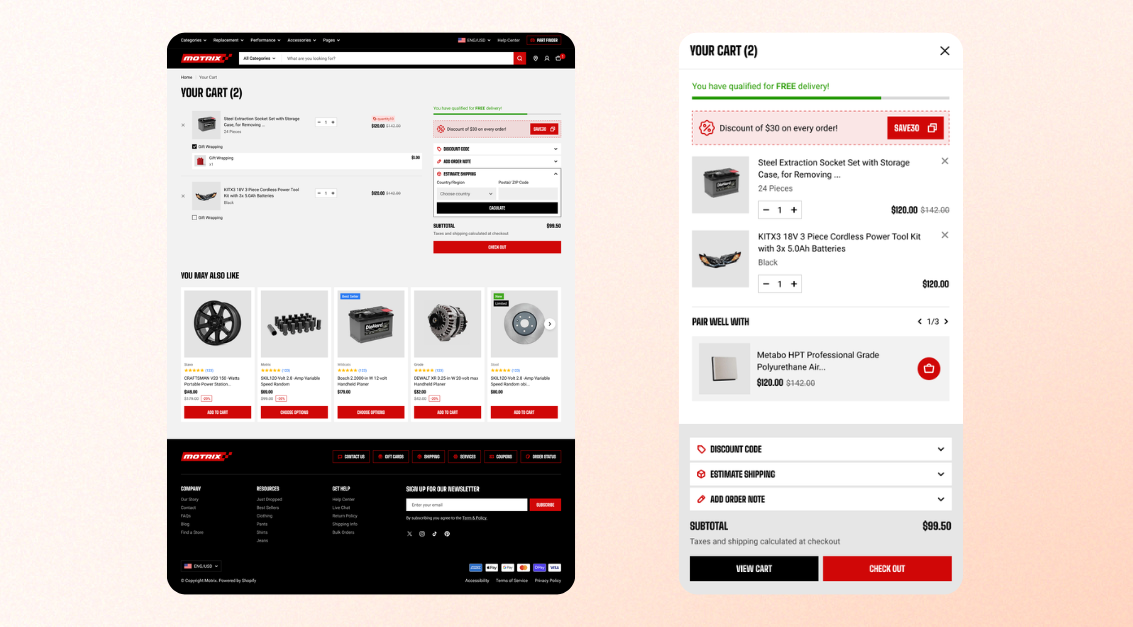
The **cart** is where customers review the products they want to purchase before proceeding to checkout.
You can choose how the cart is displayed, enable additional cart features, set a free shipping goal, recommend collections when the cart is empty, and offer gift wrapping.
## Cart settings
Control how the cart appears and which options customers can use before checkout.
| Setting | Description | Options |
| --------------------------------- | -------------------------------------------------------------------------------------------------------------------------------------------------------------------------------------------------------------------------------------------------------- | ------------- |
| **Type** | Choose how the cart is displayed when customers click the cart icon. | Page / Drawer |
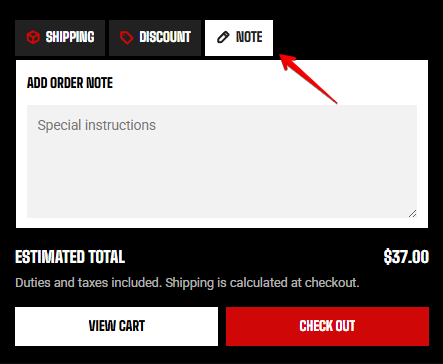
| **Allow note to seller** | Add a **message field** where customers can leave delivery instructions, gift notes, or other comments. | On / Off |
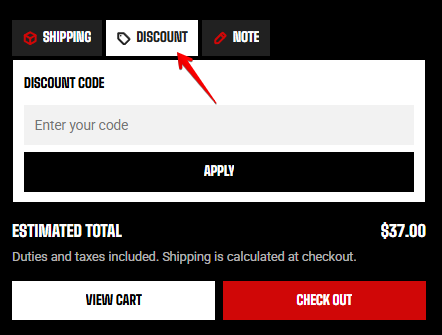
| **Allow discounts in cart** | Add a **discount code field** so customers can enter a discount code before proceeding to checkout. | On / Off |
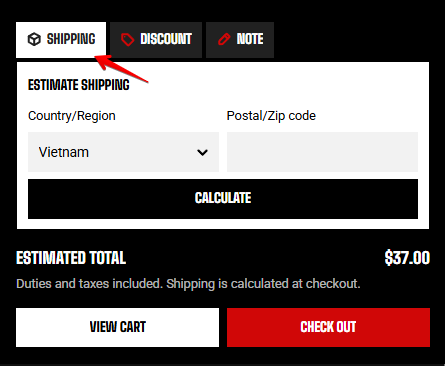
| **Allow calculate shipping rate** | Let customers **estimate their shipping costs** directly from the cart before checkout. | On / Off |
| **Installments** | Show a “**pay in instalments**” message when your payment provider offers installment payments. | On / Off |
| **Accelerated checkout buttons** | Show **accelerated checkout options**, such as Shop Pay and PayPal, directly in the cart so customers can proceed to checkout faster. Learn more about [accelerated checkout buttons](https://help.shopify.com/manual/online-store/dynamic-checkout) | On / Off |
Opens the cart over the current page, allowing customers to continue browsing. 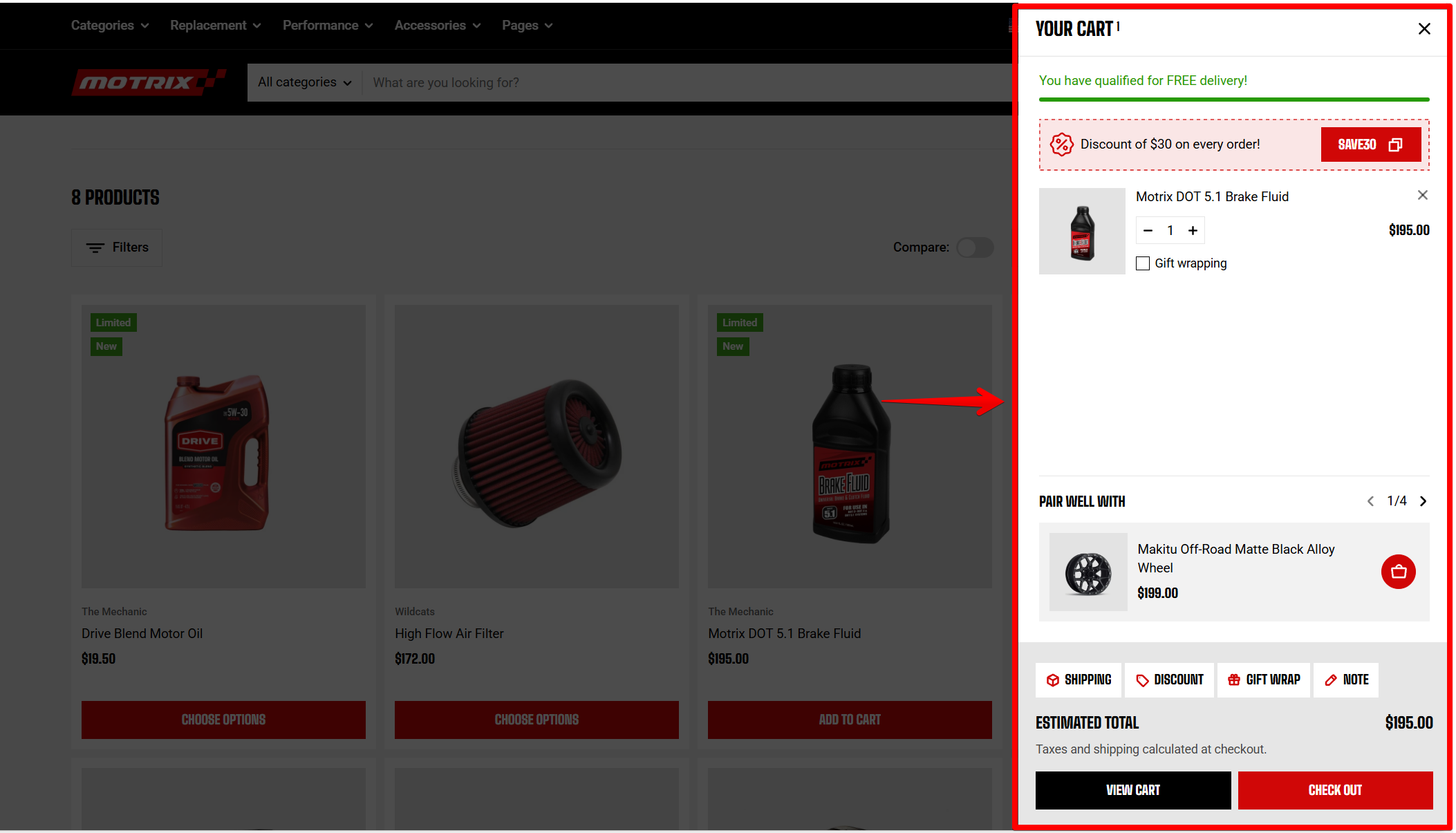
Takes customers to a dedicated cart page. 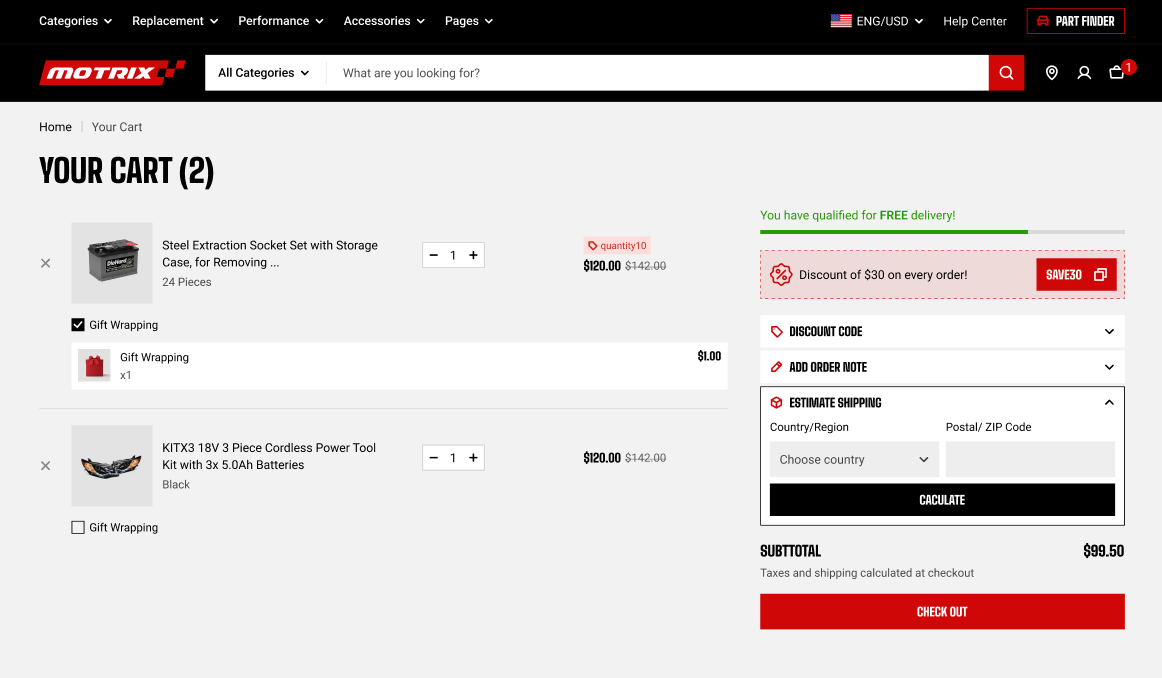
Cart note
Cart discount
Calculate shipping rate in cart
## Media
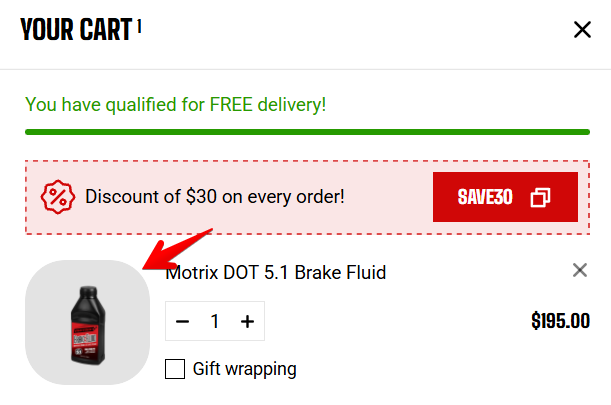
Control the shape and appearance of product thumbnails in the cart.
Corner radius - product image in cart
| Setting | Description | Options |
| ----------------- | ---------------------------------------------------------------------------------------------------------- | ------------------------------------------------------------------------------------------------------------------ |
| **Aspect ratio** | Choose whether to preserve each product image's original proportions or crop images to a consistent shape. | Auto/ Square (1/1) / Portrait (4/5) / Portrait (3/4) / Landscape (16/9) / Landscape (4/3) / Landscape (21/9) |
| **Corner radius** | Control how rounded the product thumbnails appear. | 0px - 32px |
## Free shipping goal
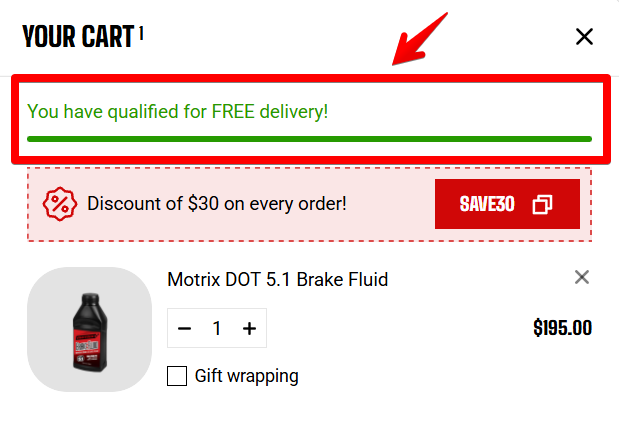
Display a progress bar in the cart to show customers how much more they need to spend to reach your free shipping threshold.
| Setting | Description | Options |
| ----------------------------- | -------------------------------------------------------------------------------------------------------------------------------------------------------- | ---------------------------------------------------------------------------------------------------------------------------------------------------------- |
| **Show free shipping goal** | Show or hide the free shipping progress bar in the cart. | On / Off |
| **Free shipping goal amount** | Set the order value required to reach the free shipping goal. Enter numbers only. This setting appears only when **Show free shipping goal** is enabled. | Enter Text
For stores that sell in multiple currencies, enter a separate amount for each currency using the format `USD:100, EUR:95, JPY:13000` |
The free shipping goal **only displays progress** toward your threshold. It does not create a free shipping rate. Set up the corresponding free shipping rate in **Shopify admin** first, then enter the same amount here. [Learn more](https://help.shopify.com/en/manual/fulfillment/setup/shipping-rates)
The Free shipping goal is based on the store's primary currency. If no custom currency amounts are entered and a customer switches to another currency, the goal will be calculated using Shopify market [exchange rates](https://help.shopify.com/en/manual/markets/pricing/exchange-rates).
## Cart empty recommendation
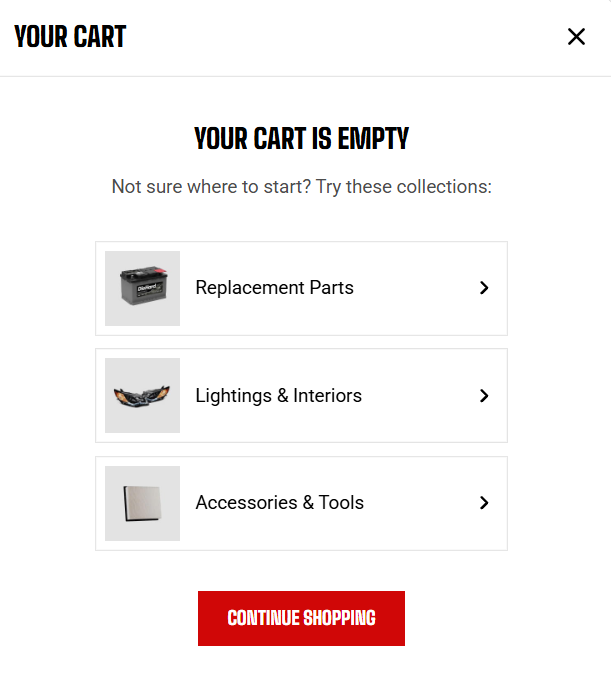
When the cart is empty, recommend collections to give customers an easy way to continue shopping.
| Setting | Description | Options |
| ---------------- | -------------------------------------------------------------------- | --------------------------------------------------------------------------------- |
| **Collections** | Select the collections to recommend when the cart is empty. | Select a collection |
| **Color scheme** | Choose the color scheme used for the collection recommendation area. | Select a color sche |
| **Preset** | Choose the text style used for the recommendation heading. | Paragraph / Heading 1 / Heading 2 / Heading 3 / Heading 4 / Heading 5 / Heading 6 |
## Gift wrapping
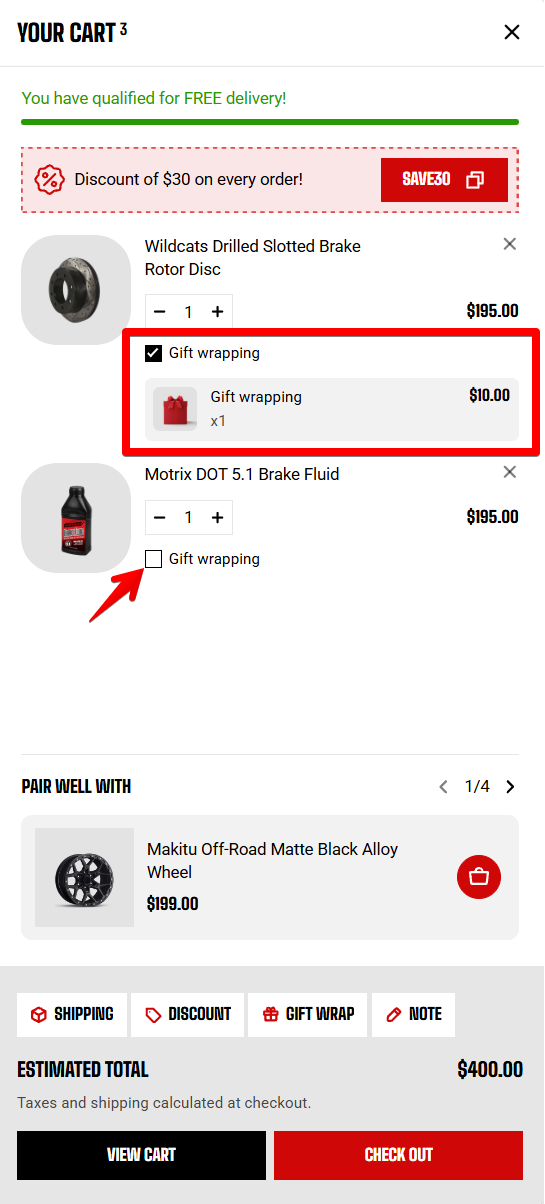
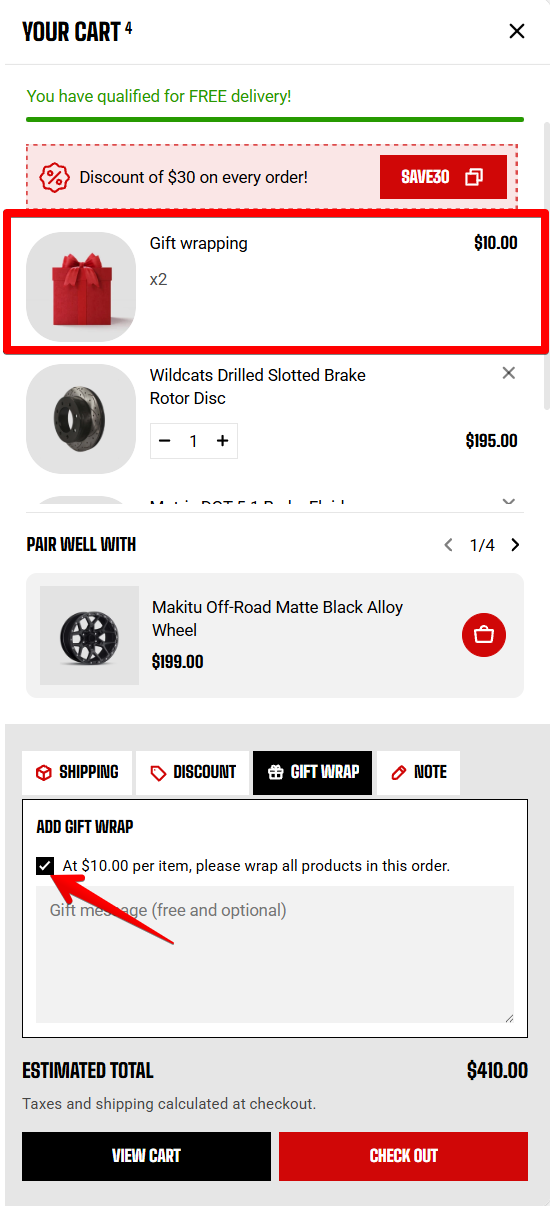
Offer customers the option to add gift wrapping to their order.
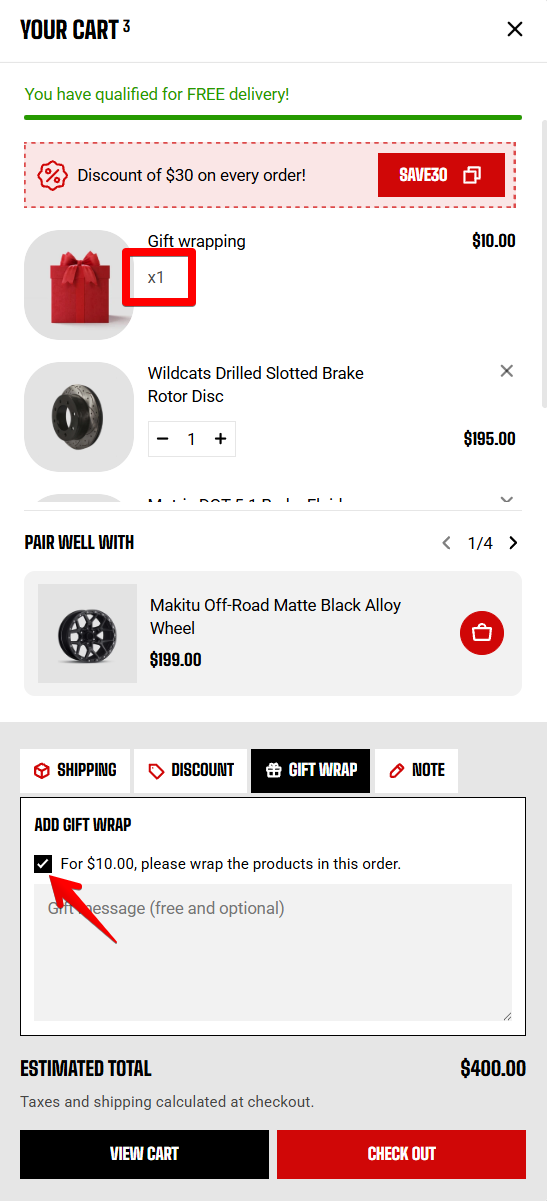
When **enabled**, each wrapped item is charged separately.
When **disabled**, customers pay one wrapping fee for the entire order.
Keep the gift wrap product out of your collections so customers don't see it while browsing your store.
| Setting | Description | Option |
| ------------------------------------- | --------------------------------------------------------------------------------------------------------------------------------------------------------------------------------------------------------------------------------------------------------------------------------------------------------------------------- | ---------------- |
| **Gift wrap product** | Select the product used to charge customers for gift wrapping.
Create the gift wrap product as a regular product in [**Shopify Admin**](https://admin.shopify.com/products) and set its price to your wrapping fee. [**Learn more**](https://help.shopify.com/manual/products/add-update-products) | Select a product |
| **Enable gift wrap per product** | Let customers choose gift wrapping for individual items. This setting appears after you select a **Gift wrap product**. | On / Off |
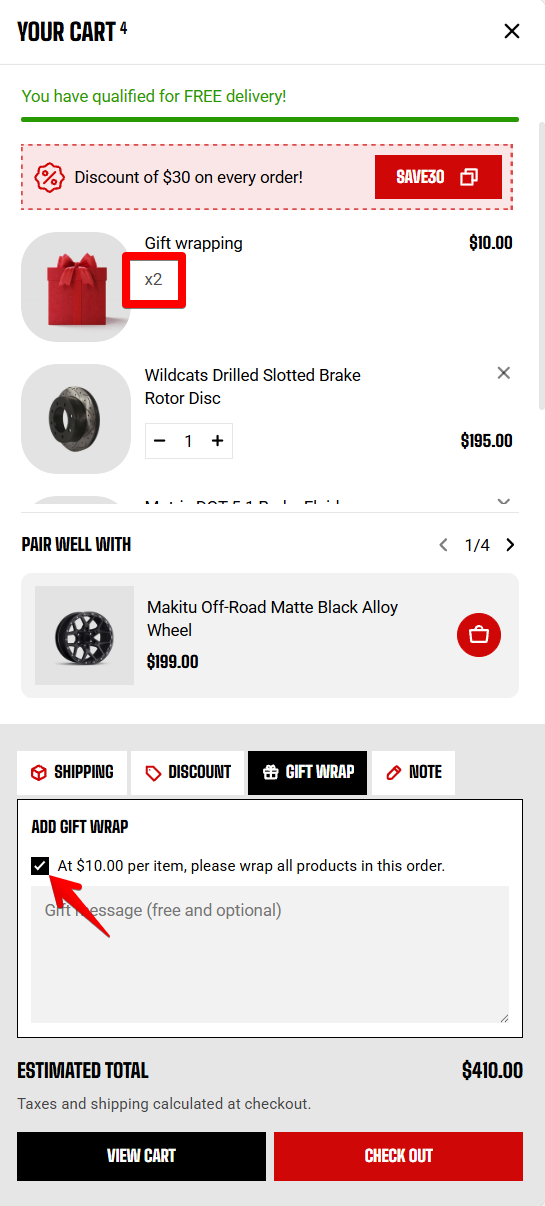
| **Sync gift wrap quantity with cart** | Match the gift wrap quantity to the quantity of the products being wrapped. This setting appears after you select a **Gift wrap product**.
**For example:** If a customer buys two units and **Sync gift wrap quantity with cart** is enabled, two gift wrapping fees are charged. | On / Off |
When **enabled**, each unit is charged a separate wrapping fee.
When **disabled**, one wrapping fee is charged regardless of the product quantity.