# Badges
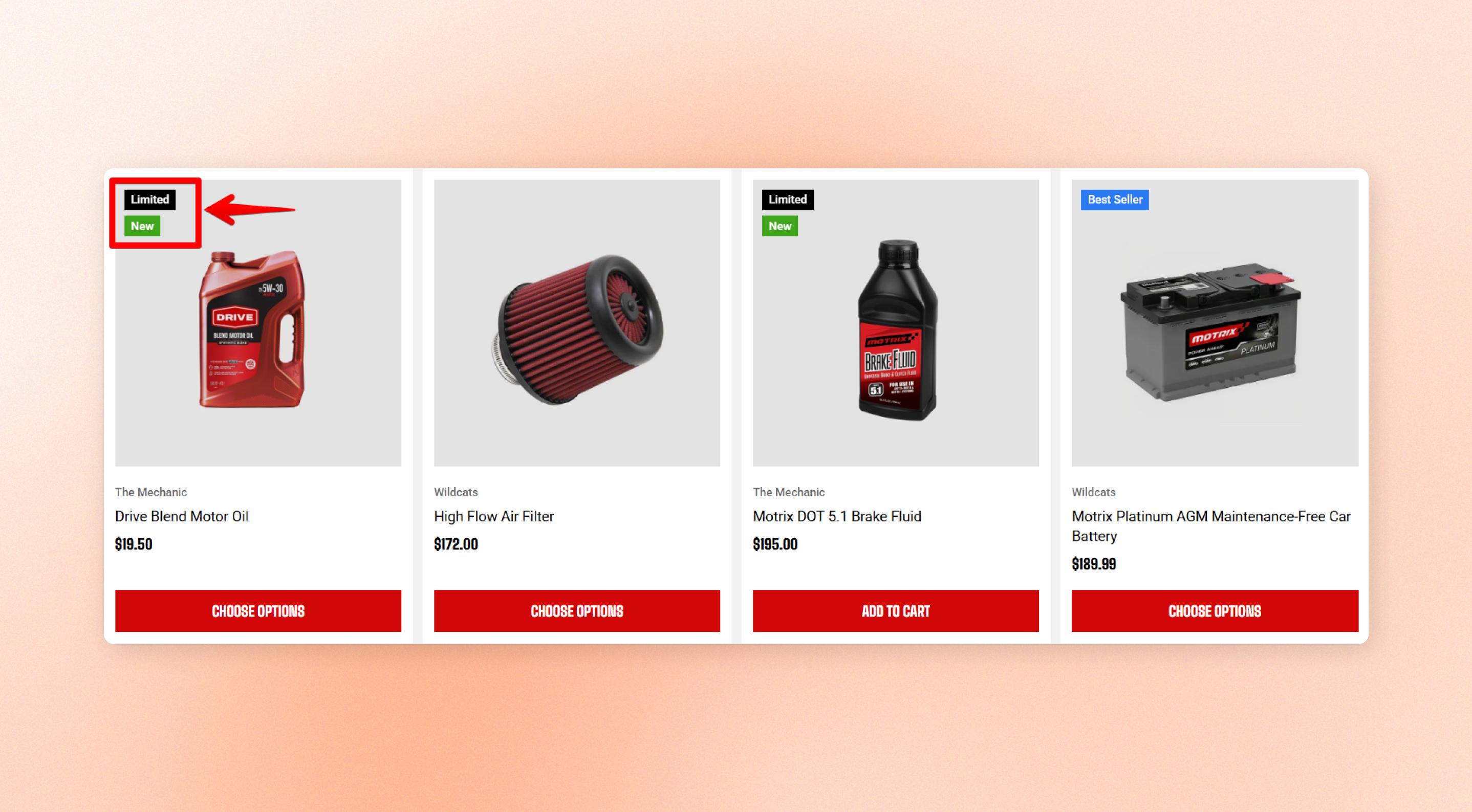
Custom badges help highlight specific products in your storefront, making it easier for customers to spot featured items such as **New**, **Hot**, or **Popular**.
## How to show product badges
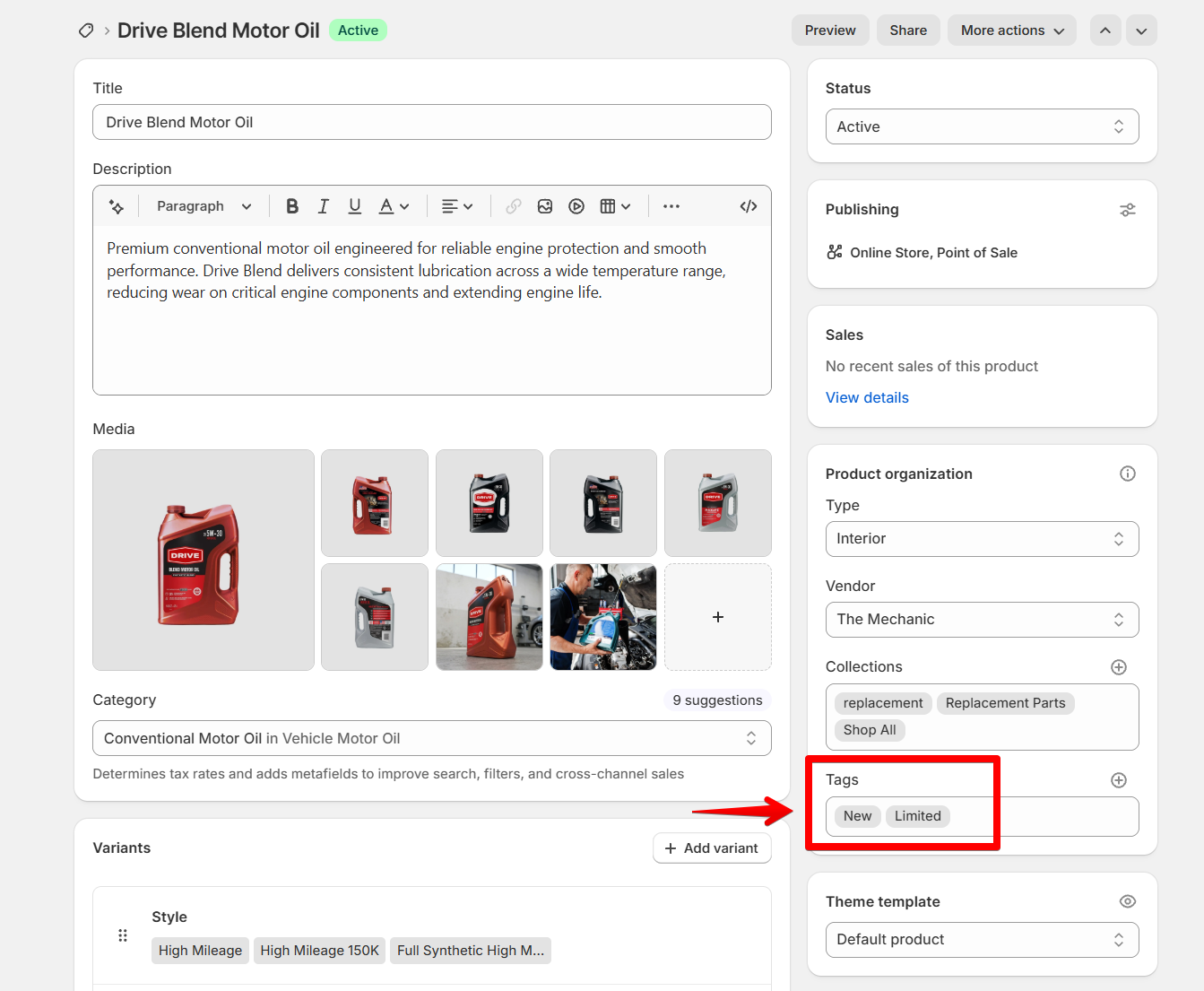
Go to your product in **Shopify Admin > Products** and add tags.
1. In the theme editor, go to Theme settings > Badges.
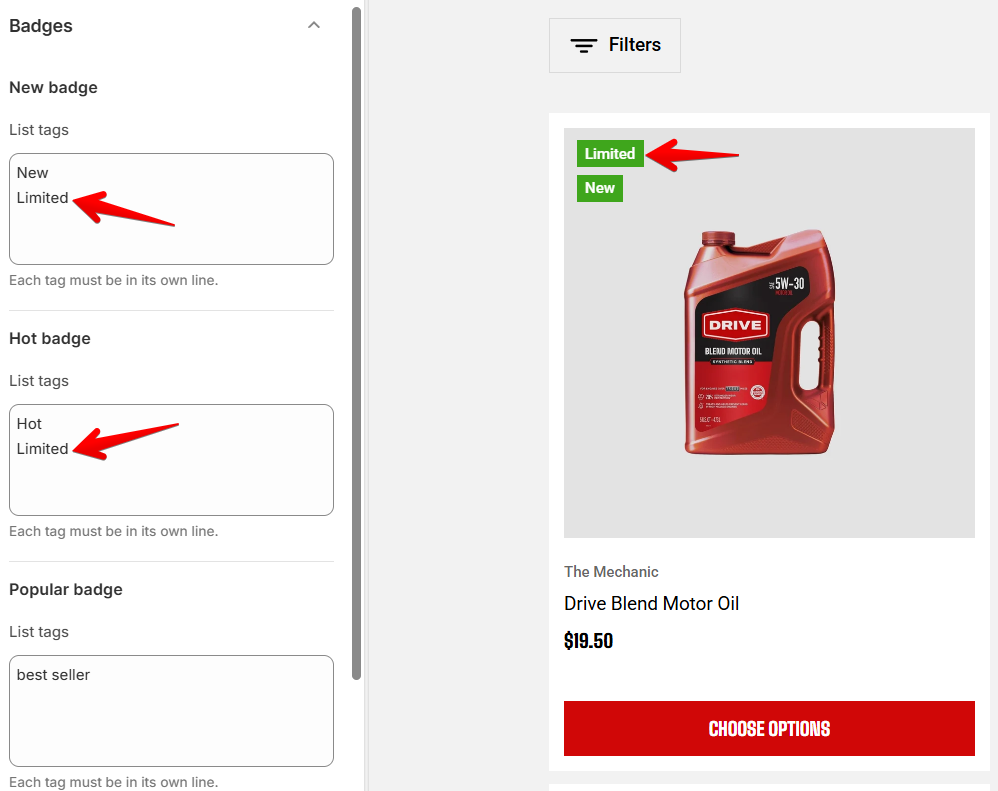
2. Add the product tags you want to show as product badges.
Each tag must be in its own line.
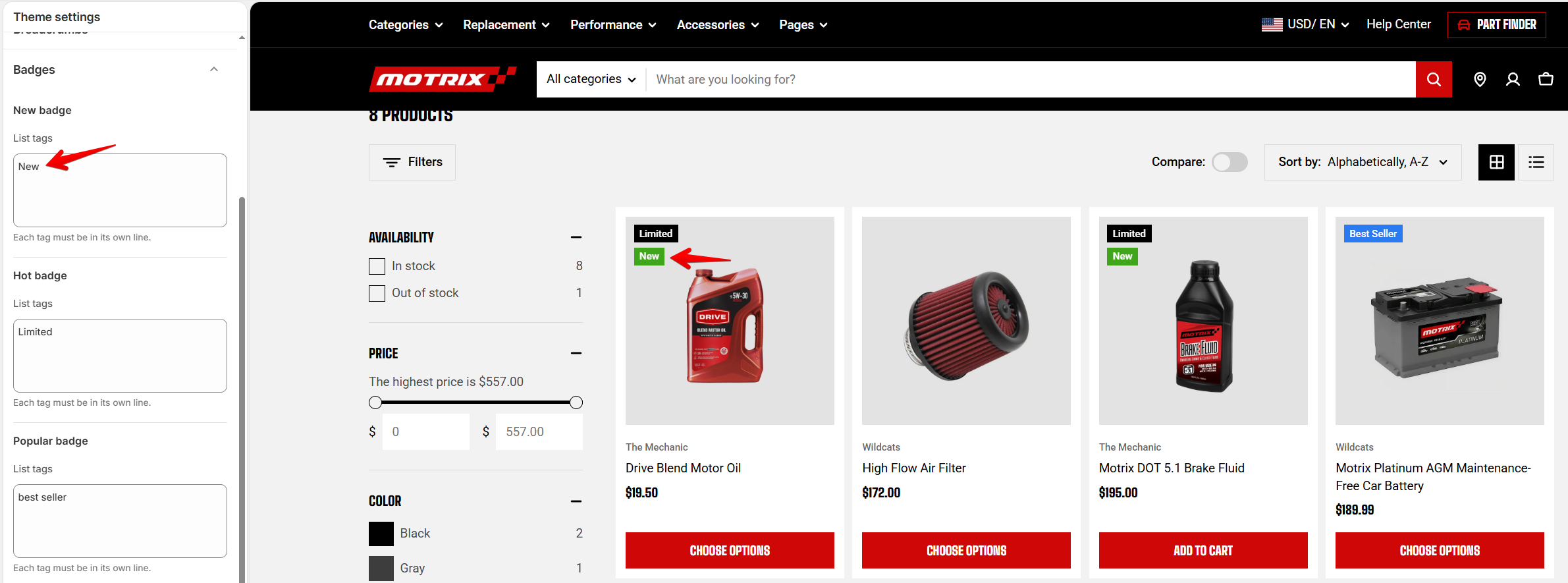
Any product with a matching tag will automatically display the selected badge.
## Badge settings
Enter **one product tag per line** in the 3 custom badges list tags.
| Setting | Description |
| ----------------------------- | ---------------------------------------------------------------------------------------- |
| **New badge – List tags** | Products with any of these tags display a badge using the **New badge color style**. |
| **Hot badge – List tags** | Products with any of these tags display a badge using the **Hot badge color style**. |
| **Popular badge – List tags** | Products with any of these tags display a badge using the **Popular badge color style**. |
To customize badge colors, go to **Theme settings > Colors**. Learn more [Product badge colors](https://docs.foxecom.com/motrix-theme/theme-settings/colors#product-badge-colors).
## Badge showing rules
| Badge type | How it works |
| ------------------ | ---------------------------------------------------------------------------------------------- |
| **Custom badges** | Custom badges using tags (like New, Hot, Popular only show while the product is **in stock.** |
| **Sold-out badge** | Shows when the item is out-of-stock. |
| **Sales badge** | When the items has compare-at prices higher than normal prices. |
Learn more [Badges on Product cards](https://docs.foxecom.com/motrix-theme/theme-settings/product-cards#badges).
Tags are matched flexibly, so differences in capitalization or separators (such as spaces and hyphens) **won't affect badge matching**. For example, `Best Seller` and `best-seller` are treated as the same tag.
If the same tag is added to multiple badge lists, the theme applies the following priority: **New → Hot → Popular**