# Product comparison
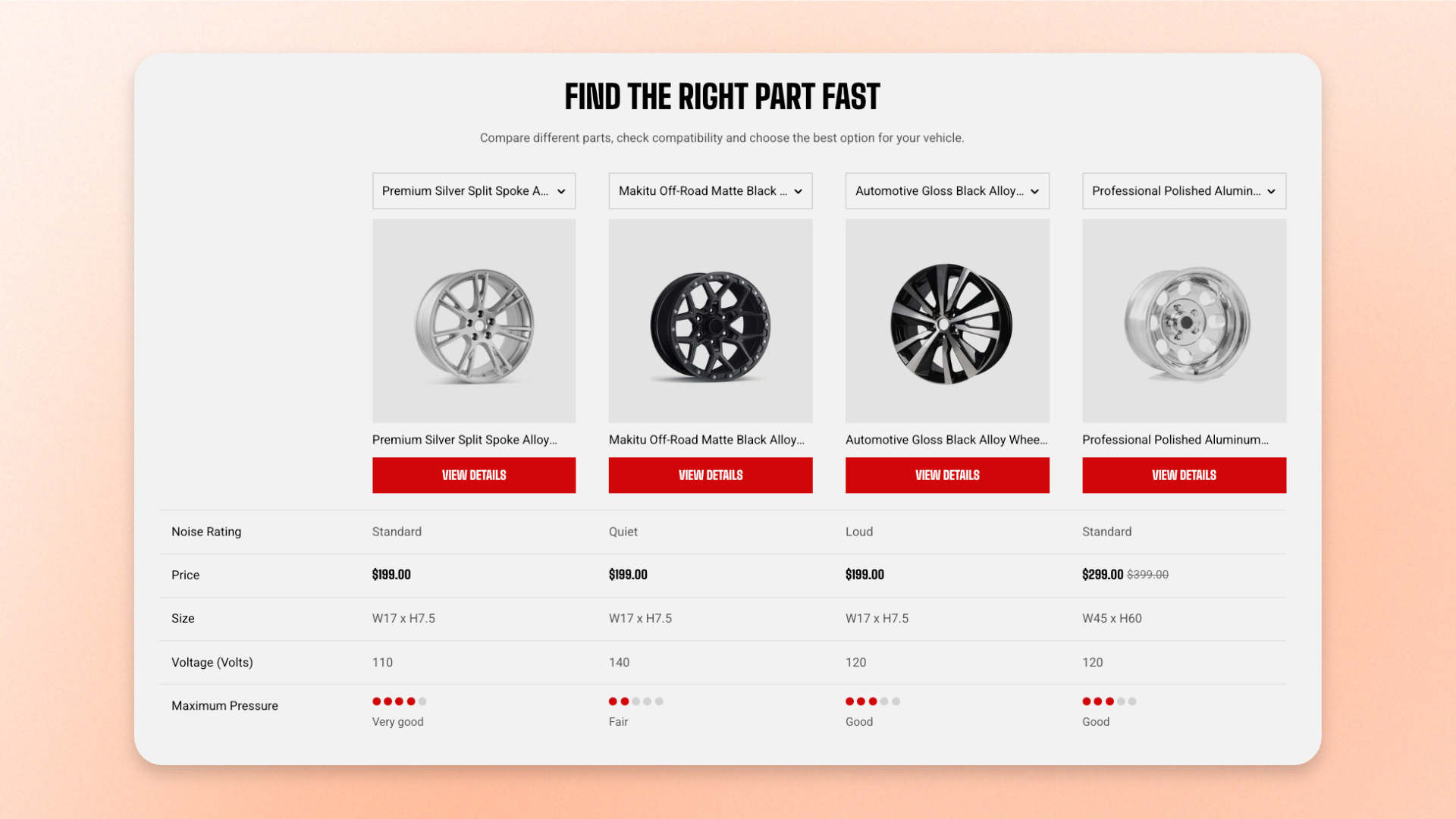
The **Product comparison** section displays selected products side by side in a comparison table, with one product per column and one comparison detail per row.
Customers can compare details such as price, description, vendor, product type, variants, metafields, and ratings. You can also let customers switch any product column to another product without leaving the page.
## How is this different from Quick comparison table?
## How to customize the Product comparison
1. In the theme editor (**Edit theme**), open the page where you want to display the section.
2. Click **Add section** and select **Product comparison**.
3. Select the products you want to compare.
4. Customize the heading, layout, appearance, and spacing.
5. Add, remove, or reorder comparison blocks to control which product details appear in the table.
6. Click **Save**.
## Section settings
### Products
Controls which products appear as columns in the comparison table.
| Setting | Description | Options |
| ----------------------- | ----------------------------------------------------------------------------------------- | ---------------------------- |
| **Products to compare** | Selects the products displayed in the comparison table, with one column for each product. | Select up to **6 products**. |
Select at least one product before publishing. Placeholder columns shown in the theme editor are for setup only and don't appear on the storefront.
### Header
Controls the heading and supporting text displayed above the comparison table.
| Setting | Description | Options |
| -------------------- | -------------------------------------------------------------------------- | -------------------------------------------------------------- |
| **Heading** | Sets the heading displayed above the table. | Enter custom text. |
| **Heading size** | Sets the heading typography style. | **Heading 1**, **Heading 2**, **Heading 3**, or **Heading 4**. |
| **Text** | Adds supporting or introductory text below the heading. | Enter custom text. |
| **Preset** | Sets the typography style of the supporting text. | **Default**, **Paragraph**, or **Subheading**. |
| **Alignment** | Controls the horizontal alignment of the Header content on larger screens. | **Left**, **Center**, or **Right**. |
| **Alignment mobile** | Controls the horizontal alignment of the Header content on mobile. | **Left**, **Center**, or **Right**. |
### Layout
Controls the width of the comparison section.
| Setting | Description | Options |
| ------------- | ------------------------------------------ | -------------------------------------------------------------------------------------------------------------------------- |
| **Container** | Controls the width of the section content. | **Full:** Uses the available page width.
**Fixed:** Keeps the content within the theme's fixed container width. |
When the comparison table is wider than the screen, customers can scroll horizontally to view the remaining product columns while the row labels stay available for reference.
### Appearance
Controls the color scheme, border, and corners of the section.
| Setting | Description | Options |
| ------------------ | ------------------------------------------------ | ----------------------------------------------------------------------- |
| **Color scheme** | Applies a theme color scheme to the section. | Select an available color scheme. |
| **Border** | Controls whether the section has an outline. | **None** or **Solid**. |
| **Border width** | Controls the thickness of the section border. | **0–10px.**
*Available when **Border** is set to **Solid**.* |
| **Border opacity** | Controls the opacity of the section border. | **0–100%.**
*Available when **Border** is set to **Solid**.* |
| **Corner radius** | Controls how rounded the section corners appear. | **0–32px.** |
### Padding
Controls the spacing around the section separately for desktop and mobile.
| Setting | Description | Options |
| ----------- | ------------------------------------------------------------------------- | -------------------------------------------------------------------------- |
| **Devices** | Selects which device-specific padding values you are editing. | **Desktop** or **Mobile**. |
| **Top** | Controls the space above the section content. | **0–100px**. |
| **Bottom** | Controls the space below the section content. | **0–100px**. |
| **Left** | Controls the space between the content and the left edge of the section. | **0–100px**.
*Available when **Container** is set to **Full**.* |
| **Right** | Controls the space between the content and the right edge of the section. | **0–100px**.
*Available when **Container** is set to **Full**.* |
## Blocks
Each block represents one row of the comparison table. Add, remove, or reorder blocks to control which product details customers can compare and the order in which they appear.
Most comparison blocks can be added once. **Product metafield** and **Product rating** can be added multiple times when you want to compare several custom attributes or ratings.
### Product switcher
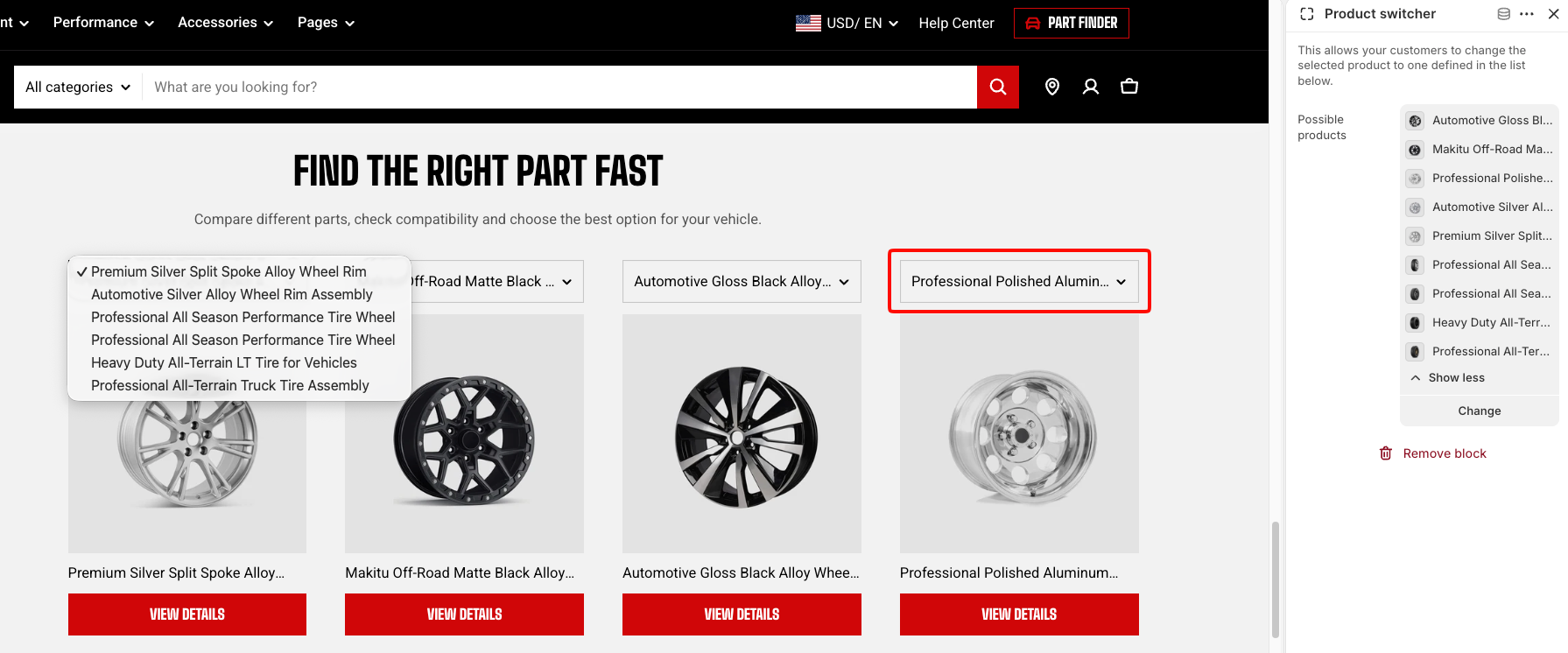
The **Product switcher** adds a dropdown above each product column so customers can replace the product shown in that column without leaving the section.
The dropdown includes the section's **Products to compare** together with any additional products selected in **Possible products**. Duplicate options are filtered automatically.
| Setting | Description | Options |
| --------------------- | ------------------------------------------------------------------- | ---------------------------------------- |
| **Possible products** | Adds additional products customers can switch to from the dropdown. | Select up to **12 additional products**. |
### Product information
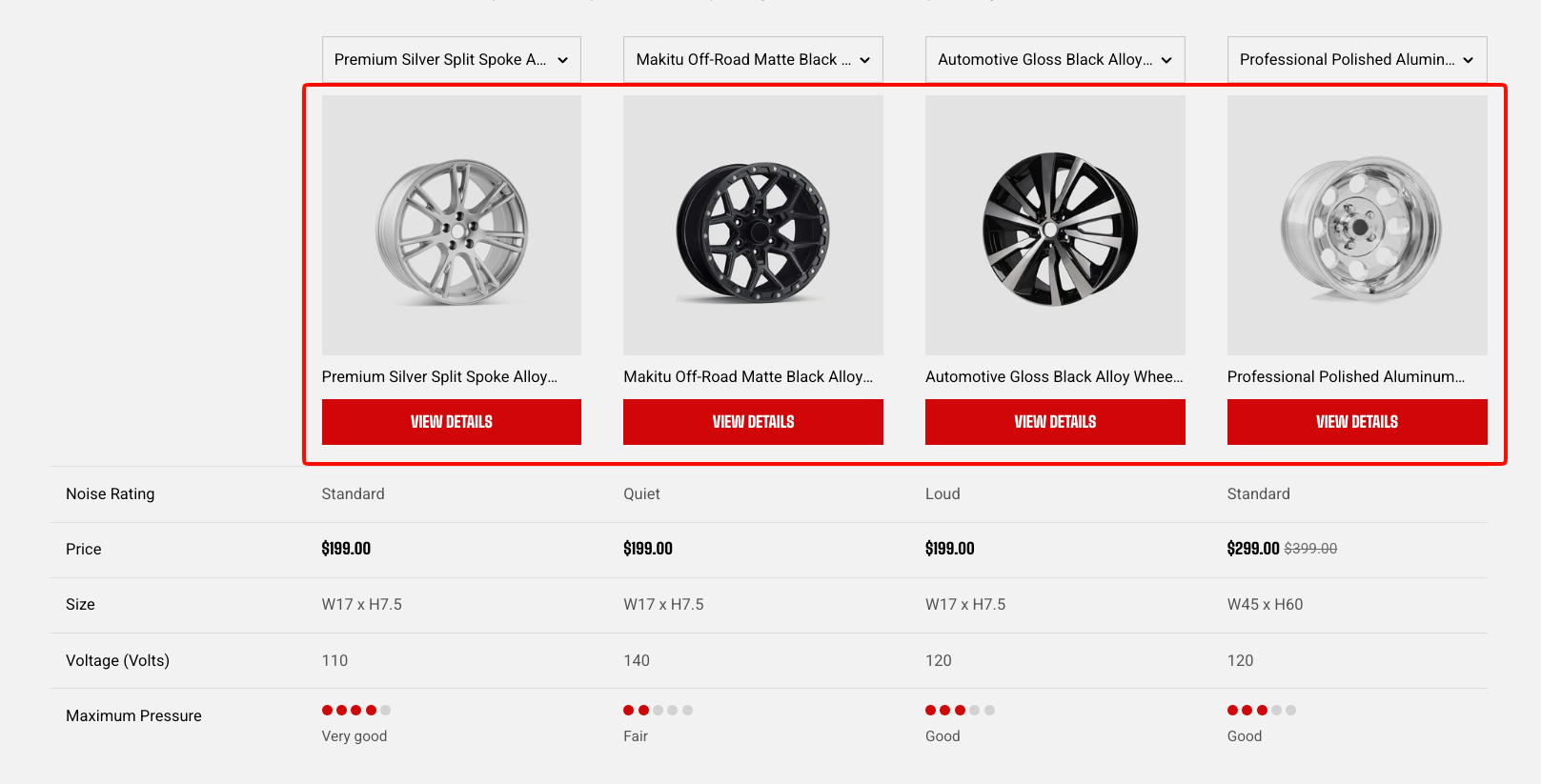
The **Product information** block displays each product's image and title.
| Setting | Description | Options |
| ------------------------------ | ------------------------------------------------------------------ | -------------------------------------------------------------------------------- |
| **Enable view details button** | Displays a **View details** button that links to the product page. | **On** or **Off**. |
| **Text line limit** | Limits the number of lines used for the product title. | **No limit**, **1 line**, **2 lines**, **3 lines**, **4 lines**, or **5 lines**. |
### Price
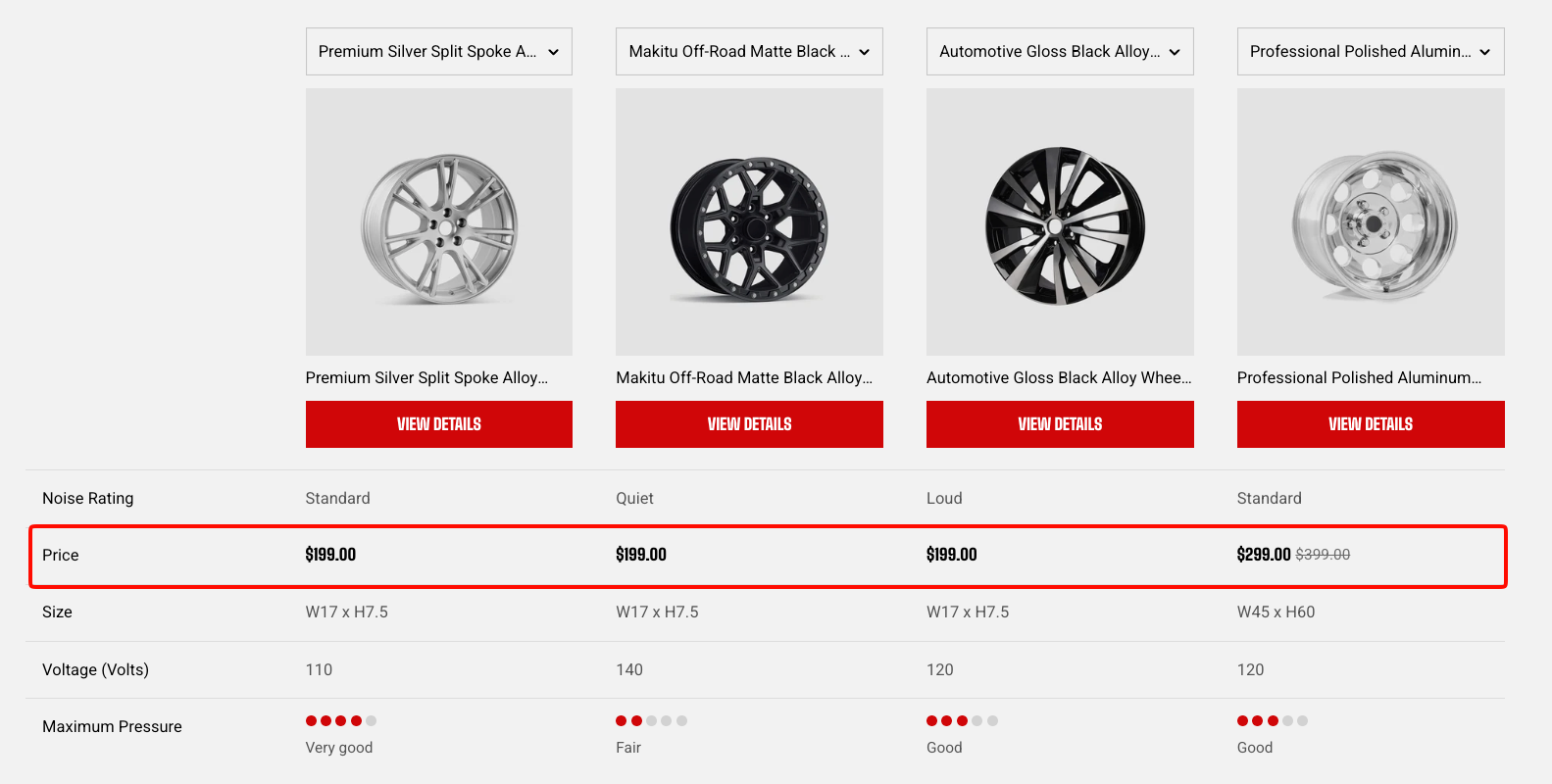
The **Price** block displays the current product price.
This block has no customizable settings.
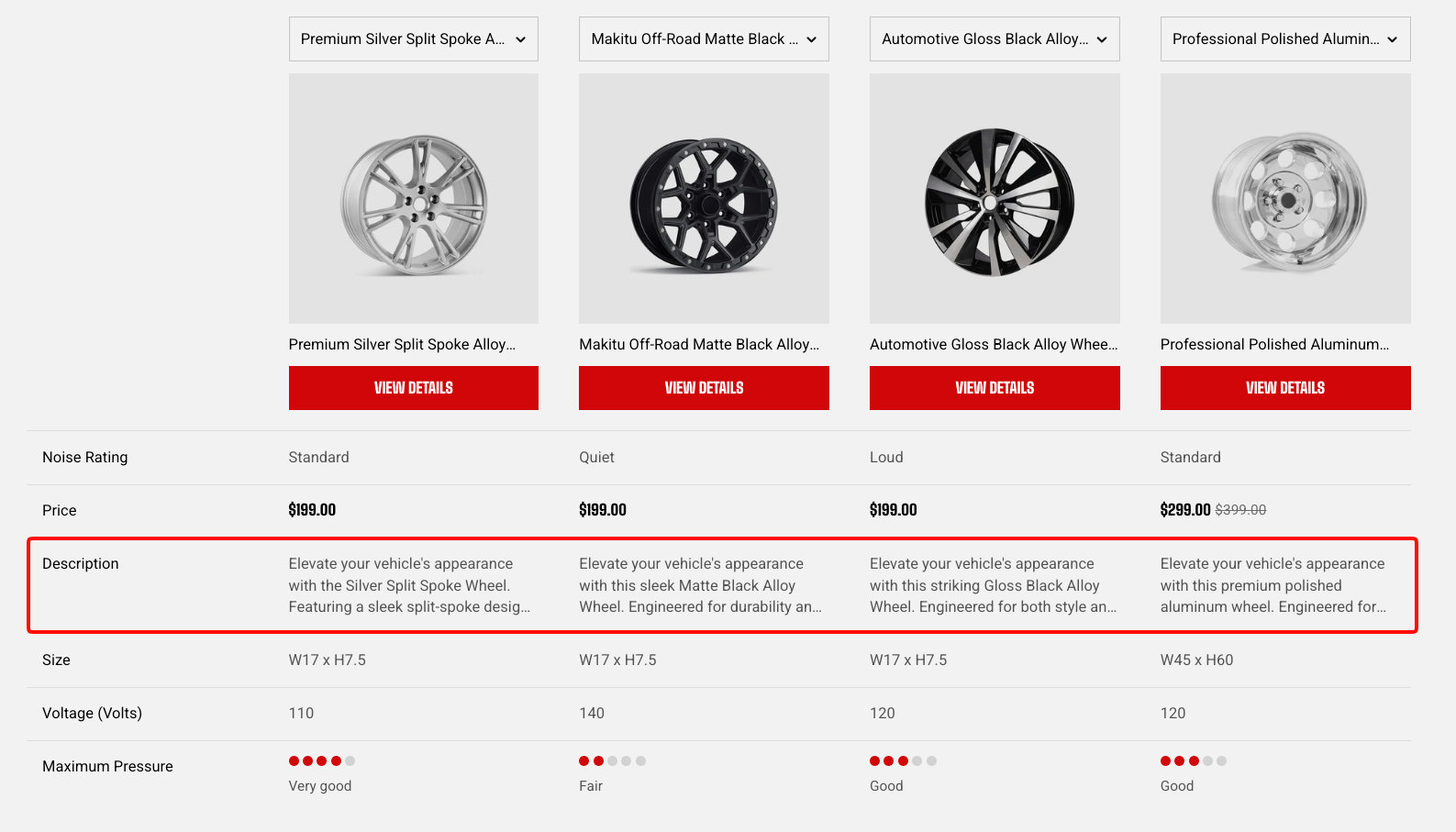
### Description
The **Description** block displays each product's description.
| Setting | Description | Options |
| ------------------------- | ----------------------------------------------------------------------------- | -------------------------------------------------------------------------------------------------------- |
| **Text line limit** | Limits the number of description lines displayed in the table. | **No limit**, **1 line**, **2 lines**, **3 lines**, **4 lines**, or **5 lines**. |
| **Show view more button** | Adds a **View more** control so customers can expand a truncated description. | **On** or **Off**.
*Available when **Text line limit** is set to a specific number of lines.* |
### Vendor
The **Vendor** block displays each product's vendor.
This block has no customizable settings.
### Type
The **Type** block displays each product's product type.
This block has no customizable settings.
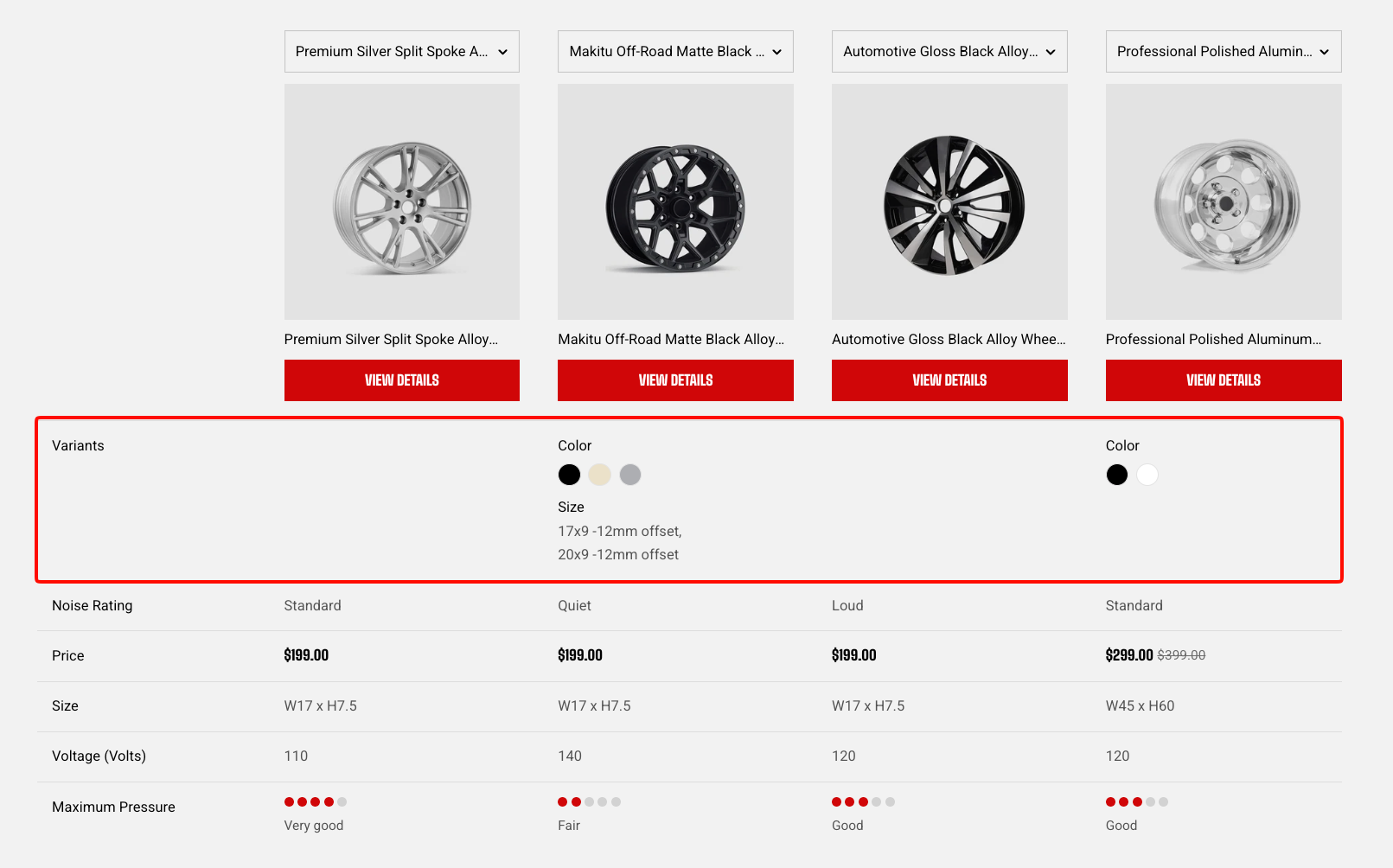
### Variants
The **Variants** block displays the product's available options and variant values.
Products without options leave this row empty.
This block has no customizable settings.
### Product metafield
The **Product metafield** block lets you compare custom product information stored in metafields, such as material, capacity, dimensions, or certifications.
You can add multiple **Product metafield** blocks when you want to compare several custom attributes.
| Setting | Description | Options |
| ------------------------------- | --------------------------------------------------------------------- | --------------------------------------------------------- |
| **Metafield namespace and key** | Specifies the product metafield to display. | Enter a namespace and key, for example `custom.material`. |
| **Label** | Sets the row label shown in the first column of the comparison table. | Enter custom text. |
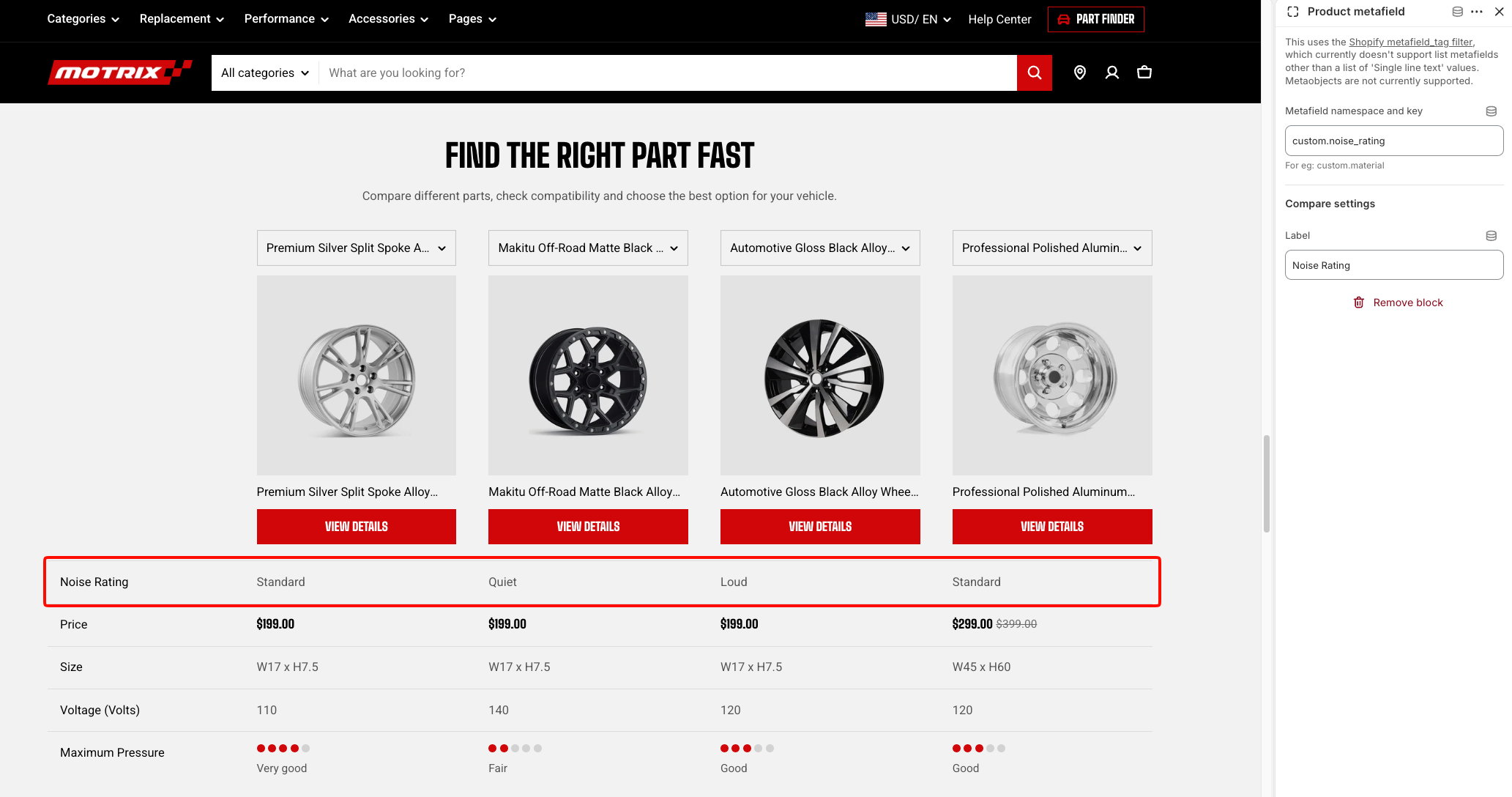
Enter a **Label** so customers can identify what the row is comparing. If left blank, the first column of that row is empty.
This block supports product metafields. List metafields other than lists of single-line text values and metaobjects are not supported.
### Product rating
The **Product rating** block displays a product metafield of type **Rating** as dots or stars.
You can add multiple **Product rating** blocks when you want to compare different rating attributes.
| Setting | Description | Options |
| ------------------------------- | ------------------------------------------------------------------------------- | ------------------------------------------------------------- |
| **Metafield namespace and key** | Specifies the Rating-type metafield to display. | Enter a namespace and key, for example `custom.noise_rating`. |
| **Icon** | Controls how the rating is visualized. | **Dots** or **Stars**. |
| **Show rating text** | Displays a written rating description alongside the icons. | **On** or **Off**. |
| **Hide rating value** | Hides the numeric rating value while keeping the icons and rating text visible. | **On** or **Off**. |
| **Label** | Sets the row label shown in the first column of the comparison table. | Enter custom text. |
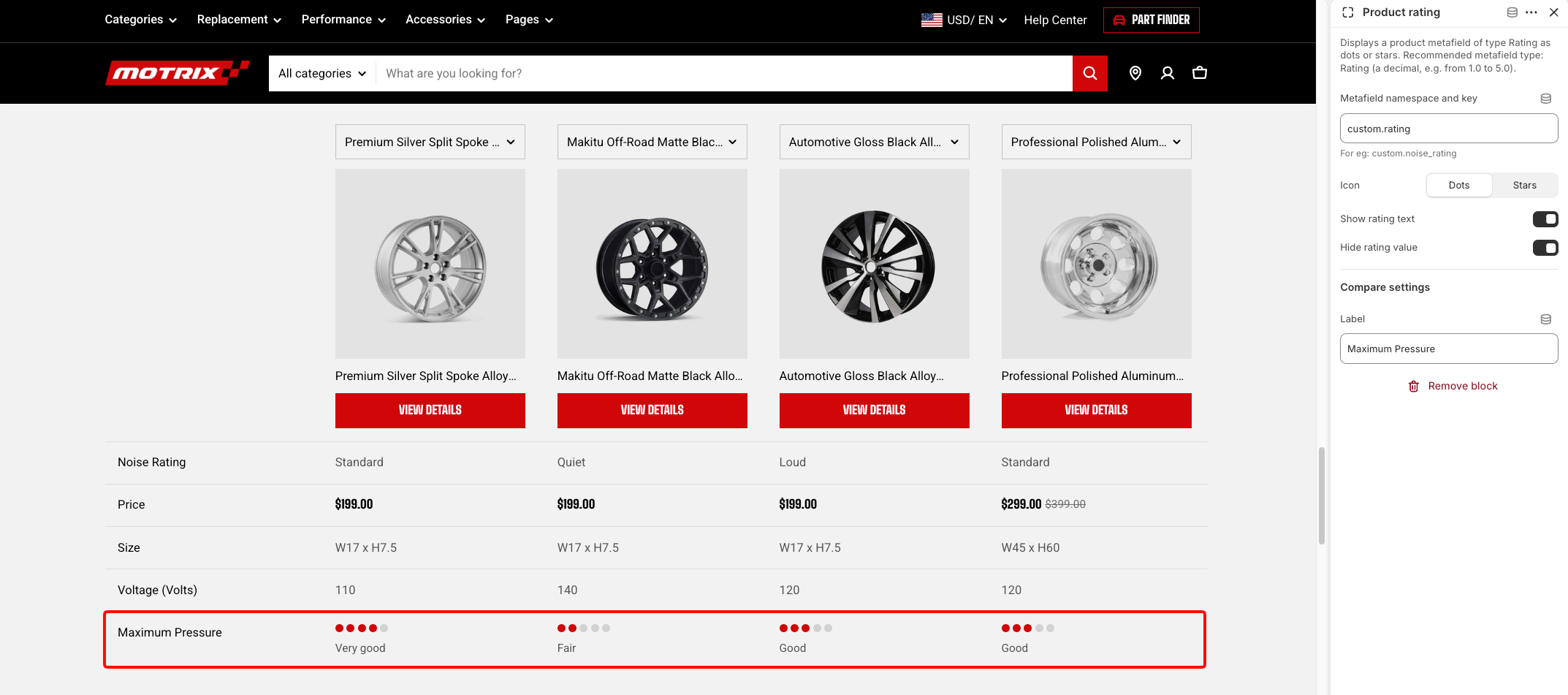
* Enter a **Label** so customers know what the rating represents. If left blank, the first column of that row is empty.
* A decimal rating is reflected visually in the icons. For example, a rating such as **3.7** fills three icons completely and part of the fourth.
## FAQs
#### Is Product comparison connected to the customer's Compare list?
No. The **Product comparison** section uses the products selected directly in the section and works independently from the customer's Compare list. The Compare list has its own pop-up and page. Learn more about [Product compare](https://docs.foxecom.com/motrix-theme/overlay-group/product-compare) on Collection pages.
#### Why can't I see the switcher dropdowns?
Either the Product switcher block has not been added, or there are no products to compare yet. The row stays hidden until both are in place.
#### Can shoppers add products to this table themselves?
Only through the switcher, and only from the products you listed. For a comparison shoppers build while browsing collection pages, turn on [Product compare](https://docs.foxecom.com/motrix-theme/theme-settings/product-compare) in theme settings instead.