# Collection tabs
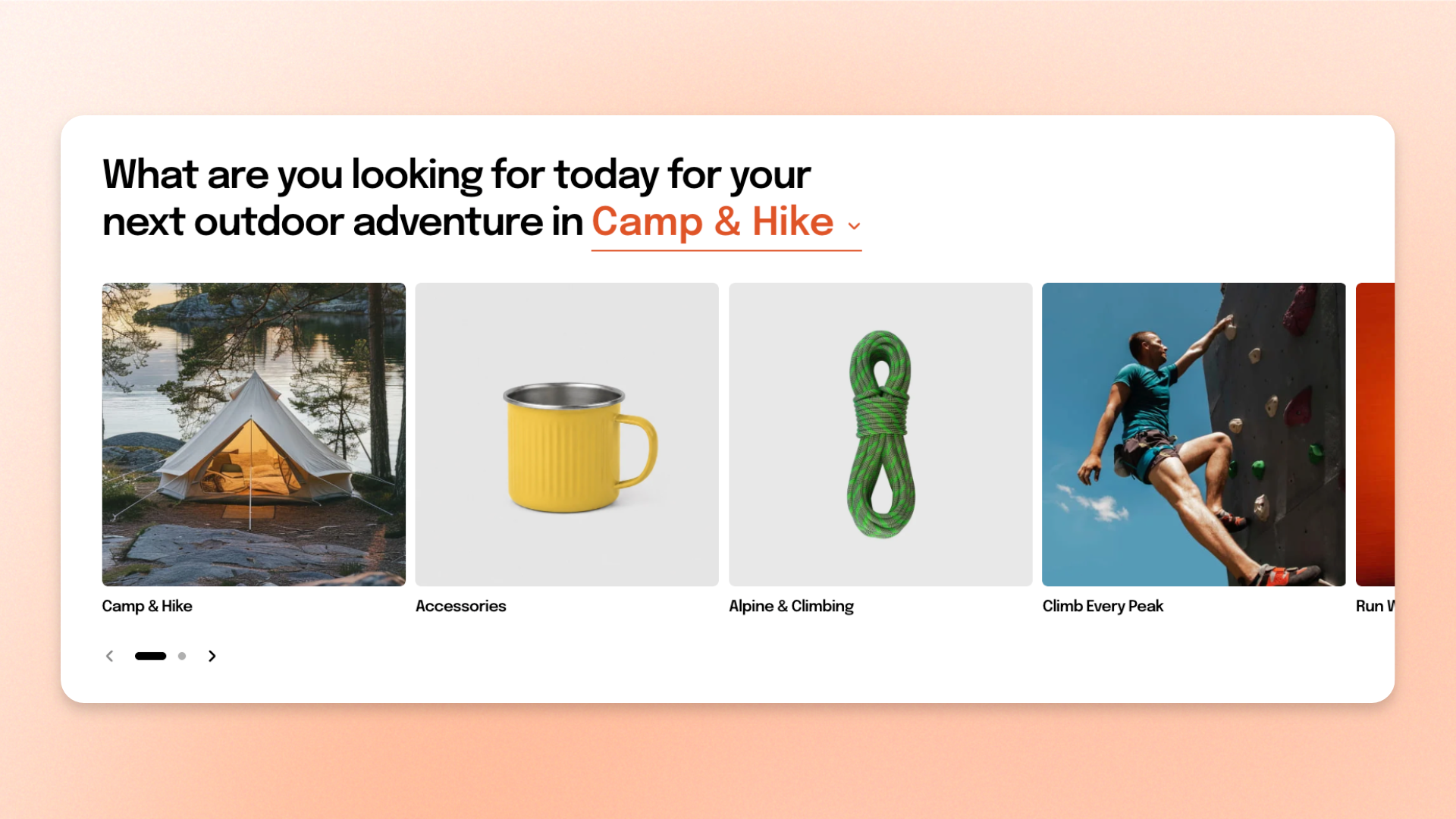
The **Collection tabs** section displays multiple groups of collections in tabs, helping customers browse different categories without leaving the page.
Each tab contains its own set of collections, displayed in a **Grid** or **Carousel**. Use it to organize related groups such as **New in**, **Best sellers**, seasonal ranges, or category-based collections.
You can add up to **6 tabs**, customize the layout and spacing, configure the mobile experience, and adjust the section appearance.
## Presets
The section includes two presets:
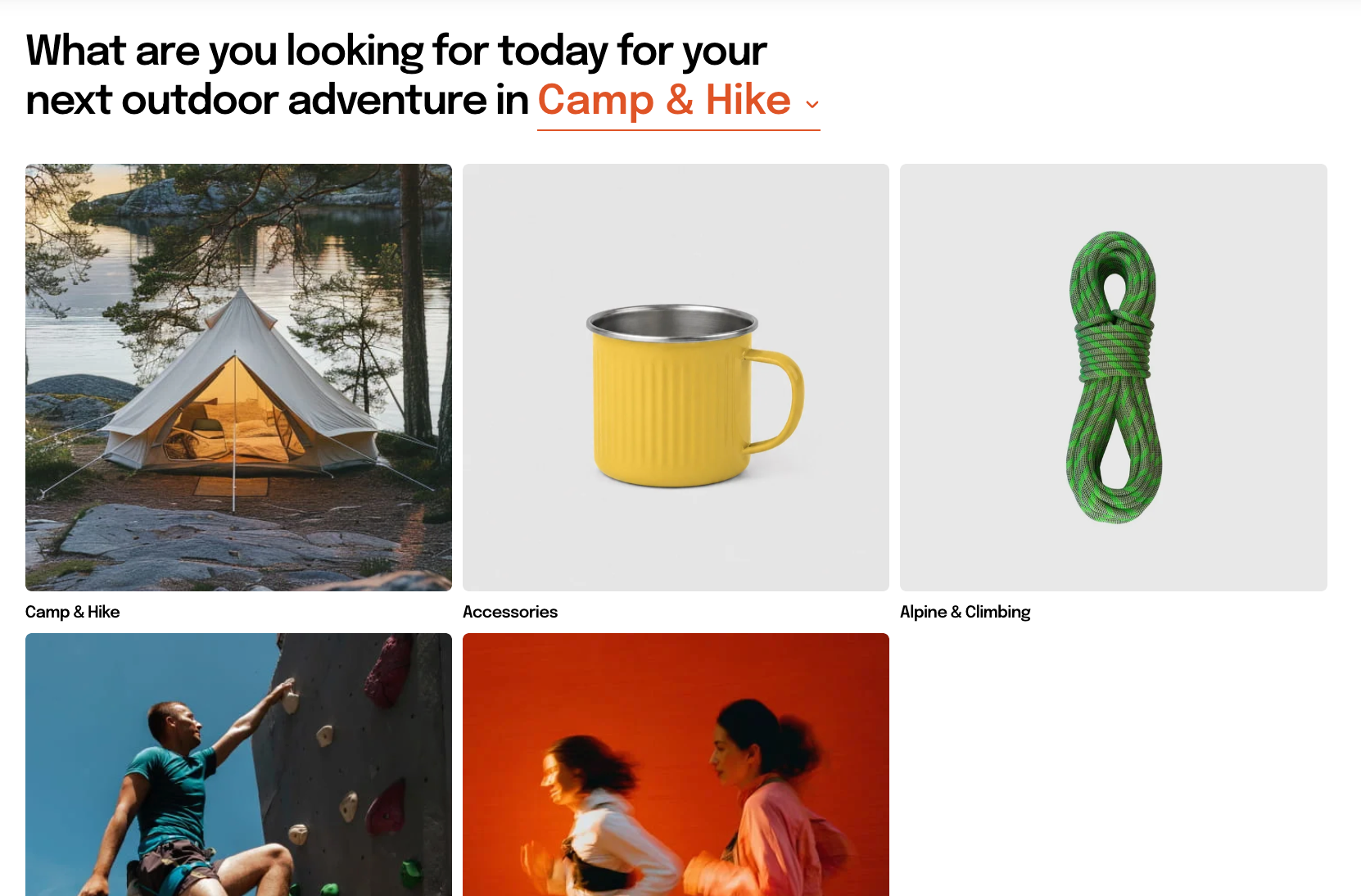
* **Collection tabs: Grid** — displays the collections in each tab in rows.
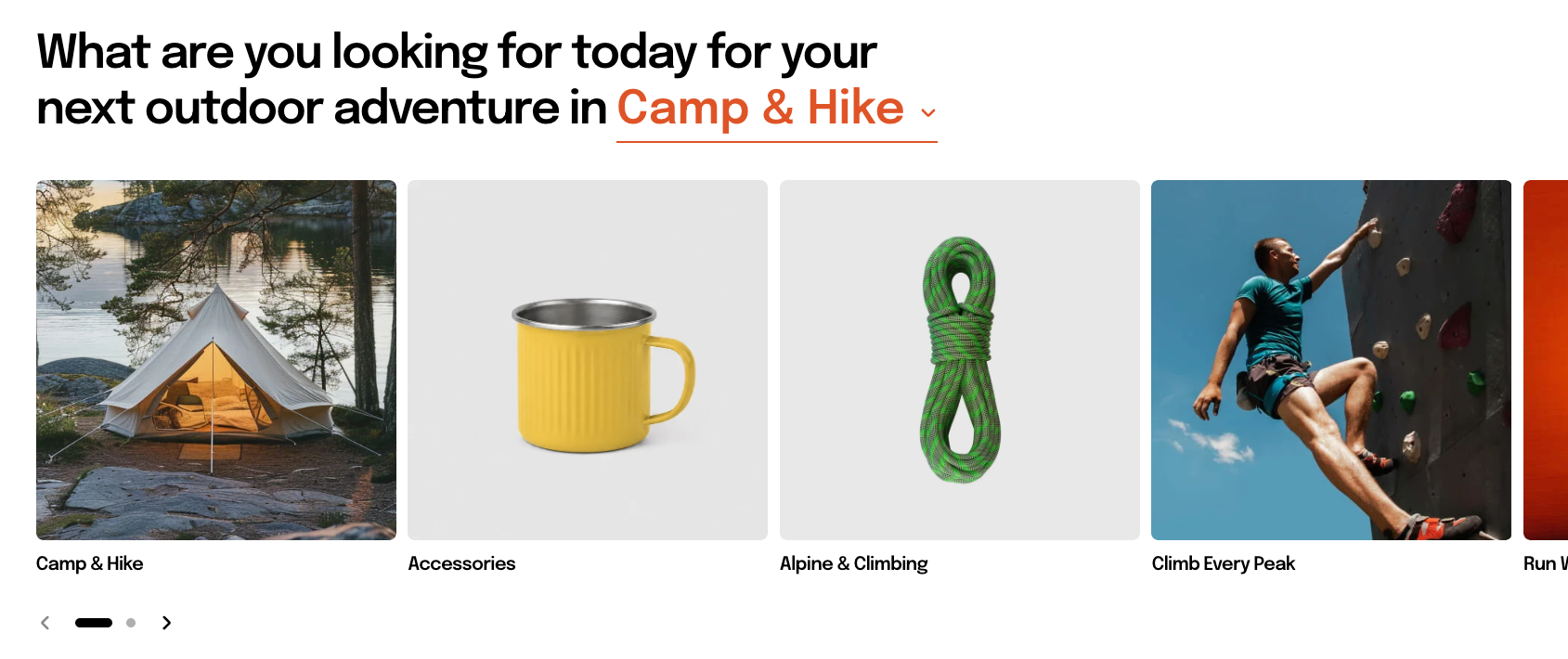
* **Collection tabs: Carousel** — displays the collections in each tab in a horizontally navigable carousel.
Both presets use the same section settings. You can switch between them at any time using the **Type** setting.
## How to customize the Collection tabs
1. In the theme editor (**Edit theme**), open the page where you want to display the section.
2. Click **Add section** and select **Collection tabs: Grid** or **Collection tabs: Carousel**.
3. Add **Collections** blocks for each tab, then select the collections and enter a **Tab name**.
4. Configure the card layout, tab style, spacing, and mobile display.
5. Customize the section heading and appearance if needed.
6. Click **Save**.
## Section settings
### Container
Controls the width of the section content.
| Setting | Description | Options |
| ------------- | ------------------------------------------ | -------------------------------------------------------------------------------------------------------------------------- |
| **Container** | Controls the width of the section content. | **Full:** Uses the available page width.
**Fixed:** Keeps the content within the theme's fixed container width. |
### Section header
Controls the heading displayed with the tabs.
| Setting | Description | Options |
| -------------------- | ----------------------------------------------------- | -------------------------------------------------------------------------------------------------------------------------------------------------------------------------------------------------------------- |
| **Heading** | Sets the section heading displayed with the tabs. | Enter custom text. |
| **Preset** | Sets the overall typography style of the heading. | **Heading 1–6** or **Custom** |
| **Font size** | Sets the heading size on desktop. | **10–100px**.
*Available when **Preset** is set to **Custom**.* |
| **Font size mobile** | Sets the heading size on mobile devices. | **10–60px**.
*Available when **Preset** is set to **Custom**.* |
| **Text transform** | Controls how letter casing is applied to the heading. | **Inherit:** Follows the theme setting.
**As typed:** Keeps the original casing.
**Title Case, UPPER CASE, or lower case**.
*Available when **Preset** is set to **Custom**.* |
### Layout
Controls how collection cards are arranged inside each tab.
| Setting | Description | Options |
| ------------------ | ------------------------------------------------------------------------------- | --------------------------------------------------------------------- |
| **Type** | Controls how the collection cards are arranged. | **Grid** or **Carousel**. |
| **Columns** | Sets the number of collection cards displayed across the row on larger screens. | **2–8 columns**. |
| **Horizontal gap** | Controls the horizontal space between collection cards. | **0–100px**. |
| **Vertical gap** | Controls the vertical space between rows of collection cards. | **0–100px**.
*Available when **Type** is set to **Grid**.* |
### Carousel settings
*These settings are available when **Type** is set to **Carousel**.*
**Carousel** is used on desktop and tablet. On mobile, the section follows the **Mobile layout** settings instead, using either a grid or swipeable row. Carousel arrows and dots are not shown on mobile.
| Setting | Description | Options |
| --------------------- | ---------------------------------------------------------------------------------------- | ----------------------------------------------------------------------------------------------------------------------- |
| **Control type** | Controls the navigation shown for the carousel. | **None, Dots, Arrows + dots, Floating arrows,** or **Floating arrows + dots**. |
| **Control alignment** | Controls the horizontal position of the carousel controls. | **Left, Center,** or **Right**.
*Available when the selected **Control type** includes navigation controls.* |
| **Overflow content** | Controls whether cards extending beyond the content area remain visible. | **Hidden:** Clips cards at the content edge.
**Visible:** Allows part of the next card to remain visible. |
| **Show edge fade** | Adds a soft fade at the edge of the carousel to indicate that more content is available. | **On** or **Off**. |
Set **Overflow content** to **Visible** and turn on **Show edge fade** when you want to hint that more collection cards can be viewed.
### Card settings
These settings apply to the collection cards in every tab.
| Setting | Description | Options |
| ---------------------- | ------------------------------------------------------ | ------------------------------- |
| **Alignment** | Controls the alignment of the collection card content. | **Left, Center,** or **Right**. |
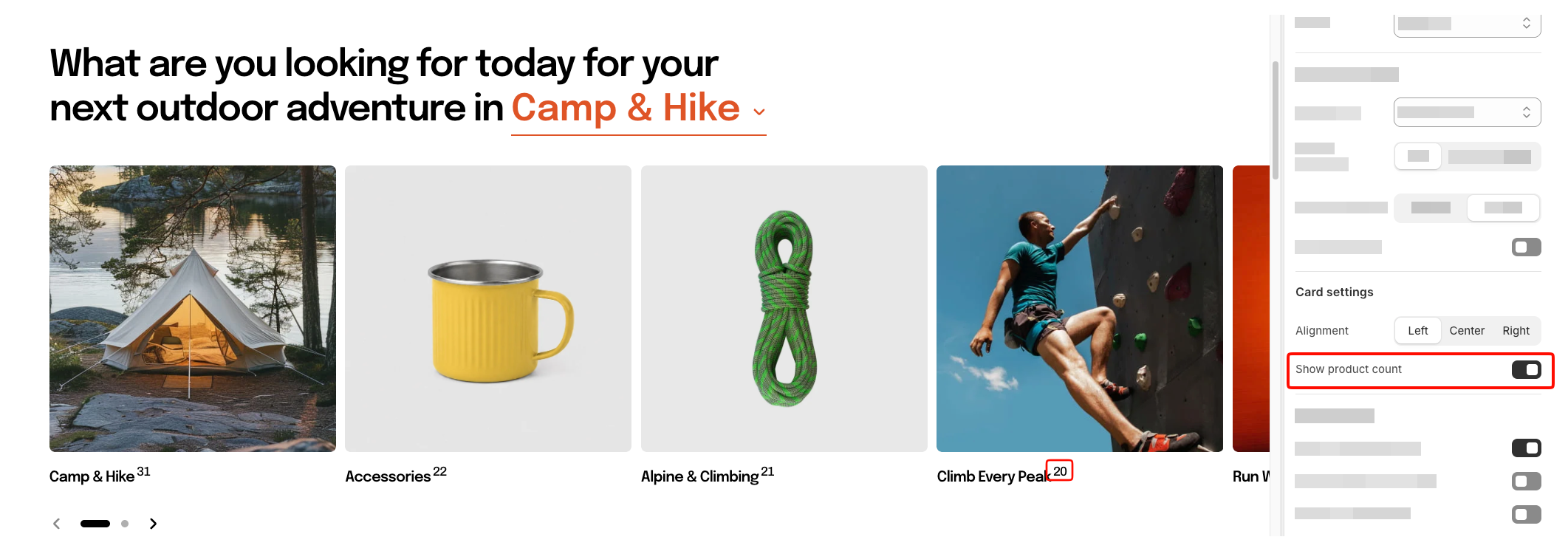
| **Show product count** | Displays the number of products in each collection. | **On** or **Off**. |
### Mobile layout
Controls how collection cards are displayed on mobile devices.
| Setting | Description | Options |
| ---------------------------- | ------------------------------------------------------------------------------------- | ------------------------------------------------------------------------------------------------------------- |
| **Enable swipe on mobile** | Controls whether customers can swipe horizontally through collection cards on mobile. | **On** or **Off**. |
| **Show edge fade on mobile** | Adds a soft fade at the screen edge to indicate that more cards are available. | **On** or **Off**.
*Available when **Enable swipe on mobile** is turned on.* |
| **Custom column width** | Lets you manually control the width of each collection card on mobile. | **On** or **Off**.
*Available when **Enable swipe on mobile** is turned on.* |
| **Custom width** | Sets the width of each collection card on mobile. | **20–90%**.
*Available when **Enable swipe on mobile** and **Custom column width** are turned on.* |
| **Mobile columns** | Sets the number of collection cards displayed per row on mobile. | **1 column** or **2 columns**.
*Available when **Custom column width** is turned off.* |
| **Horizontal gap** | Controls the horizontal space between collection cards on mobile. | **0–100px**. |
| **Vertical gap** | Controls the vertical space between rows of cards on mobile. | **0–100px**.
*Available when **Enable swipe on mobile** is turned off.* |
Turn on **Custom column width** and use a value below **90%** to keep part of the next card visible and encourage customers to swipe.
### Tabs
Controls the appearance and position of the tab navigation.
| Setting | Description | Options |
| -------------------- | ------------------------------------------------------------------ | --------------------------------------------------------------------------------------------------------------------------------------------------------------------------------------------- |
| **Tab style** | Controls the visual style of the tab labels. | **Solid, Outline, Underline,** or **Dropdown**. |
| **Tab position** | Controls where the tabs appear in relation to the section heading. | **Same row as heading** or **Below heading**. |
| **Preset** | Applies a predefined text style to the tab labels. | **Inherit** follows the section heading's text style.
**Default, Heading 1–6, or Custom**
*Available for supported tab styles, such as **Underline** and **Dropdown**.* |
| **Font** | Controls the font used for tab labels. | **Body** or **Heading**.
*Available when the selected tab style supports custom typography and **Preset** is set to **Custom**.* |
| **Font size** | Sets the tab label size on desktop. | **10–100px**.
*Available when **Preset** is set to **Custom**.* |
| **Font size mobile** | Sets the tab label size on mobile devices. | **10–60px**.
*Available when **Preset** is set to **Custom**.* |
| **Text transform** | Controls the capitalization of the tab labels. | **Inherit, As typed, Title Case, UPPER CASE,** or **lower case**.
*Available when **Preset** is set to **Custom**.* |
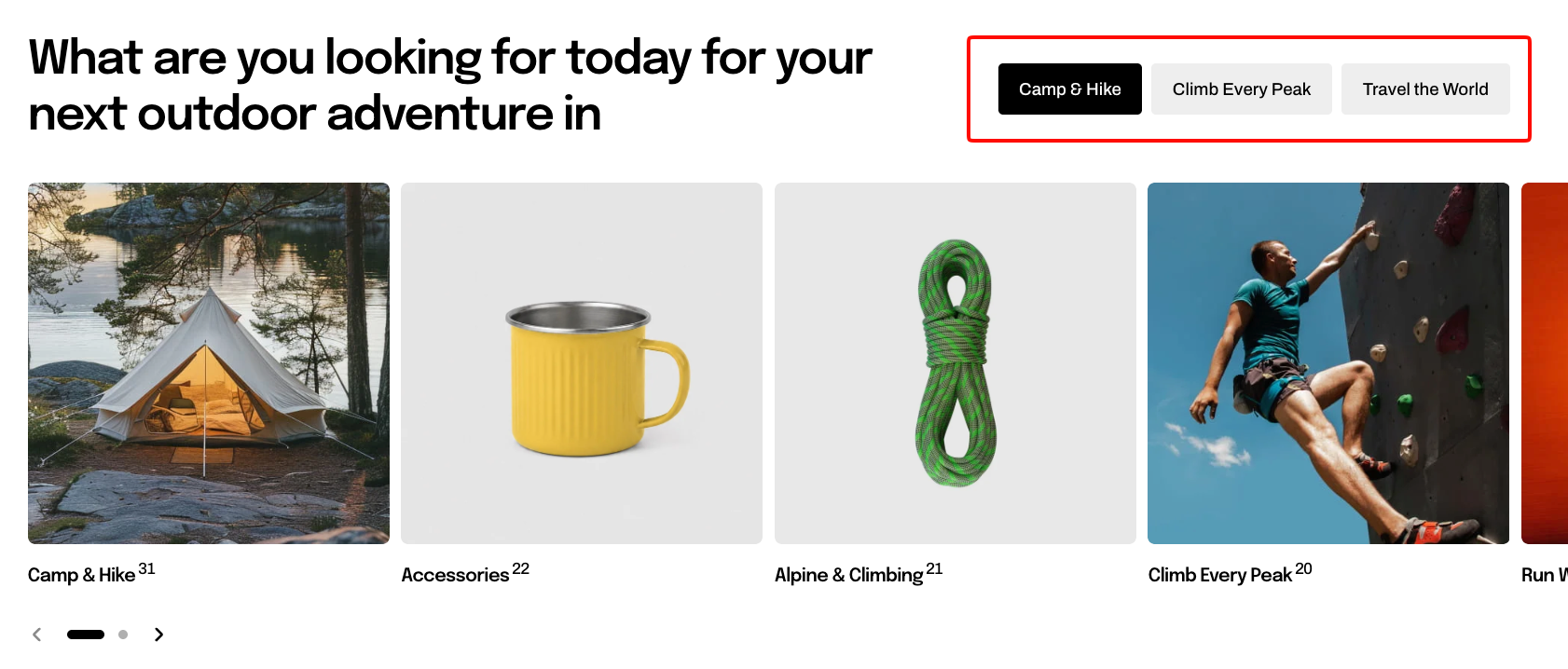
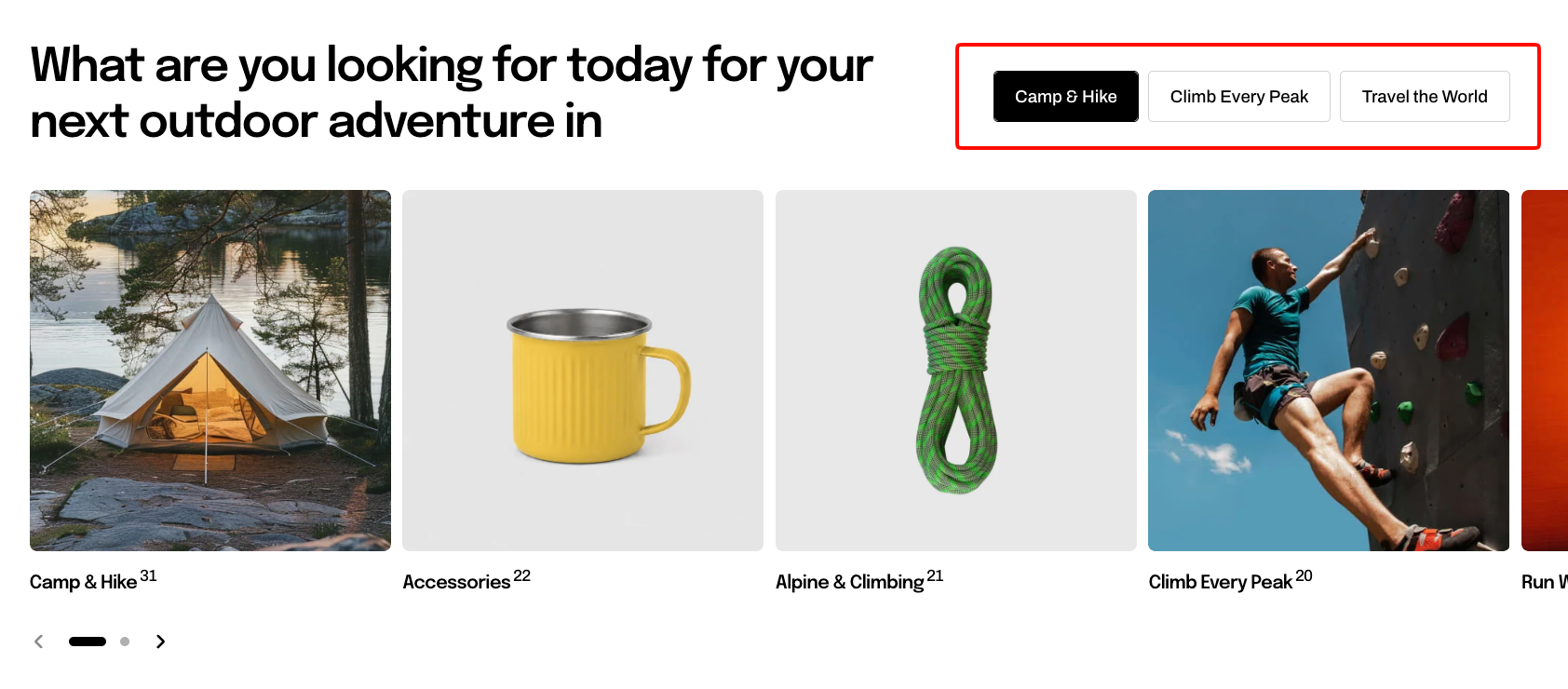
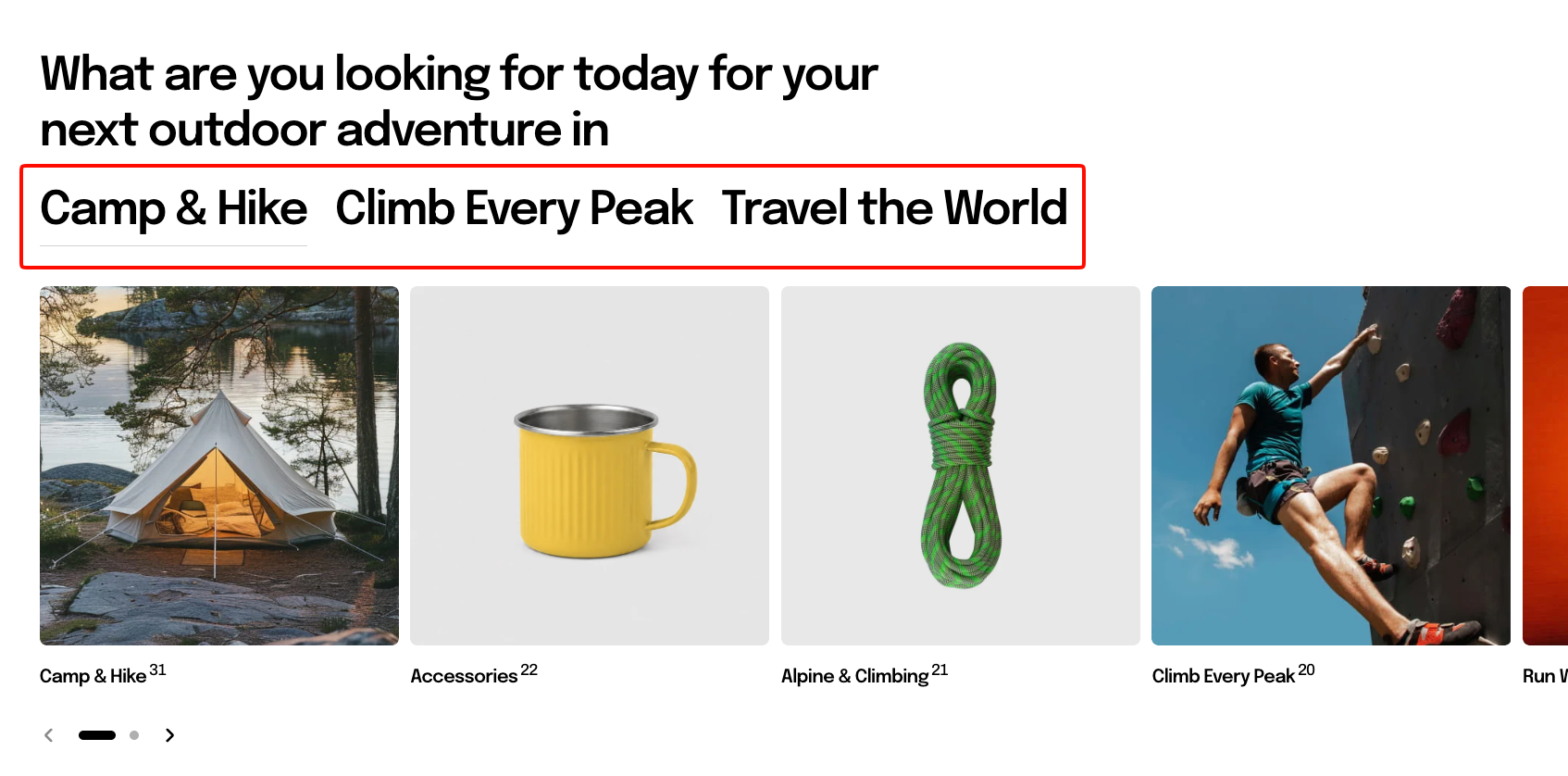
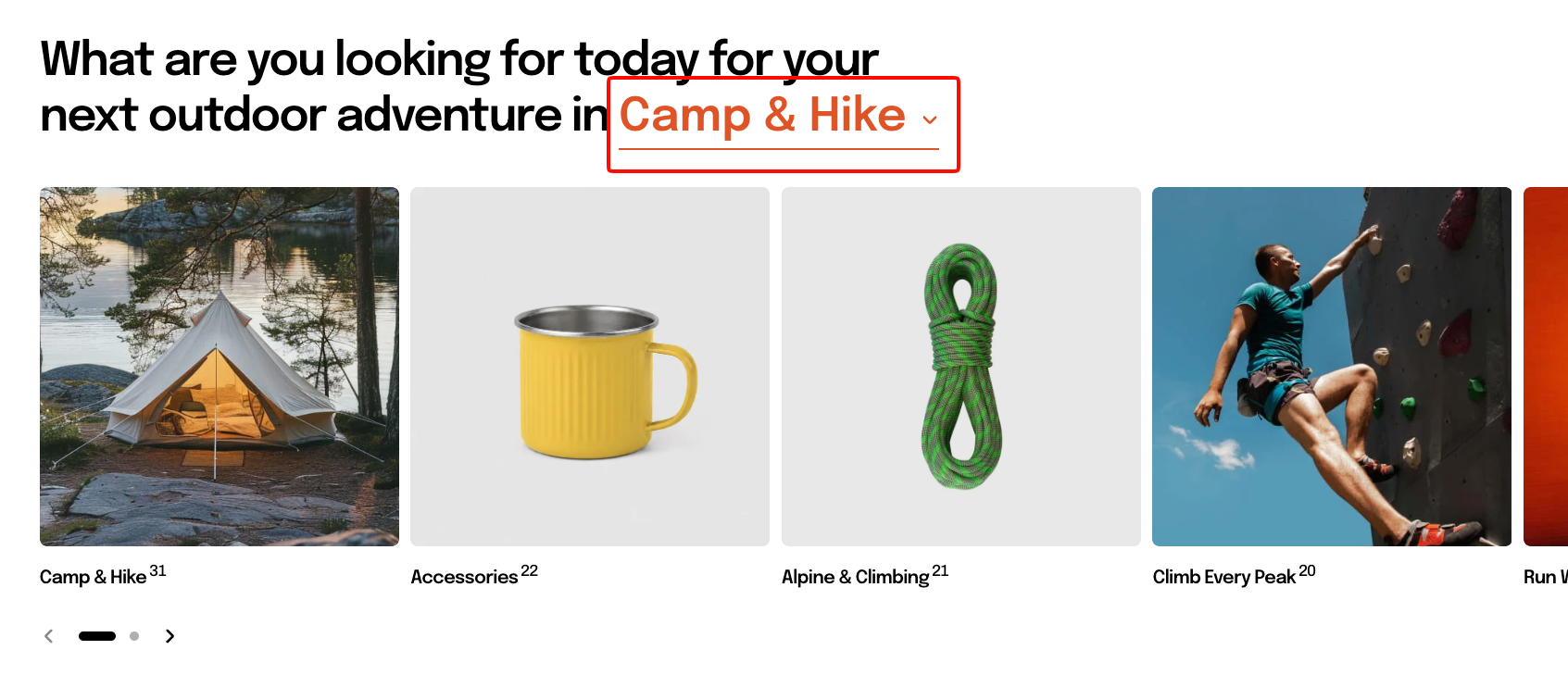
**Underline** and **Dropdown** tabs inherit the section heading's typography by default. Set **Preset** explicitly if you want the tab labels to use a different text style, such as smaller labels beside a large heading.
Use **Dropdown** with **Same row as heading** when you want the selected tab to read naturally as part of the heading, for example: **Shop by *Best sellers***.
 ### Appearance
Controls the color scheme, border, and corners of the section.
### Appearance
Controls the color scheme, border, and corners of the section.
| Setting | Description | Options |
| ------------------ | ------------------------------------------------ | ----------------------------------------------------------------------- |
| **Color scheme** | Applies a theme color scheme to the section. | Select an available color scheme. |
| **Border** | Controls whether the section has an outline. | **None** or **Solid**. |
| **Border width** | Controls the thickness of the section border. | **0–10px**.
*Available when **Border** is set to **Solid**.* |
| **Border opacity** | Controls the opacity of the section border. | **0–100%**.
*Available when **Border** is set to **Solid**.* |
| **Corner radius** | Controls how rounded the section corners appear. | **0–32px**. |
### Padding
Controls the spacing around the section separately for desktop and mobile.
### Animation
These settings are available when animations are enabled in **Theme settings**. Learn more: [Animations](https://docs.foxecom.com/motrix-theme/theme-settings/animations).
| Setting | Description | Options |
| --------------------------- | ------------------------------------------------------------------------------------------------- | -------------------------------------------------------------------------------- |
| **Heading** | Controls the entrance animation applied to the section heading. | **None, Fade in, Fade up, Fade down, Slide in (left), or Slide in (right)** |
| **Heading delay** | Sets how long the heading waits before its animation starts. | **0–2000ms**.
*Available when **Heading** is not set to **None**.* |
| **Items** | Controls the entrance animation applied to the collection cards. | **None, Fade in, Fade up, Fade down, Slide in (left), or Slide in (right)** |
| **Reveal items one by one** | Makes collection cards animate into view one after another instead of appearing at the same time. | **On** or **Off**.
*Available when **Items** is not set to **None**.* |
## Blocks
Each tab is created with a **Collections** block. Add, remove, or reorder these blocks to control the tabs displayed in the section.
You can add up to **6 Collections blocks**.
### Collections
| Setting | Description | Options |
| --------------- | ------------------------------------------------------------------------------------------------------------------------ | ------------------------------- |
| **Collections** | Selects the collections displayed in this tab. Collection cards appear in the same order you arrange them in the editor. | Select one or more collections. |
| **Tab name** | Sets the label displayed for the tab. | Enter custom text. |
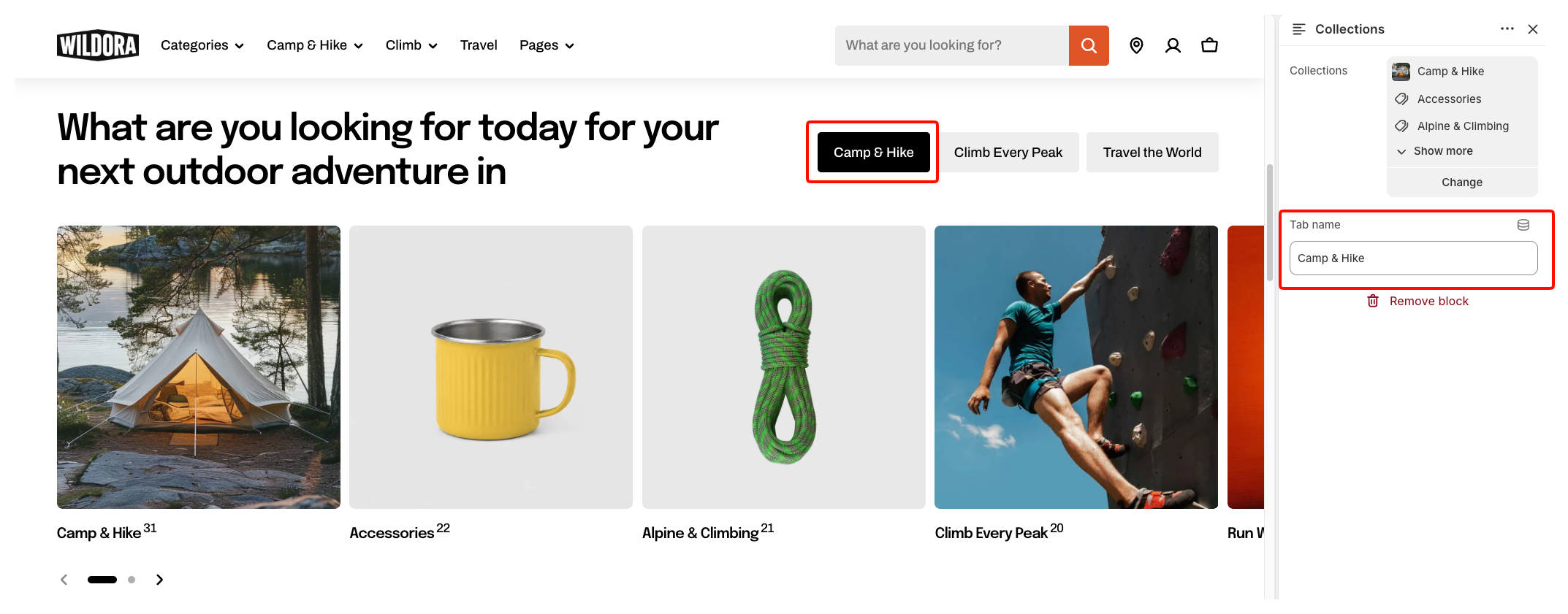
If no collections are selected, placeholder cards may appear so you can preview the layout.
Give each tab a short and clear **Tab name** so customers can quickly understand the collection group it contains.
## FAQs
#### I set 6 columns but only see 3 or 4.
Your screen is not wide enough. The full count applies above 1440 px, four between 1200 and 1440, and three below that. Custom columns lets you set each one.
#### Why can't I change the tab text size?
You are on Solid or Outline. Those draw the tabs as chips sized by your global button settings, so text options only appear for Underline and Dropdown.
#### My underline tabs are as big as the heading.
Preset is on Inherit, which matches the heading's type. Pick a smaller preset, or Custom, for the proportions the style is designed around.
#### Can I add products instead of collections?
No — each tab holds collections. For tabbed products, use a product-based section instead.