# Specification scale
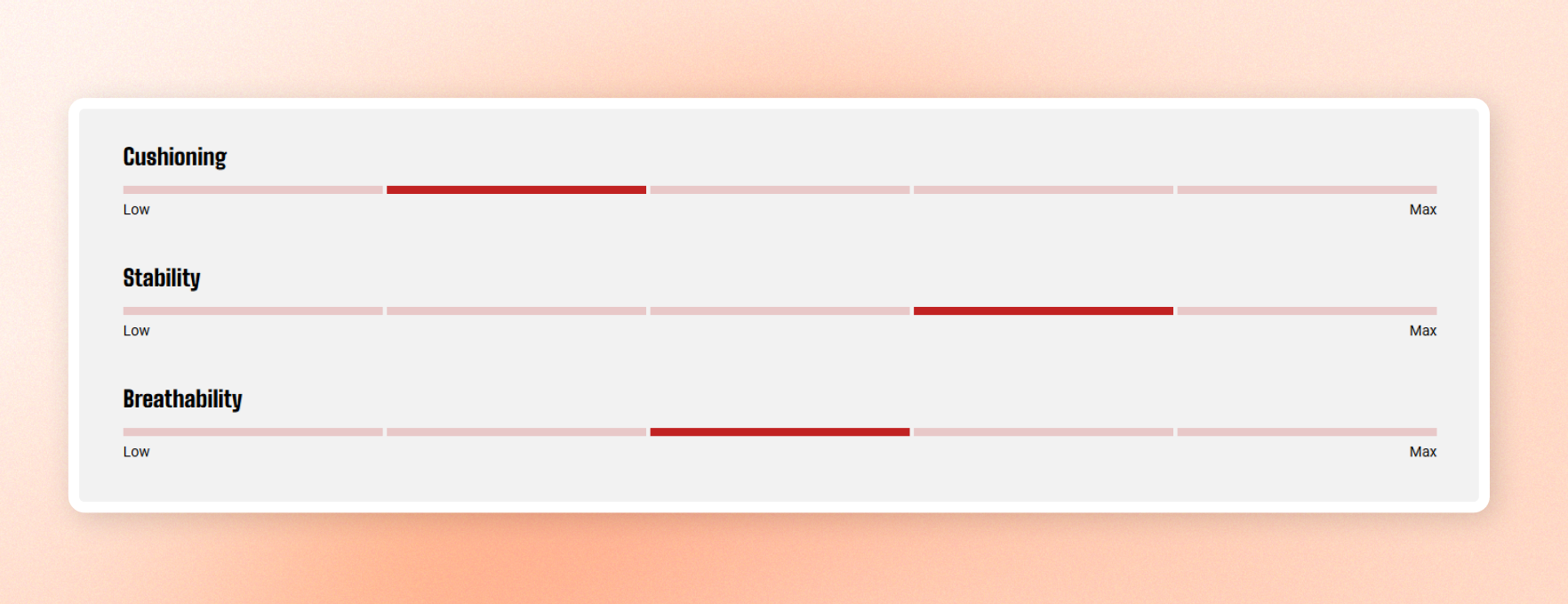
Show rated product attributes with a segmented meter. Each row combines an attribute label, a scale, and optional minimum and maximum labels.
Use it on product pages to show ratings such as cushioning, support, or performance. Add rows manually or pull rating data from each product.
## General settings
### General
| Setting | Description | Options |
| ------------------------- | ------------------------------------------------------------------------------------------------------------------------------------------------------- | -------------- |
| **Use data from product** | Turn on to load rating data saved on the product. Leave off to add rows manually. | On / Off |
| **Product** | Appears when Use data from product is on. Select the product whose saved rating data to display. Leave empty to use the product the block is placed on. | Select product |
When **Use data from product is on**, ratings come from the product's saved data under **Settings → Custom data**. If the product has no saved ratings, the block falls back to the rows added manually. [Learn more.](https://help.shopify.com/en/manual/custom-data/metaobjects)
### Layout
| Setting | Description | Options |
| ---------------- | ---------------------------------------------------------------------- | ------------------- |
| **Width** | Set the block width. | Fit / Fill / Custom |
| **Width mobile** | Set the block width on phones. | Fit / Fill / Custom |
| **Custom width** | Appears when **Width \= Custom**. Set the block width as a percentage. | 0% - 100% |
### Label
| Setting | Description | Options |
| -------------------- | --------------------------------------------------------------------------------- | --------------------------------------------------------- |
| **Preset** | Choose a text style for each attribute label. | Heading 1–6 / Custom |
| **Font** | Appears when **Preset \= Custom**. Choose the typeface for the labels. | Body / Heading |
| **Font weight** | Appears when **Preset \= Custom**. Set how bold the labels appear. | Available font weights |
| **Font size** | Appears when **Preset \= Custom**. Set the label size on desktop. | 10px - 100px |
| **Font size mobile** | Appears when **Preset \= Custom**. Set the label size on phones. | 10px - 100px |
| **Line height** | Appears when **Preset \= Custom**. Set the spacing between label lines. | Tight / Normal / Loose |
| **Text transform** | Appears when **Preset \= Custom**. Choose the letter casing for attribute labels. | Inherit / As typed / Title Case / UPPER CASE / lower case |
### Appearance
| Setting | Description | Options |
| ------------------ | ----------------------------------------------------------------------------------------------------------------------------------- | ------------------- |
| **Color scheme** | Set the colors for the block. | Select color scheme |
| **Bar color** | Set the meter color. Filled steps use this color, while empty steps use a faded version. Leave empty to use the theme's text color. | Select color |
| **Border** | Add an outline around the block. | None / Solid |
| **Border width** | Appears when Border \= Solid. Set the outline thickness. | 0px - 10px |
| **Border opacity** | Appears when Border \= Solid. Set how visible the outline is. | 0% - 100% |
| **Corner radius** | Round the corners of each meter step. | 0px - 32px |
### Padding
Set the space inside the block separately for desktop and mobile.
| Setting | Description | Options |
| ----------- | ------------------------------------------ | ---------------- |
| **Devices** | Choose which screen size to edit. | Desktop / Mobile |
| **Top** | Set the space above the content. | 0px - 100px |
| **Bottom** | Set the space below the content. | 0px - 100px |
| **Left** | Set the space on the left of the content. | 0px - 100px |
| **Right** | Set the space on the right of the content. | 0px - 100px |
## Specification scale row - row blocks
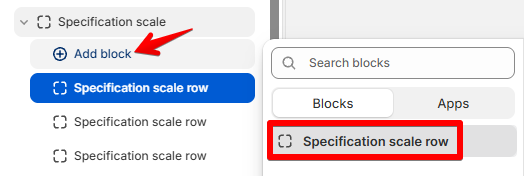
Add one row for each attribute you want to display.
| Setting | Description | Options |
| ------------------- | ---------------------------------------------------------------------------------------------------- | ---------- |
| **Label** | Add the attribute name, such as Cushioning. | Enter text |
| **Label info** | Add an optional note that appears in a tooltip next to the label. Leave empty to hide the info icon. | Enter text |
| **Value** | Set which step of the meter is filled. | 1 - 10 |
| **Number of steps** | Set how many steps the meter displays. | 2 - 10 |
| **Minimum label** | Add text below the left end of the meter. | Enter text |
| **Maximum label** | Add text below the right end of the meter. | Enter text |
## Tips
* Set **Value** to the step you want to fill, not a percentage. For example, **Value \= 2** fills the second step of a 5-step meter.
* If **Value** is higher than the number of steps, the last step fills.
* Keep the number of steps consistent across rows for a cleaner layout.
* Leave **Minimum label** or **Maximum label** empty when you don't need end labels.