# Specification highlights
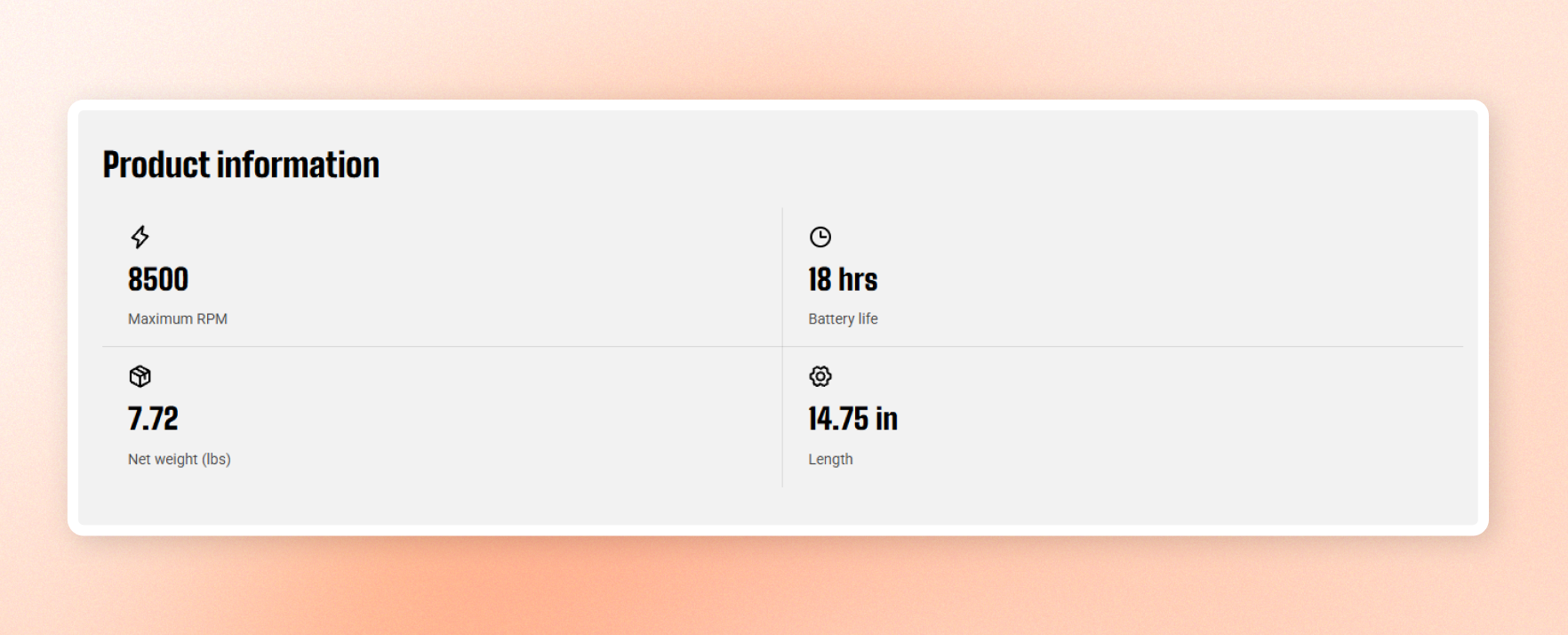
Show a compact grid of standout product specs. Each item combines an icon, a value, and a short label, with an optional heading and link.
Use it to **highlight key product information** such as performance, size, capacity, or other important specifications.
## General settings
### Layout
| Setting | Description | Options |
| ------------------ | ---------------------------------------------------------------------- | ------------------- |
| **Columns** | Set how many specification items appear side by side on desktop. | 1 / 2 / 3 columns |
| **Mobile columns** | Set how many specification items appear side by side on phones. | 1 / 2 columns |
| **Width** | Set the block width. | Fit / Fill / Custom |
| **Width mobile** | Set the block width on phones. | Fit / Fill / Custom |
| **Custom width** | Appears when **Width \= Custom**. Set the block width as a percentage. | 0% - 100% |
### Content
| Setting | Description | Options |
| -------------------- | ---------------------------------------------------------------------------- | --------------------------------------------------------- |
| **Heading** | Add the heading shown above the specification grid. | Enter Text |
| **Preset** | Choose a text style for the heading. | Heading 1–6 / Custom |
| **Font** | Appears when **Preset \= Custom**. Choose the heading typeface. | Body / Heading |
| **Font weight** | Appears when **Preset \= Custom**. Set how bold the heading appears. | Select available font weights |
| **Font size** | Appears when **Preset \= Custom**. Set the heading size on desktop. | 10px - 100px |
| **Font size mobile** | Appears when **Preset \= Custom**. Set the heading size on phones. | 10px - 100px |
| **Line height** | Appears when **Preset \= Custom**. Set the spacing between heading lines. | Tight / Normal / Loose |
| **Text transform** | Appears when **Preset \= Custom**. Choose the letter casing for the heading. | Inherit / As typed / Title Case / UPPER CASE / lower case |
| **Link text** | Add text for the optional link below the grid. Leave empty to hide the link. | Enter text |
| **Link** | Set where the link takes customers. | Add link |
### Appearance
| Setting | Description | Options |
| ------------------ | ----------------------------------------------------------------- | ------------------- |
| **Color scheme** | Set the colors for the block. | Select color scheme |
| **Border** | Add an outline around the block. | None / Solid |
| **Border width** | Appears when **Border \= Solid**. Set the outline thickness. | 0px - 10px |
| **Border opacity** | Appears when **Border \= Solid**. Set how visible the outline is. | 0% - 100% |
| **Corner radius** | Round the corners of the block. | 0px - 32px |
### Padding
Set the space inside the block. Choose **Desktop** or **Mobile** with the **Devices** setting, then adjust the top, bottom, left, and right padding for that screen size.
| Setting | Description | Options |
| ----------- | ------------------------------------------ | ---------------- |
| **Devices** | Choose which screen size to edit. | Desktop / Mobile |
| **Top** | Set the space above the content. | 0px - 100px |
| **Bottom** | Set the space below the content. | 0px - 100px |
| **Left** | Set the space on the left of the content. | 0px - 100px |
| **Right** | Set the space on the right of the content. | 0px - 100px |
## Spec highlight item - item blocks
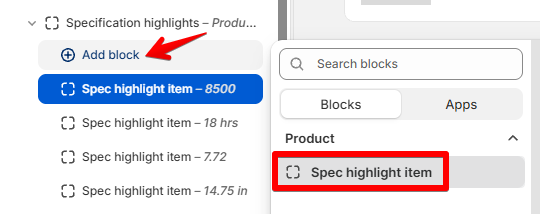
Add one item for each specification you want to highlight.
| Setting | Description | Options |
| -------------------- | ----------------------------------------------------------------------- | ----------------------------------------------------------- |
| **Icon** | Choose a built-in icon for the specification. | Available icons / None |
| **Image icon** | Upload a custom image to use as the icon. | Select image |
| **Icon size** | Set the icon size. | Extra small / Small / Medium / Large / Extra large / Custom |
| **Width** | Appears when **Icon size \= Custom**. Set the icon width on desktop. | 12px - 200px |
| **Width mobile** | Appears when **Icon size \= Custom**. Set the icon width on phones. | 12px - 200px |
| **Heading** | Add the main value for the specification, such as 8500 or 18 hrs. | Enter Text |
| **Preset** | Choose a text style for the value. | Heading 1–6 / Custom |
| **Font** | Appears when **Preset \= Custom**. Choose the value typeface. | Body / Heading |
| **Font weight** | Appears when **Preset \= Custom**. Set how bold the value appears. | Available font weights |
| **Font size** | Appears when **Preset \= Custom**. Set the value size on desktop. | 10px - 100px |
| **Font size mobile** | Appears when **Preset \= Custom**. Set the value size on phones. | 10px - 100px |
| **Line height** | Appears when **Preset \= Custom**. Set the spacing between value lines. | Tight / Normal / Loose |
| **Label** | Add a short description below the value, such as Maximum RPM. | Enter Text |
## Tips
* Complete each item to keep the grid balanced.
* Use a number of items that matches your column layout for a clean, gap-free grid.
* Upload a custom image icon when you need a brand-specific or custom symbol.