# Icon box
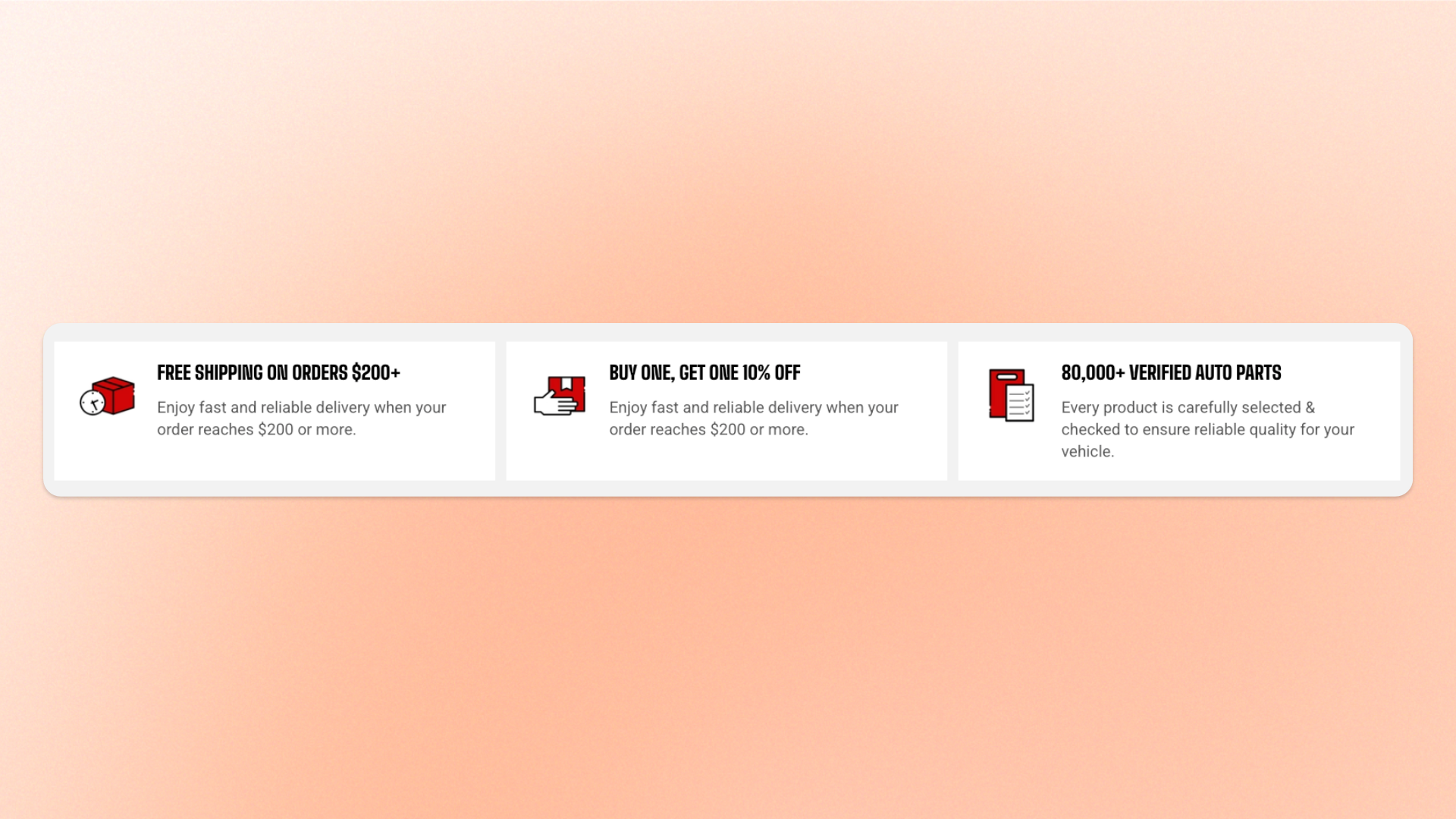
The **Icon box** block pairs an icon with a heading and short description to highlight **features, benefits, services, steps, or value propositions**. Use multiple Icon boxes together for feature highlights or step-by-step content, while keeping the icon, heading, and description structure consistent.
Arrange the icon above the content or beside it, and control the spacing and alignment for desktop and mobile. You can display the Icon box as plain content or as a card, and optionally link the entire box to another page or product.
## Settings
### Layout
Controls how the icon and text are arranged on desktop.
| Setting | Description | Options |
| ------------------ | ------------------------------------------------------------------------------------ | ---------------------------------------------------------------------------------------------------------- |
| **Direction** | Controls whether the icon appears above or beside the text. | **Vertical:** Places the icon above the text.
**Horizontal:** Places the icon beside the text. |
| **Alignment** | Controls how the icon and text are aligned horizontally. | **Left, Center, or Right**.
*Available when **Direction** is set to **Vertical**.* |
| **Position** | Controls how the icon and text are aligned vertically. | **Top, Middle, or Bottom**.
*Available when **Direction** is set to **Horizontal**.* |
| **Horizontal gap** | Controls the horizontal space between the icon and text when displayed side by side. | **0–32px** |
| **Vertical gap** | Controls the vertical space between the icon and text when stacked. | **0–32px** |
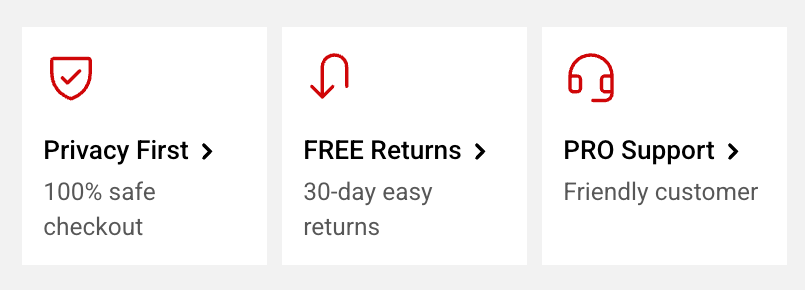

### Mobile layout
Controls how the icon and text are arranged on mobile devices.
| Setting | Description | Options |
| ------------------ | --------------------------------------------------------------------- | ---------------------------------------------------------------------------------------------------------- |
| **Direction** | Controls whether the icon appears above or beside the text on mobile. | **Vertical:** Places the icon above the text.
**Horizontal:** Places the icon beside the text. |
| **Alignment** | Controls how the icon and text are aligned horizontally on mobile. | **Left, Center, or Right**.
*Available when mobile **Direction** is set to **Vertical**.* |
| **Position** | Controls how the icon and text are aligned vertically on mobile. | **Top, Middle, or Bottom**.
*Available when mobile **Direction** is set to **Horizontal**.* |
| **Horizontal gap** | Controls the horizontal space between the icon and text on mobile. | **0–32px** |
| **Vertical gap** | Controls the vertical space between the icon and text on mobile. | **0–32px** |
### Content
| Setting | Description | Options |
| ---------------------- | ----------------------------------------------------------------------------------- | ------------------------------------------------------------------------------------------------------------------------- |
| **Link** | Makes the entire Icon box clickable and sends shoppers to the selected destination. | Select a page or product. |
| **Show link icon** | Displays a small arrow to indicate that the Icon box is clickable. | **On** or **Off**. |
| **Link icon position** | Controls where the link icon appears in the Icon box. | **Card edge** or **Next to heading**.
*Available when a **Link** is set and **Show link icon** is turned on.* |
| **Row gap** | Controls the space between the heading and description. | **0–32px** |
### Appearance
| Setting | Description | Options |
| ------------------------ | ------------------------------------------------------------ | ---------------------------------------------------------------------------------------------------------------------------------------------------------------------------------- |
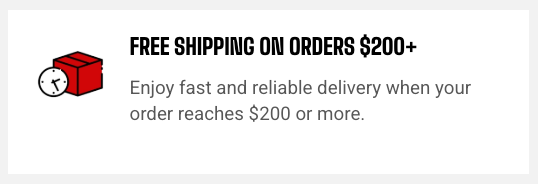
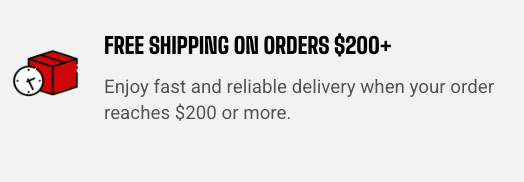
| **Style** | Controls the overall appearance of the Icon box. | **Standard:** Displays plain content without a background.
**Card:** Displays the content in a bordered, padded box. |
| **Inherit color scheme** | Controls whether the card uses the surrounding color scheme. | **On** or **Off**.
*Available when **Style** is set to **Card**.* |
| **Color scheme** | Controls the card's own color scheme. | Select a color scheme.
*Available when **Style** is set to **Card** and **Inherit color scheme** is turned off.* |
| **Border** | Controls whether the card has an outline. | **None** or **Solid**.
*Available when **Style** is set to **Card**.* |
| **Border width** | Controls the thickness of the card border. | **0–3px**.
*Available when **Style** is set to **Card** and **Border** is set to **Solid**.* |
| **Border opacity** | Controls how solid or transparent the card border appears. | **0–100%**.
*Available when **Style** is set to **Card** and **Border** is set to **Solid**.* |
| **Border color** | Controls the color of the card border. | Select a color or leave blank to use the default color from the current color scheme.
*Available when **Style** is set to **Card** and **Border** is set to **Solid**.* |
| **Corner radius** | Controls how rounded the card corners appear. | **0–60px**.
*Available when **Style** is set to **Card**.* |
### Padding
Controls the space between the card edges and its content.
*Available when **Style** is set to **Card**.*
| Setting | Description | Options |
| ----------- | ----------------------------------------------------------------------- | ------------------------- |
| **Devices** | Selects which device the padding settings apply to. | **Desktop** or **Mobile** |
| **Top** | Controls the space between the content and the top edge of the card. | **0–100px** |
| **Bottom** | Controls the space between the content and the bottom edge of the card. | **0–100px** |
| **Left** | Controls the space between the content and the left edge of the card. | **0–100px** |
| **Right** | Controls the space between the content and the right edge of the card. | **0–100px** |
## Icon box — items
The **Icon box** includes three built-in static blocks: **Icon**, **Heading**, and **Description**. These blocks are part of the Icon box’s structure and don’t need to be added manually.
Additional nested blocks can’t be added.
### Icon
Displays the visual icon for the Icon box.
| Setting | Description | Options |
| ---------------- | -------------------------------------------------- | ------------------------------------------------------------------------------------------------------------- |
| **Icon** | Sets the icon displayed in the block. | Select an icon from the built-in icon set. |
| **Image icon** | Replaces the built-in icon with an uploaded image. | Upload an image. |
| **Color** | Controls the color of the built-in icon. | Select a color or leave blank to use the default.
*Available when no **Image icon** is uploaded.* |
| **Icon size** | Controls the overall size of the icon. | **Extra small, Small, Medium, Large, Extra large, or Custom** |
| **Width** | Sets the exact icon width on desktop. | **12–200px**.
*Available when **Icon size** is set to **Custom**.* |
| **Width mobile** | Sets the exact icon width on mobile devices. | **12–200px**.
*Available when **Icon size** is set to **Custom**.* |
### Heading and Description
The **Heading** and **Description** use the same **Plain text** theme block type and share the same settings. The Heading provides the main title, while the Description provides supporting text.
Plain text is a simplified variant of the standard **Text** block designed for use inside a parent block that controls its own layout and animation. It removes the Text block's **Layout** settings, including width and alignment, and its **Animation** settings. These are handled by the Icon box instead.
The **Typography**, **Color**, and **Padding** settings remain available.
#### Content
| Setting | Description | Options |
| -------------------------------- | ------------------------------------------------------------------ | ----------------------------- |
| **Text** | Sets the text displayed in the block. | Enter and format custom text. |
| **Disable line break on mobile** | Controls whether manual line breaks are ignored on mobile devices. | **On** or **Off**. |
#### Typography
| Setting | Description | Options |
| -------------------- | -------------------------------------------------- | ----------------------------------------------------------------------------------------------------------------------------------------------------------------------------------------------------------------- |
| **Preset** | Sets the overall typography style. | **Default, Paragraph, Subheading, Heading 1–6, or Custom** |
| **Font** | Selects which theme font is used. | **Body** or **Heading**.
*Available when **Preset** is set to **Custom**.* |
| **Font weight** | Controls how light or bold the text appears. | **Inherit, Light, Regular, Medium, Semi bold, Bold, Extra bold, or Black**.
*Available when **Preset** is set to **Custom**.* |
| **Font size** | Sets the text size on desktop. | **10–100px**.
*Available when **Preset** is set to **Custom**.* |
| **Font size mobile** | Sets the text size on mobile devices. | **10–60px**.
*Available when **Preset** is set to **Custom**.* |
| **Line height** | Controls the spacing between lines of text. | **Tight, Normal, or Loose**.
*Available when **Preset** is set to **Custom**.* |
| **Text transform** | Controls how letter casing is applied to the text. | **Inherit:** Follows the theme setting.
**As typed:** Keeps the original casing.
**Title Case, UPPER CASE, or lower case**.
*Available when **Preset** is set to **Custom**.* |
| **Color** | Sets the text color. | **Text, Subtext, Gradient or Custom** |
| **Gradient color** | Sets the gradient used for the text. | Select a gradient.
*Available when **Color** is set to **Gradient**.* |
| **Custom** | Lets you choose an exact text color. | Select a color.
*Available when **Color** is set to **Custom**.* |
#### Padding
Controls the space around the text block.
| Setting | Description | Options |
| ---------------- | ------------------------------------------------------------ | ---------------------------------------------------------------------------- |
| **Top** | Sets the space above the text. | **0–100px** |
| **Bottom** | Sets the space below the text. | **0–100px** |
| **Left** | Sets the space on the left side of the text. | **0–100px** |
| **Right** | Sets the space on the right side of the text. | **0–100px** |
| **Mobile scale** | Scales the padding on mobile relative to the desktop values. | **20–100%:** Select the percentage of the desktop padding to keep on mobile. |
## Tips and best practices
* Use **Card** style with a subtle border when a group of Icon boxes needs to stand apart from the surrounding content.
* Add a **Link** and keep **Show link icon** turned on when the entire box is clickable, so shoppers can recognize it as an interactive element.