# Grid
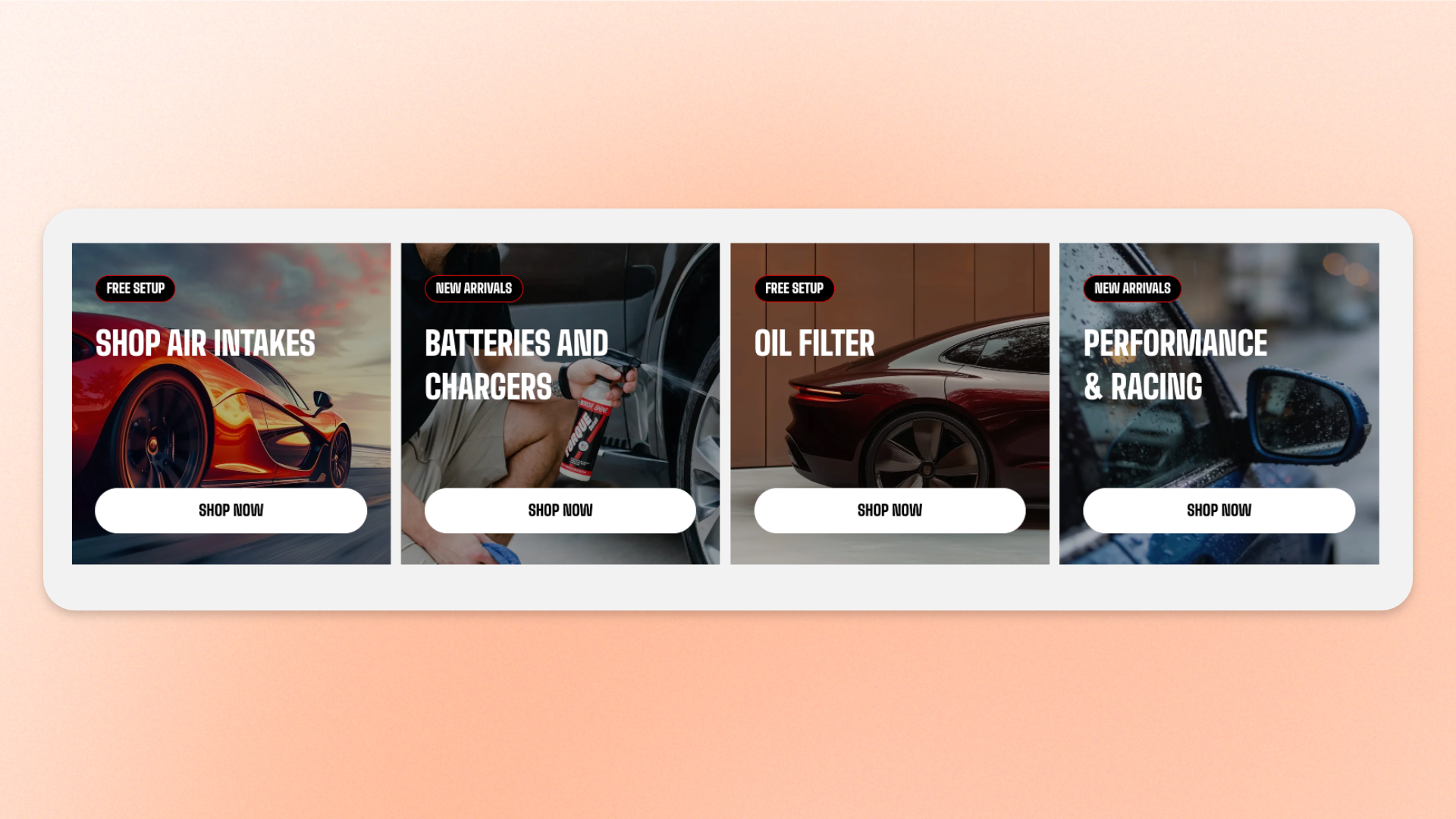
The **Grid** block is a layout container that arranges the blocks you place inside it into a structured grid of columns.
Use it to create **feature grids, card collections, Icon box layouts, image galleries, comparisons, service highlights, steps, promotional content, or mixed layouts** with images, text, buttons, and other supported blocks placed side by side.
## Settings
### Layout
Controls how items are arranged inside the Grid on desktop.
| Setting | Description | Options |
| ------------------ | ----------------------------------------------------------------------- | --------------------------------------------------------------------------------------------------------------------------------------------------------------------------------------------------------------------- |
| **Position** | Controls how items align vertically when they are shorter than the row. | **Top:** Aligns items to the top.
**Middle:** Centers items vertically.
**Bottom:** Aligns items to the bottom.
**Stretch:** Makes items in the same row stretch to the same height. |
| **Columns** | Sets how many columns appear across the Grid on desktop. | **1–12 columns** |
| **Horizontal gap** | Sets the space between columns. | **0–100px**
*Available when **Columns** is more than 1.* |
| **Vertical gap** | Sets the space between rows. | **0–100px** |
### Size
Controls how much horizontal space the Grid occupies on desktop and mobile.
| Setting | Description | Options |
| ----------------------- | --------------------------------------------------- | --------------------------------------------------------------------------------------------------------------------------------------------------- |
| **Width** | Controls the width of the Grid on desktop. | **Fit:** Uses only the width needed by the Grid.
**Fill:** Uses the available width.
**Custom:** Lets you set a custom width. |
| **Custom width** | Sets a custom Grid width as a percentage. | **0–100%**
*Available when **Width** is set to **Custom**.* |
| **Width mobile** | Controls the Grid width on mobile devices. | **Fit, Fill, or Custom** |
| **Custom width mobile** | Sets a custom Grid width on mobile as a percentage. | **0–100%**
*Available when **Width mobile** is set to **Custom**.* |
### Appearance
Controls the Grid's color scheme, outer border, corners, and optional separators between columns.
| Setting | Description | Options |
| --------------------------- | ---------------------------------------------------------------------------------------------------- | ---------------------------------------------------------------------------------------------------------------------- |
| **Inherit color scheme** | Controls whether the Grid uses the color scheme of its parent section or container. | **On:** Uses the parent color scheme.
**Off:** Lets you choose a separate color scheme. |
| **Color scheme** | Sets a separate color scheme for the Grid. | Select a theme color scheme.
*Available when **Inherit color scheme** is turned off.* |
| **Border** | Adds an outer border around the Grid. | **None** or **Solid** |
| **Border width** | Controls the thickness of the outer border. | **0–10px**
*Available when **Border** is set to **Solid**.* |
| **Border opacity** | Controls how solid or transparent the outer border appears. | **0–100%**
*Available when **Border** is set to **Solid**.* |
| **Corner radius** | Controls how rounded the Grid's outer corners are. | **0–32px** |
| **Column separator** | Adds vertical lines between columns. Separators appear only between columns, not on the outer edges. | **None, Solid, or Dashed**
*Available when **Columns** is more than 1.* |
| **Separator color** | Sets the color of the column separators. | Select a color, or leave blank to use the default.
*Available when **Column separator** is not **None**.* |
| **Thickness** | Sets the color of the column separators. | **0.5–5px**
*Available when **Column separator** is not **None**.* |
| **Separator height** | Sets the height of the column separators on desktop. | **0–400px**
**0px:** Uses the full Grid height.
A fixed height works best for a single-row Grid. |
| **Separator height mobile** | Sets the height of the column separators on mobile. | **0–400px**
**0px:** Uses the full Grid height. |
### Mobile layout
Controls how Grid items are arranged on mobile devices.
| Setting | Description | Options |
| -------------------------- | -------------------------------------------------------------------------------------- | ------------------------------------------------------------------------------------------------------------------------------------------------ |
| **Enable swipe on mobile** | Displays Grid items as a horizontally swipeable row instead of a standard mobile grid. | **On** or **Off.** |
| **Custom column width** | Lets you set a custom width for each item in the swipeable row. | **On** or **Off.**
*Available when **Enable swipe on mobile** is turned on.* |
| **Custom width** | Sets how much horizontal space each swipeable item occupies. | **20–90%**
A smaller width can leave part of the next item visible.
*Available when **Custom column width** is turned on.* |
| **Mobile columns** | Sets how many columns appear on mobile. | **1–3 columns**
*Available when swipe is off, or when **Custom column width** is off.* |
| **Horizontal gap** | Sets the space between columns or swipeable items on mobile. | **0–100px**
*Available when swipe is on, or when **Mobile columns** is more than 1.* |
| **Vertical gap** | Sets the space between rows on mobile. | **0–100px**
*Available when **Enable swipe on mobile** is turned off.* |
### Padding
Adds space inside the Grid around its content, with separate controls for desktop and mobile.
| Setting | Description | Options |
| ----------- | -------------------------------------------------------- | ------------------------- |
| **Devices** | Selects which device's padding settings you are editing. | **Desktop** or **Mobile** |
| **Top** | Sets the space inside the top edge of the Grid. | **0–100px** |
| **Bottom** | Sets the space inside the bottom edge of the Grid. | **0–100px** |
| **Left** | Sets the space inside the left edge of the Grid. | **0–100px** |
| **Right** | Sets the space inside the right edge of the Grid. | **0–100px** |
### Advanced
| Setting | Description | Options |
| ------------------ | -------------------------------------------------------------------------------------------------------- | --------------------------------------------------------------------------------------------------------------------------------------------------------------------- |
| **Custom columns** | Gives you fine-grained control over the number of columns displayed at different responsive breakpoints. | Enter comma-separated breakpoint values, for example: `mb:1,md:2,lg:3,xl:4,xxl:5`.
Custom values override the standard desktop and mobile column settings. |
## Grid — items
Add **dynamic theme blocks** inside the **Grid** to create the items in the layout. You can add any block that appears in the Grid’s **block picker**, then reorder or remove those blocks as needed.
**Private blocks** are only available in the specific sections or blocks they were designed for, while **static blocks** are built into a parent block and can’t be manually added, removed, or reordered.
Each block keeps its own content and styling settings. The Grid controls only how those blocks are **arranged, aligned, and spaced** across desktop and mobile.
Blocks that support nesting can contain their own child blocks.
[See the documentation for each block you add for its available settings.](https://docs.foxecom.com/motrix-theme/theme-blocks/overview)
## Tips and best practices
* Choose **Stretch** under **Position** when you want every item in a row to have the same height, even when the amount of content differs.
* Turn on **Enable swipe on mobile** for card or feature layouts that would feel cramped or too long when stacked on smaller screens.
* Use **Column separator** to divide stats, features, or comparison columns without adding a border around each individual item.
* Use the same or similar block types when you want a clean, consistent card or feature grid.
* Mix different block types when creating more editorial or promotional layouts.
* Avoid using too many columns for text-heavy blocks, as narrow columns can make content harder to read.