# Countdown timer: Icon with text
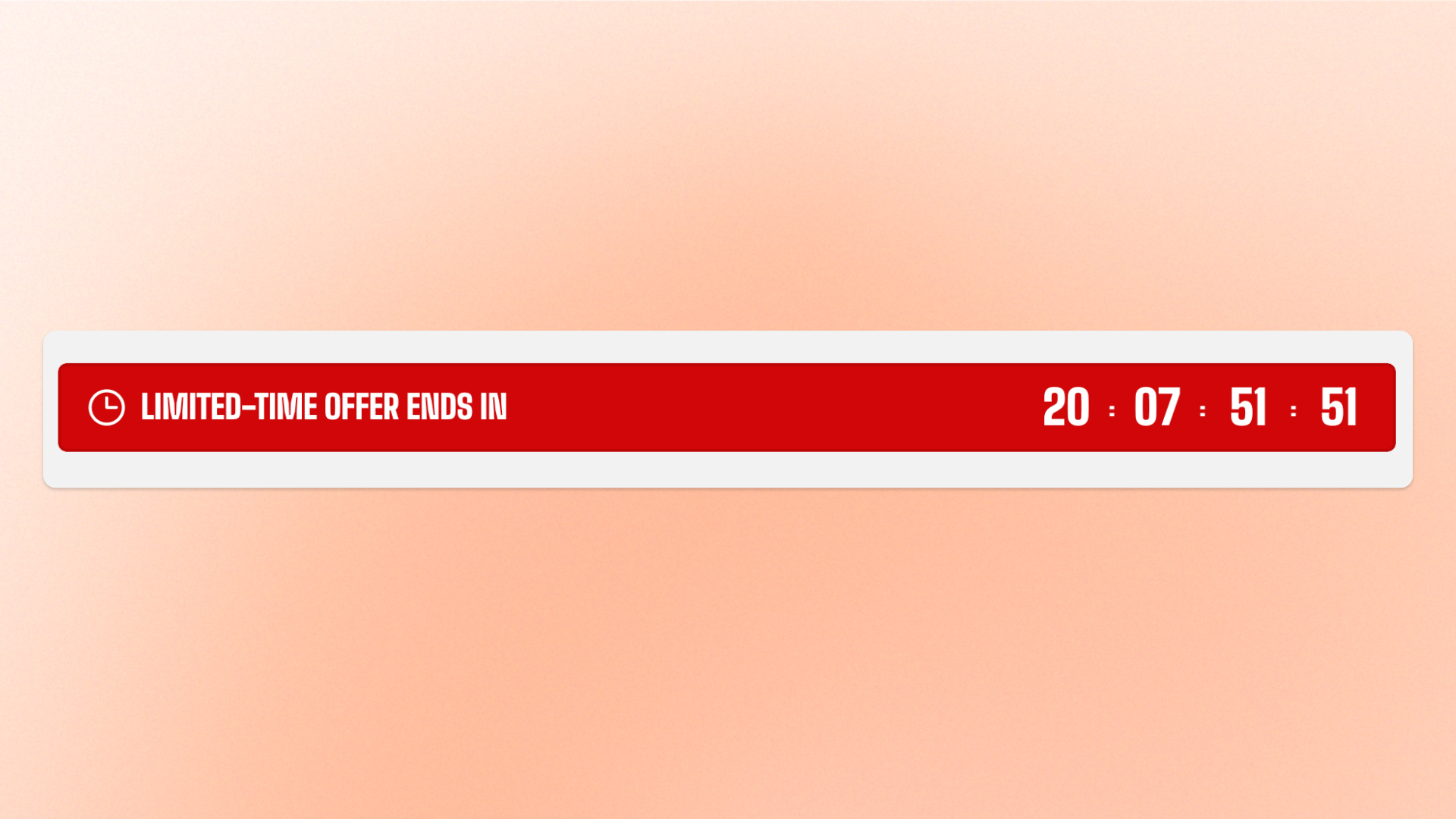
The **Countdown timer: Icon with text** block combines an icon, a short heading, and a live countdown in a compact layout. Use it for **limited-time sales, product launches, event starts, registration deadlines**, or other time-sensitive messages that benefit from a short explanation and visual cue.
The block automatically includes one built-in static **Countdown timer** block. Configure the timer separately to control its timing, labels, number styling, colors, and mobile spacing.
## Settings
### Size
Controls how much horizontal space the block occupies.
| Setting | Description | Options |
| ---------------- | ------------------------------------------- | ------------------------------------------------------------------------------------------------------------------- |
| **Width** | Controls the block width on desktop. | **Fit:** Keeps the block sized to its content.
**Fill:** Expands the block to fill the available width. |
| **Width mobile** | Controls the block width on mobile devices. | **Fit** or **Fill.** |
### Icon
Controls the icon displayed alongside the heading and countdown.
| Setting | Description | Options |
| ---------------- | -------------------------------------------------- | ------------------------------------------------------------------------------ |
| **Icon** | Selects a built-in icon to display. | Select an available icon. |
| **Image icon** | Replaces the built-in icon with an uploaded image. | Upload an image. |
| **Icon size** | Controls the overall size of the icon. | **Extra small, Small, Medium, Large, Extra large,** or **Custom** |
| **Width** | Sets the exact icon width on desktop. | **12–200px.**
*Available when **Icon size** is set to **Custom**.* |
| **Width mobile** | Sets the exact icon width on mobile devices. | **12–200px.**
*Available when **Icon size** is set to **Custom**.* |
### Content
Controls the text displayed with the icon and countdown.
| Setting | Description | Options |
| ------------------ | ----------------------------------------------------------------------- | -------------------------------- |
| **Heading** | Sets the short line of text displayed alongside the icon and countdown. | Enter custom text. |
| **Heading preset** | Sets the typography style of the heading. | **Paragraph** or **Heading 3–6** |
### Appearance
Controls whether the block appears as plain content or inside a styled card.
| Setting | Description | Options |
| ------------------------ | ---------------------------------------------------------------------- | -------------------------------------------------------------------------------------------------------------------------------- |
| **Style** | Controls the overall appearance of the block. | **Standard:** Displays plain content without a background.
**Card:** Displays the content in a bordered, padded box. |
| **Inherit color scheme** | Controls whether the card uses the surrounding section's color scheme. | **On** or **Off.**
*Available when **Style** is set to **Card**.* |
| **Color scheme** | Sets a separate color scheme for the card. | Select a color scheme.
*Available when **Style** is set to **Card** and **Inherit color scheme** is turned off.* |
| **Border** | Controls whether the card has an outline. | **None** or **Solid.**
*Available when **Style** is set to **Card**.* |
| **Border width** | Controls the thickness of the card border. | **0–3px.**
*Available when **Style** is set to **Card** and **Border** is set to **Solid**.* |
| **Border opacity** | Controls the opacity of the card border. | **0–100%.**
*Available when **Style** is set to **Card** and **Border** is set to **Solid**.* |
| **Corner radius** | Controls how rounded the card corners appear. | **0–60px.**
*Available when **Style** is set to **Card**.* |
## Countdown timer: Icon with text — items
The **Countdown timer: Icon with text** block includes one built-in static **Countdown timer** block. It provides the live countdown and is part of the block’s required structure, so it doesn’t need to be added manually and can’t be removed or reordered.
Additional nested blocks can’t be added.
### Countdown timer
The built-in **Countdown timer** block controls the live countdown. Select it in the theme editor to configure whether it runs on a recurring schedule or counts down to a fixed date and time, along with its display and number settings.
[See the **Countdown timer** block documentation for its available settings.]()
## Tips and best practices
* Keep the **Heading** short so the message and countdown can be understood at a glance.
* Use a built-in **Icon** for consistency with the theme; use **Image icon** only when a custom graphic is needed.