# Accordion
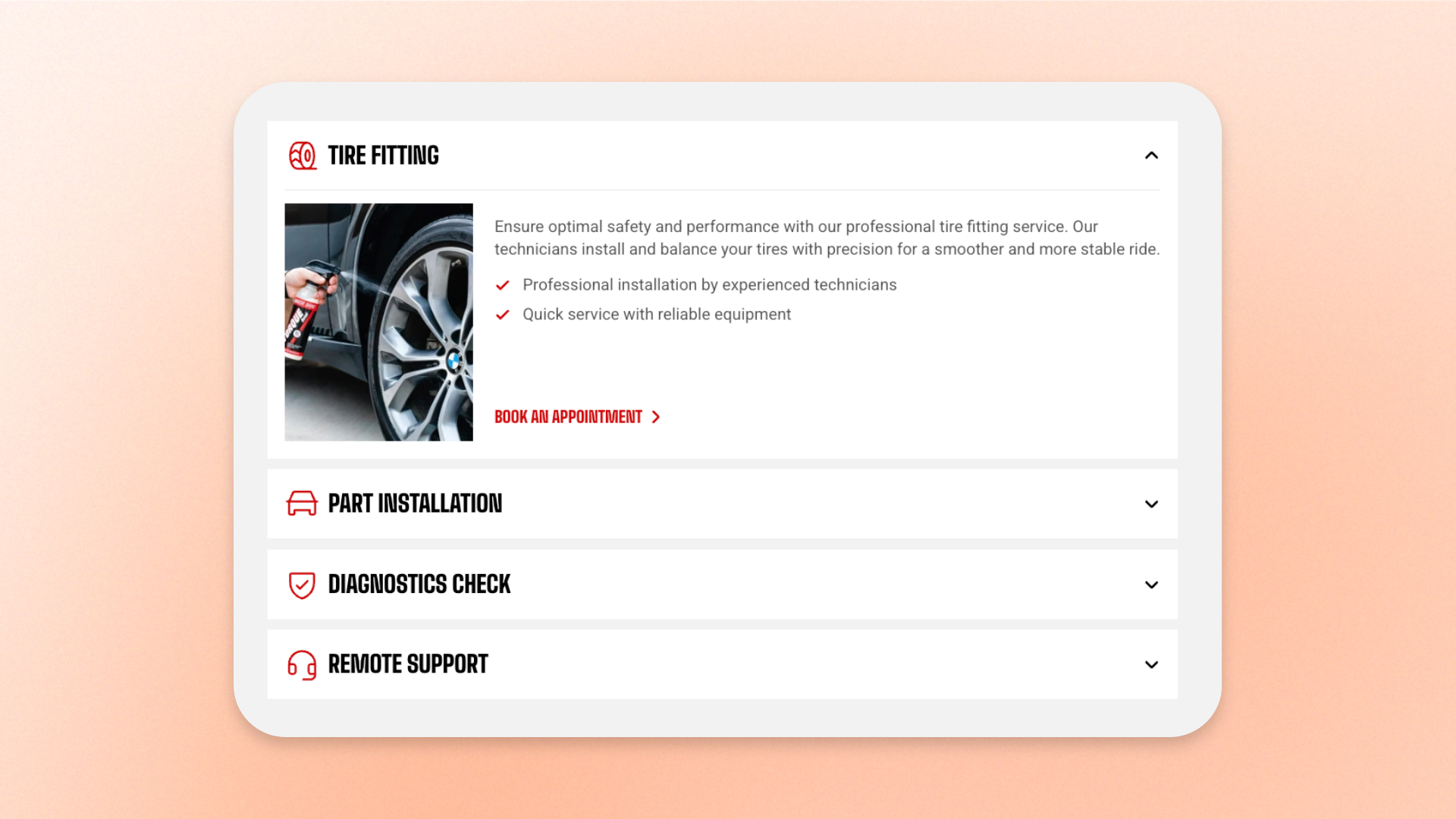
The **Accordion** block displays a stack of expandable rows that keeps detailed information compact and easy to scan. Each row shows a title that shoppers can click to reveal content underneath.
Use it for FAQs, shipping and delivery details, return policies, product specifications, materials and care instructions, size and fit information, ingredients, warranty details, store policies, and other information shoppers may only need occasionally.
Add one **Accordion row** for each question or topic, then place text, images, buttons, or other supported content inside. For example, on a product page you can create separate rows for **Shipping**, **Return policy**, **Materials & care**, and **Size & fit**, so shoppers can open only the information they need.
## Settings
### General
Controls how accordion rows behave when shoppers open them.
| Setting | Description | Options |
| ----------------- | -------------------------------------------------------------------- | -------------------------------------------------------------------------------------------------------------------------------------------------------------- |
| **Open behavior** | Controls how rows open when a customer interacts with the accordion. | **Multiple:** Allows several rows to stay open at the same time.
**Single:** Keeps only one row open; opening another row closes the previous one. |
### Rows
Controls the appearance shared by every row in the Accordion.
| Setting | Description | Options |
| ----------------------------- | ---------------------------------------------------------- | ------------------------------------------------------------------------------------------------------------------------------------------------- |
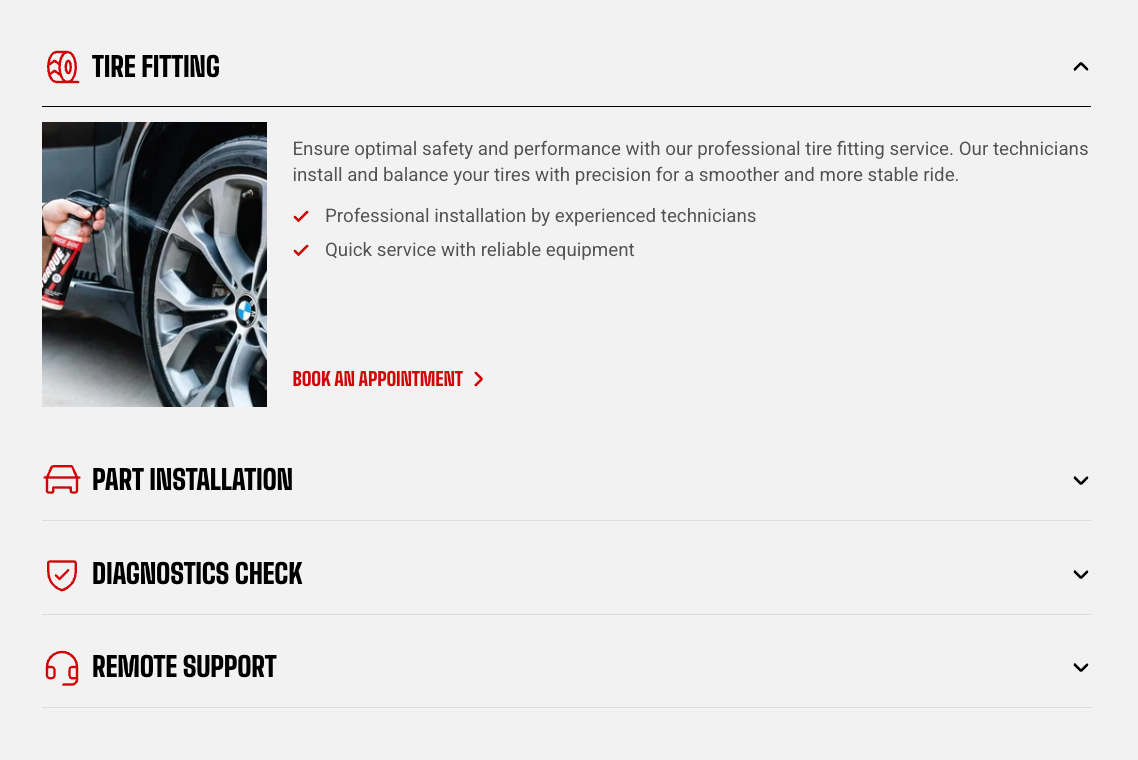
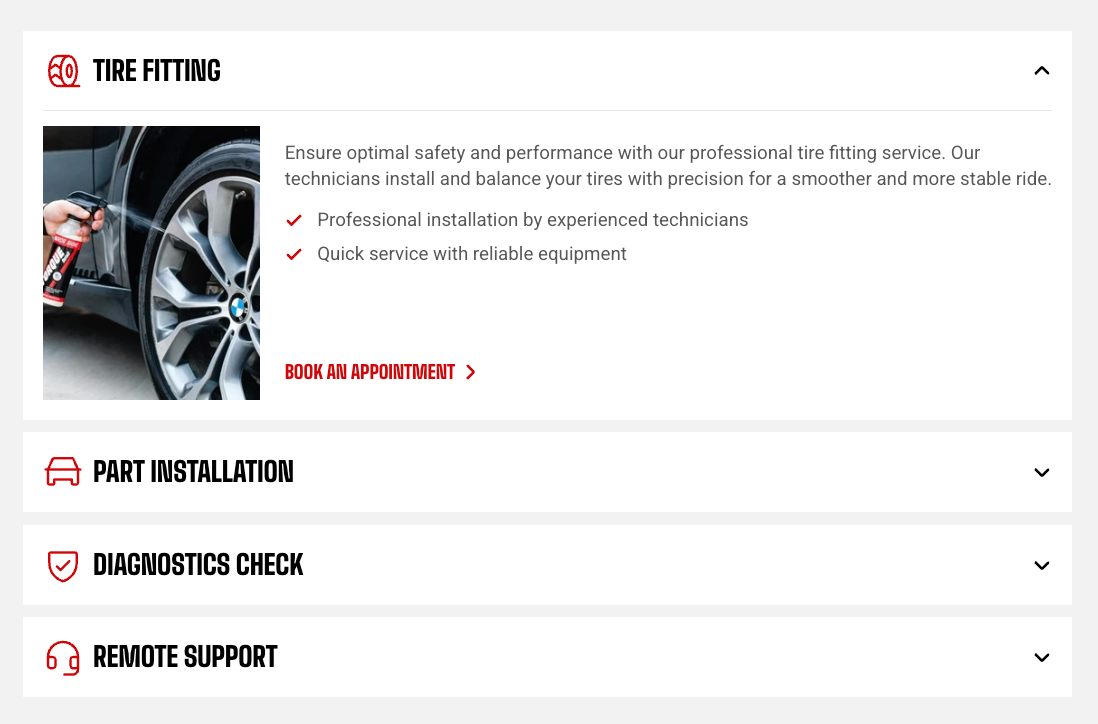
| **Style** | Controls the visual style of each row. | **Standard:** Displays simple accordion rows.
**Card:** Displays each row as a separate card. |
| **Color scheme** | Sets the color scheme used by each row card. | Select a theme color scheme.
*Available when **Style** is set to **Card**.* |
| **Corner radius** | Controls how rounded the corners of each row card are. | **0–32px:** Use 0px for square corners or increase the value for more rounded corners.
*Available when **Style** is set to **Card**.* |
| **Row gap** | Sets the space between row cards. | Adjust the spacing between rows.
*Available when **Style** is set to **Card**.* |
| **Vertical padding** | Sets the space above and below each row title. | Adjust the vertical spacing inside each row. |
| **Horizontal padding** | Sets the space on the left and right inside each row card. | Adjust the horizontal spacing.
*Available when **Style** is set to **Card**.* |
| **Row gap mobile** | Sets the space between row cards on mobile. | Adjust the mobile row spacing.
*Available when **Style** is set to **Card**.* |
| **Vertical padding mobile** | Sets the vertical space inside each row on mobile. | Adjust the mobile vertical spacing. |
| **Horizontal padding mobile** | Sets the horizontal space inside each row card on mobile. | Adjust the mobile horizontal spacing.
*Available when **Style** is set to **Card**.* |
### Heading
Controls the title and expand/collapse indicator shown on each row.
| Setting | Description | Options |
| ------------------ | ----------------------------------------------------------------- | ---------------------------------------------------------------------------------------------------------------------------- |
| **Heading preset** | Controls the typography used for accordion row titles. | **Default, Paragraph, or Heading 1–6** |
| **Icon arrow** | Controls the expand/collapse indicator shown on each row. | **Caret:** Shows a chevron-style indicator.
**Plus:** Shows a plus that changes to a minus when the row is open. |
| **Icon style** | Controls the visual style of the expand/collapse indicator. | **Default** or **Solid** |
| **Show divider** | Adds a line between an open row's title and its revealed content. | **On** or **Off**.
*Available when **Style** is set to **Card**.* |
### Content
Controls the spacing around the content revealed inside an open row.
| Setting | Description | Options |
| ------------------------ | ---------------------------------------------------------------------------- | -------------------------------------------------------------------------- |
| **Padding top** | Controls the space above the revealed content, directly below the row title. | **0–60px** |
| **Padding bottom** | Controls the space below the revealed content. | **0–60px** |
| **Mobile padding scale** | Reduces the content padding on mobile relative to the desktop values. | **20–100%:** Select a percentage of the desktop padding to keep on mobile. |
### Size
| Setting | Description | Options |
| ----------------------- | ----------------------------------------------- | ------------------------------------------------------------------------------------------------------------------------------------------------------- |
| **Width** | Controls the width of the Accordion on desktop. | **Fit:** Uses only the width needed by the block.
**Fill:** Fills the available width.
**Custom:** Lets you set a custom width. |
| **Custom width** | Sets a custom Accordion width as a percentage. | **0–100%**.
*Available when **Width** is set to **Custom**.* |
| **Width mobile** | Controls the Accordion width on mobile devices. | **Fit, Fill, or Custom** |
| **Custom width mobile** | Controls the Accordion width on mobile devices. | **0–100%**.
*Available when **Width** is set to **Custom**.* |
### Appearance
| Setting | Description | Options |
| ------------------------ | ------------------------------------------------------------------------------------------------ | --------------------------------------------------------------------------------------------------------------------- |
| **Inherit color scheme** | Controls whether the Accordion uses the color scheme of the section or container it sits inside. | **On:** Uses the parent color scheme.
**Off:** Lets you choose a separate color scheme for the Accordion. |
| **Color scheme** | Sets a separate color scheme for the Accordion. | Select a theme color scheme.
*Available when **Inherit color scheme** is turned off.* |
### Borders
| Setting | Description | Options |
| ------------------ | ------------------------------------------------------------------------- | ---------------------------------------------------------------------------------------------------------------------------------------------------------------------------------- |
| **Border** | Controls whether an outer border is displayed around the Accordion block. | **None** or **Solid** |
| **Border width** | Controls the thickness of the outer border. | **0–10px**.
*Available when **Border** is set to **Solid**.* |
| **Border opacity** | Controls how solid or transparent the outer border appears. | **0–100%:** Use a lower value for a subtler border or 100% for a fully opaque border.
*Available when **Border** is set to **Solid**.* |
| **Corner radius** | Controls how rounded the outer corners of the Accordion block appear. | **0–32px:** Use 0px for square corners or increase the value for more rounded corners.
*Applies when a border is used, or when **Inherit color scheme** is turned off.* |
### Padding
Adds space inside the Accordion block around its content.
| Setting | Description | Options |
| ---------- | -------------------------------------------------------------- | ----------- |
| **Top** | Controls the space above the Accordion content. | **0–100px** |
| **Bottom** | Controls the space below the Accordion content. | **0–100px** |
| **Left** | Controls the space on the left side of the Accordion content. | **0–100px** |
| **Right** | Controls the space on the right side of the Accordion content. | **0–100px** |
### Animation
This group appears when animations are enabled in **Theme settings**.
| Setting | Description | Options |
| --------------------------- | -------------------------------------------------------------------------------------------------- | -------------------------------------------------------------------------------------------- |
| **Type** | Controls the entrance animation used when the Accordion scrolls into view. | **None, Fade in, Fade up, Fade down, Slide in (left), or Slide in (right)** |
| **Reveal items one by one** | Controls whether rows animate one after another instead of the entire Accordion appearing at once. | **On** or **Off**.
*Available when **Type** is not set to **None**.* |
| **Delay (ms)** | Controls how long the theme waits before starting the entrance animation. | Enter a delay in milliseconds.
*Available when **Type** is not set to **None**.* |
### Accordion row - items
Add one **Accordion row** for each question, topic, or piece of expandable information.
The row controls the clickable title and optional icon. Add the actual answer or supporting content inside the row as separate blocks, such as text, images, or buttons.
#### Row settings
| Setting | Description | Options |
| ----------------------- | ------------------------------------------------------------- | ------------------ |
| **Text** | Sets the row title shoppers click to expand or collapse it. | Enter custom text. |
| **Open row by default** | Controls whether the row starts expanded when the page loads. | **On** or **Off** |
#### Icon
Each Accordion row can display an optional icon before its title.
| Setting | Description | Options |
| ---------------- | ------------------------------------------------------------- | ---------------------------------------------------------------------------------------------------------------- |
| **Icon** | Adds a built-in icon before the row title. | Select an available icon or **None**. |
| **Image icon** | Lets you use your own small image instead of a built-in icon. | Select or upload an image. |
| **Color** | Controls the color of the built-in icon. | Select a color or leave it blank to use the default.
*Available when no **Image icon** is uploaded.* |
| **Icon size** | Controls the size of the icon or image. | **Extra small, Small, Medium, Large, Extra large, or Custom** |
| **Width** | Sets an exact icon width on desktop. | **12–200px**.
*Available when **Icon size** is set to **Custom**.* |
| **Width mobile** | Sets an exact icon width on mobile devices. | **12–200px.**
*Available when **Icon size** is set to **Custom**.* |
## Tips and best practices
* Add the detailed content inside each **Accordion row** as separate blocks, such as text, images, or buttons. The row itself is mainly used for the clickable title and optional icon.
* Use **Single** open behavior for FAQs or other content where shoppers usually read one item at a time. Use **Multiple** when shoppers may need to view or compare several items together.
* Keep row titles short and descriptive so shoppers can quickly scan and find the information they need.