# Search drawer
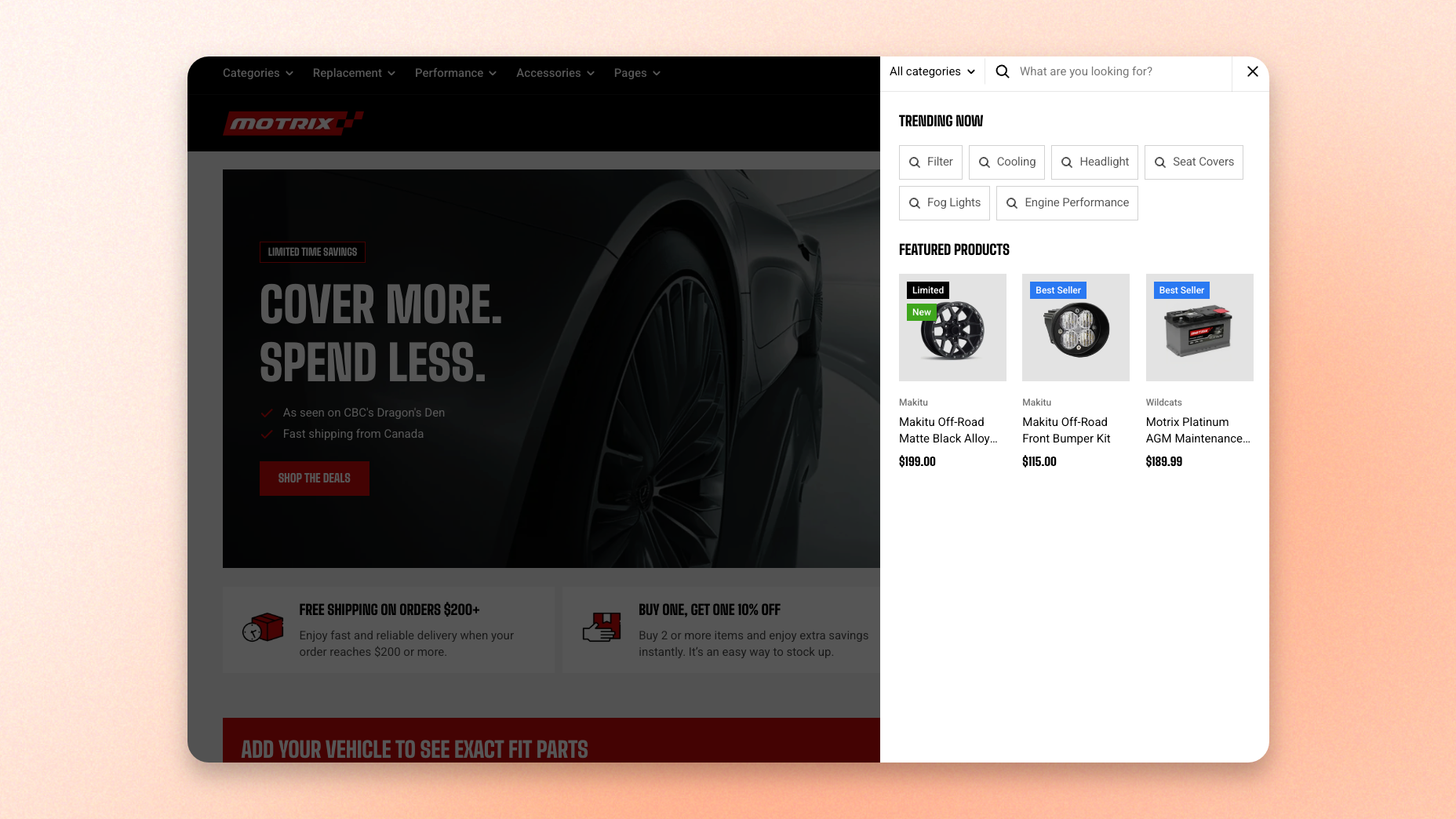
Search drawer is the slide-out search panel that opens from the right when a customer taps the search icon in the header.
Results appear as customers type, without them leaving the page they are on. Before anyone types a letter, the drawer is not empty: it can show the keywords you have marked as popular and a set of products you have chosen.
## When the drawer is used
The drawer works when **Enable search form** is turned off in the [Header](https://docs.foxecom.com/motrix-theme/global-sections/header) section. With it off, the header shows a search icon on its own, and tapping that icon opens the drawer.
Desktop and mobile have separate toggles, so you can show the field on desktop and keep search behind the icon on mobile, or use the drawer on both.
## What customers see
### Before they type
The empty panel can show two things you control:
* Shortcut keywords a customer can tap instead of typing, from **Theme settings > Search > Most searched keywords**.
* Featured products you have picked, from **Theme settings > Search > Products recommendation**.
Learn more: [Search](https://docs.foxecom.com/motrix-theme/theme-settings/search)
Leave both empty and the drawer opens with nothing but the search field. Nothing breaks, but you lose the chance to point a shopper somewhere before they have decided what to ask for.
### As they type
Matching results appear live, grouped so customers can jump straight to the right kind of result.
If search types are enabled, customers can narrow to a product type from the dropdown next to the field before they start. Submitting the search takes them to the full search results page.
You can [customize your online store search results in Shopify Search & Discovery app](https://help.shopify.com/manual/online-store/storefront-search/managing-searchability).
## Section settings
This section has no settings of its own. Everything about it is controlled from theme settings, so search behaves the same way in the drawer and on the search page.
| What you want to change | Where to change it |
| --------------------------------------- | --------------------------------------------------------- |
| Search field or icon only in the header | Header > Enable search form |
| Live results as customers type | Theme settings > Search > Enable search suggestions |
| Product type dropdown | Theme settings > Search > Enable search types |
| How many suggestions appear | Theme settings > Search > Number of results to show |
| Keywords in the empty panel | Theme settings > Search > Most searched keywords |
| Products in the empty panel | Theme settings > Search > Products recommendation |
| Vendor, type, quick add on result cards | Theme settings > Search > Product cards in search results |
| Thumbnail size on mobile | Theme settings > Search > Mobile settings |
| Drawer colors and corner radius | Theme settings > Dialogs |