# Quick view
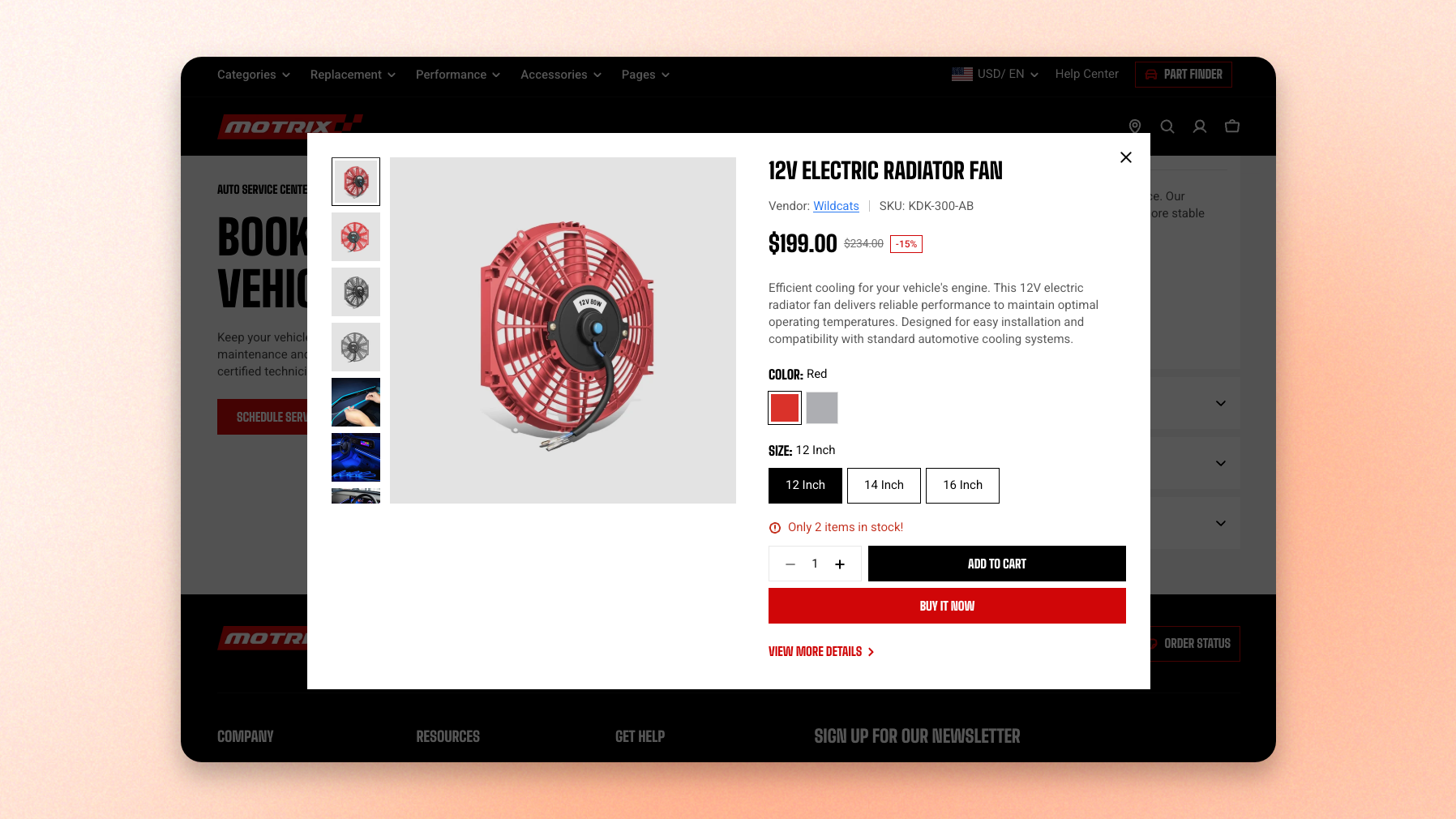
A shopper browsing a grid of products can open the preview, look through the photos, choose a size or colour, and buy — all without losing their place in the grid. Set it up once here and it applies on every page of the store.
## When it opens
Two things open this panel:
* The quick view control on a product card.
* Quick add on a product that has options — the shopper taps **Choose options** and lands here instead of adding straight to the cart.
Because both routes share one panel, whatever you set up here is also what a quick-add shopper sees.
See how to customize your [Product cards](https://docs.foxecom.com/motrix-theme/theme-settings/product-cards).
## Section settings
| Setting | What it does |
| --------- | --------------------------------------------------------------------------------------------------- |
| **Style** | Modal opens the preview in a centred window over the page. Drawer slides it in from the right edge. |
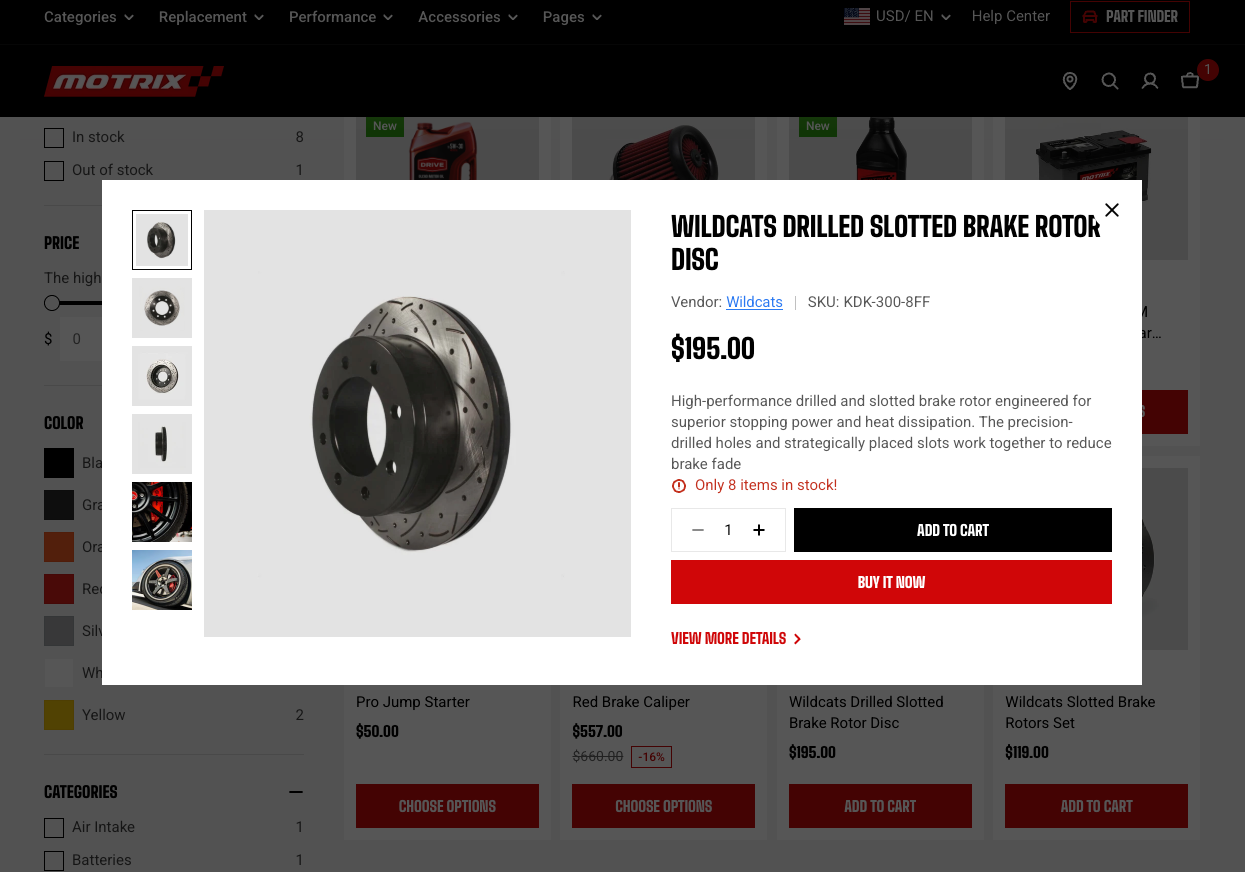
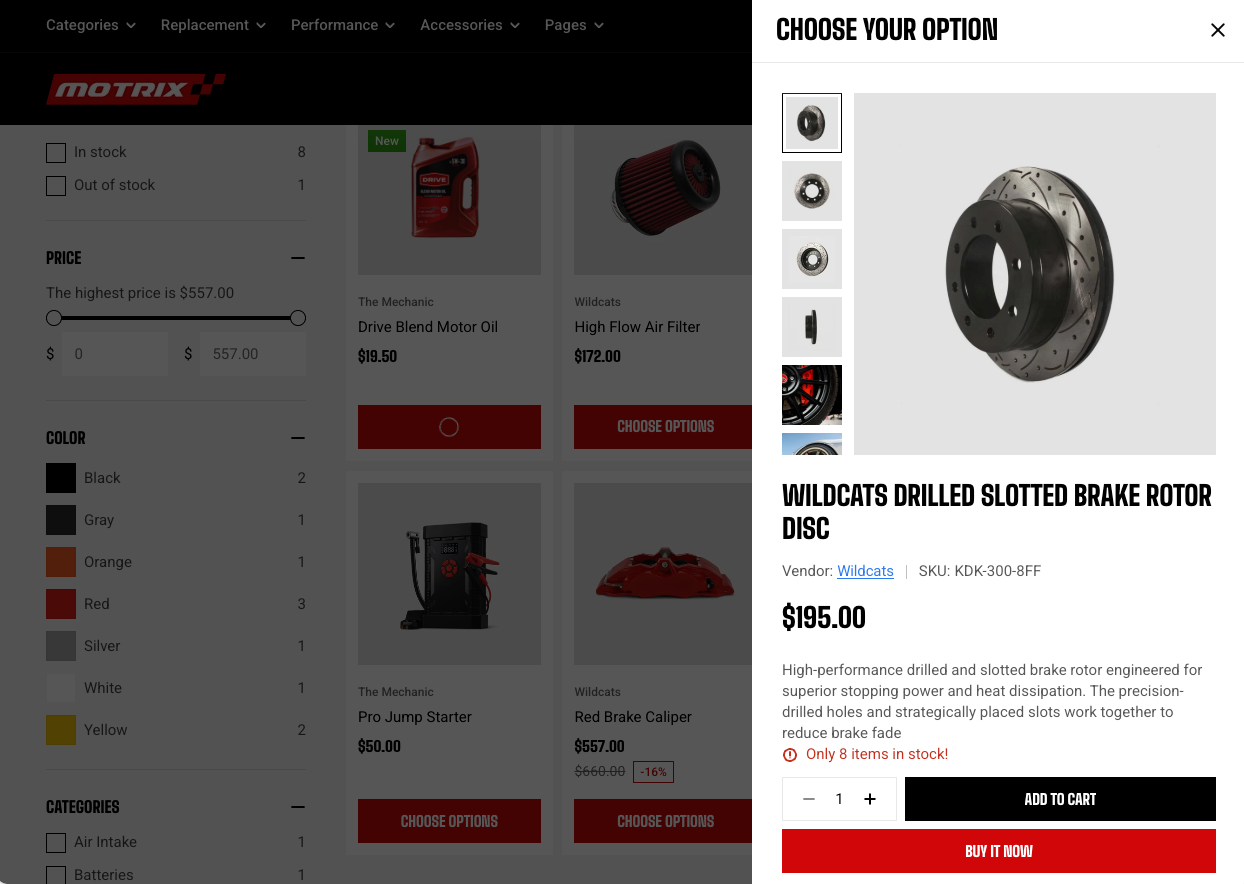
Modal suits stores with rich product media, since a centred window gives the gallery more room. Drawer keeps the page visible behind it, which reads as less of an interruption when shoppers are comparing several products in a grid.
You can change the color of Quick view in **Theme settings** > [Dialogs](https://docs.foxecom.com/motrix-theme/theme-settings/dialogs).
## Blocks
The content is built from blocks, so you decide what appears and in what order, much like editing a product page. Alongside any theme block and app blocks, you can add product blocks to the Quick view.
See [Which blocks you can add](https://docs.foxecom.com/motrix-theme/product-page/product-information#which-blocks-you-can-add) to the Product details.
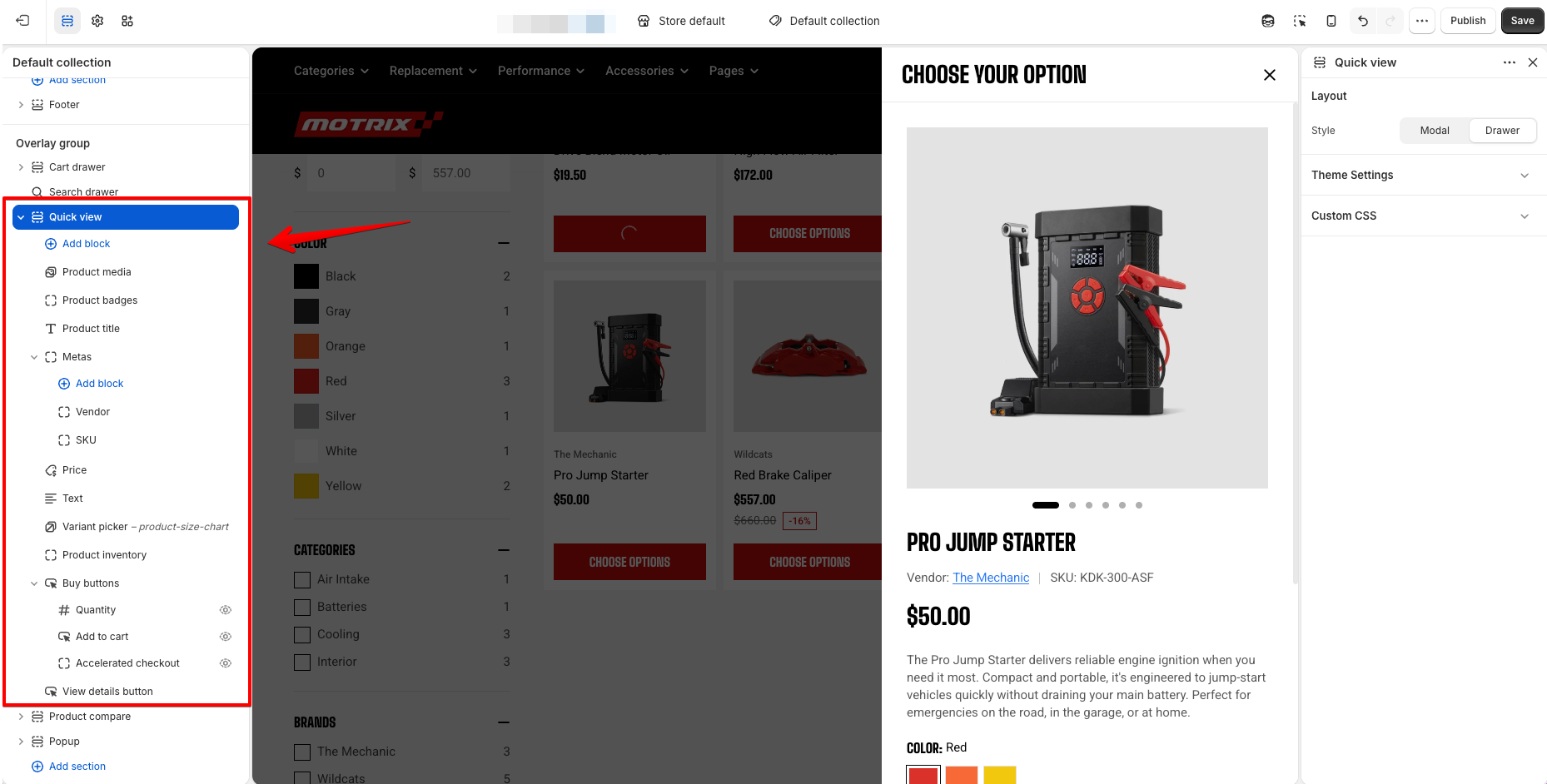
The **View details button** sits below your blocks and links to the full product page. It is part of the panel, so it can be hidden but not reordered or removed.
## Troubleshooting
### Quick view or quick add loads forever
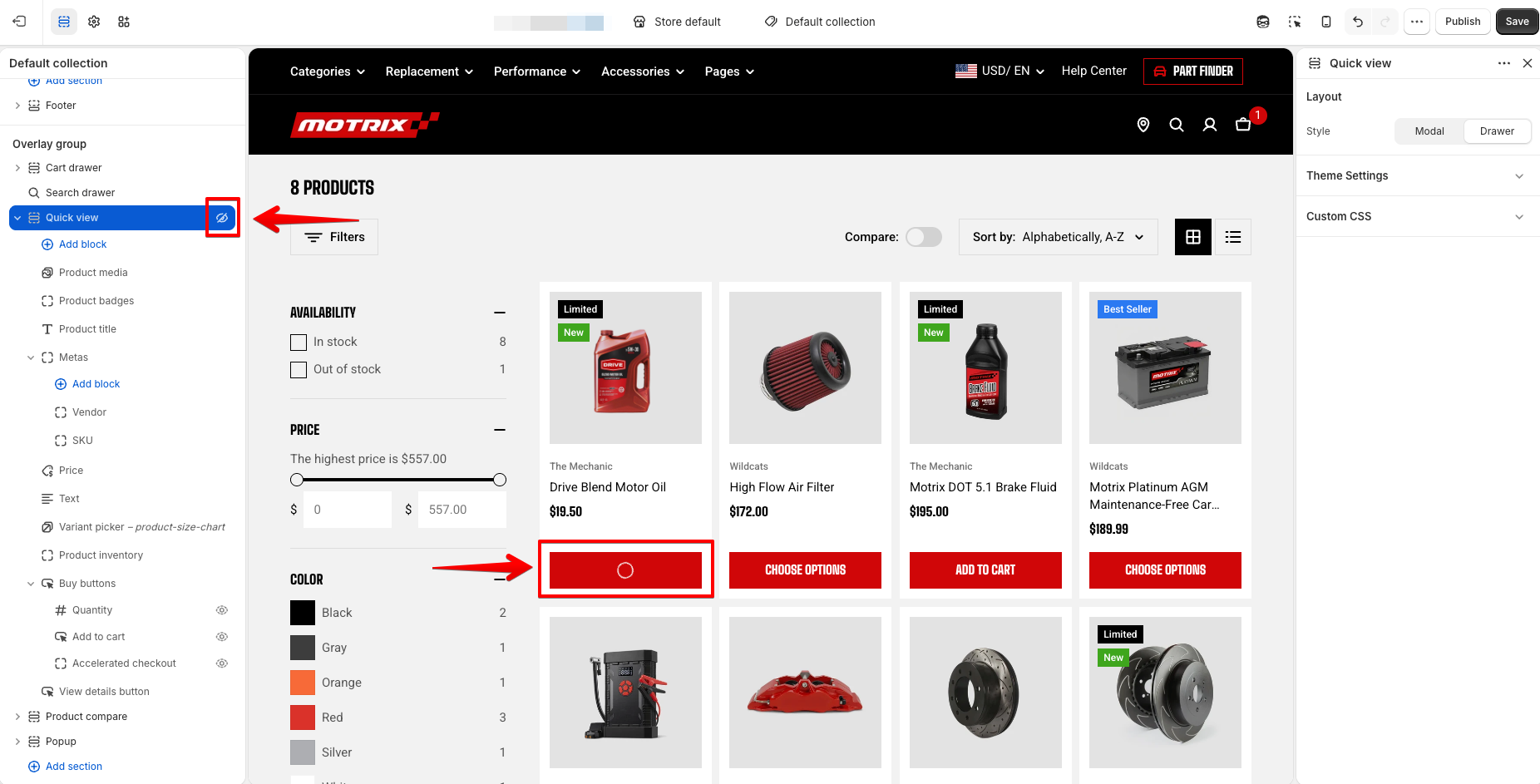
A customer taps quick view, or taps quick add on a product with options, and the button spins without anything opening.
In almost every case the **Quick view section is hidden**. The buttons on your product cards still appear and still fetch the product, but there is no panel left for them to open, so the spinner never resolves.
Here's how to fix it:
1. In the theme editor, navigate to the **Overlay group** in the sidebar.
2. Look at **Quick view.** A crossed-out eye next to it means the section is hidden.
3. Click the eye to unhide it, then click **Save.**
4. Reload your storefront and try quick view again.
Still spinning after unhiding the section? Get in touch with support and tell us which product and which page it happens on.
## Tips
* Keep the block list short. Quick view works best as a fast summary that gets a shopper to a decision, with the full product page one tap away. Media, title, price, variant picker, and buy buttons cover most stores.
* Add Description only if your descriptions are short. A long one pushes the variant picker and buy buttons out of view, which defeats the point of the panel.