# Cart drawer
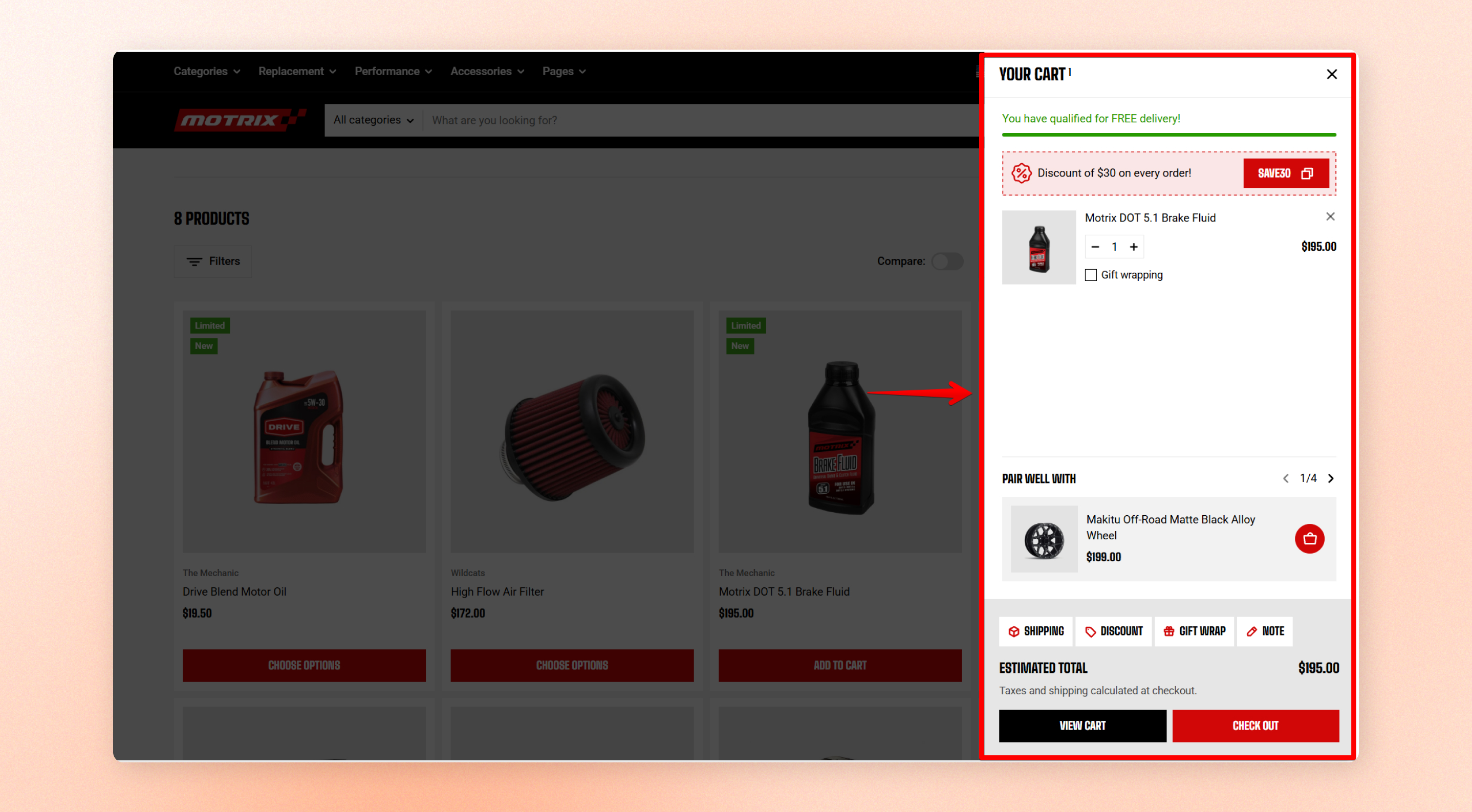
**Cart drawer** (also known as a slide-out cart or side cart) lets customers view and manage their shopping cart without leaving the current page.
The drawer appears on storefront pages when your theme is set to open the cart as a **Drawer**. It does not replace the cart page.
## Section settings
### Cart summary
| Setting | Description | Option |
| --------------------- | ------------------------------------------------------------------------------------------------------------------------------ | --------------------- |
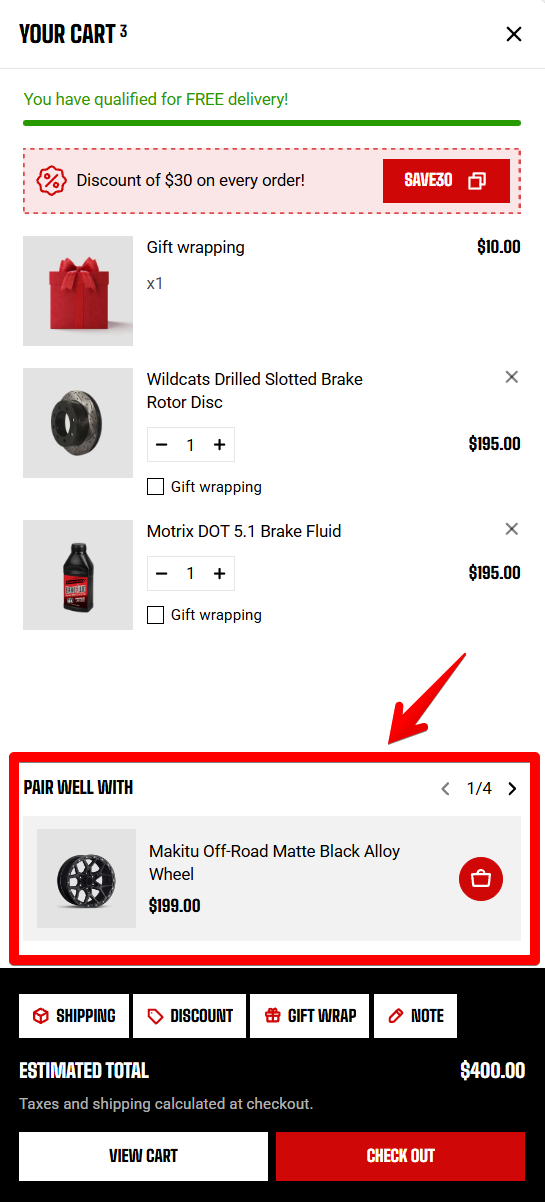
| **Color scheme** | Choose a color for the area **at the bottom** of the drawer that contains the cart total, add-on options, and checkout button. | Choose a color scheme |
| **Tabs color scheme** | Choose the color scheme for **panels opened** from the cart add-on tabs. | Choose a color scheme |
| | | |
When the selected scheme uses the same background as the drawer, the theme automatically adds a separator above the summary to keep the two areas visually distinct.
The **tab** panels can include **Shipping estimate**, **Discount code**, **Gift wrapping**, and **Order note**, depending on which features you enable in your cart settings.
Color scheme 
Tabs color scheme 
## Block settings
### Cart recommendations
Control the product recommendations shown above the cart summary. These settings affect recommended products only and don't change the products already in the cart.
| Setting | Description | Options |
| ------------------------------- | ---------------------------------------------------------------------------------------------------------------------- | ----------------------------------- |
| **Enable cart recommendations** | Show suggested products that pair with items in the cart. | On / Off |
| **Product recommendations** | Choose up to 10 products to feature. Leave empty to use automatic recommendations based on the first item in the cart. | Select products |
| **Heading** | Add a title above the recommended products. | Enter Texxt |
| **Number of products to show** | Set how many recommended products appear. | 1–10 |
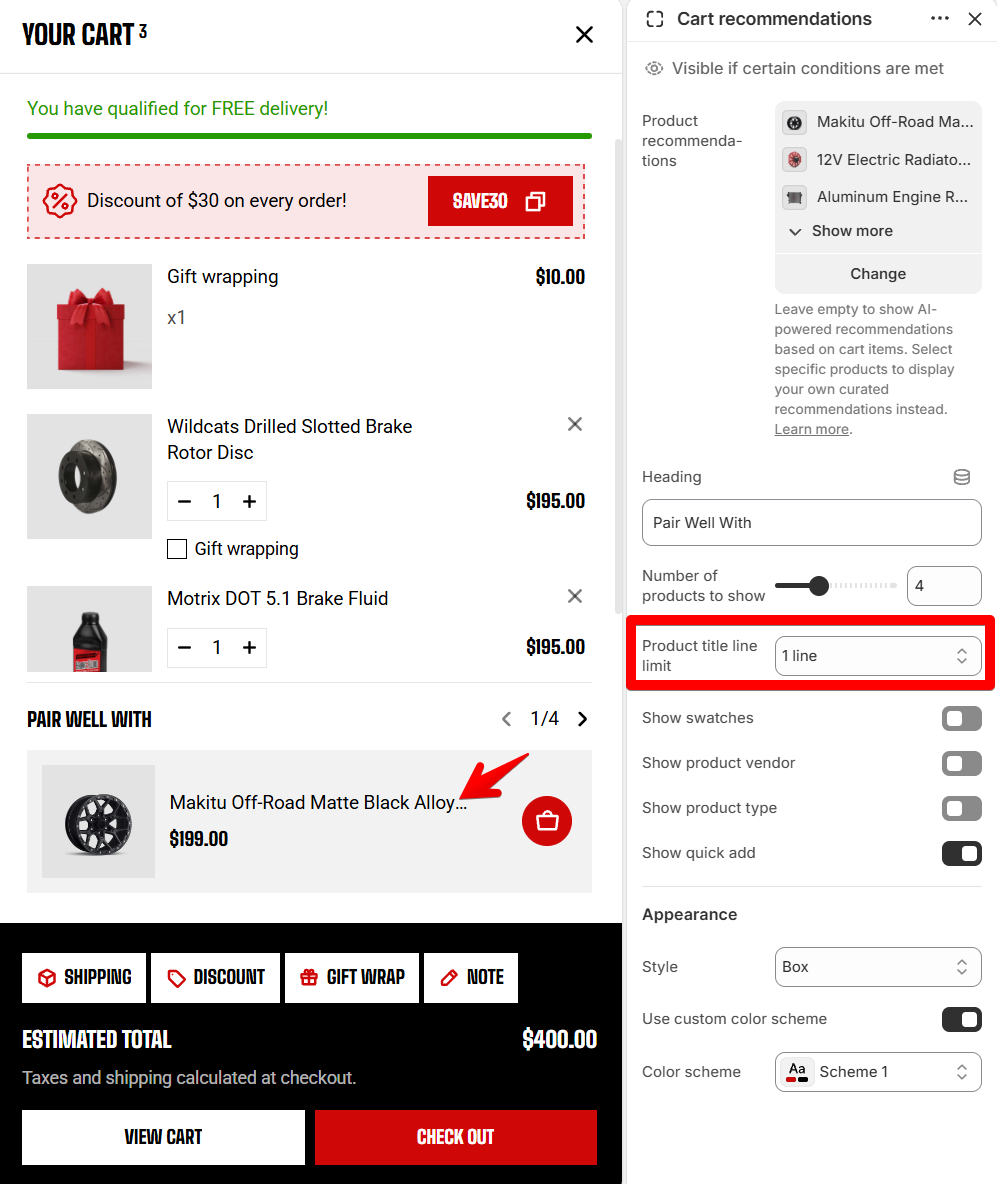
| **Product title line limit** | Limit long product titles to keep recommendation cards tidy. | No limit / 1 line/ 2 lines/ 3 lines |
| **Show swatches** | Display color swatches on recommendation cards. | On / Off |
| **Show product vendor** | Display the product's brand or vendor name. | On / Off |
| **Show product type** | Display the product type on recommendation cards. | On / Off |
| **Show quick add** | Add a button that lets customers add a recommended product without leaving the cart drawer. | On / Off |
Cart recommendations
**Turn this on** to create an additional cross-selling opportunity before checkout.
For more information on how Shopify generates automated product recommendations, refer to [Shopify Help Center](https://help.shopify.com/en/manual/online-store/storefront-search/search-and-discovery-recommendations).
Product title line limit
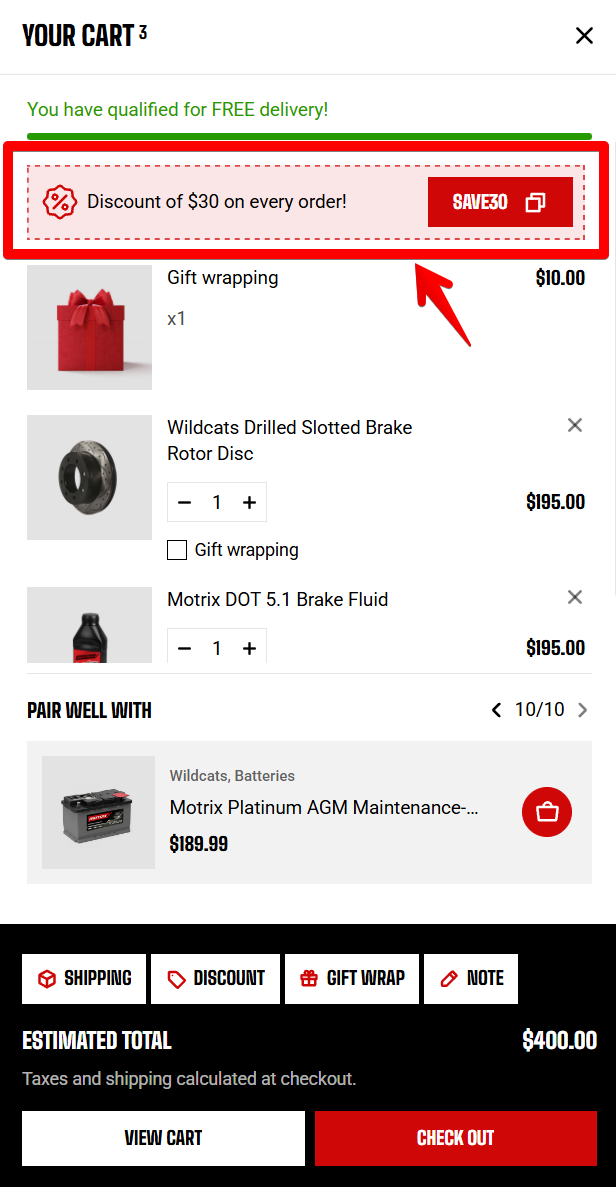
### Cart discount banner
Create your discount code before adding it to this block.
The **Discount code** setting displays only an existing discount code in your store. Create a code in **Shopify Admin > Discounts** or with a [third-party app from the Shopify App Store](https://apps.shopify.com/categories/marketing-and-conversion-promotions-discounts/all). Learn more: [Shopify discounts](https://help.shopify.com/en/manual/discounts)
| Setting | Description | Option |
| ----------------- | ------------------------------------------------ | --------------------- |
| **Discount code** | Add the discount code you want customers to use. | Enter Text |
| **Text** | Add the message shown with the discount offer. | Enter Text |
| **Button label** | Set the text shown on the discount button. | Enter Text |
| **Color scheme** | Choose the color scheme for the discount banner. | Select a color scheme |
| **Corner radius** | Round the corners of the discount banner. | 0px - 32px |
Cart discount banner
## Related cart features
The cart drawer automatically displays the cart features you enable in **Theme settings >** [**Cart**](https://docs.foxecom.com/motrix-theme/theme-settings/cart).
These can include:
* **Free shipping progress bar**
* **Gift wrapping**
* **Discount code**
* **Order note**
* **Empty-cart product recommendations**
Configure these features in the [cart settings](https://docs.foxecom.com/motrix-theme/theme-settings/cart) rather than in the Cart drawer section.