---
description: A guide to migrate data from Minimog old version to Minimog 3.4.0 and above
---
# Migrate data in the Section groups supported version
{% hint style="info" %}
✨ The **Section groups** feature **is supported in Minimog theme** **version 3.4.0 and above**. ✨\
View [Changelog](https://help.foxecom.com/changelog/minimog).
{% endhint %}
Section groups give merchants the flexibility to add, remove, and reorder sections in the theme layout without making changes to the theme code. To learn more about this feature, see [this article](does-minimog-support-section-groups).
If your current Minimog version is 3.3.0 or older, follow the quick steps below to migrate data of the Section groups feature after [updating the theme](../../getting-started/update-minimog-theme) to the latest version.
There are four sections that need to be migrated, namely:
* Announcement bar;
* Header;
* Footer;
* and Mobile sticky bar.
If you don't use the Announcement bar in your current theme, there is no need for you to migrate the data of this section.
{% hint style="success" %}
Steps:
1. In your Shopify admin, locate your updated version, and go to **Actions** > **Edit code**.
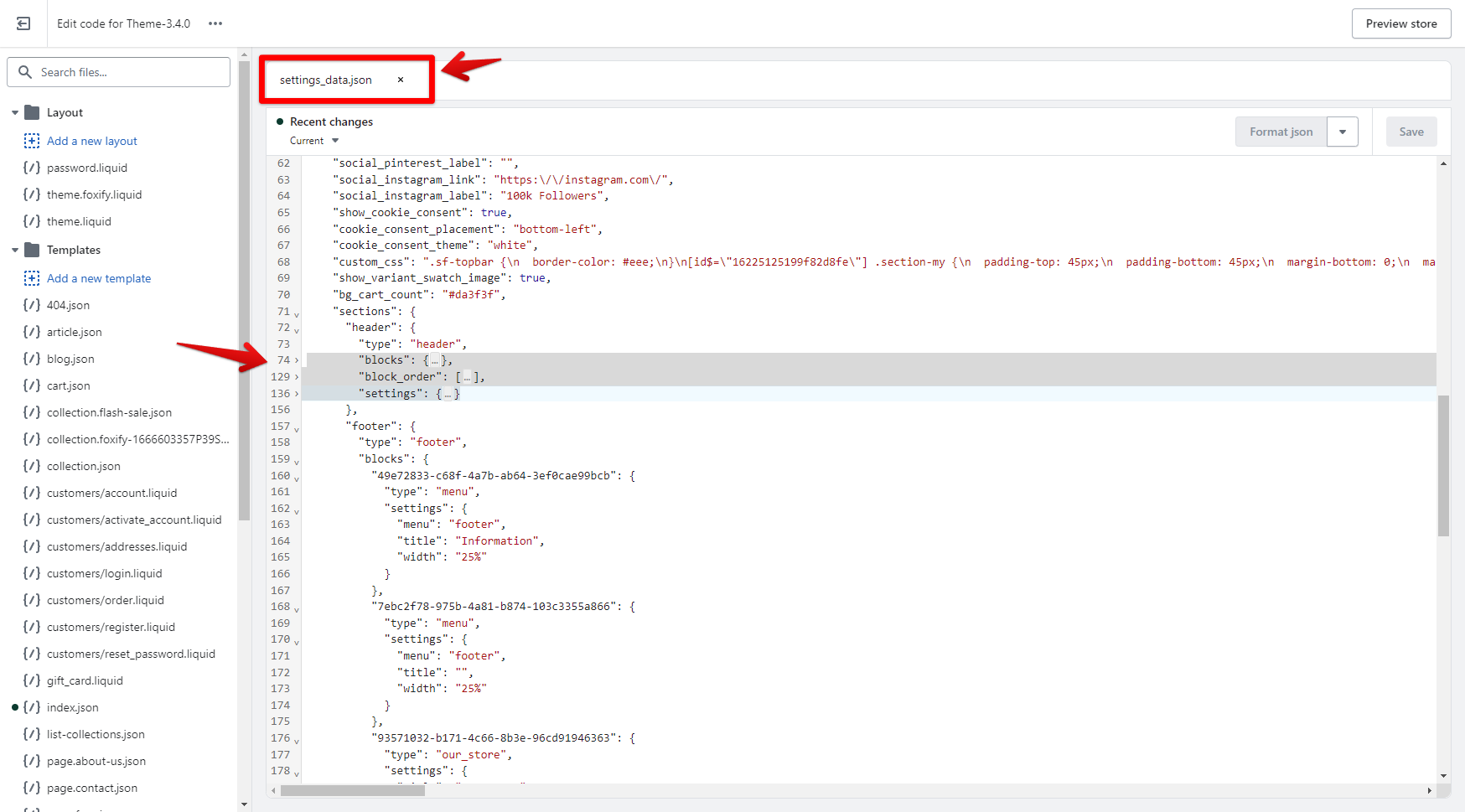
2. Access the file **settings\_data.json.**
3. In the old version, locate and copy the code of each section, then move it to the relevant files of section groups of the updated version
1. **header-group.json** (for the announcement bar and header section); or
2. **footer-group.json** (for the footer and mobile sticky bar section).
4. Click **Save**.
{% endhint %}
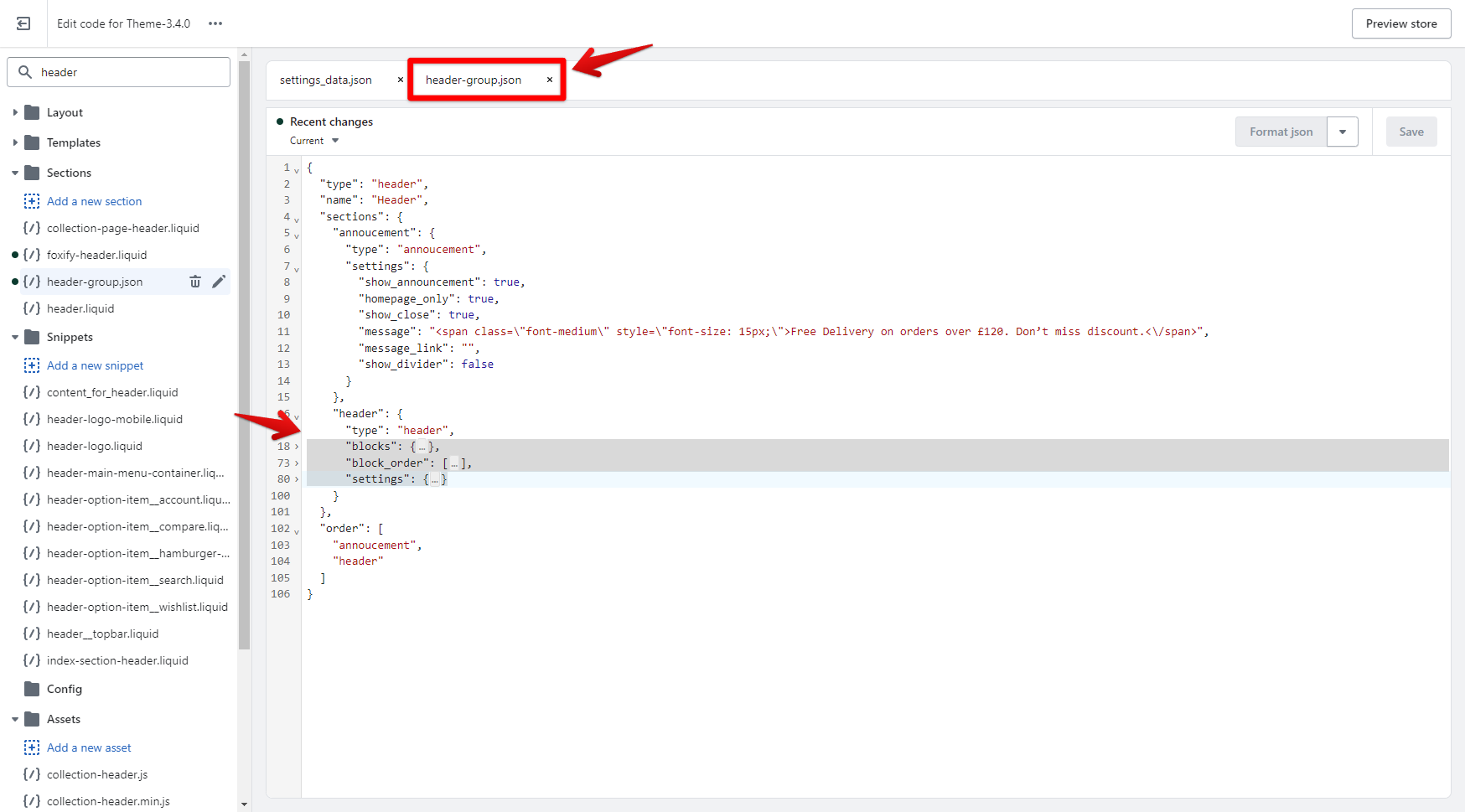
**For example**: Copy the entire code of the Header (below the code line `"type": "header",`).
Then, go to **header-group.json,** replace the current content of that section (below the line`"type": "header",` - around line 17) with the copied content.
Do the same with other sections.
* Announcement bar: find `"type": "annoucement",`
* Footer: find `"type": "footer",`
* and Mobile sticky bar: find `"type": "mobile-sticky-bar",`

.gif?alt=media&token=d24ccacb-d2b6-4dc0-8b65-aa4afee7331b)
.gif?alt=media&token=a10ee53c-4225-4cba-8dc4-8b84e12578b9)