# How to get API key
The FoxKit API key allows other applications to securely integrate with your store data.
## What is the API key used for?
The API key enables external apps to authenticate and communicate with **FoxKit**. Common use cases include:
* Custom integrations with internal tools
* Automation workflows
* Back-in-stock alerts with partner apps like **XFlow**, which helps automate back-in-stock alerts and recovery flows for out-of-stock products
_FWbzBePW.png)
## How to find your FoxKit API key
**Steps:**
1. From the **FoxKit dashboard**, go to **Settings** in the left sidebar.
2. Select the **General** tab.
3. Locate the **API Integration** section and copy the **Secret API Key** shown there.
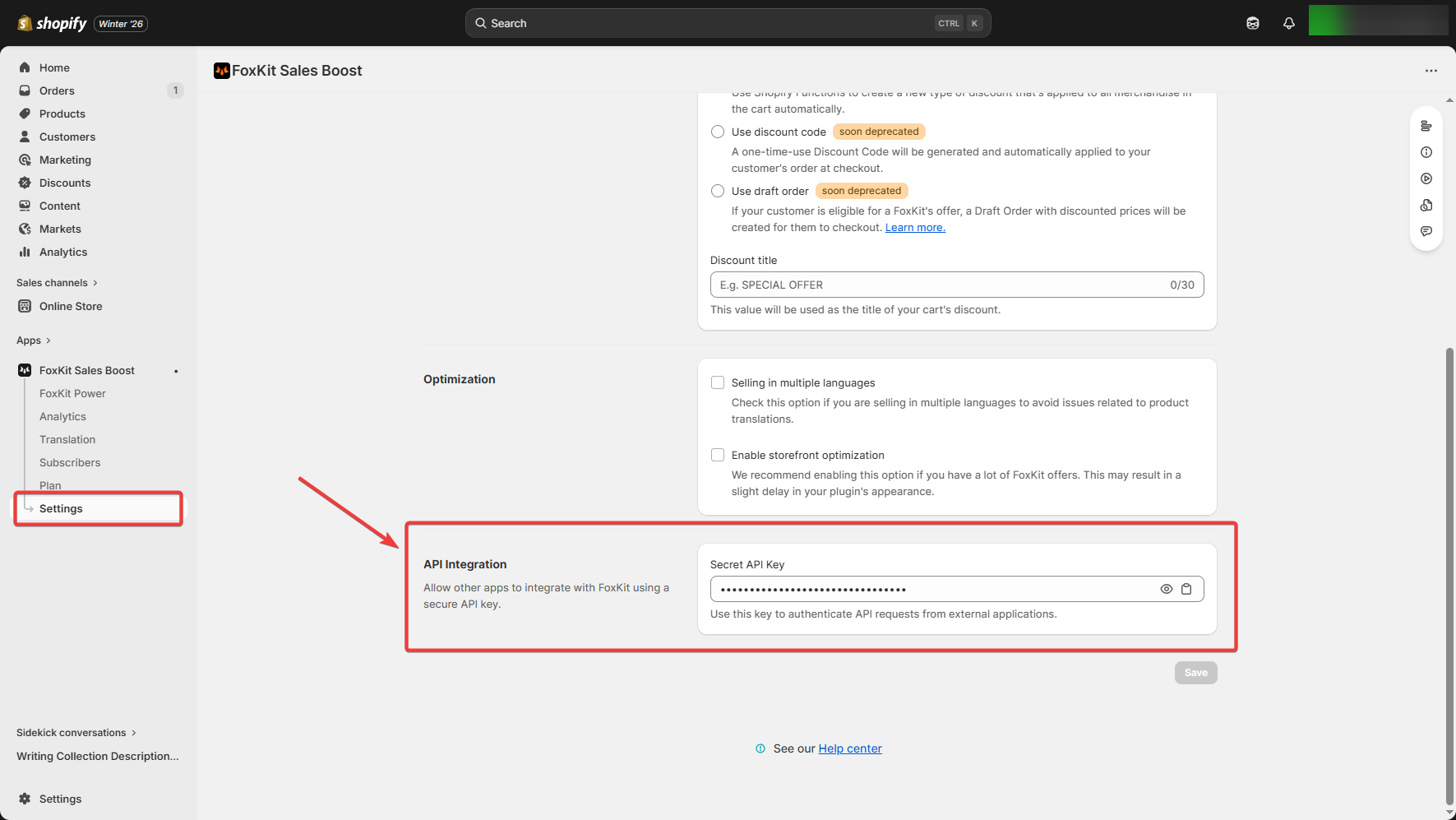
Keep this key secure. Anyone with access to it can make API requests to FoxKit app on behalf of your store.