# Collection showcase
<figure><img src="https://1749964694-files.gitbook.io/~/files/v0/b/gitbook-x-prod.appspot.com/o/spaces%2FfgpgvtRaQLc36GYyIktZ%2Fuploads%2FuoFirl2x5NoadXrTqNL6%2Fgif%20foxify.gif?alt=media&#x26;token=0eb49eaf-c25d-4f60-9502-d53f14bab7ca" alt=""><figcaption></figcaption></figure>

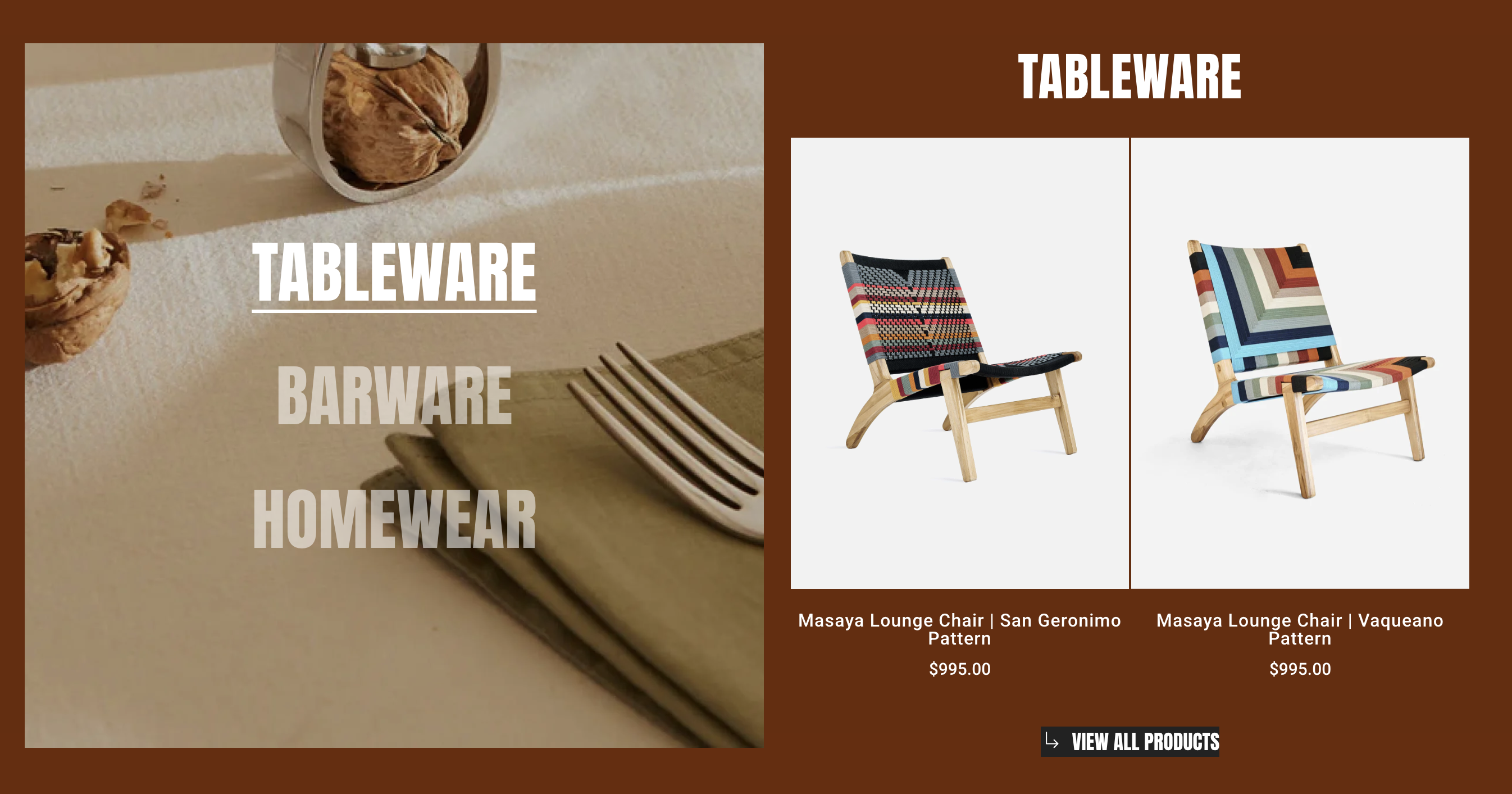
The **Collection showcase element** is designed to highlight product categories in a visually engaging split-layout format. It combines lifestyle imagery with product display to capture attention and drive conversions.

## How to add a Collection showcase element

{% hint style="success" %}
**Steps:**

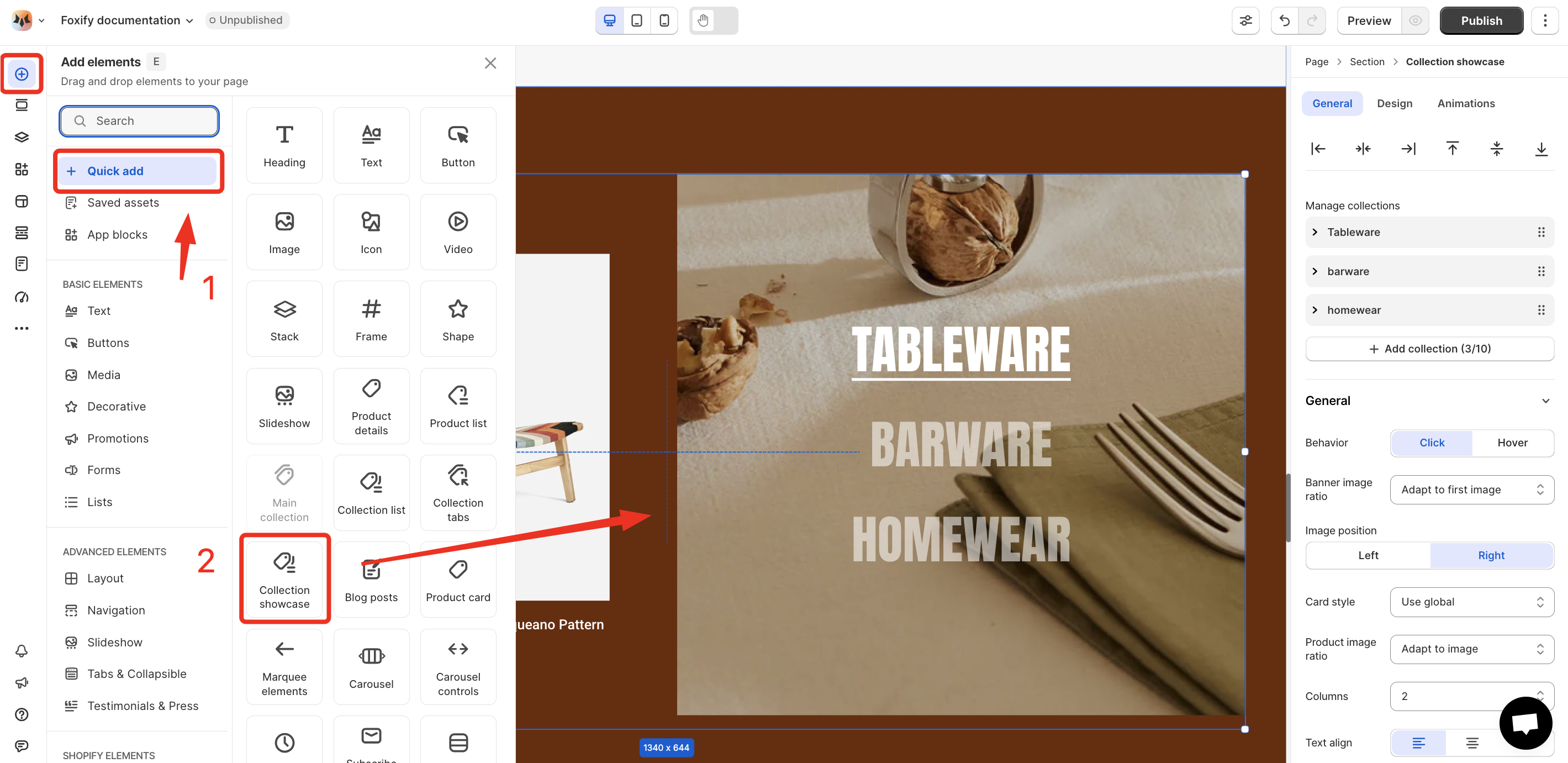
1. In the FoxStudio editor, on the left Sidebar > Click **Add elements**, or press **E**.
2. In **Quick add**, select **Collection showcase.**
3. Drag the **Collection showcase** onto your canvas.
   {% endhint %}

<figure><img src="https://1749964694-files.gitbook.io/~/files/v0/b/gitbook-x-prod.appspot.com/o/spaces%2FfgpgvtRaQLc36GYyIktZ%2Fuploads%2FWt9UtT7pJahF41aKk9PX%2Fimage.png?alt=media&#x26;token=ceeaa0bc-2687-4491-8352-a76bd1aa43f7" alt=""><figcaption></figcaption></figure>

## How to edit Collection showcase

{% hint style="success" %}
**Steps:**

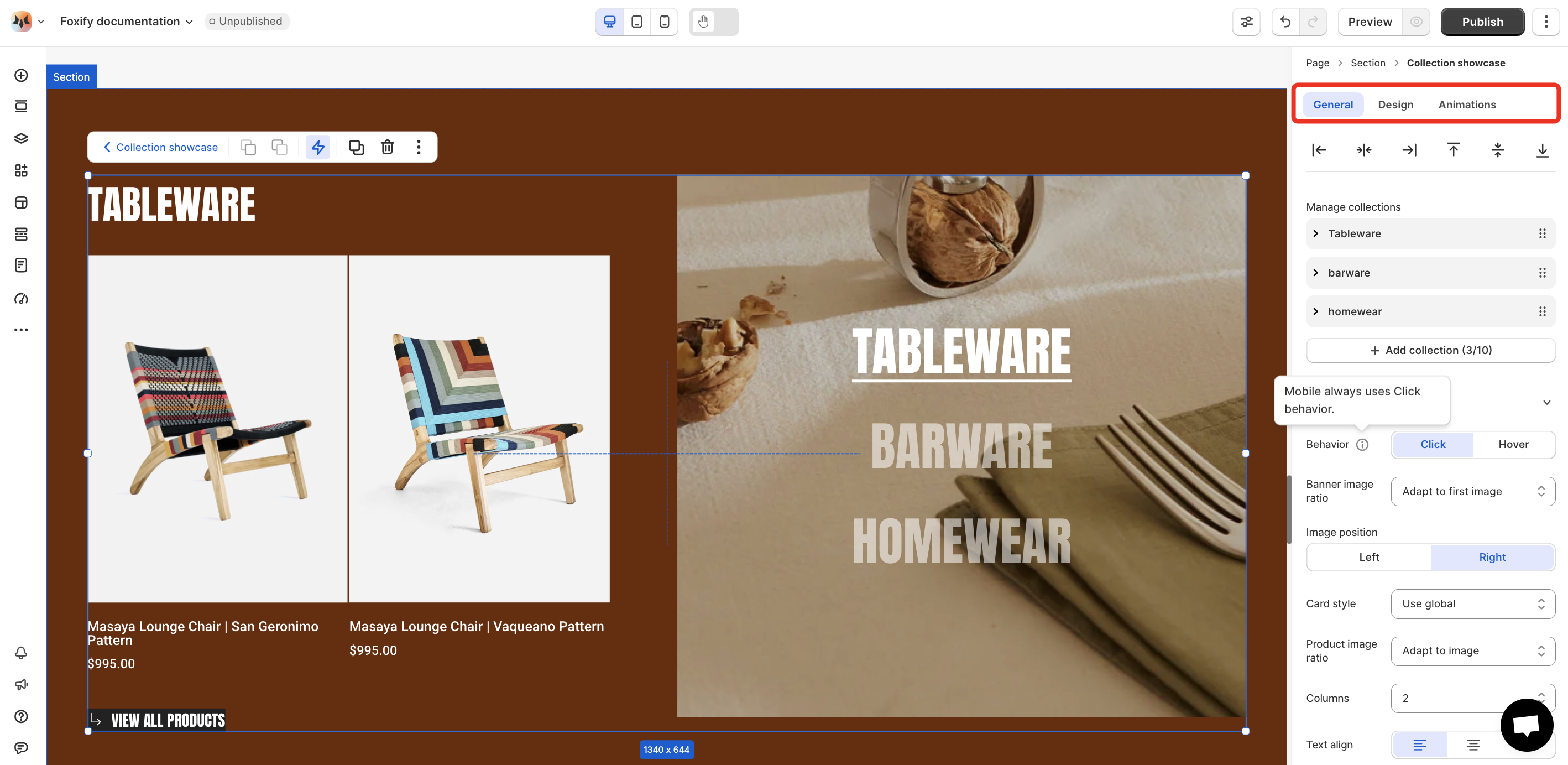
1. **Select** the relevant Collection showcase element in the editor.
2. Use the tools bar above the selected Collection showcase element to quickly edit it.

All the formatting tools below can be found in the right-hand sided **Inspector** panel.
{% endhint %}

<figure><img src="https://1749964694-files.gitbook.io/~/files/v0/b/gitbook-x-prod.appspot.com/o/spaces%2FfgpgvtRaQLc36GYyIktZ%2Fuploads%2FTiucmtyq37gjy5IeMWKU%2Fimage.png?alt=media&#x26;token=572166ac-5e02-4069-aa8c-2763782cb19e" alt=""><figcaption></figcaption></figure>

### General settings

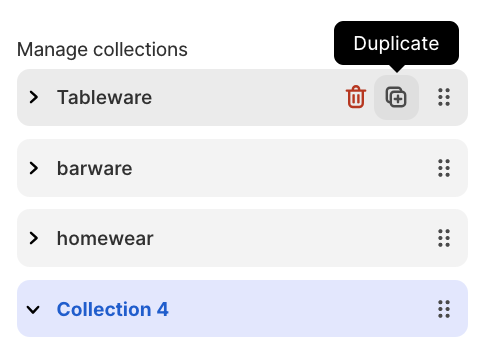
**Manage collections:**

* **Add collections** to add a new collection. You can add up to 10 collections within the Collection tabs element.&#x20;
* You can also **remove/duplicate/reorder a collection** within the collection tabs.
<figure><img src="https://1749964694-files.gitbook.io/~/files/v0/b/gitbook-x-prod.appspot.com/o/spaces%2FfgpgvtRaQLc36GYyIktZ%2Fuploads%2FpC73HEsUSzXwacivo3Kn%2Fimage.png?alt=media&#x26;token=85cf49c7-2434-43a4-8979-d222591ff25f" alt=""><figcaption></figcaption></figure>

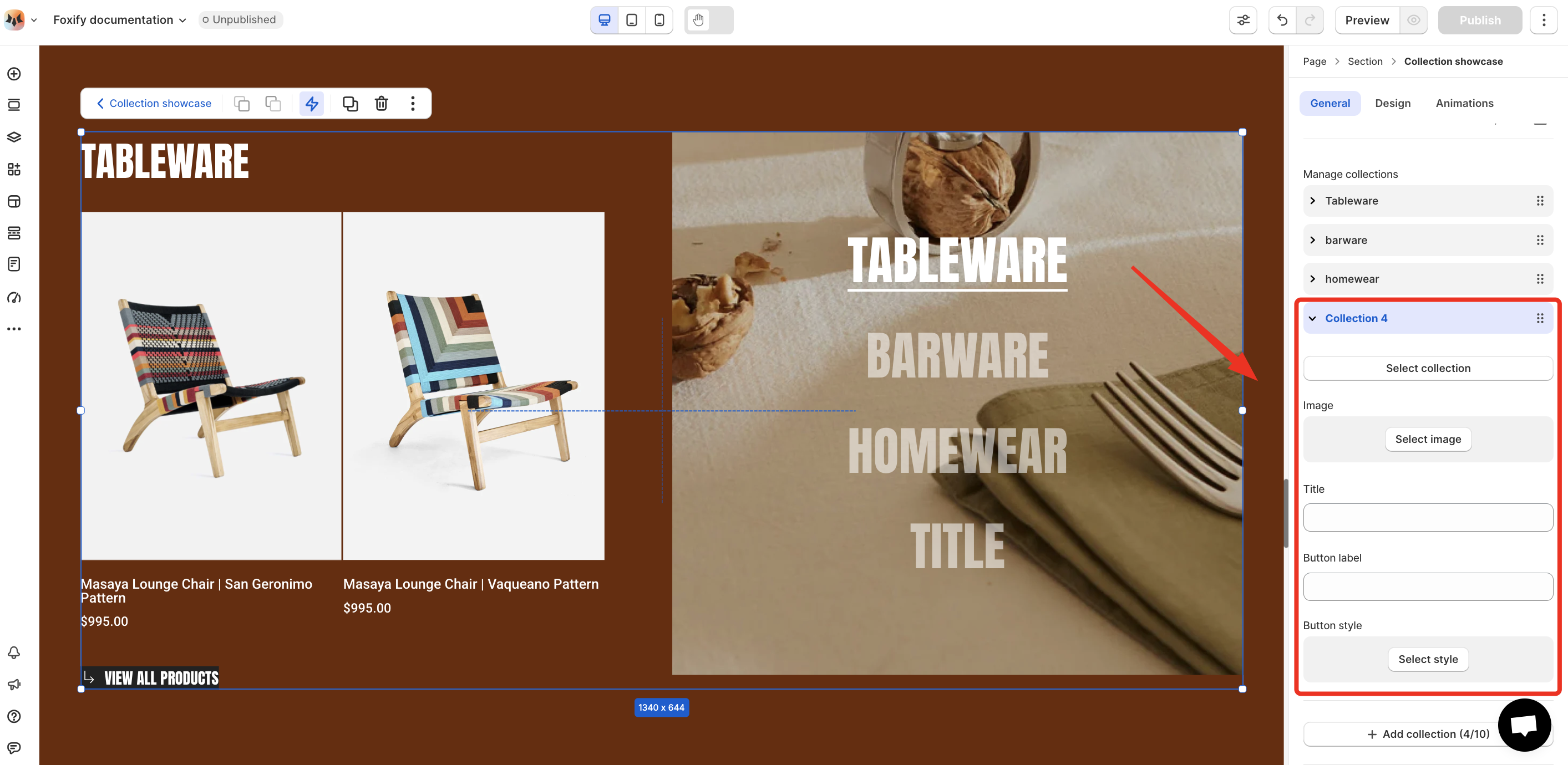
**Customize your collections:**

* **Select collection:** Choose a collection that you want to display.
* **Image:** Upload or select an image to visually represent the collection.
* **Title:** Set a custom name for the tab.
* **Button label:** Define the call-to-action text for the button
* **Button style:** Apply a style to the button for visual consistency with your page design.
<figure><img src="https://1749964694-files.gitbook.io/~/files/v0/b/gitbook-x-prod.appspot.com/o/spaces%2FfgpgvtRaQLc36GYyIktZ%2Fuploads%2FUsNYV1M12P2Lad0ONfe5%2Fimage.png?alt=media&#x26;token=75b0b1ba-86c7-4d1f-aea9-74ce82eb8d6d" alt=""><figcaption></figcaption></figure>

**General:**

<figure><img src="https://1749964694-files.gitbook.io/~/files/v0/b/gitbook-x-prod.appspot.com/o/spaces%2FfgpgvtRaQLc36GYyIktZ%2Fuploads%2FWxlFRcrA7qGpE4rIC7Su%2Fimage.png?alt=media&#x26;token=c8af96eb-1825-42cf-ab7e-215234a87c7b" alt=""><figcaption></figcaption></figure>

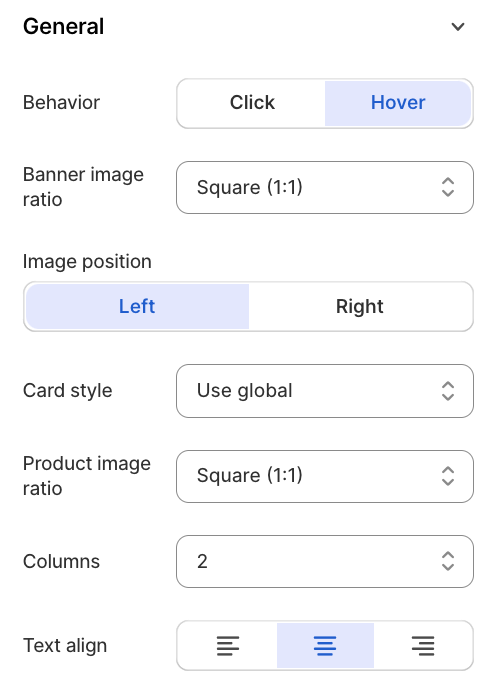
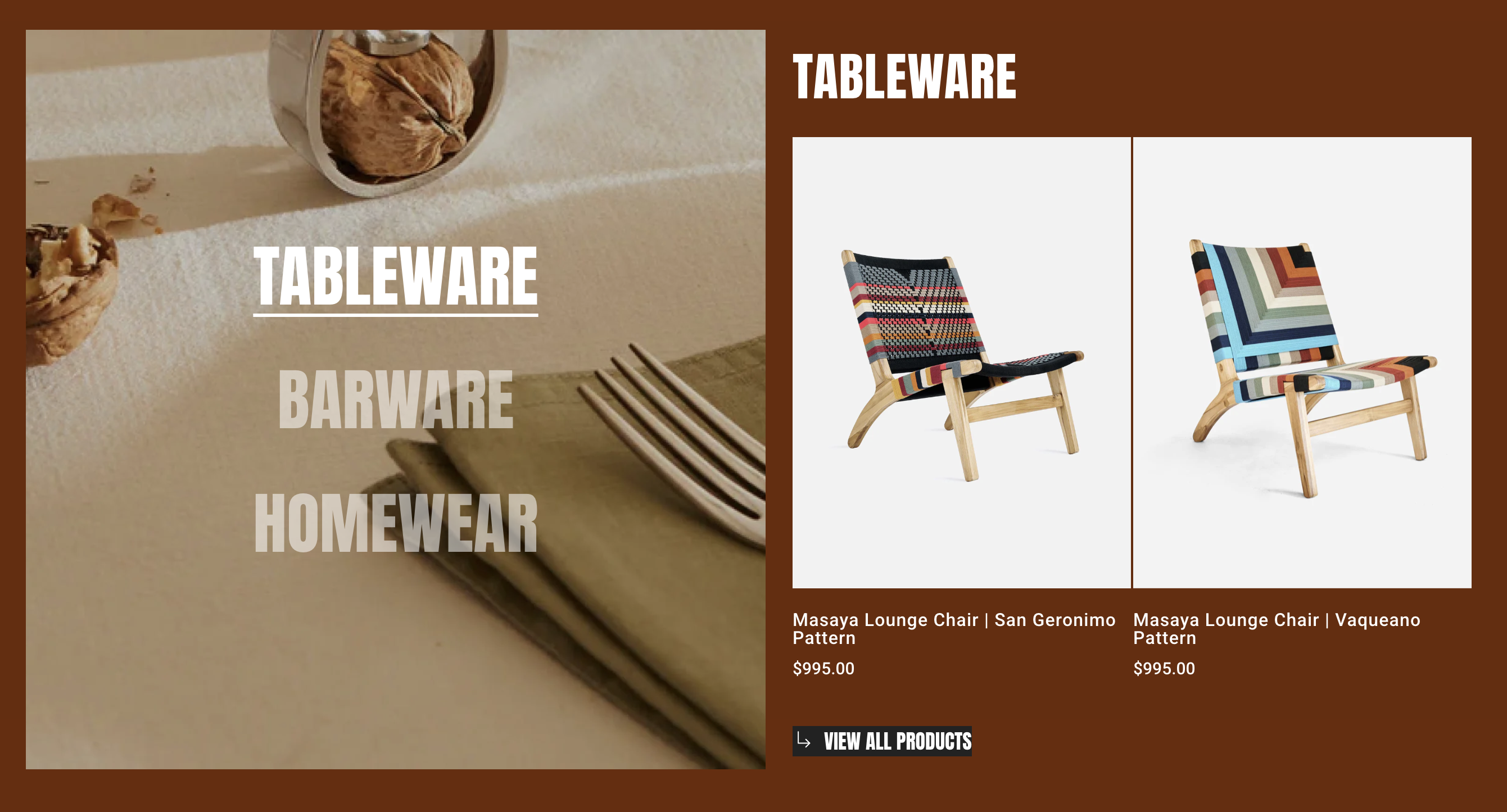
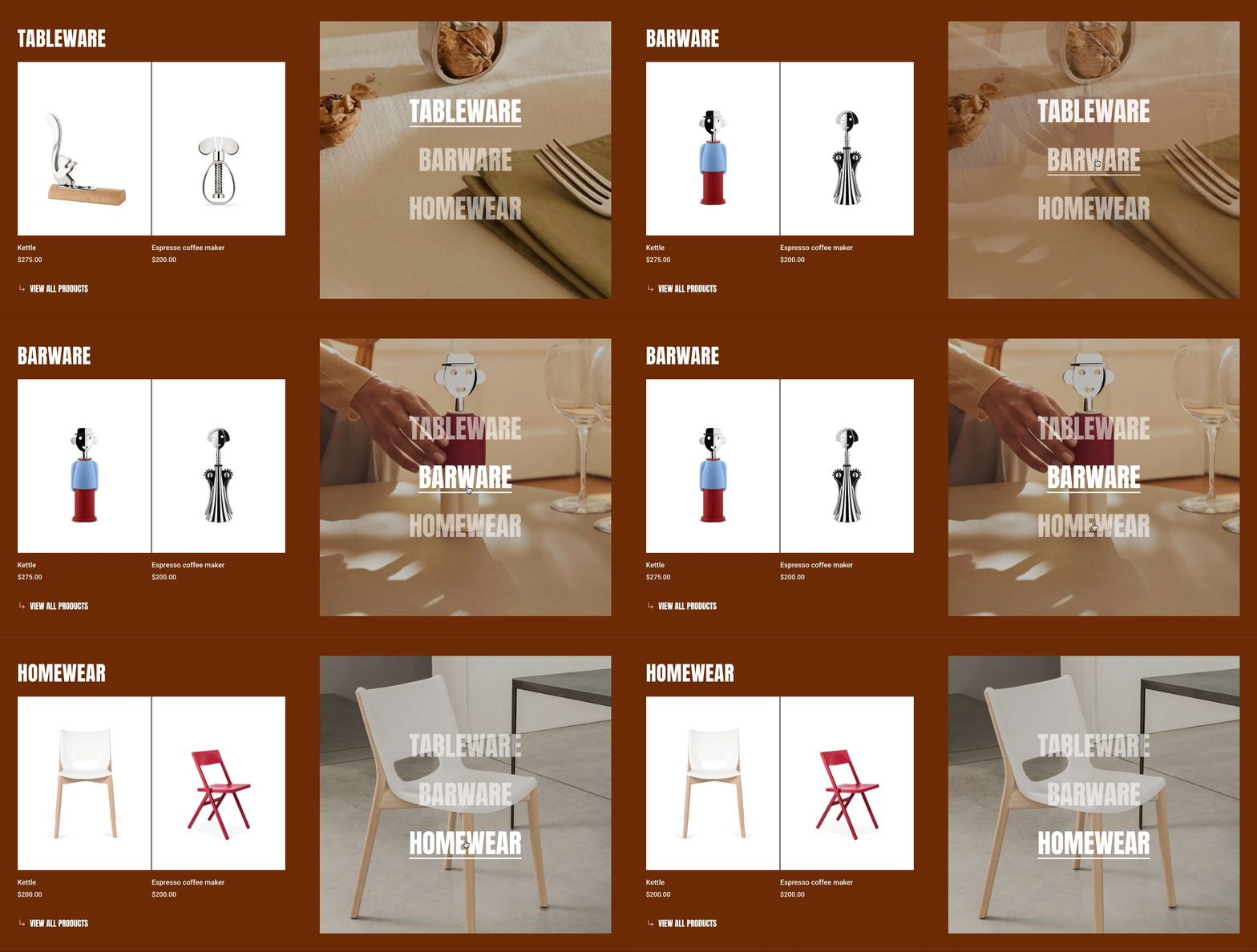
* **Behavior:** Choose how users switch between tabs (Click/Hover)
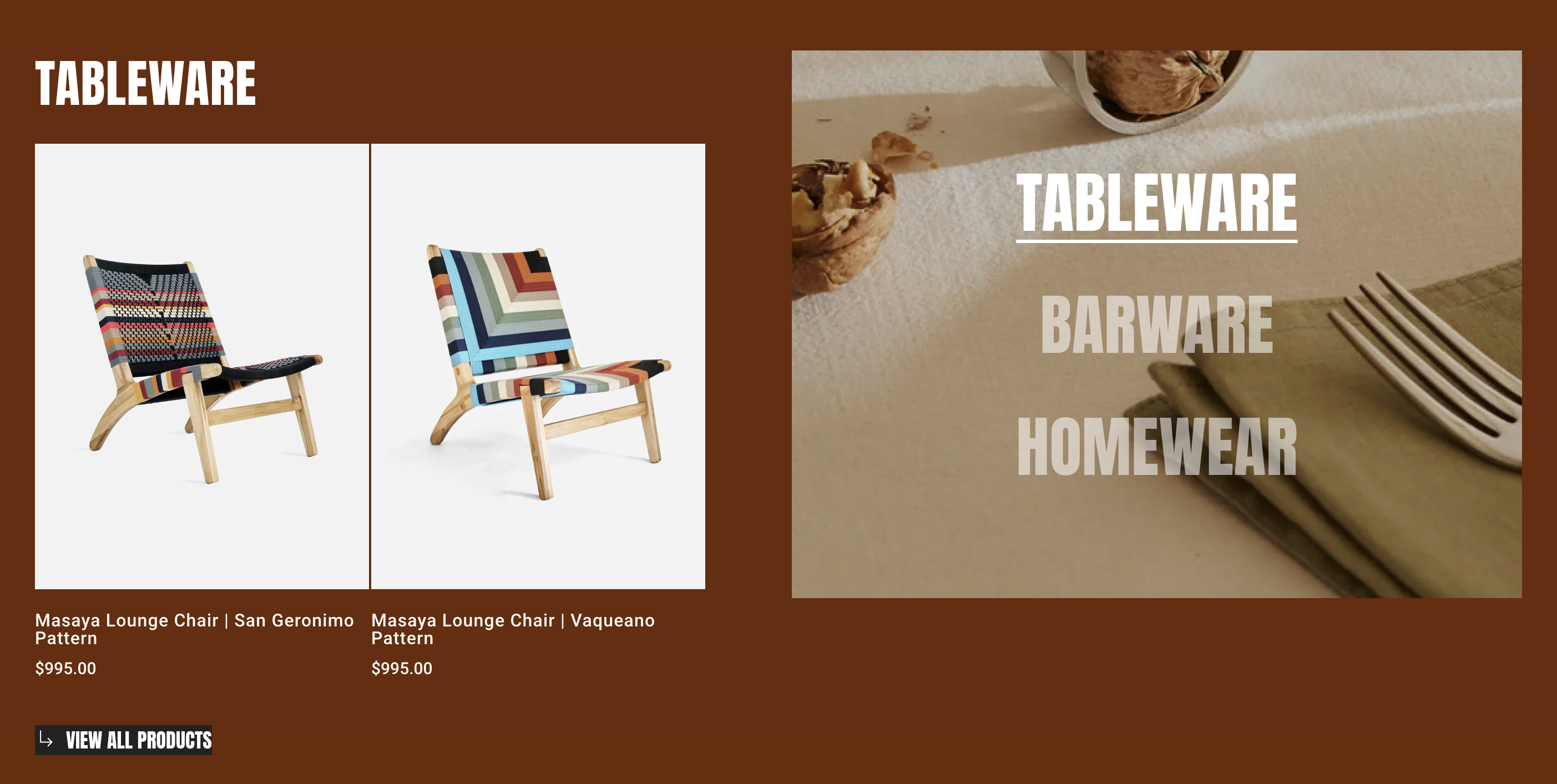
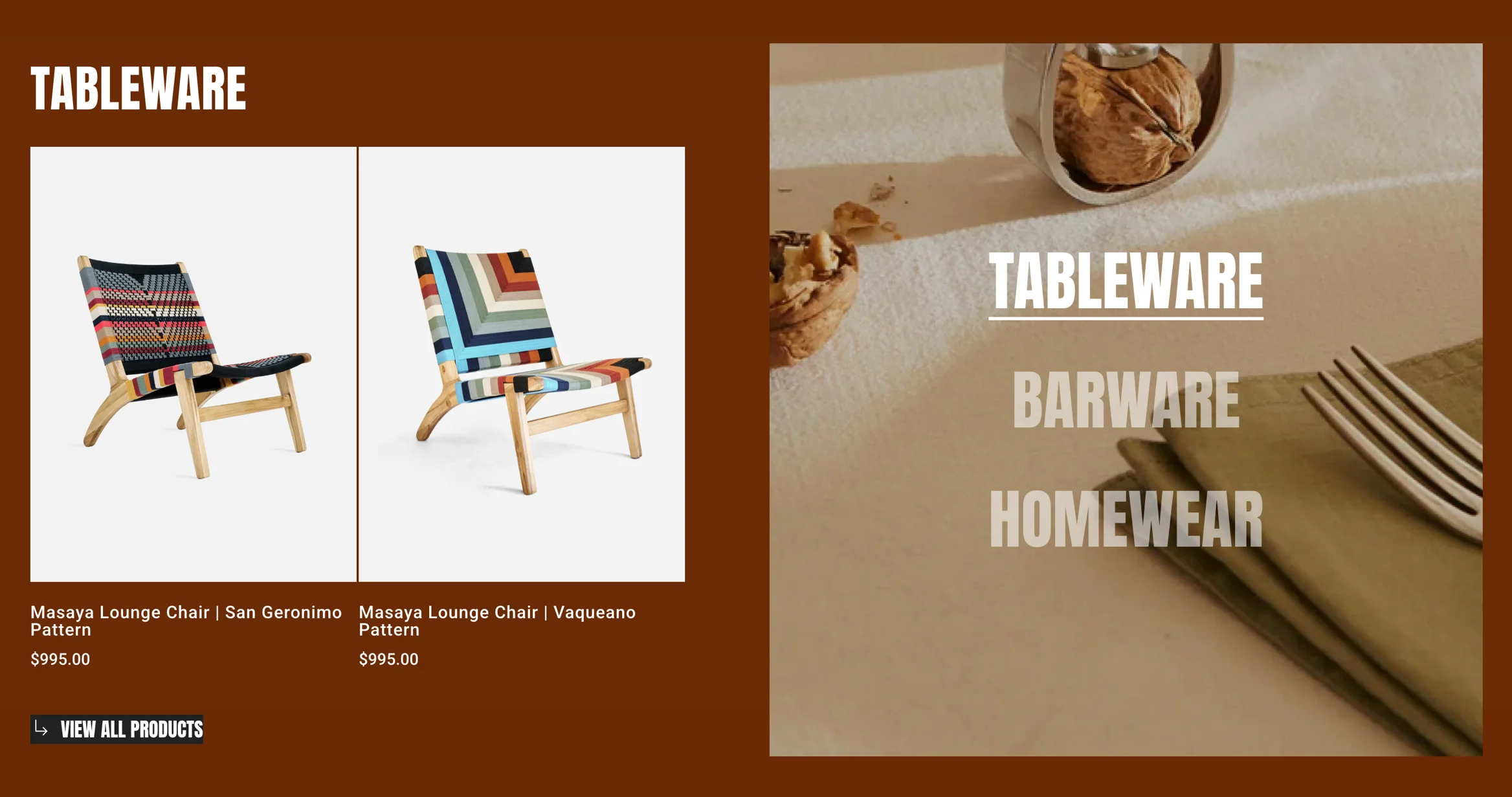
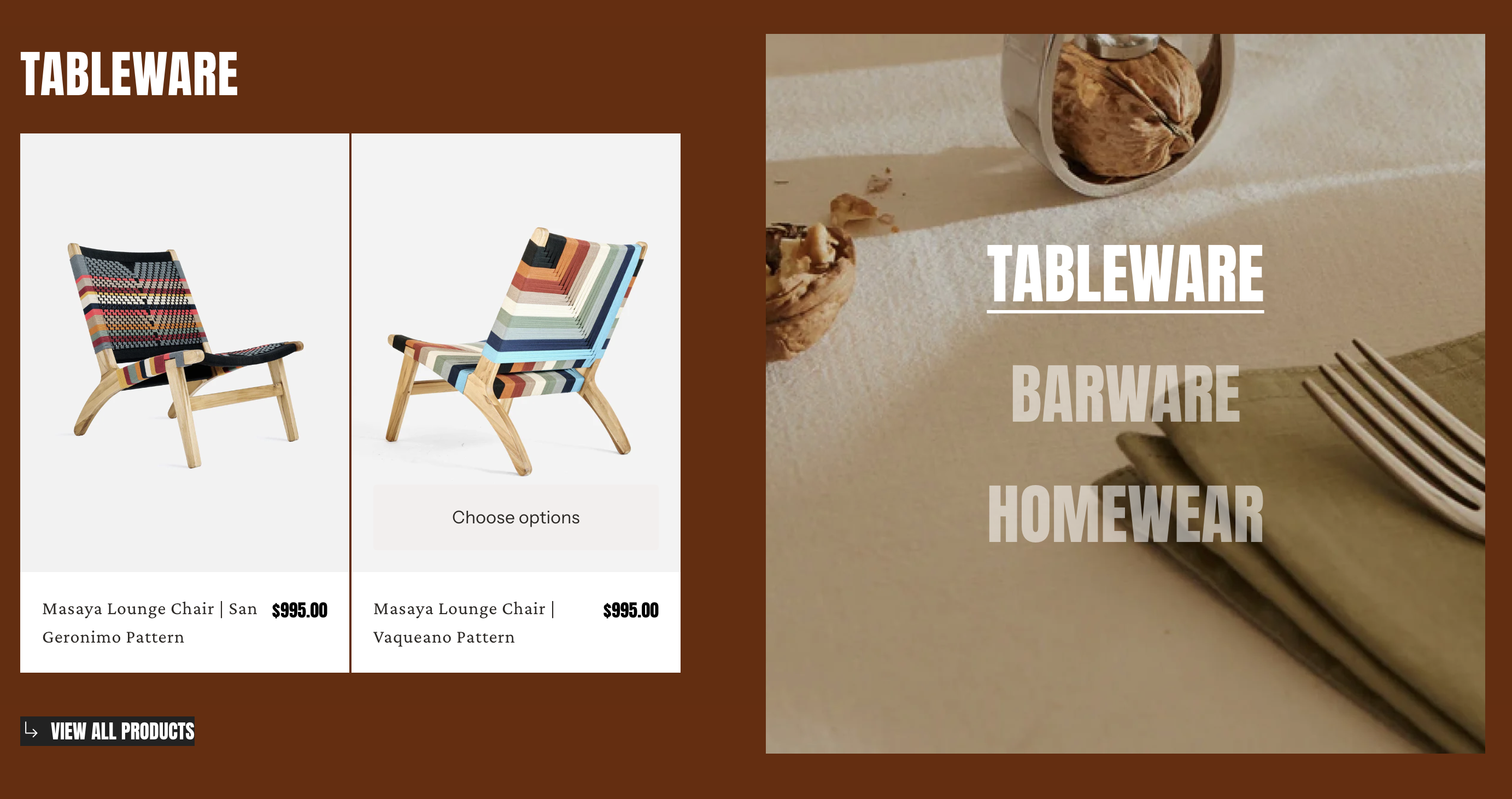
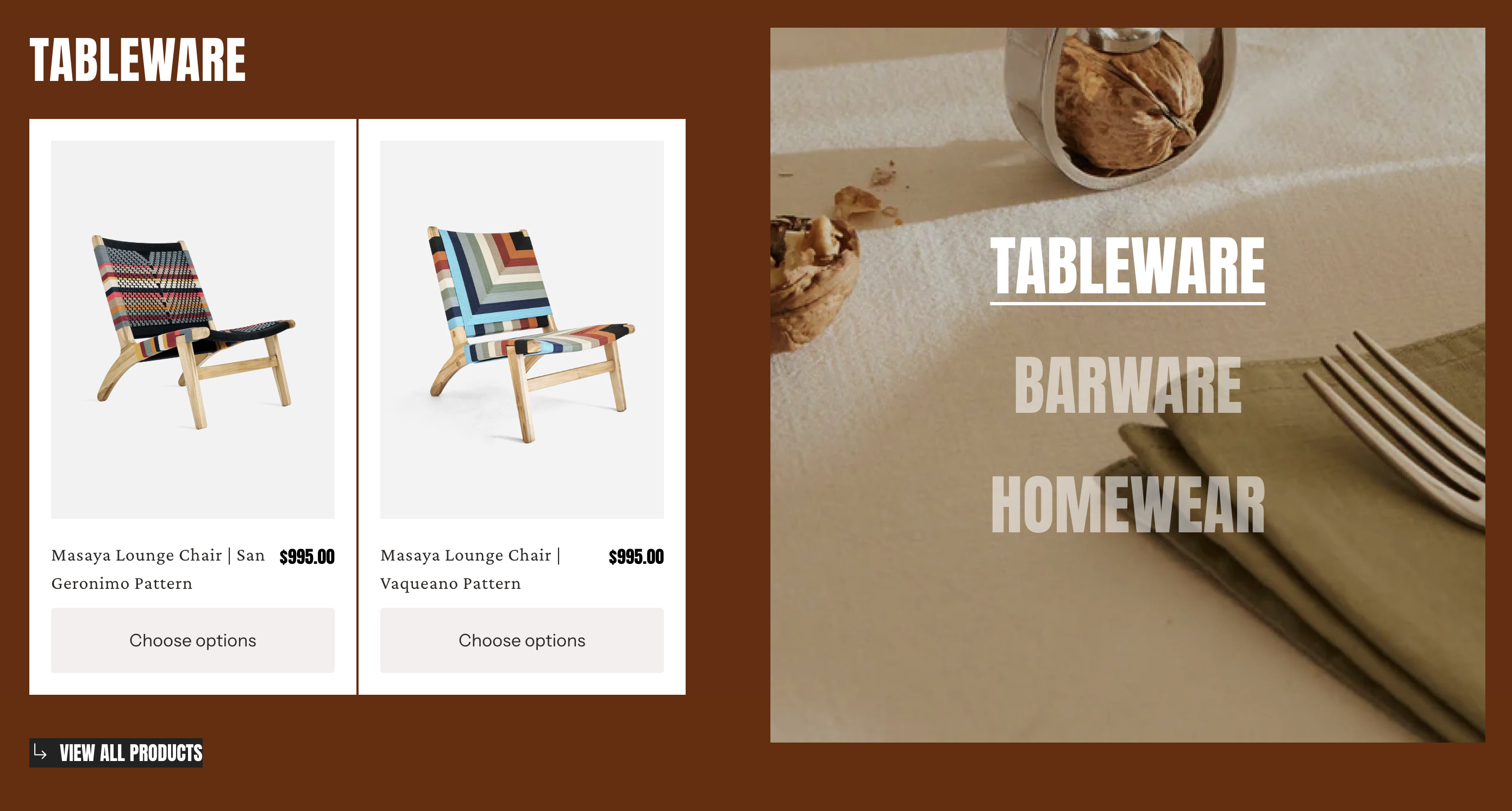
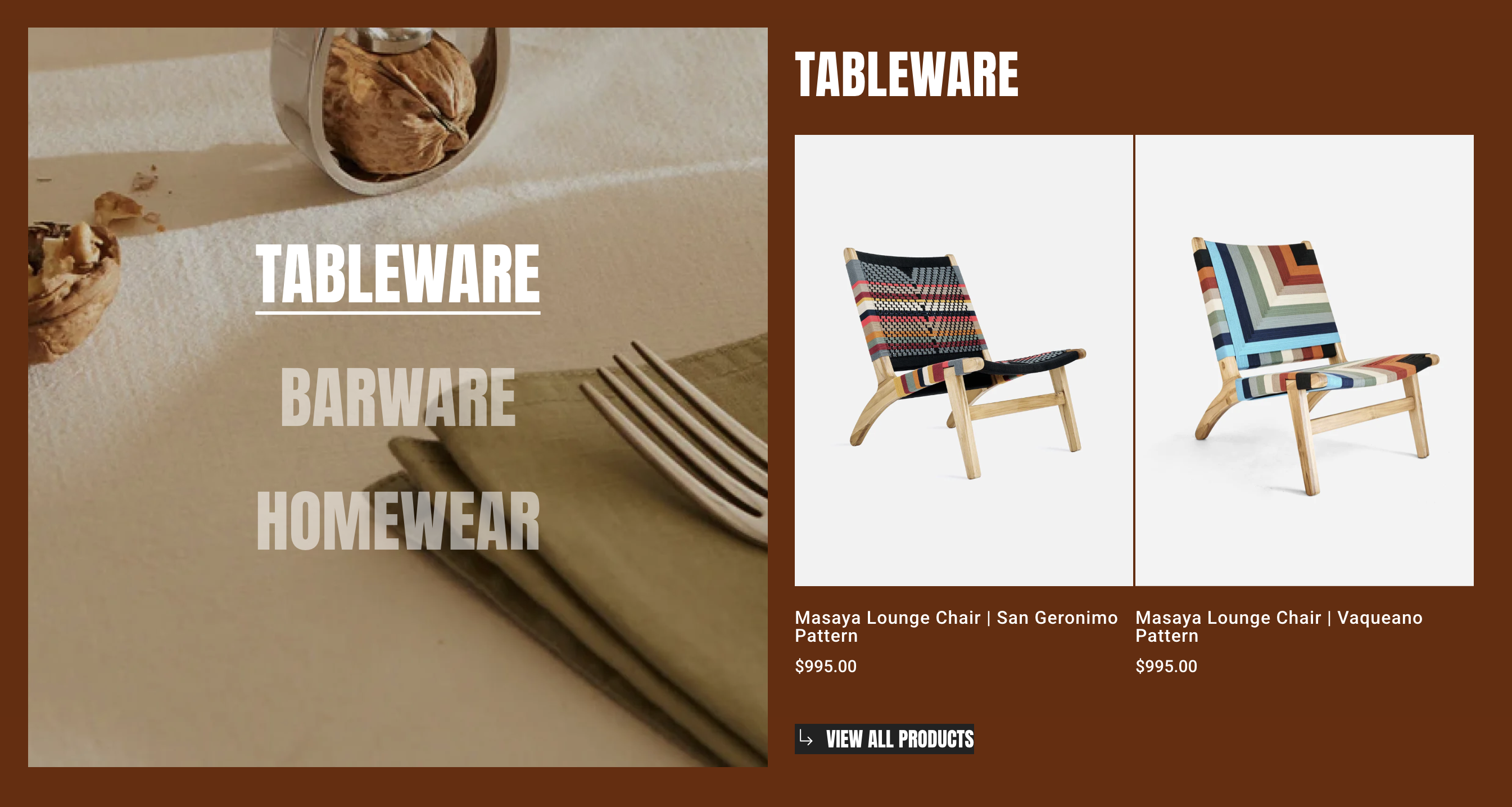
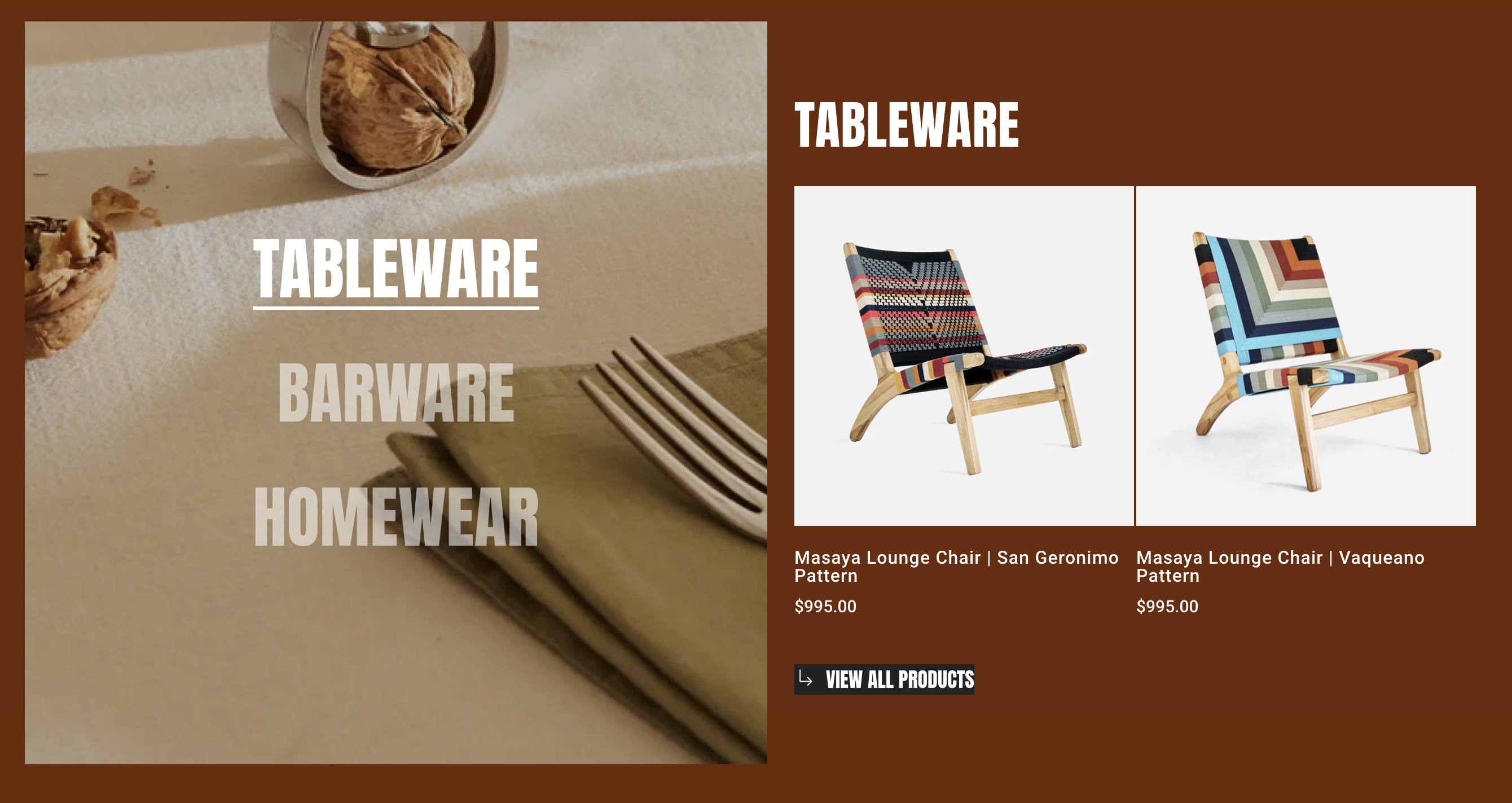
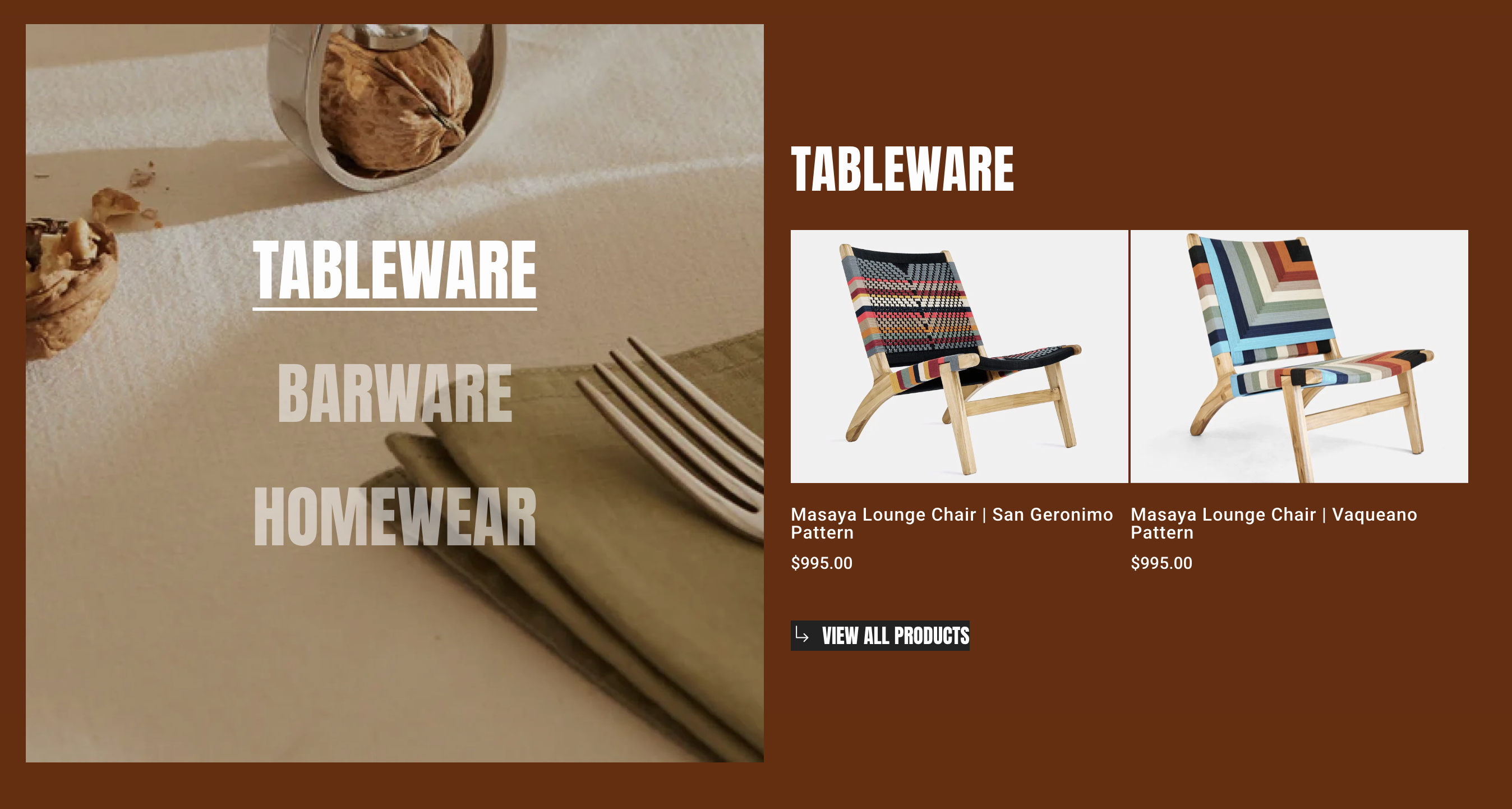
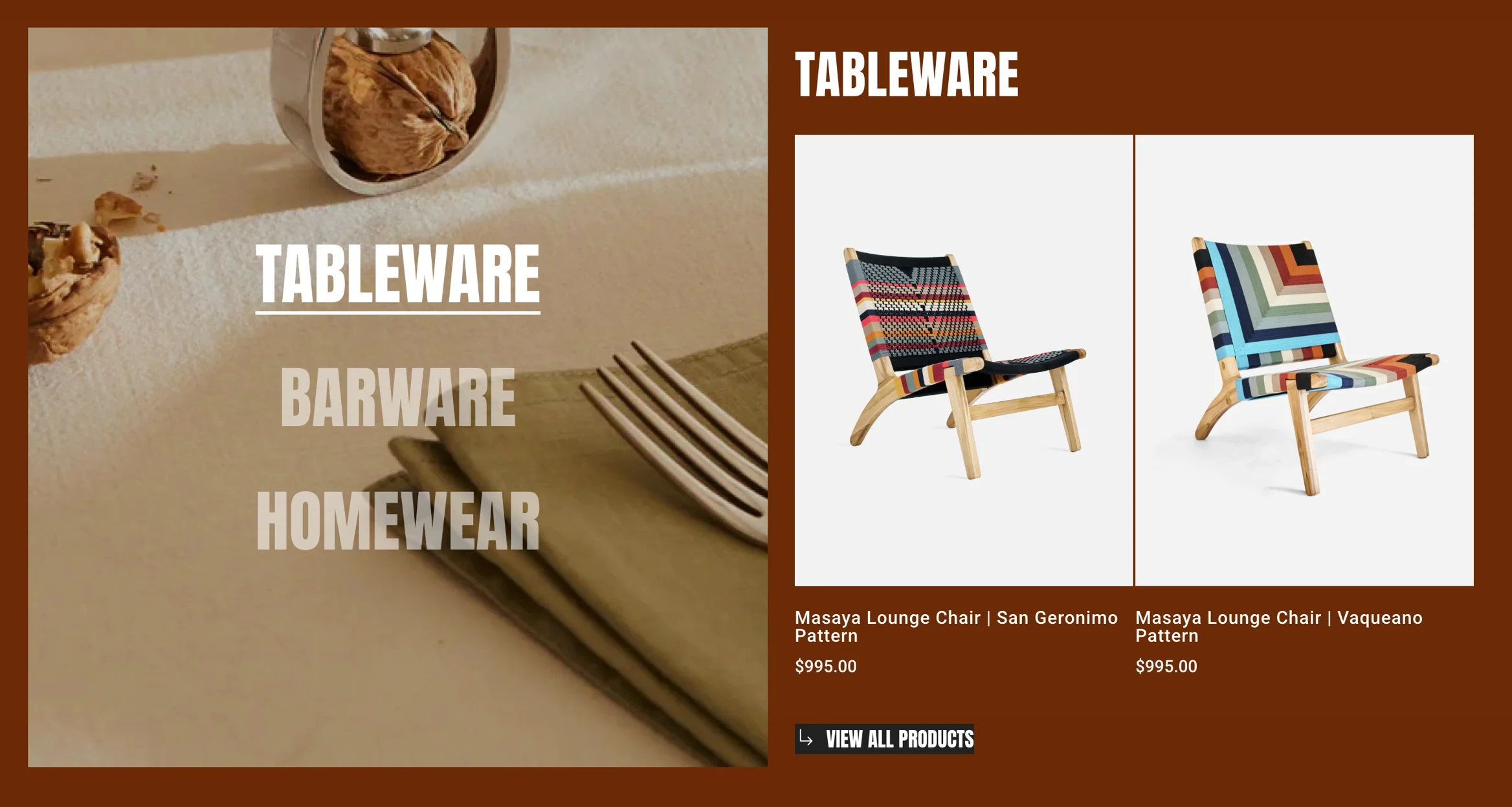
* **Banner image ratio:** Control how banner images are displayed.
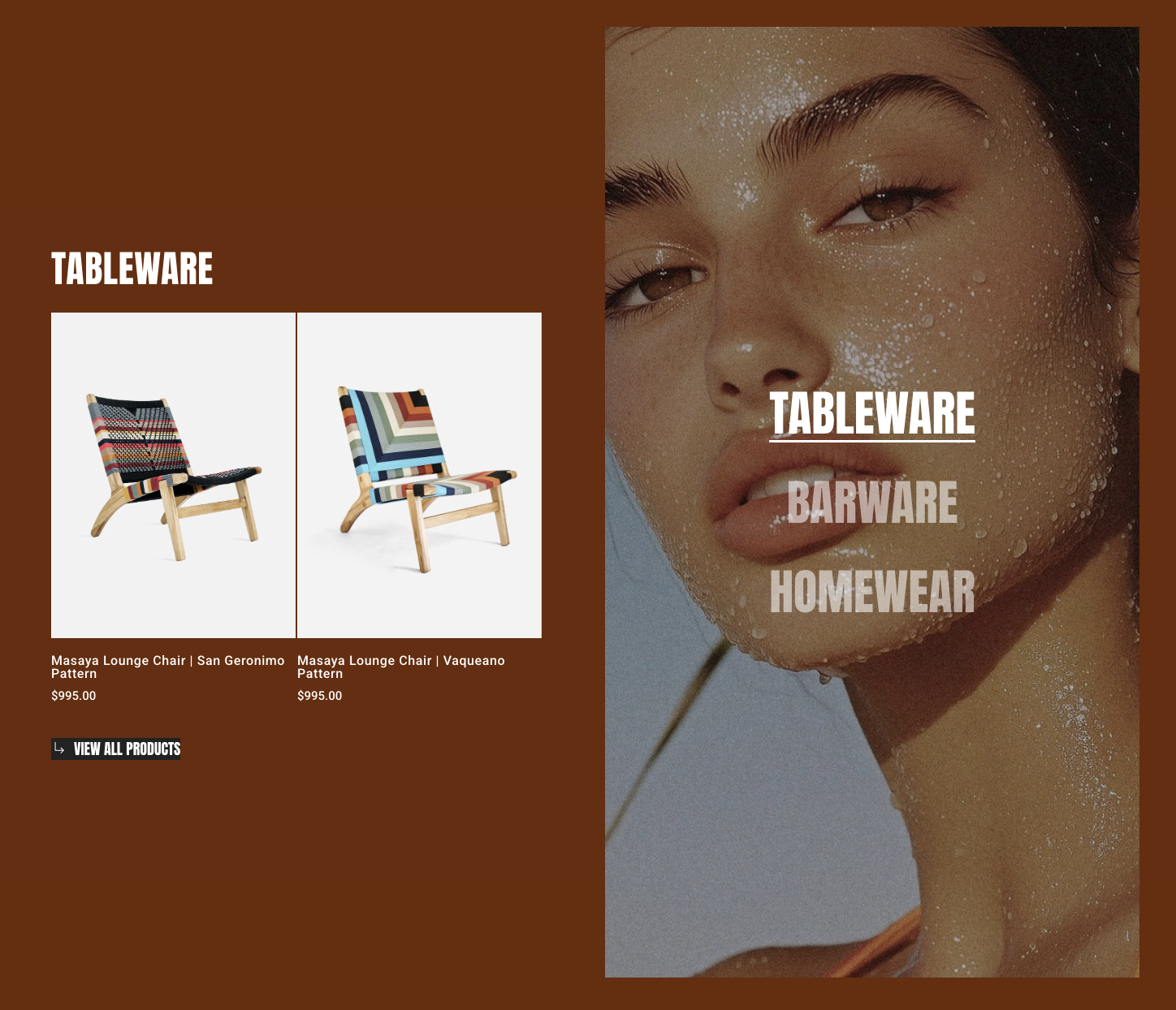
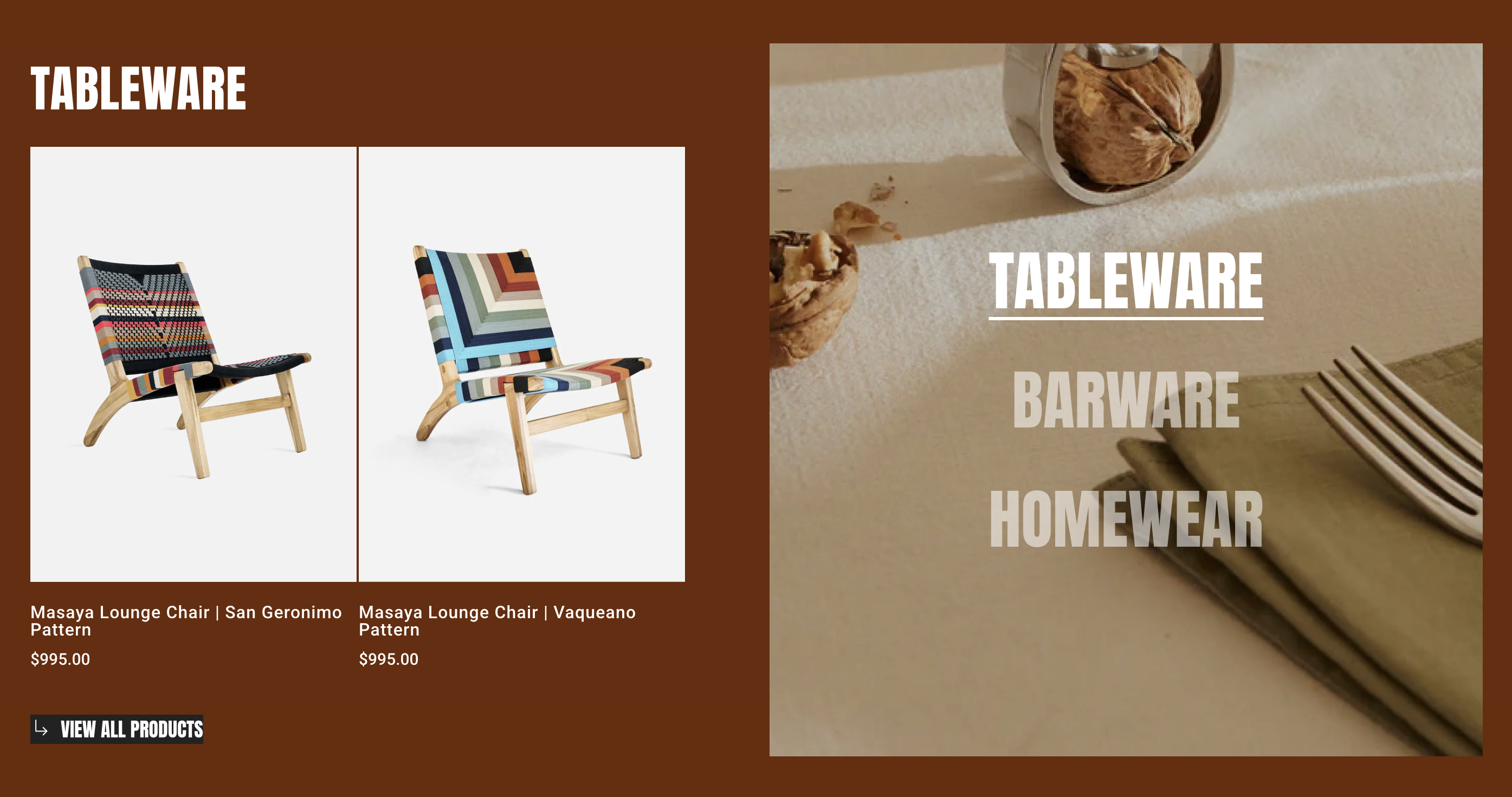
{% tabs %}
{% tab title="Adapt to first image" %}

<figure><img src="https://1749964694-files.gitbook.io/~/files/v0/b/gitbook-x-prod.appspot.com/o/spaces%2FfgpgvtRaQLc36GYyIktZ%2Fuploads%2FQcu0WUYeiTGoLRj2BiJR%2Fimage.png?alt=media&#x26;token=33073b11-40e1-49e1-a224-b8d86d31f166" alt=""><figcaption></figcaption></figure>
{% endtab %}

{% tab title="Square (1:1)" %}

<figure><img src="https://1749964694-files.gitbook.io/~/files/v0/b/gitbook-x-prod.appspot.com/o/spaces%2FfgpgvtRaQLc36GYyIktZ%2Fuploads%2FmBjFkNSfKgUu8phZYnFJ%2Fimage.png?alt=media&#x26;token=47383e5f-904a-42d8-85fc-71de23ccbe0c" alt=""><figcaption></figcaption></figure>
{% endtab %}

{% tab title="Portrait (3:4)" %}

<figure><img src="https://1749964694-files.gitbook.io/~/files/v0/b/gitbook-x-prod.appspot.com/o/spaces%2FfgpgvtRaQLc36GYyIktZ%2Fuploads%2FmDtvSFDsD2PtMcUtnc2w%2Fimage.png?alt=media&#x26;token=13d9bc4c-f3ea-4539-8244-8038ff3d2baf" alt=""><figcaption></figcaption></figure>
{% endtab %}

{% tab title="Landscape (4:3)" %}

<figure><img src="https://1749964694-files.gitbook.io/~/files/v0/b/gitbook-x-prod.appspot.com/o/spaces%2FfgpgvtRaQLc36GYyIktZ%2Fuploads%2Fhu78EgcLMQ63SnXuDffO%2Fimage.png?alt=media&#x26;token=2f02b0f9-5cd7-457e-8f26-4d5d32a518a7" alt=""><figcaption></figcaption></figure>
{% endtab %}
{% endtabs %}

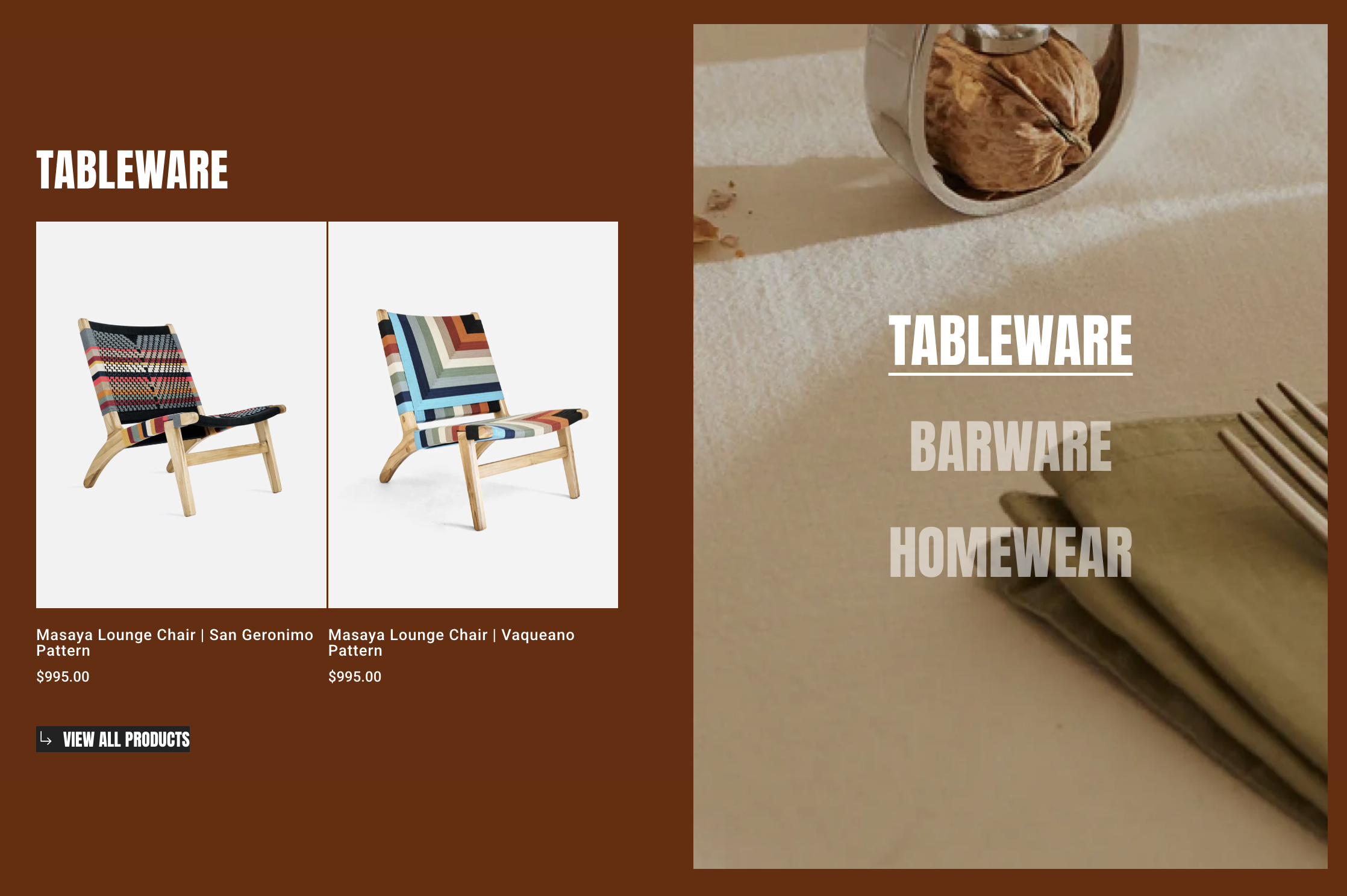
* **Image position:** Choose Left/Right.
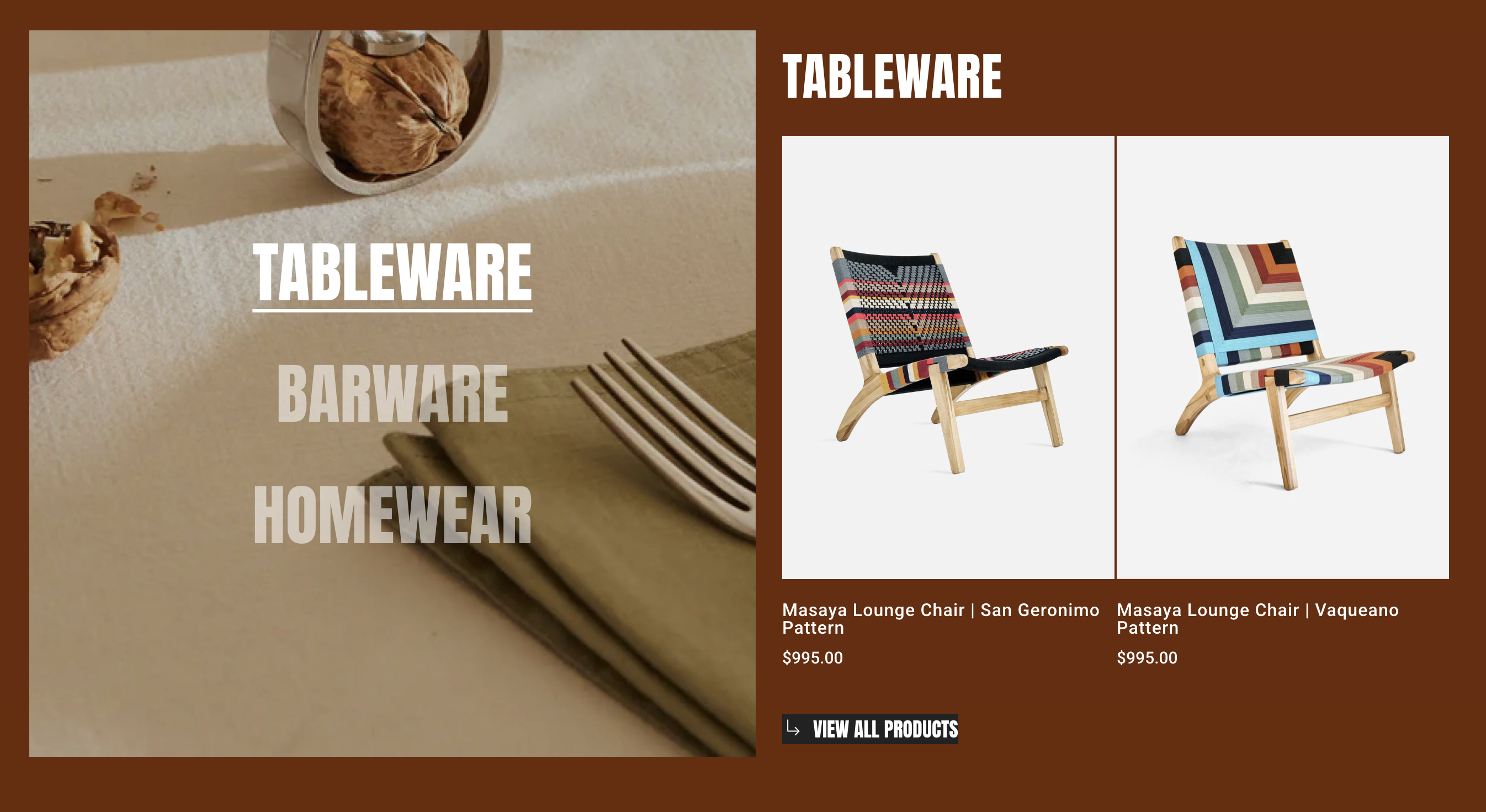
{% tabs %}
{% tab title="Left" %}

<figure><img src="https://1749964694-files.gitbook.io/~/files/v0/b/gitbook-x-prod.appspot.com/o/spaces%2FfgpgvtRaQLc36GYyIktZ%2Fuploads%2FwyMOBe50GDqy8aV3i0R7%2Fimage.png?alt=media&#x26;token=eba20de6-41f7-47d2-b64f-737fda8a3fdb" alt=""><figcaption></figcaption></figure>
{% endtab %}

{% tab title="Right" %}

<figure><img src="https://1749964694-files.gitbook.io/~/files/v0/b/gitbook-x-prod.appspot.com/o/spaces%2FfgpgvtRaQLc36GYyIktZ%2Fuploads%2FT9OYqZTHDum7PRUJCVPJ%2Fimage.png?alt=media&#x26;token=8b715fc9-d5b4-47fc-97ad-3fc2100be980" alt=""><figcaption></figcaption></figure>
{% endtab %}
{% endtabs %}

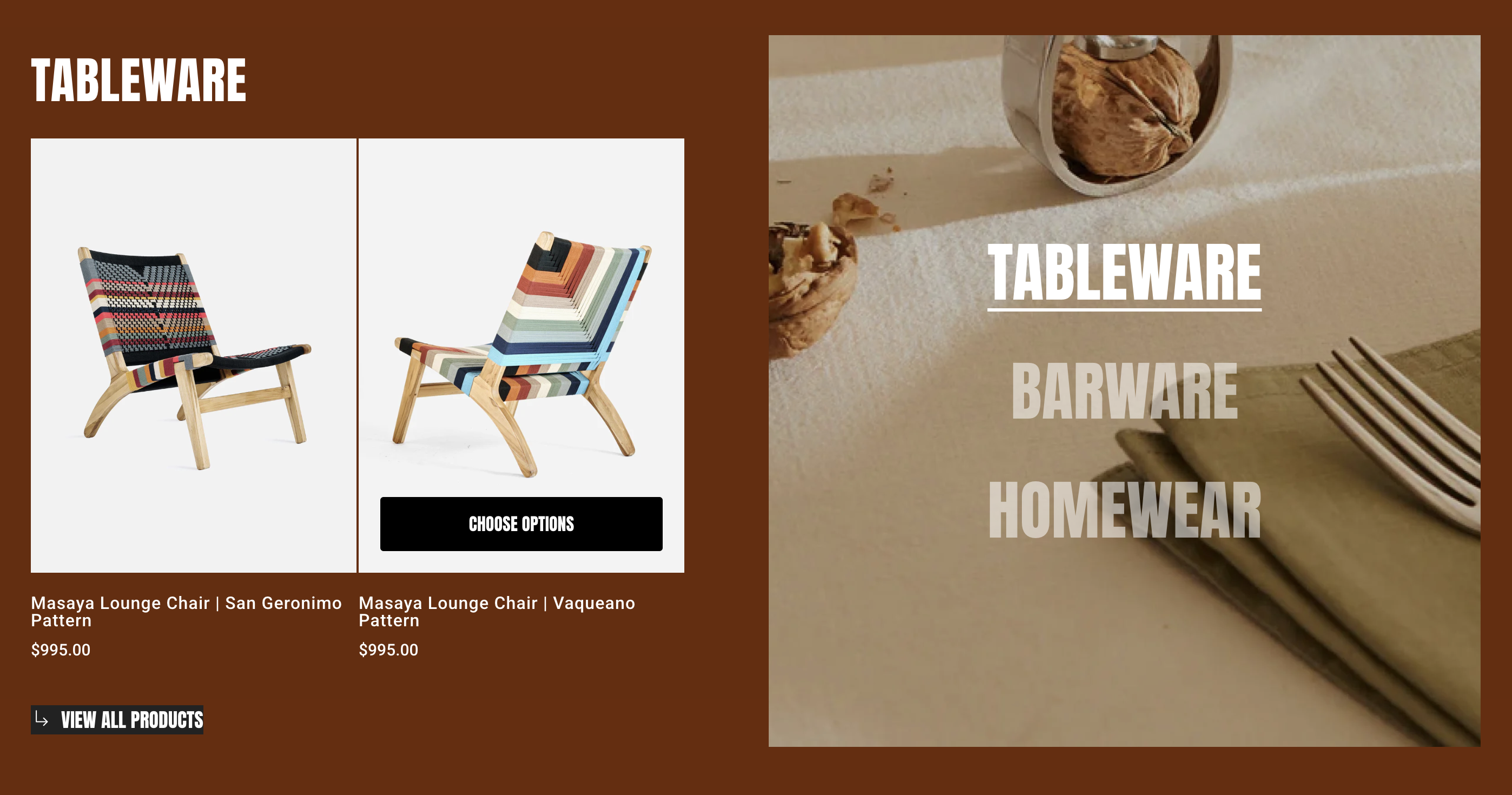
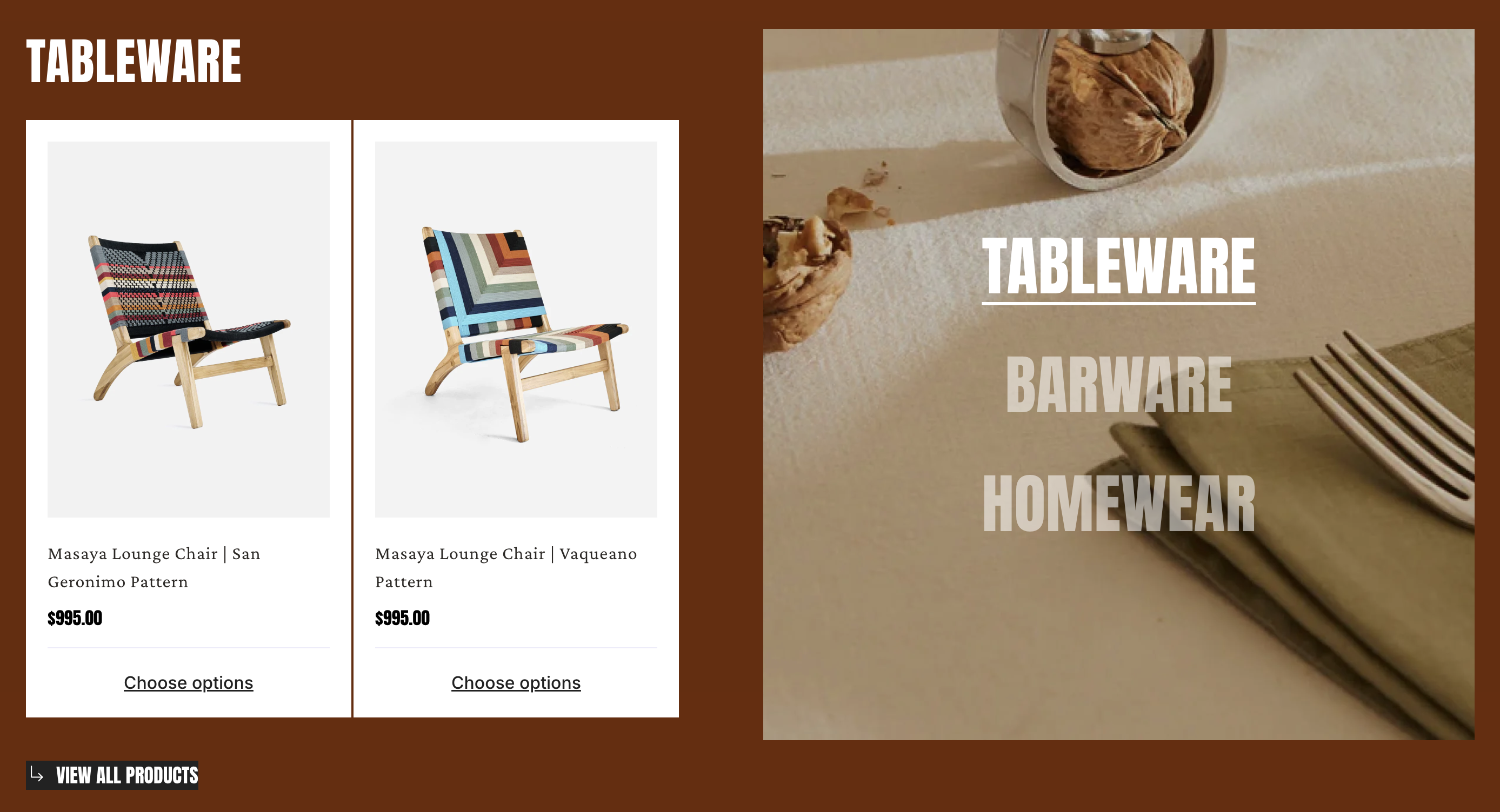
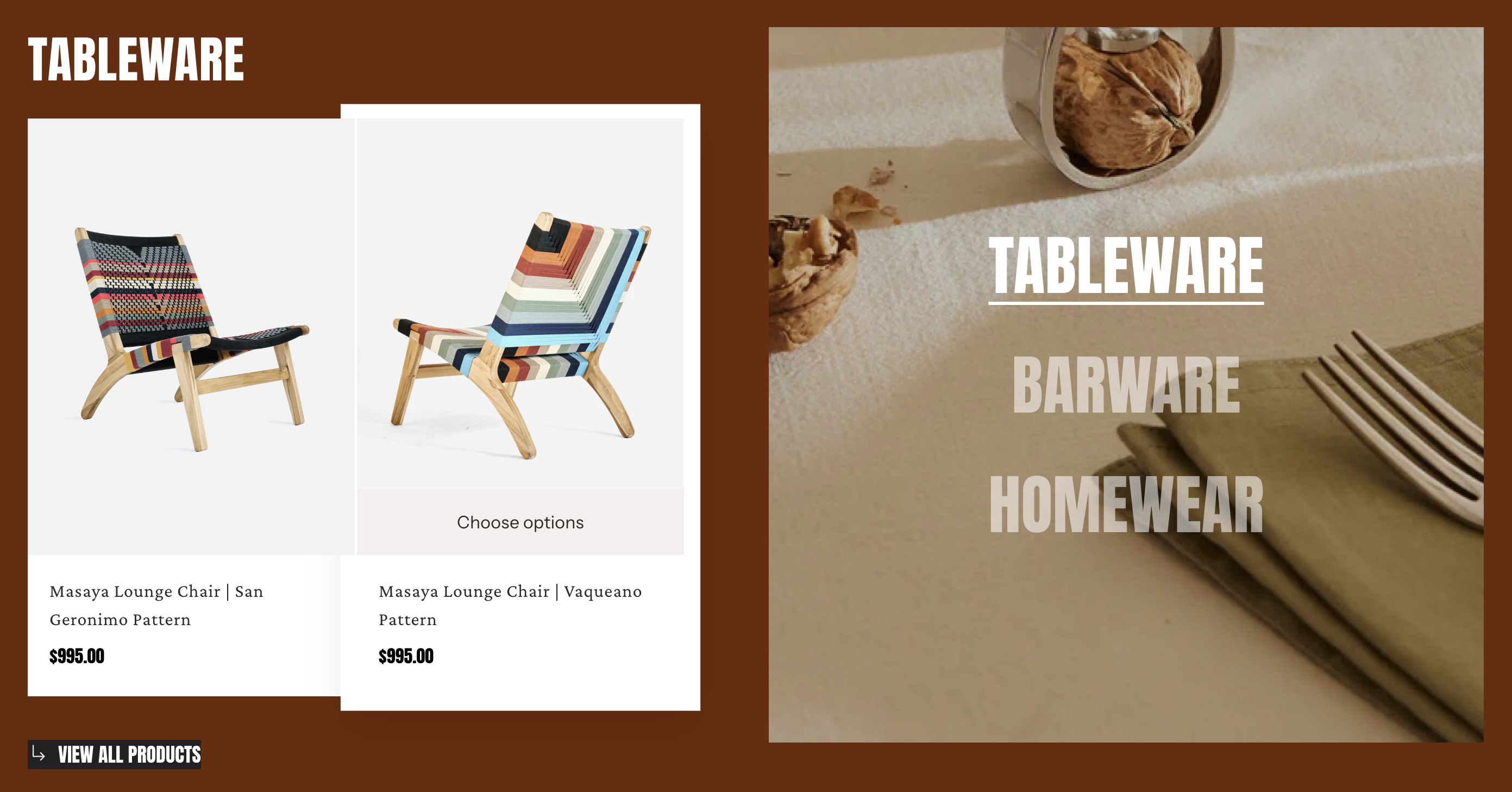
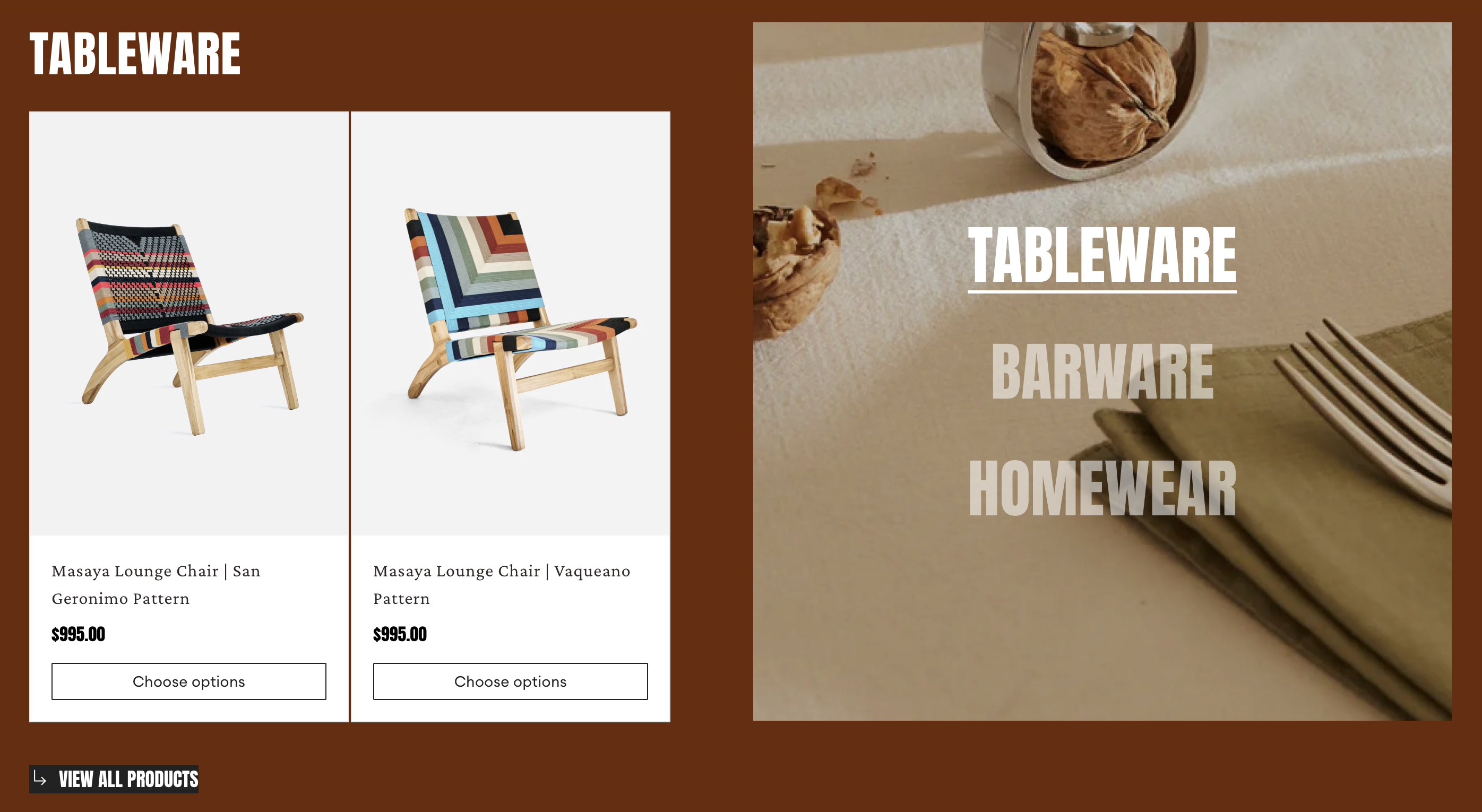
* **Card style:** Choose styling for your product cards.
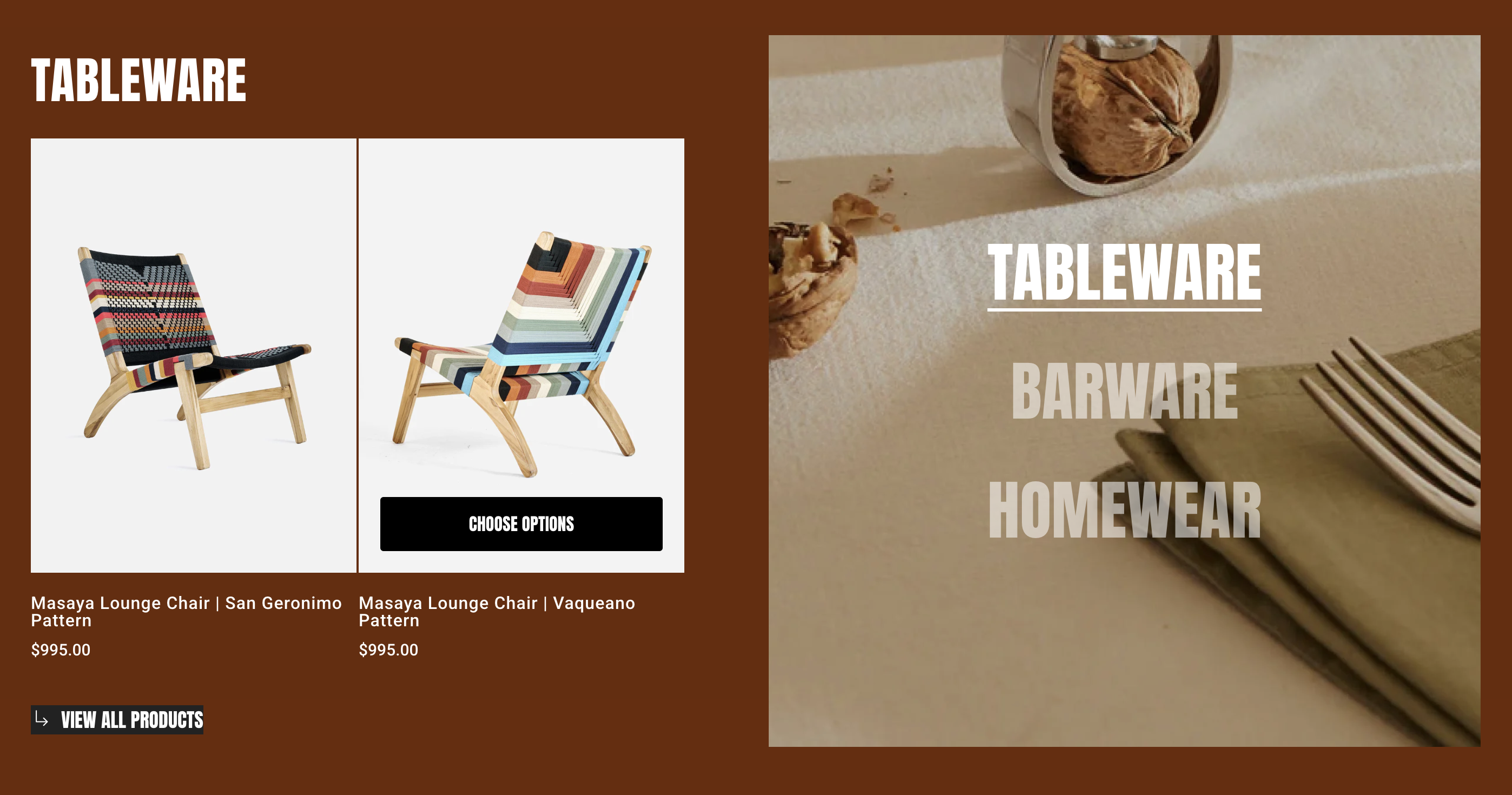
{% tabs %}
{% tab title="Use global" %}

<figure><img src="https://1749964694-files.gitbook.io/~/files/v0/b/gitbook-x-prod.appspot.com/o/spaces%2FfgpgvtRaQLc36GYyIktZ%2Fuploads%2FwI6MyEOXFBqwl7DHZkIe%2Fimage.png?alt=media&#x26;token=30a07958-cfc7-4d42-86ff-41537d41ba38" alt=""><figcaption></figcaption></figure>

* Apply the product card styles defined in **Theme settings > Product cards**, ensuring consistent design across your store.

{% hint style="info" %}
Learn more: [Product Cards in Theme settings](https://docs.foxecom.com/foxify-app/page-management/theme-settings#product-cards)
{% endhint %}
{% endtab %}

{% tab title="Style 1" %}

<figure><img src="https://1749964694-files.gitbook.io/~/files/v0/b/gitbook-x-prod.appspot.com/o/spaces%2FfgpgvtRaQLc36GYyIktZ%2Fuploads%2FiPncGqsjC9KwjBD2djGE%2Fimage.png?alt=media&#x26;token=485d6fdf-1316-4073-a693-70058a728e1e" alt=""><figcaption></figcaption></figure>
{% endtab %}

{% tab title="Style 2" %}

<figure><img src="https://1749964694-files.gitbook.io/~/files/v0/b/gitbook-x-prod.appspot.com/o/spaces%2FfgpgvtRaQLc36GYyIktZ%2Fuploads%2FkeHxCCp0EfjAtKpFAJax%2Fimage.png?alt=media&#x26;token=c22cd40d-fe78-4e40-8eb5-b5a53cf30042" alt=""><figcaption></figcaption></figure>
{% endtab %}

{% tab title="Style 3" %}

<figure><img src="https://1749964694-files.gitbook.io/~/files/v0/b/gitbook-x-prod.appspot.com/o/spaces%2FfgpgvtRaQLc36GYyIktZ%2Fuploads%2FWK0Jx4krIatFpQA6YWb6%2Fimage.png?alt=media&#x26;token=af7ef3ed-52e7-44c3-8b78-da904bc38276" alt=""><figcaption></figcaption></figure>
{% endtab %}

{% tab title="Style 4" %}

<figure><img src="https://1749964694-files.gitbook.io/~/files/v0/b/gitbook-x-prod.appspot.com/o/spaces%2FfgpgvtRaQLc36GYyIktZ%2Fuploads%2FUh1tK1xmO6fP6kaLRidc%2Fimage.png?alt=media&#x26;token=fd4fc72e-23e9-4588-8374-c2b71e43b845" alt=""><figcaption></figcaption></figure>
{% endtab %}

{% tab title="Style 5" %}

<figure><img src="https://1749964694-files.gitbook.io/~/files/v0/b/gitbook-x-prod.appspot.com/o/spaces%2FfgpgvtRaQLc36GYyIktZ%2Fuploads%2FLXuUGZxuXDBiGCNUp5GH%2Fimage.png?alt=media&#x26;token=f02cf483-dd9b-4e67-9aed-6a74665688c8" alt=""><figcaption></figcaption></figure>
{% endtab %}

{% tab title="Style 6" %}

<figure><img src="https://1749964694-files.gitbook.io/~/files/v0/b/gitbook-x-prod.appspot.com/o/spaces%2FfgpgvtRaQLc36GYyIktZ%2Fuploads%2FT6txHFPqg0nSiMYnhxbF%2Fimage.png?alt=media&#x26;token=2f037074-324e-4cb1-9291-a9abcbe84ed0" alt=""><figcaption></figcaption></figure>
{% endtab %}
{% endtabs %}

* **Product image ratio:** Defines the ratio of product images.
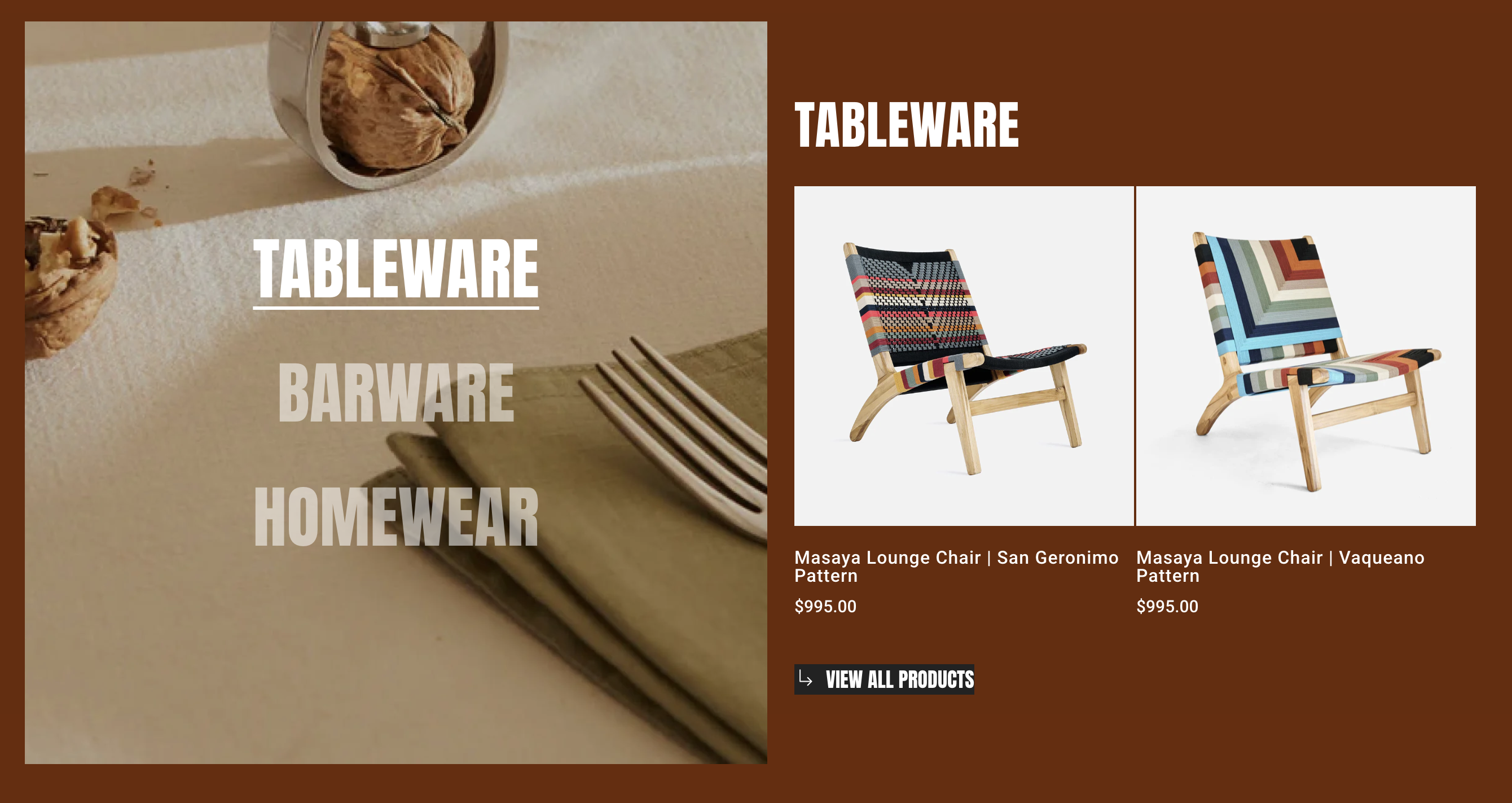
{% tabs %}
{% tab title="Use global" %}

<figure><img src="https://1749964694-files.gitbook.io/~/files/v0/b/gitbook-x-prod.appspot.com/o/spaces%2FfgpgvtRaQLc36GYyIktZ%2Fuploads%2Ff98ZtTd1NRbnZyb89NOT%2Fimage.png?alt=media&#x26;token=dc8c3479-bc9c-403a-b86c-64e596edfd6c" alt=""><figcaption></figcaption></figure>

* Apply the Image ratio defined in **Theme settings > Product cards**, ensuring consistent design across your store.

{% hint style="info" %}
Learn more: [Product Cards in Theme settings](https://docs.foxecom.com/foxify-app/page-management/theme-settings#product-cards)
{% endhint %}
{% endtab %}

{% tab title="Adapt to image" %}

<figure><img src="https://1749964694-files.gitbook.io/~/files/v0/b/gitbook-x-prod.appspot.com/o/spaces%2FfgpgvtRaQLc36GYyIktZ%2Fuploads%2FjVO6OqkTlcl37ndk6kLB%2Fimage.png?alt=media&#x26;token=a6e8bf0f-f619-428a-afba-5993403a1238" alt=""><figcaption></figcaption></figure>
{% endtab %}

{% tab title="Square (1:1)" %}

<figure><img src="https://1749964694-files.gitbook.io/~/files/v0/b/gitbook-x-prod.appspot.com/o/spaces%2FfgpgvtRaQLc36GYyIktZ%2Fuploads%2F3CrG45hRGT2mDUeXK4Xf%2Fimage.png?alt=media&#x26;token=166a2462-5ed2-4061-b159-bedcd5a28c95" alt=""><figcaption></figcaption></figure>
{% endtab %}

{% tab title="Portrait (3:4)" %}

<figure><img src="https://1749964694-files.gitbook.io/~/files/v0/b/gitbook-x-prod.appspot.com/o/spaces%2FfgpgvtRaQLc36GYyIktZ%2Fuploads%2FAWuqaqvoyHzLZj4cFqiA%2Fimage.png?alt=media&#x26;token=86e4fcf6-398b-486f-88bc-77ecf77ef738" alt=""><figcaption></figcaption></figure>
{% endtab %}

{% tab title="Landscape (4:3)" %}

<figure><img src="https://1749964694-files.gitbook.io/~/files/v0/b/gitbook-x-prod.appspot.com/o/spaces%2FfgpgvtRaQLc36GYyIktZ%2Fuploads%2FSRbjnlAsWhKipfEu6TC4%2Fimage.png?alt=media&#x26;token=a6b884dd-6963-4a59-822a-6aaf927226aa" alt=""><figcaption></figcaption></figure>
{% endtab %}
{% endtabs %}

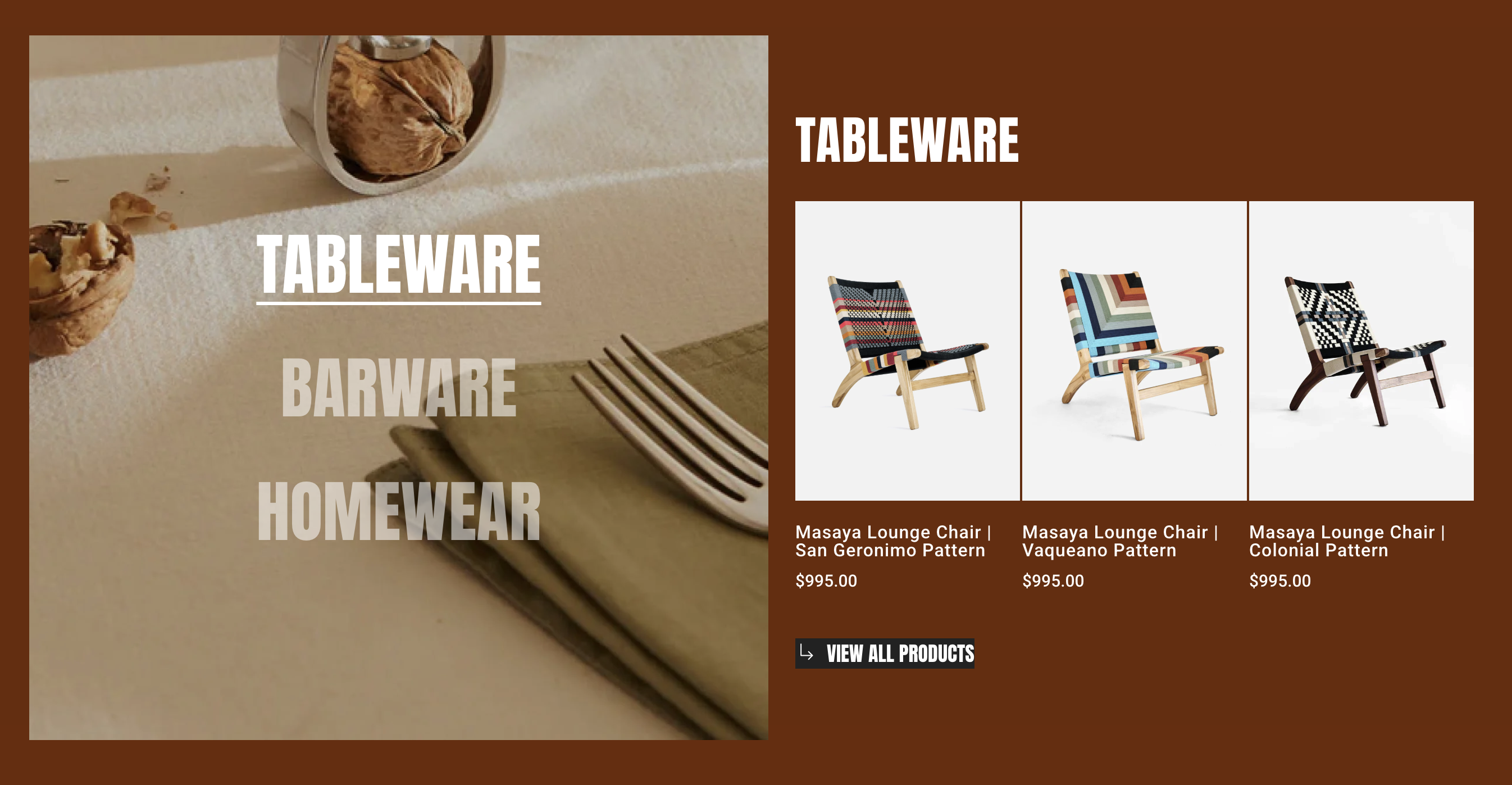
* **Columns:** Sets the number of product columns displayed.
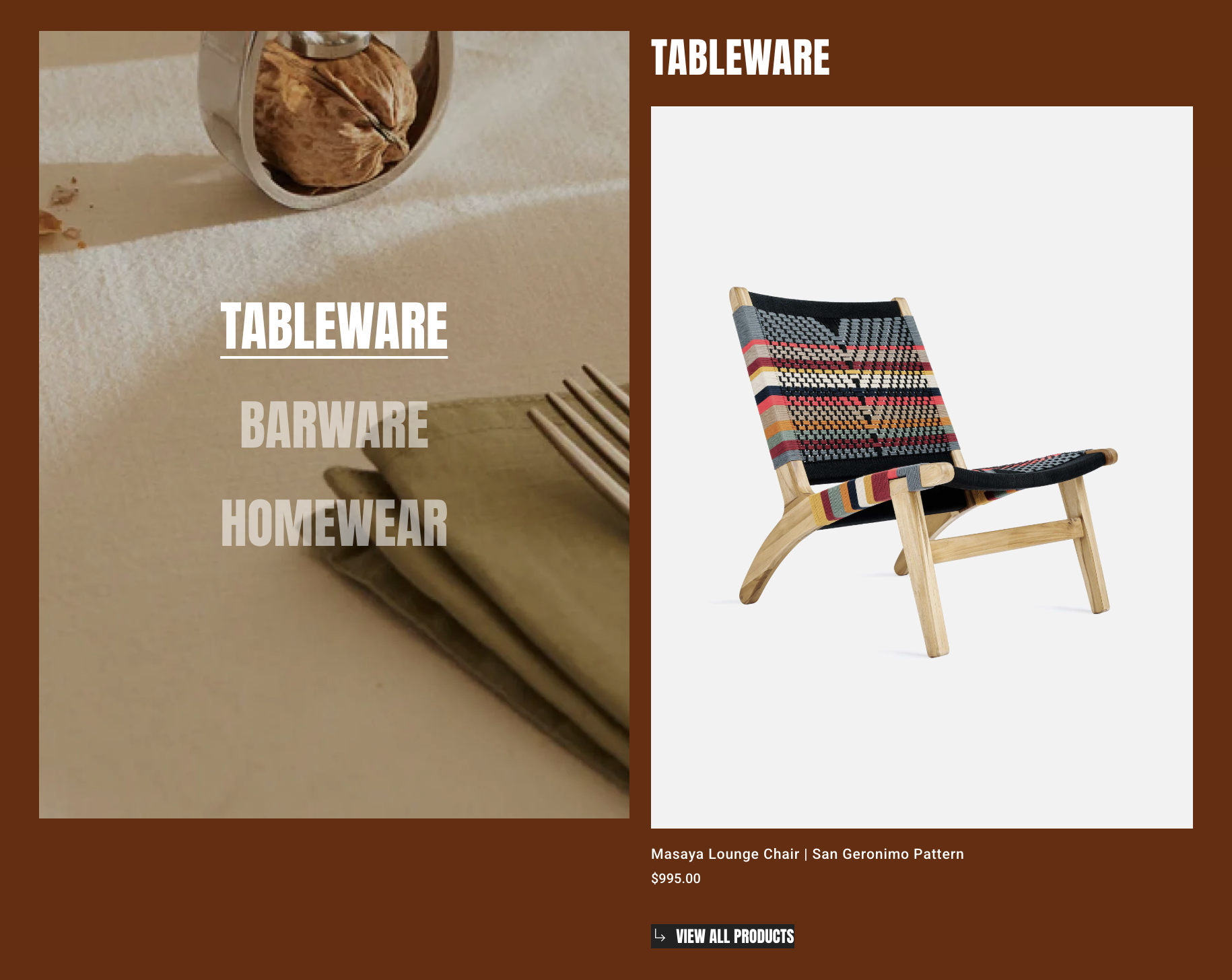
{% tabs %}
{% tab title="1 column" %}

<figure><img src="https://1749964694-files.gitbook.io/~/files/v0/b/gitbook-x-prod.appspot.com/o/spaces%2FfgpgvtRaQLc36GYyIktZ%2Fuploads%2FcDeAKH1yyTZcQt6AXChy%2Fimage.png?alt=media&#x26;token=267ce36e-9a1a-4877-b25d-3fc40ac21723" alt=""><figcaption></figcaption></figure>
{% endtab %}

{% tab title="2 columns" %}

<figure><img src="https://1749964694-files.gitbook.io/~/files/v0/b/gitbook-x-prod.appspot.com/o/spaces%2FfgpgvtRaQLc36GYyIktZ%2Fuploads%2FZ5ofhVkEq2Ime024xe3e%2Fimage.png?alt=media&#x26;token=375453be-1a86-4701-bb9b-772d56a10b39" alt=""><figcaption></figcaption></figure>
{% endtab %}

{% tab title="3 columns" %}

<figure><img src="https://1749964694-files.gitbook.io/~/files/v0/b/gitbook-x-prod.appspot.com/o/spaces%2FfgpgvtRaQLc36GYyIktZ%2Fuploads%2Fc5AUVNNqLw3diieiFQQl%2Fimage.png?alt=media&#x26;token=2ec05b56-eff5-464b-8b82-9996be910a86" alt=""><figcaption></figcaption></figure>
{% endtab %}
{% endtabs %}

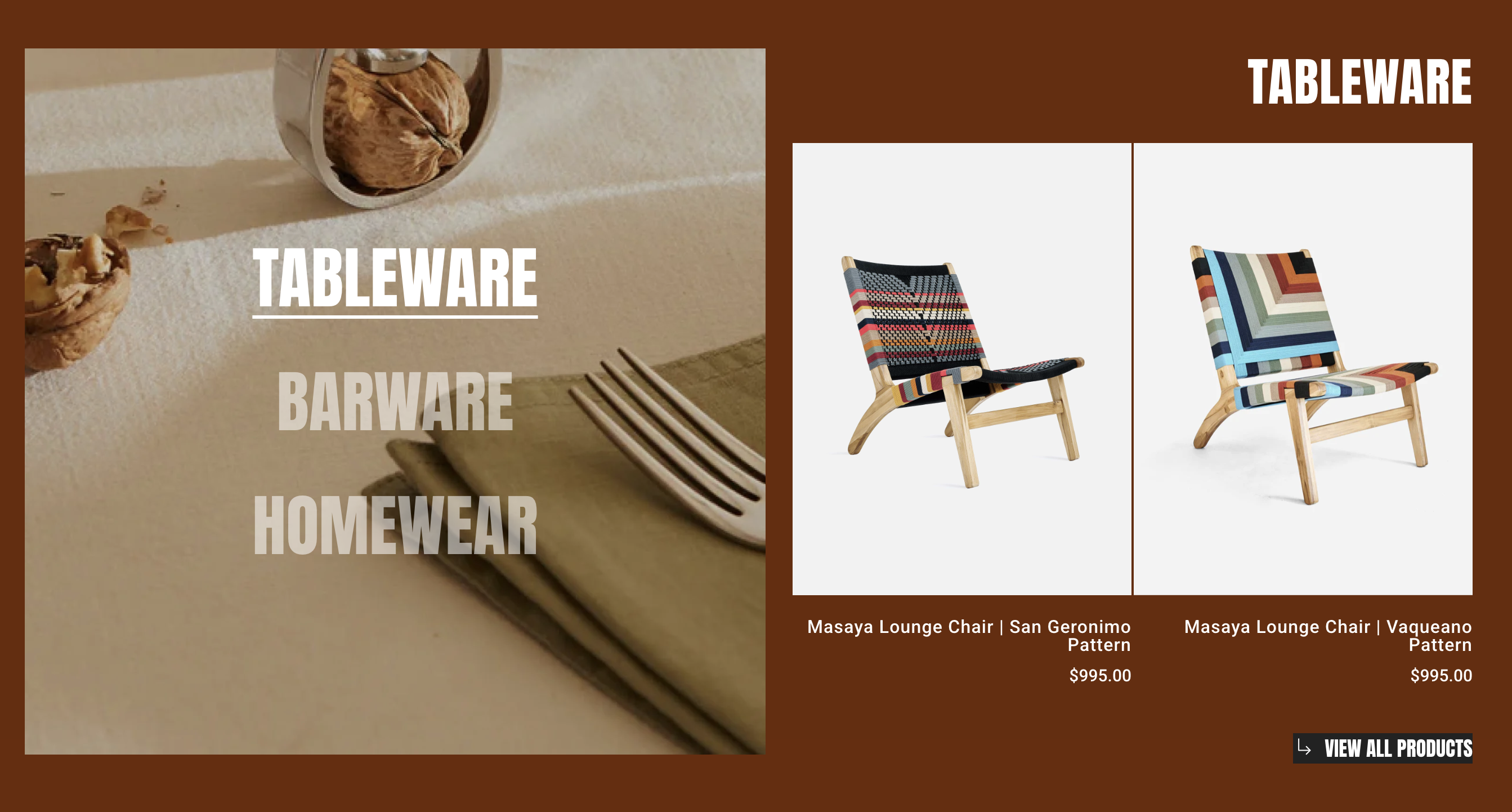
* **Text align:** Controls the alignment of text within the Collection showcase element.
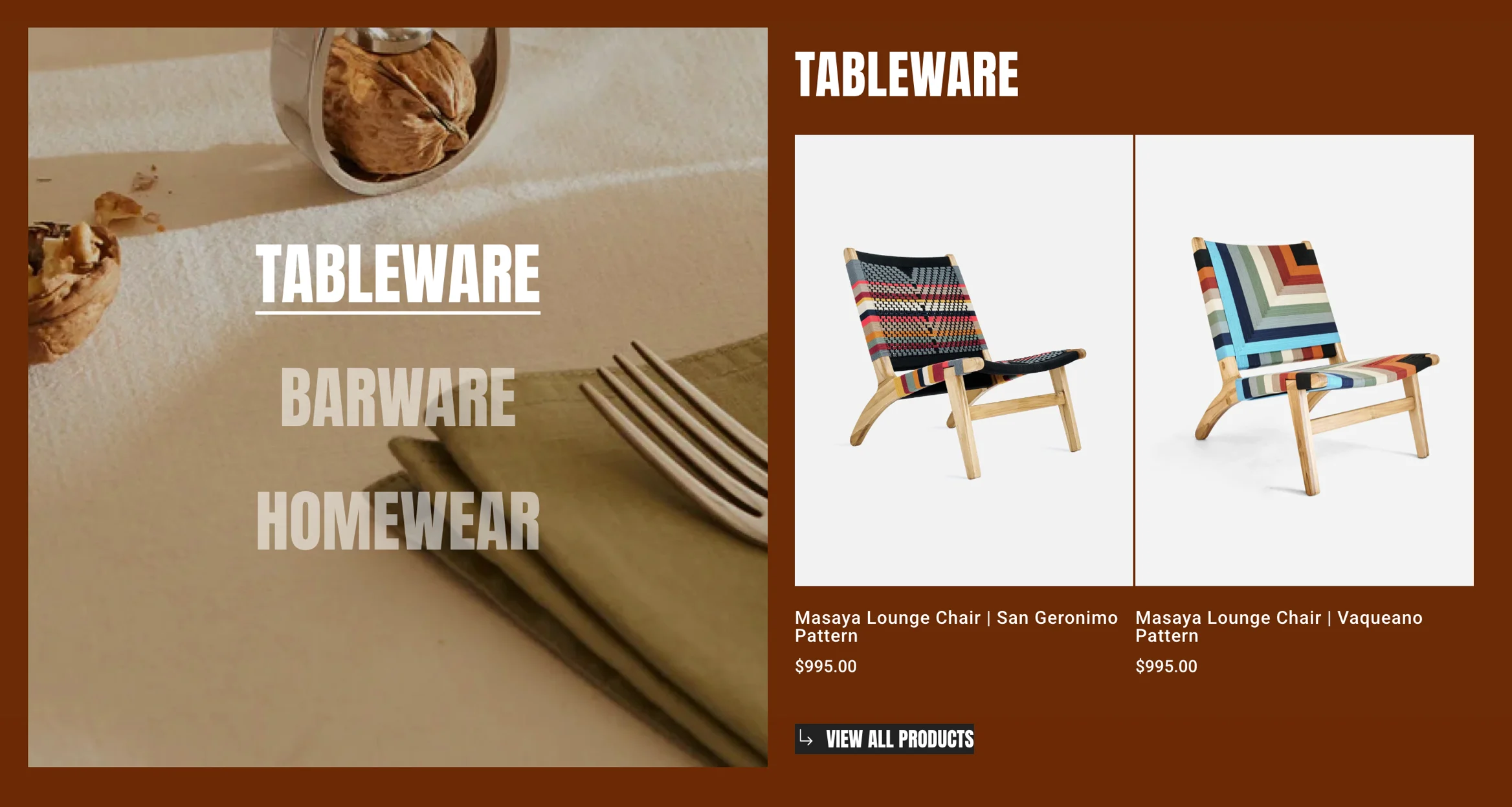
{% tabs %}
{% tab title="Left-aligned" %}

<figure><img src="https://1749964694-files.gitbook.io/~/files/v0/b/gitbook-x-prod.appspot.com/o/spaces%2FfgpgvtRaQLc36GYyIktZ%2Fuploads%2FNwJAypjYY6JFh0pTOuuq%2Fimage.png?alt=media&#x26;token=0aa7536d-87f8-4d5e-8c83-7fa6f80cdbfa" alt=""><figcaption></figcaption></figure>
{% endtab %}

{% tab title="Centered" %}

<figure><img src="https://1749964694-files.gitbook.io/~/files/v0/b/gitbook-x-prod.appspot.com/o/spaces%2FfgpgvtRaQLc36GYyIktZ%2Fuploads%2FIiRXFvqxrLuBHNBmHV9B%2Fimage.png?alt=media&#x26;token=27d32340-3c01-42a0-aea7-cec2721b8fd7" alt=""><figcaption></figcaption></figure>
{% endtab %}

{% tab title="Right-aligned" %}

<figure><img src="https://1749964694-files.gitbook.io/~/files/v0/b/gitbook-x-prod.appspot.com/o/spaces%2FfgpgvtRaQLc36GYyIktZ%2Fuploads%2FXk491YyJSBh7NsE9465b%2Fimage.png?alt=media&#x26;token=537711d4-db60-43f8-b76d-88f2c575ba3b" alt=""><figcaption></figcaption></figure>
{% endtab %}
{% endtabs %}

### Design settings

**Size & Constraints Settings:** Use these controls to define the element’s dimensions and positioning behavior across devices.

{% content-ref url="../layout-and-styling/constraints" %}
[constraints](https://docs.foxecom.com/foxify-app/foxstudio/layout-and-styling/constraints)
{% endcontent-ref %}

{% tabs %}
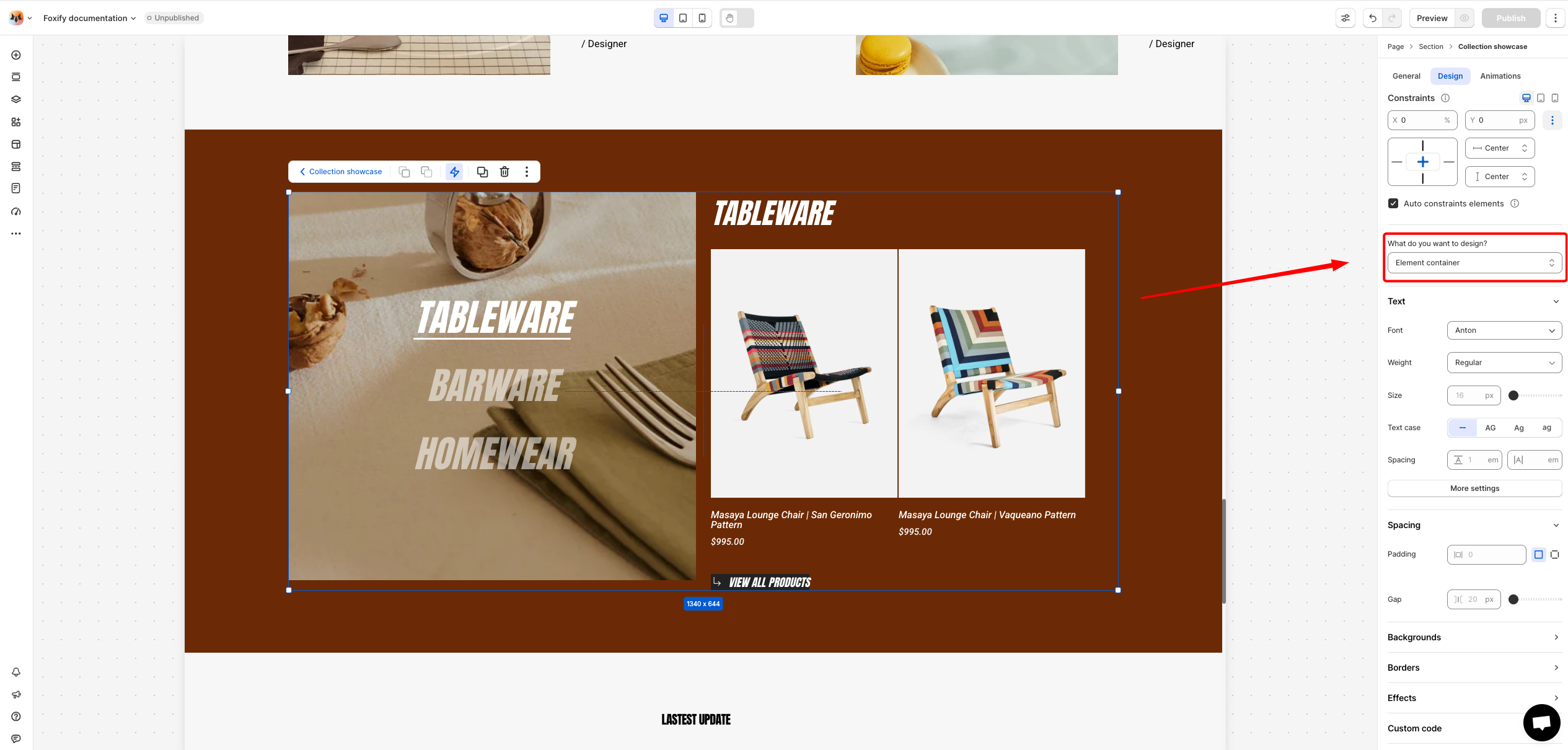
{% tab title="Element container" %}

<figure><img src="https://1749964694-files.gitbook.io/~/files/v0/b/gitbook-x-prod.appspot.com/o/spaces%2FfgpgvtRaQLc36GYyIktZ%2Fuploads%2FLJ87L2WW3khWCm2u2S8R%2Fimage.png?alt=media&#x26;token=dfda91b7-d44f-4b98-b924-aa28bd9a8ca8" alt=""><figcaption></figcaption></figure>

* **Text Font, Spacing, and Styles**
  * **Font**: Choose from hundreds of fonts. You can also [upload your own fonts to Foxify](https://docs.foxecom.com/foxify-app/faqs/edit-your-pages/add-custom-font).
  * **Size**: Define the font size of the text.
  * **Text case**: Click the icons to set the text's capitalization: **As typed** ![](https://docs.foxecom.com/foxify-app/~gitbook/image?url=https%3A%2F%2Fd2x3xhvgiqkx42.cloudfront.net%2F12345678-1234-1234-1234-1234567890ab%2F651c25b0-2d60-43c8-addf-1df2fd575568%2F2024%2F08%2F14%2Fcf835ac2-622c-4066-a95e-39e9ff1a7f38%2Fc4f1d248-c718-427e-9db5-77369c22fb67.png\&width=300\&dpr=4\&quality=100\&sign=ac4af2c5\&sv=2), **Upper case** **AG**, **Title case** **Ag**, or **Lower case** **ag**.
  * **Spacing:** Change the spacing between the lines and characters in the text box.
  * **Text style**: Normal/*Italic*.
* **Spacing**: Adjust the spacing (padding and gap) of the element.
* **Backgrounds**: Set background to the theme either with a color or a media. If a color and a media are set as the background of an element at the same time, it will prioritize the media.
* **Borders**: Apply a border to the element and define the border radius value.
* **Effects**: Enable/ disable the box shadow to make the element stand out
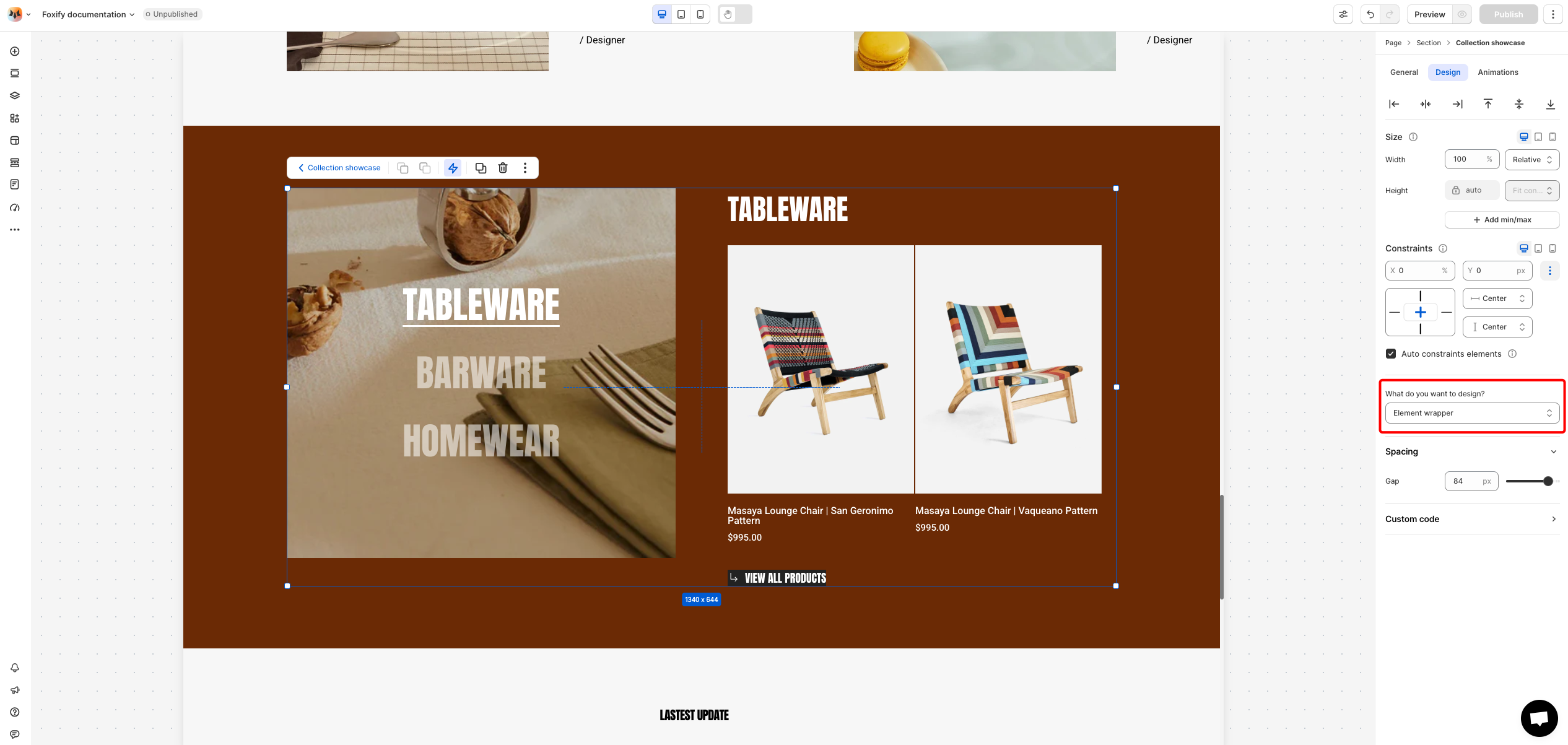
  {% endtab %}

{% tab title="Element wrapper" %}

<figure><img src="https://1749964694-files.gitbook.io/~/files/v0/b/gitbook-x-prod.appspot.com/o/spaces%2FfgpgvtRaQLc36GYyIktZ%2Fuploads%2ForLeFWKLOkypXYo0Bx3R%2Fimage.png?alt=media&#x26;token=1bafdb64-7329-4753-babf-f3ed2febf917" alt=""><figcaption></figcaption></figure>

* **Spacing**: Adjust the gap of the element.
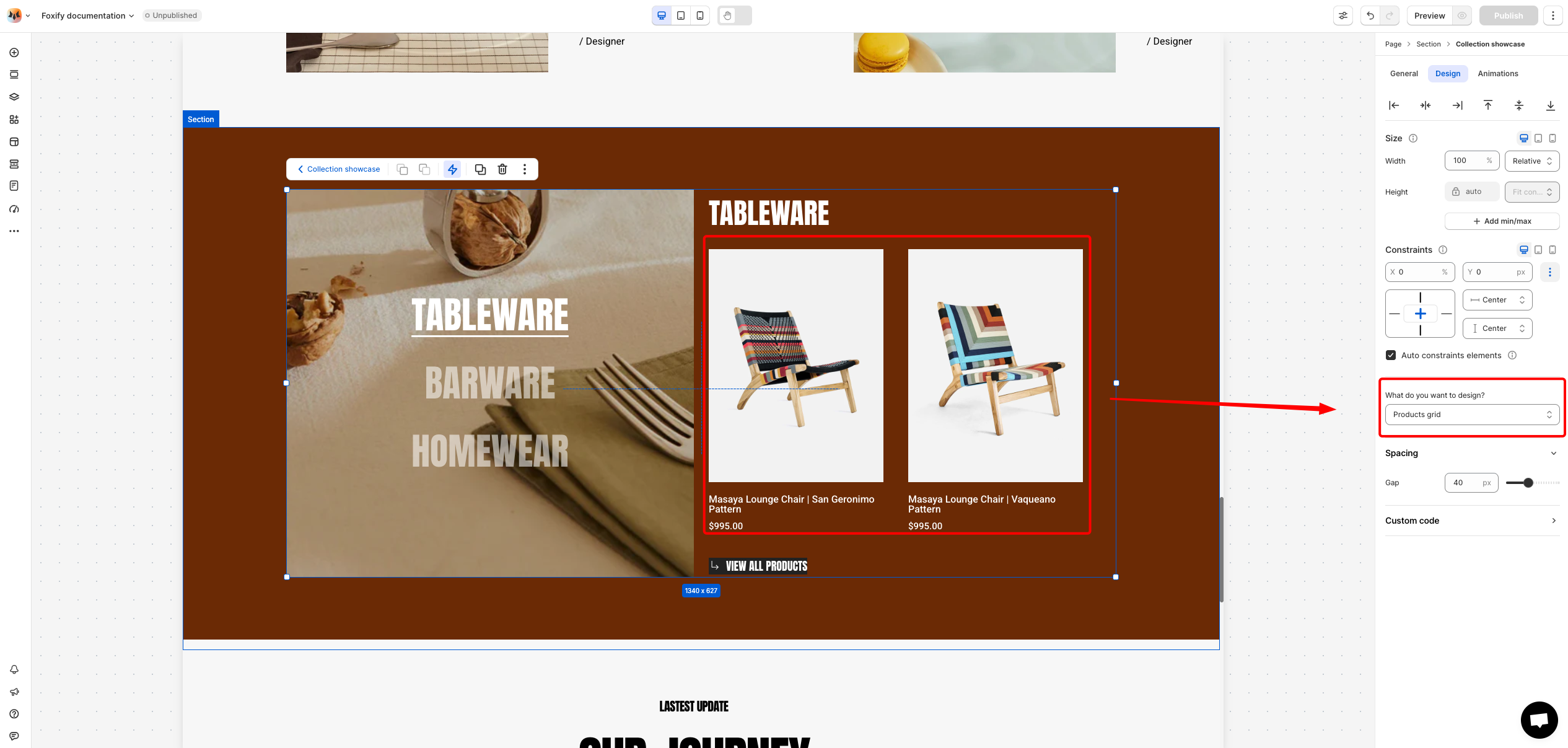
  {% endtab %}

{% tab title="Products grid" %}

<figure><img src="https://1749964694-files.gitbook.io/~/files/v0/b/gitbook-x-prod.appspot.com/o/spaces%2FfgpgvtRaQLc36GYyIktZ%2Fuploads%2FFVVfllg77SnE6cX4IuEN%2Fimage.png?alt=media&#x26;token=cc49b28b-b176-428f-aef0-21eb33bf1908" alt=""><figcaption></figcaption></figure>

* **Spacing**: Adjust the gap of the product card.
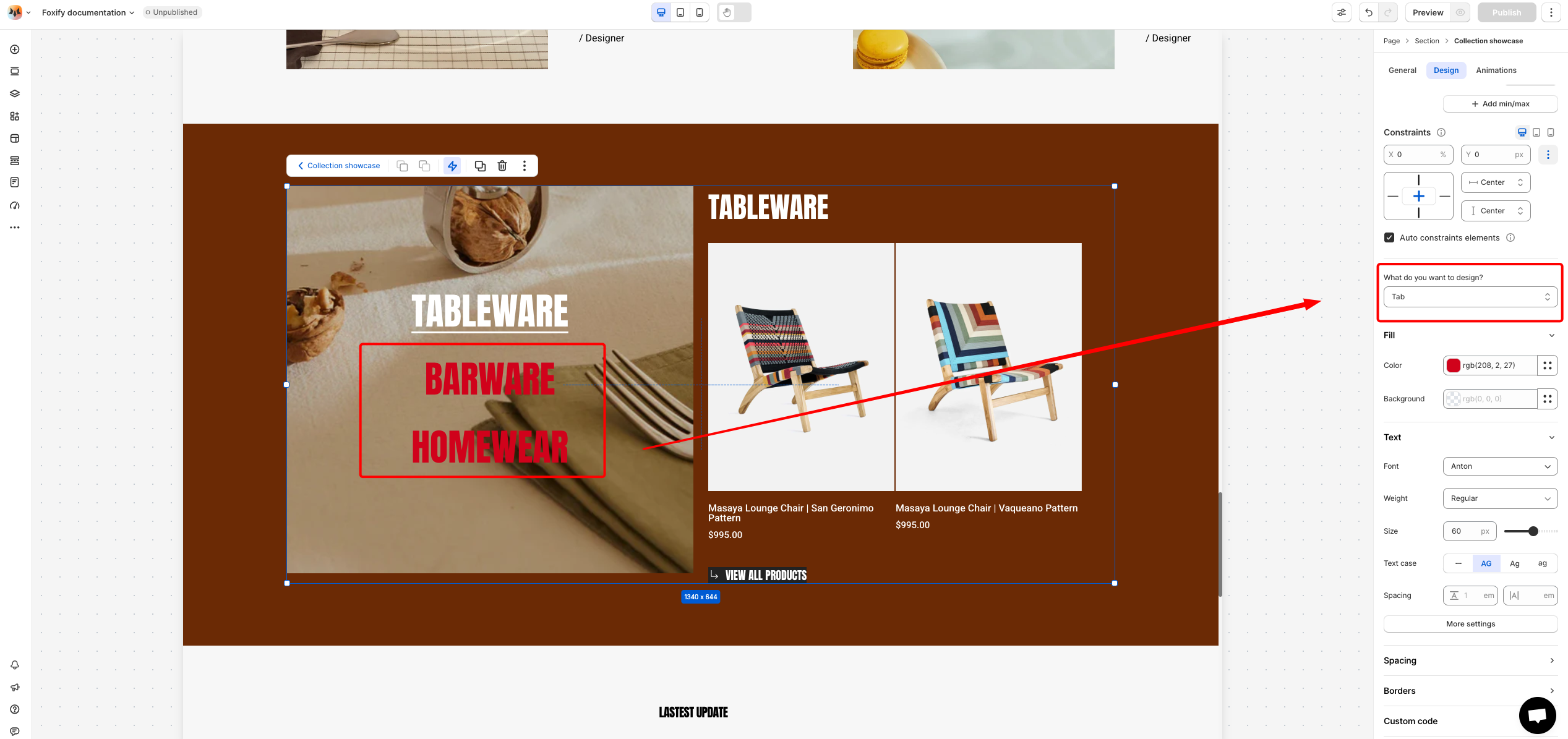
  {% endtab %}

{% tab title="Tabs" %}

<figure><img src="https://1749964694-files.gitbook.io/~/files/v0/b/gitbook-x-prod.appspot.com/o/spaces%2FfgpgvtRaQLc36GYyIktZ%2Fuploads%2FmukL0g0qePJ8phzFX1LD%2Fimage.png?alt=media&#x26;token=f6f2f0d1-1eab-4c7c-bb72-64d54d60204d" alt=""><figcaption></figcaption></figure>

* **Color Fill:** Set the color and background color of the tabs.
* **Text Font, Spacing, and Styles**
  * **Font**: Choose from hundreds of fonts. You can also [upload your own fonts to Foxify](https://docs.foxecom.com/foxify-app/faqs/edit-your-pages/add-custom-font).
  * **Size**: Define the font size of the text.
  * **Text case**: Click the icons to set the text's capitalization: **As typed** ![](https://docs.foxecom.com/foxify-app/~gitbook/image?url=https%3A%2F%2Fd2x3xhvgiqkx42.cloudfront.net%2F12345678-1234-1234-1234-1234567890ab%2F651c25b0-2d60-43c8-addf-1df2fd575568%2F2024%2F08%2F14%2Fcf835ac2-622c-4066-a95e-39e9ff1a7f38%2Fc4f1d248-c718-427e-9db5-77369c22fb67.png\&width=300\&dpr=4\&quality=100\&sign=ac4af2c5\&sv=2), **Upper case** **AG**, **Title case** **Ag**, or **Lower case** **ag**.
  * **Spacing:** Change the spacing between the lines and characters in the text box.
  * **Text style**: Normal/*Italic*.
* **Spacing**: Adjust the padding of the element.
* **Borders**: Apply a border to the element and define the border radius value.
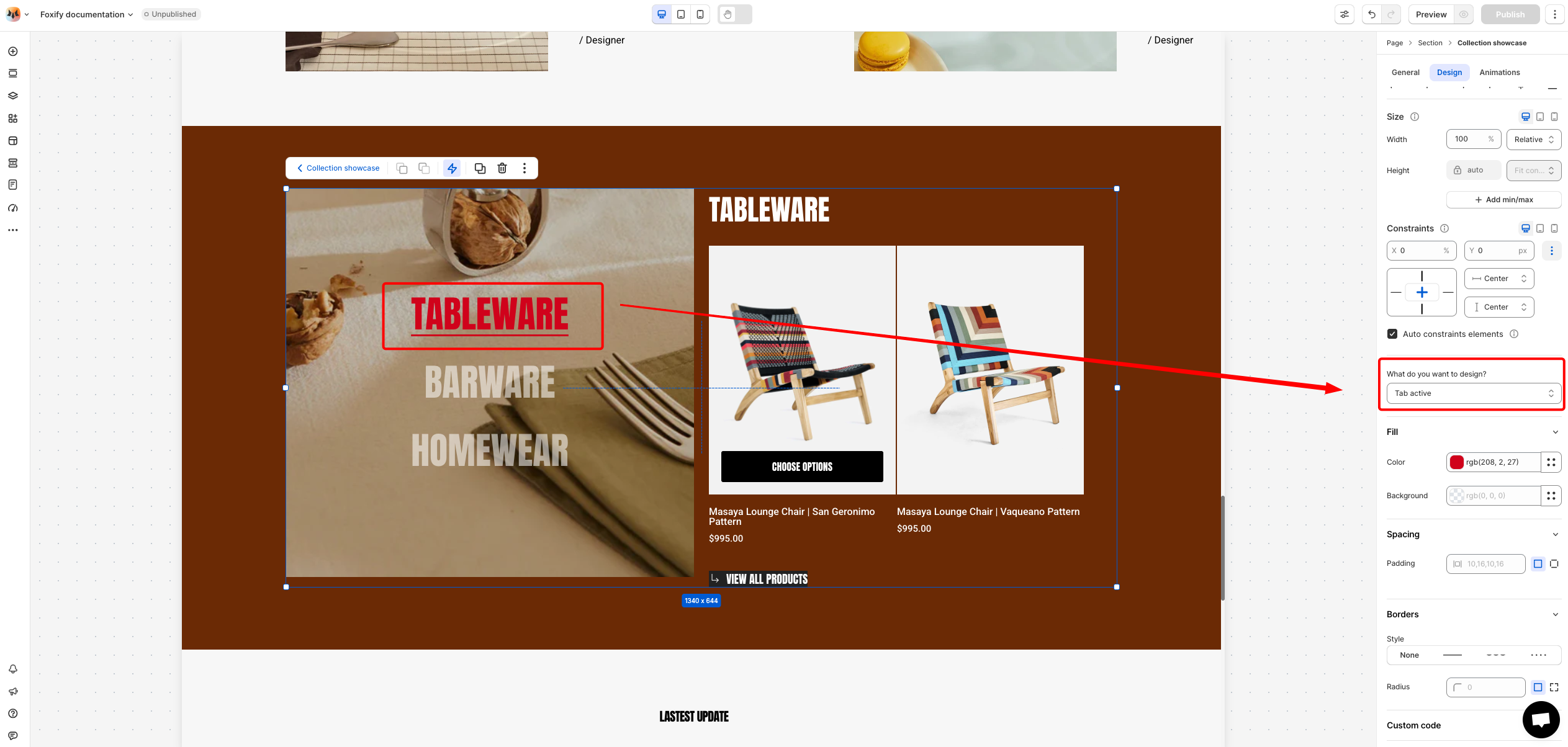
  {% endtab %}

{% tab title="Tab active" %}

<figure><img src="https://1749964694-files.gitbook.io/~/files/v0/b/gitbook-x-prod.appspot.com/o/spaces%2FfgpgvtRaQLc36GYyIktZ%2Fuploads%2Fr4WrqmbdF21Itg8mfjvi%2Fimage.png?alt=media&#x26;token=7a9772fb-2866-4d56-af6b-27f48e7698f4" alt=""><figcaption></figcaption></figure>

* **Color Fill:** Set the color and background color of the tab.
* **Spacing**: Adjust the padding of the element.
* **Borders**: Apply a border to the element and define the border radius value.
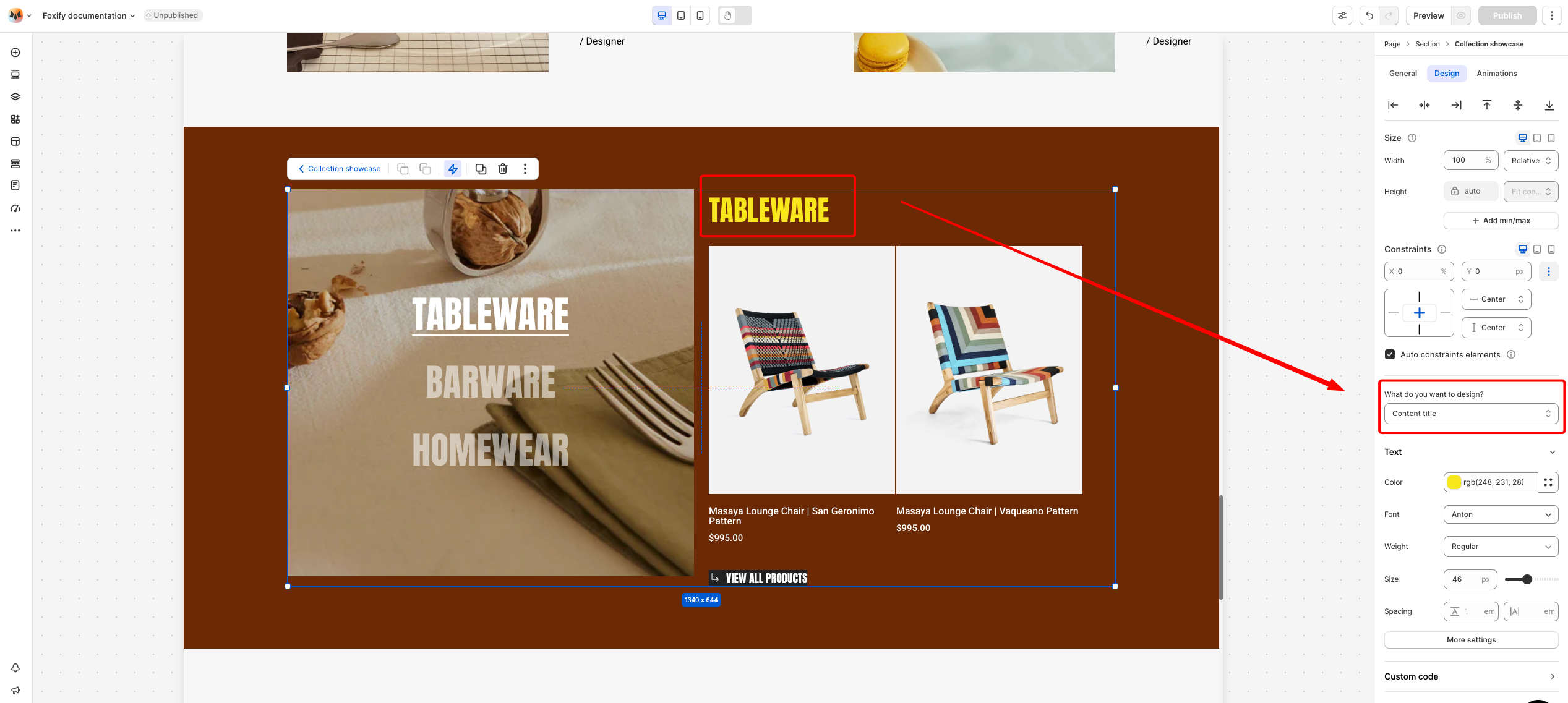
  {% endtab %}

{% tab title="Content title" %}

<figure><img src="https://1749964694-files.gitbook.io/~/files/v0/b/gitbook-x-prod.appspot.com/o/spaces%2FfgpgvtRaQLc36GYyIktZ%2Fuploads%2FM44tre1t9yGbqmnbLILW%2Fimage.png?alt=media&#x26;token=cc6a1cd3-a6a3-499d-a7d7-b51d8eef5809" alt=""><figcaption></figcaption></figure>

* **Text Font, Spacing, and Styles**
  * **Color:** Choose the color of the title.
  * **Font**: Choose from hundreds of fonts. You can also [upload your own fonts to Foxify](https://docs.foxecom.com/foxify-app/faqs/edit-your-pages/add-custom-font).
  * **Size**: Define the font size of the text.
  * **Spacing:** Change the spacing between the lines and characters in the text box.
  * **Text style**: Normal/*Italic*.
    {% endtab %}
    {% endtabs %}

### Animations

{% content-ref url="../layout-and-styling/animations" %}
[animations](https://docs.foxecom.com/foxify-app/foxstudio/layout-and-styling/animations)
{% endcontent-ref %}


---

# Agent Instructions: Querying This Documentation

If you need additional information that is not directly available in this page, you can query the documentation dynamically by asking a question.

Perform an HTTP GET request on the current page URL with the `ask` query parameter:

```
GET https://docs.foxecom.com/foxify-app/foxstudio/add-and-edit-elements/collection-showcase.md?ask=<question>
```

The question should be specific, self-contained, and written in natural language.
The response will contain a direct answer to the question and relevant excerpts and sources from the documentation.

Use this mechanism when the answer is not explicitly present in the current page, you need clarification or additional context, or you want to retrieve related documentation sections.